
1. Танилцуулга
This manual provides instructions for the installation, operation, and maintenance of your DIGITUS DN-70542 Wireless LAN USB 2.0 Adapter. This device allows your computer to connect to a wireless network using the 802.11n standard, offering data transfer rates of up to 300 Mbps.
The adapter is backward compatible with IEEE 802.11g and 802.11b standards and operates within the 2.4-2.4835GHz frequency range. It also features a Wireless Protected Setup (WPS) function for easy and secure network connection.

Зураг 1.1: Дээд тал view of the DIGITUS DN-70542 Wireless LAN USB 2.0 Adapter.

Зураг 1.2: Өнцөг view of the DIGITUS DN-70542 adapter, highlighting its compact design.

Зураг 1.3: Нарийвчилсан view of the USB 2.0 connector of the DIGITUS DN-70542 adapter.
2. Багцын агуулга
Бүх зүйл багцад байгаа эсэхийг шалгана уу:
- 1 x DIGITUS DN-70542 Mini USB WiFi Adapter
- 1 x Product Support CD-ROM (containing drivers and utilities)
- 1 х хэрэглэгчийн гарын авлага (энэ баримт бичиг)
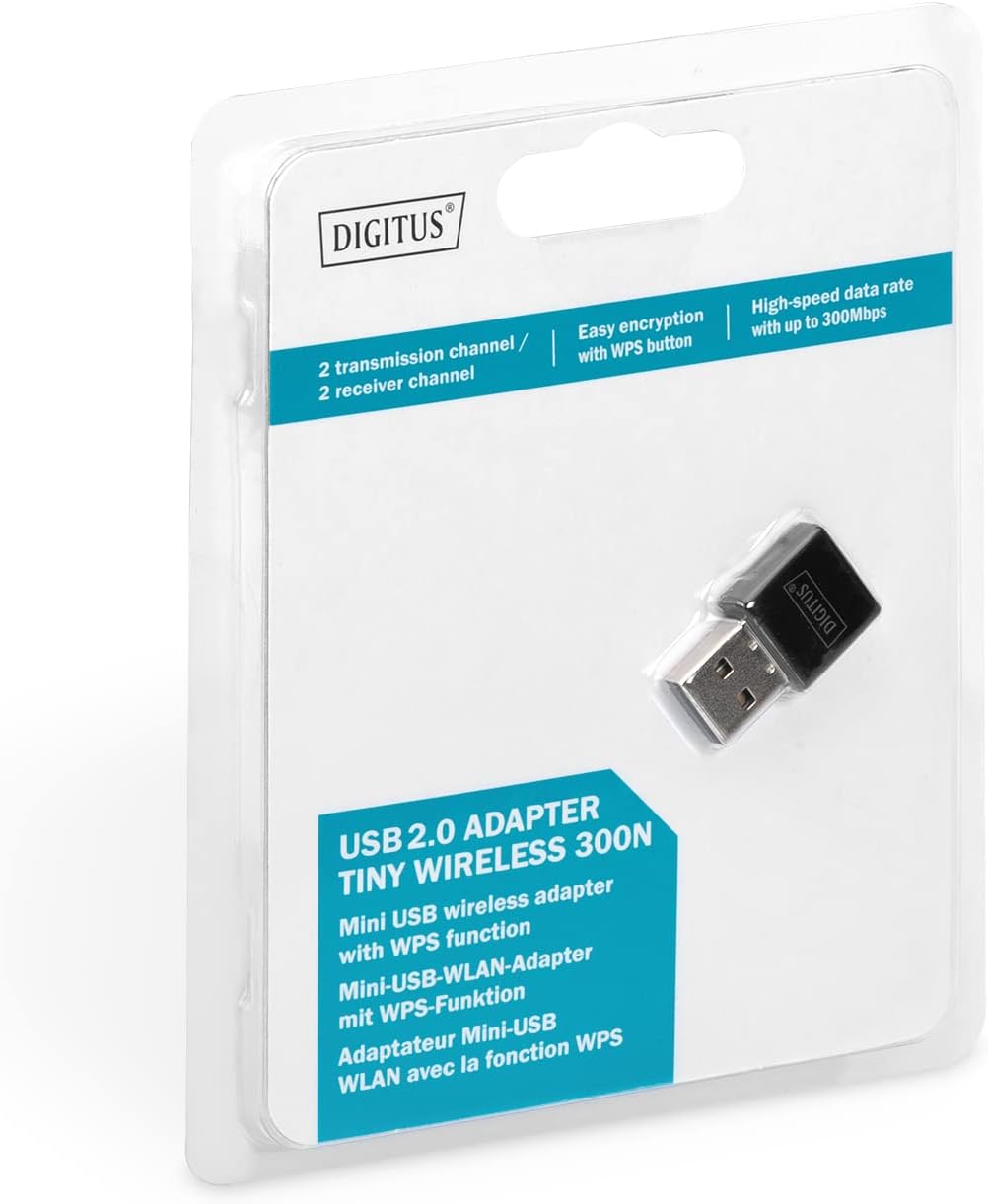
Figure 2.1: Retail packaging of the DIGITUS DN-70542 adapter, showing the adapter and its key features.
3. Тохируулах гарын авлага
Follow these steps to install your Wireless LAN USB Adapter:
- Драйверуудыг суулгах: Before connecting the adapter, insert the included Product Support CD-ROM into your computer's optical drive. Follow the on-screen instructions to install the necessary drivers. If your computer does not have an optical drive, or if you encounter issues, please visit the official DIGITUS website to download the latest drivers for your operating system (Windows).
Note: Some operating systems, particularly older versions of Windows, may require driver installation prior to connecting the device. Refer to the Troubleshooting section if you encounter issues during this step.
- Адаптерийг холбоно уу: Locate an available USB 2.0 port on your computer. Carefully insert the DIGITUS DN-70542 Wireless LAN USB 2.0 Adapter into the USB port.
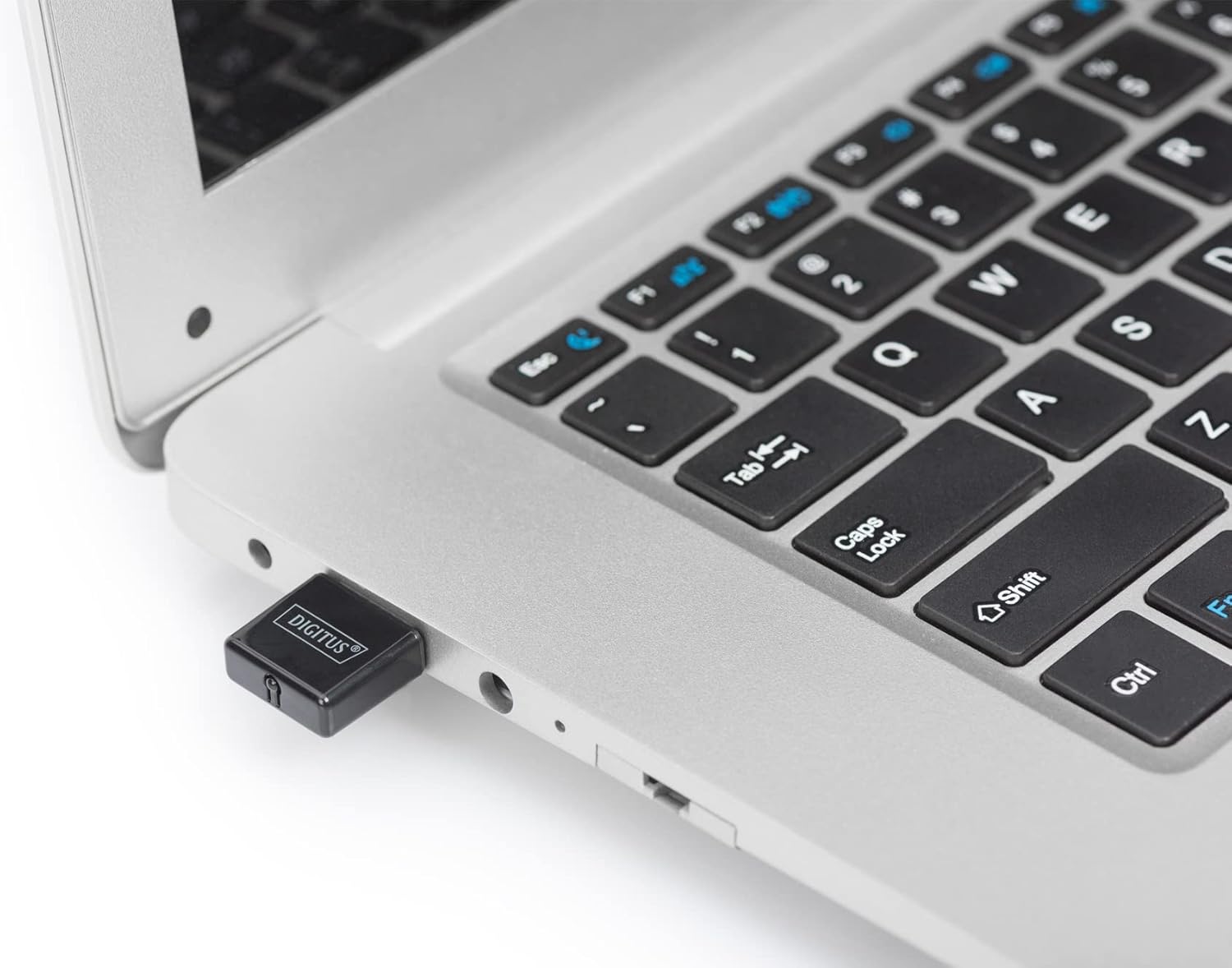
Figure 3.1: The DIGITUS DN-70542 adapter inserted into a laptop's USB port.

Зураг 3.2: Илүү ойртох view of the adapter connected to a laptop, showing its compact size.
- Суулгацыг баталгаажуулах: After connecting, your operating system should detect the new hardware and complete the installation. You can verify the installation by checking your computer's Device Manager (for Windows) to ensure the wireless adapter is listed and functioning correctly.
4. Ашиглалтын заавар
Once the adapter is successfully installed, you can connect to a wireless network.
- Утасгүй сүлжээнд холбогдох:
- Компьютерийн утасгүй сүлжээний тохиргоог нээнэ үү.
- Scan for available wireless networks.
- Select your desired network (SSID) from the list.
- Хэрэв асуувал сүлжээний аюулгүй байдлын түлхүүрийг (нууц үг) оруулна уу.
- Утасгүй холболт үүсгэхийн тулд "Холбох" дээр дарна уу.
- WPS (Wi-Fi хамгаалалттай тохиргоо) ашиглаж байна:
The adapter supports WPS for a simplified and secure connection to compatible routers.
- Утасгүй чиглүүлэгч дээрээ WPS товчийг дарна уу.
- Within two minutes, press the WPS button on the DIGITUS DN-70542 adapter. The WPS button is a small, recessed button on the side of the adapter.
- The adapter and router will automatically establish a secure connection.

Figure 4.1: The WPS button located on the side of the adapter.
5. Засвар үйлчилгээ
To ensure optimal performance and longevity of your DIGITUS DN-70542 adapter, follow these guidelines:
- Адаптерийг цэвэр, тоосгүй байлга. Цэвэрлэхийн тулд зөөлөн, хуурай даавуу ашиглана уу.
- Адаптерийг хэт өндөр температур, чийгшил, нарны шууд тусгалд оруулахаас зайлсхий.
- Адаптерийг өөрөө задлах эсвэл засах гэж бүү оролдоорой. Энэ нь баталгааг хүчингүй болгоно.
- Бие махбодид гэмтэл учруулахгүйн тулд адаптерыг ашиглаагүй үед аюулгүй газар хадгална уу.
6. Алдаа засах
If you encounter issues with your DIGITUS DN-70542 Wireless LAN USB 2.0 Adapter, refer to the following common problems and solutions:
- Adapter Not Detected / Driver Installation Issues:
- Адаптерийг USB порт руу бүрэн оруулсан эсэхийг шалгаарай.
- Өөр USB портоор оролдоно уу.
- Reinstall the drivers from the provided CD-ROM.
- Download the latest drivers from the official DIGITUS webсайт.
- If using Windows 8.1 or newer and encountering issues like "Bluescreen" or "infected file" warnings during driver installation, temporarily disable antivirus software (like Windows Defender) during driver installation, then re-enable it immediately after. Ensure you are downloading drivers from a trusted source (DIGITUS official webсайт).
- Check Device Manager to see if the adapter is listed with any error symbols.
- Утасгүй сүлжээнд холбогдох боломжгүй:
- Verify that your wireless router is powered on and broadcasting a signal.
- Ensure you are entering the correct network security key (password).
- Дохионы хүчийг сайжруулахын тулд утасгүй чиглүүлэгч рүү ойртоорой.
- Компьютер болон утасгүй чиглүүлэгчээ дахин эхлүүлнэ үү.
- Check if other devices can connect to the same wireless network.
- Удаан холболтын хурд:
- Ensure your router supports 802.11n for optimal speeds.
- Бусад электрон төхөөрөмжүүдийн (жишээ нь, богино долгионы зуух, утасгүй утас) хөндлөнгийн оролцоог багасгах.
- Чиглүүлэгчийнхээ програм хангамжийг шинэчил.
- Сүлжээндээ зурвасын өргөнийг ашигладаг бусад төхөөрөмжүүд байгаа эсэхийг шалгана уу.
7. Техникийн үзүүлэлтүүд
| Онцлог | Тодорхойлолт |
|---|---|
| Загвар | DN-70542 |
| Тоног төхөөрөмжийн интерфейс | USB 2.0 |
| Утасгүй стандартууд | IEEE 802.11n, IEEE 802.11g, IEEE 802.11b |
| Өгөгдөл дамжуулах хурд | 300 Mbps хүртэл |
| Давтамжийн хүрээ | 2.4 - 2.4835 GHz |
| Аюулгүй байдлын онцлог | WPS (Wireless Protected Setup) function |
| Үйлдлийн системийн дэмжлэг | Windows |
| Бүтээгдэхүүний хэмжээс | 24 x 15 x 2 mm (approximate); 15 g |
| Үйлдвэрлэгч | ASSMANN Electronic GmbH PES - BO DE |
8. Баталгаат хугацаа ба дэмжлэг
For warranty information and technical support, please refer to the documentation included with your product or visit the official DIGITUS website. Contact details for customer support can typically be found on the manufacturer's webсайт.
Аливаа баталгаат нэхэмжлэлийн хувьд худалдан авалтаа нотлох баримтаа хадгална уу.