
1. Танилцуулга
This manual provides detailed instructions for the proper use and maintenance of your Vivitar DF-583 Power Zoom DSLR Flash. Designed for Nikon DSLR cameras, this flash unit offers advanced features to enhance your photography. Please read this manual thoroughly before using the product to ensure optimal performance and safety.
2. Аюулгүй байдлын мэдээлэл
- Do not attempt to disassemble or modify the flash unit. This can cause electric shock or damage the product.
- Keep the flash unit away from water and moisture. Exposure to liquids can cause malfunction or electric shock.
- Гэрлийн чийдэнг нүдэнд шууд хүргэхээс, ялангуяа ойрын зайнаас зайлсхий, учир нь энэ нь харааны түр зуурын алдагдалд хүргэж болзошгүй.
- Use only recommended batteries. Incorrect battery types or improper insertion can lead to leakage, overheating, or explosion.
- Флэш төхөөрөмжийг нарны шууд тусгал, хэт температураас хол, сэрүүн, хуурай газар хадгална.
3. Багцын агуулга
Бүх зүйл багцад байгаа эсэхийг шалгана уу:
- Vivitar DF-583 Power Zoom DSLR Flash Unit
- Мини индэр
- Хамгаалалтын уут
- Хэрэглэгчийн гарын авлага (энэ баримт бичиг)

Image: Vivitar DF-583 flash unit, mini stand, and protective pouch.
4. Хэсгийн нэр ба чиг үүрэг
4.1 Урд ба хажуу View
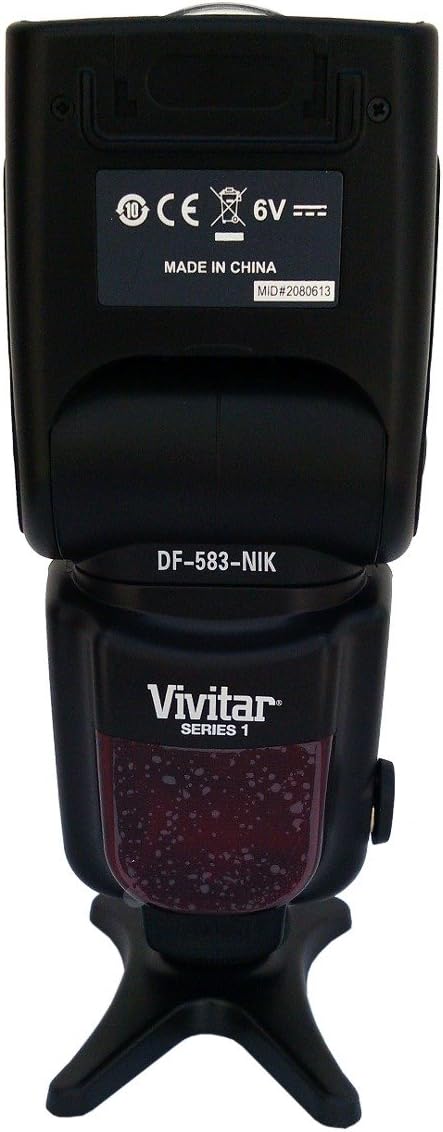
Зураг: урд ба хажуу view of the Vivitar DF-583 flash, showing the flash head, body, and hot shoe mount.
- Flash толгой: Contains the flash tube and light-emitting components. Can be rotated and tilted for bounce flash.
- Өргөн өнцгийн диффузор: Pulls out from the flash head to spread light for wider coverage.
- Bounce Card: Pulls out from the flash head to create a catchlight in the subject's eyes or provide subtle fill light.
- Халуун гутал суурилуулах: Connects the flash to the camera's hot shoe for communication and triggering.
4.2 Control Panel and Rear View

Зураг: Ар талд view of the Vivitar DF-583 flash, highlighting the LCD display and control buttons.
- LCD дэлгэц: Shows current flash settings, mode, zoom position, and battery status.
- MODE товчлуур: Cycles through flash modes (e.g., TTL, Manual, Multi, S1, S2).
- PILOT товч: Test flash button. Press to fire a test flash and check readiness.
- ON/OFF товч: Флэш төхөөрөмжийг асаах эсвэл унтраах.
- ZOOM Buttons (Left/Right Arrows): Adjusts the flash zoom head position manually.
- Dial/Set Button: Цэс рүү шилжиж, сонголтыг баталгаажуулна.
- LOCK Switch: Secures the flash unit to the camera's hot shoe.
- Зайны тасалгаа: Holds the batteries for the flash unit.
4.3 Flash Head Features
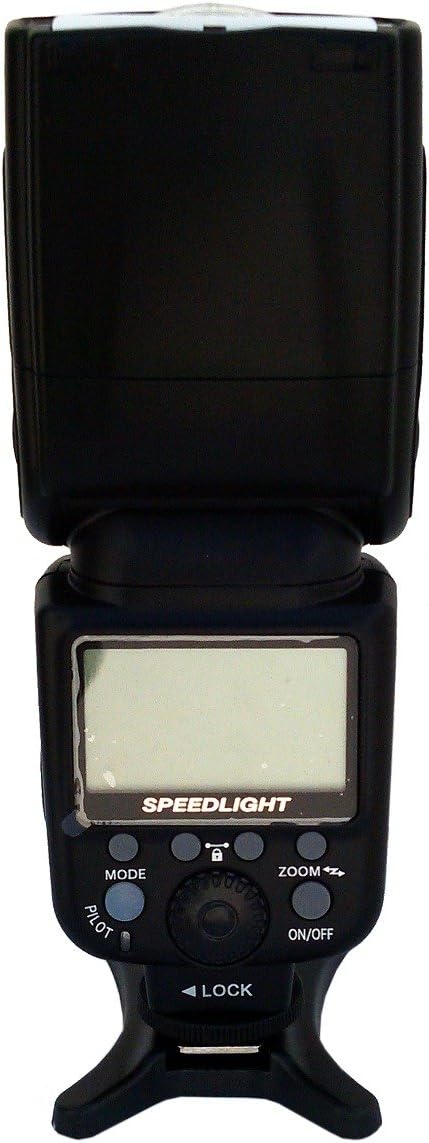
Image: Flash head with the wide-angle diffuser pulled out, showing its mechanism.
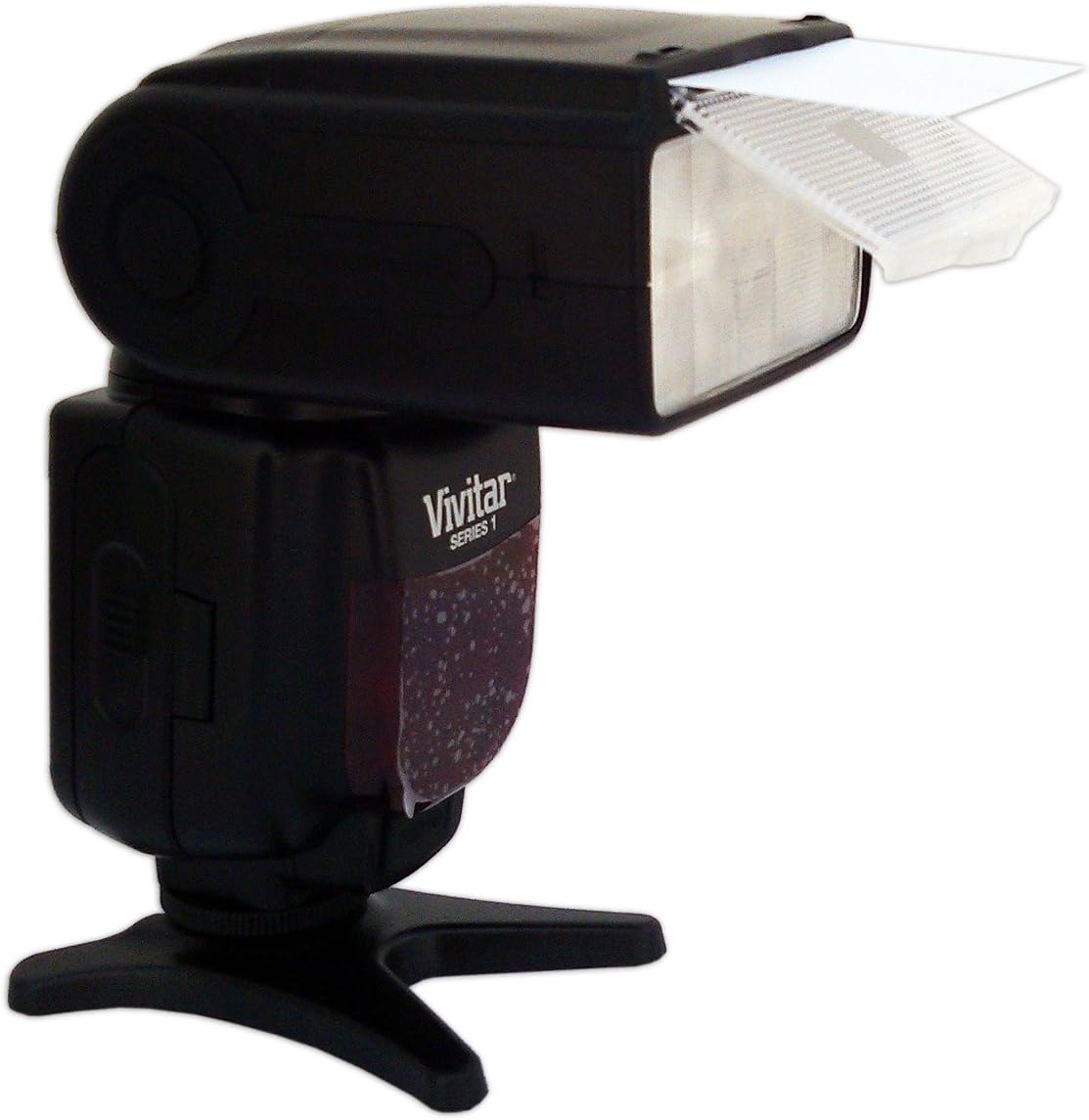
Image: Flash head with the bounce card extended, demonstrating its use for indirect lighting.
5. Тохиргоо
5.1 Батерей суурилуулах
- Open the battery compartment cover located on the rear of the flash unit.
- Insert four (4) AA-size batteries, ensuring correct polarity (+/-) as indicated inside the compartment.
- Зайны тасалгааны тагийг сайтар хаа.
5.2 Камерт суурилуулах
- Камер болон флэш хоёулаа унтарсан эсэхийг шалгаарай.
- Slide the flash unit's hot shoe mount into the camera's hot shoe slot.
- Rotate the LOCK switch on the flash unit clockwise to secure it firmly to the camera.
- To remove, rotate the LOCK switch counter-clockwise and slide the flash off.
6. Флашыг ажиллуулах
6.1 Асаах/унтраах
-г удаан дар ON/OFF button for approximately 2 seconds to power the flash on or off. The LCD display will illuminate when powered on.
6.2 Flash горим
дээр дарна уу MODE button repeatedly to cycle through the available flash modes:
- TTL (Лензээр дамжуулан): The camera automatically determines the flash output for correct exposure. This is the standard automatic mode.
- Гарын авлага (M): Allows manual adjustment of flash power output (e.g., 1/1, 1/2, 1/4, etc.). Use the dial or arrow buttons to adjust power.
- Олон (Стробоскоп): Fires a series of rapid flashes during a single exposure, useful for capturing multiple movements of a subject.
- S1 (Optical Slave Mode 1): The flash fires in response to the first flash from a master flash, ignoring pre-flashes.
- S2 (Optical Slave Mode 2): The flash fires in response to the second flash from a master flash, suitable for cameras that emit a pre-flash for red-eye reduction or TTL metering.
6.3 Томруулах функц
The flash head's zoom position can be adjusted to match the focal length of your lens, optimizing light coverage.
- Автомат томруулах: In TTL mode, the flash automatically adjusts its zoom position (18-180mm) to match the camera's lens focal length.
- Гараар томруулах: In Manual or other modes, press the ZOOM arrow buttons to manually set the zoom position.
6.4 Bounce and Swivel
The flash head can be tilted and rotated to bounce light off ceilings or walls, creating softer, more natural illumination.
- Хазайлт: The flash head can tilt upwards from 0° to 90°.
- Эргэдэг: The flash head can rotate horizontally up to 270°.
To adjust, gently hold the flash head and move it to the desired position. Do not force movement beyond its limits.
6.5 Using the Wide-Angle Diffuser and Bounce Card
- Өргөн өнцгийн диффузор: Pull out the small white panel from the top of the flash head. This spreads the light for wider lens coverage (e.g., 18mm) and softens shadows.
- Bounce Card: Pull out the larger white panel from the top of the flash head. This can be used to create a catchlight in the subject's eyes when bouncing the flash, or for subtle fill light.
7. Засвар үйлчилгээ
7.1 Цэвэрлэгээ
- Use a soft, dry cloth to clean the exterior of the flash unit.
- Зөрүүд шороонд бага зэрэг dampдаавууг усаар арчиж хатаана.
- Do not use solvents, alcohol, or abrasive cleaners, as these can damage the finish or internal components.
- Камертай зөв холбогдохын тулд халуун гутлын контактуудыг цэвэр байлгаарай.
7.2 Хадгалалт
- Хэрэв флэш гоожихоос сэргийлж удаан хугацаагаар ашиглахгүй бол батерейг салга.
- Store the flash unit in its protective pouch in a cool, dry, dust-free environment.
- Avoid storing in areas with high humidity or extreme temperature fluctuations.
8. Алдаа засах
| Асуудал | Боломжит шалтгаан | Шийдэл |
|---|---|---|
| Флэш асахгүй байна. | Дууссан эсвэл буруу оруулсан батерей. | Батерейг шинэ батерейгаар сольж, зөв туйлшралыг баталгаажуулна уу. |
| Флэш асахгүй. | Flash not securely mounted; camera/flash settings incorrect; flash not charged. | Ensure flash is locked onto hot shoe. Check camera and flash mode settings. Wait for the ready indicator light to illuminate. |
| Флэш гаралт хэт тод/харанхуй байна. | Incorrect flash exposure compensation; incorrect manual power setting. | Adjust flash exposure compensation on camera or flash. In Manual mode, adjust power output. |
| Flash zoom not working. | Flash in manual zoom mode; communication issue with camera. | Ensure flash is in TTL mode for auto zoom. Check hot shoe connection. Manually adjust zoom using buttons. |
9. Техникийн үзүүлэлтүүд
| Онцлог | Тодорхойлолт |
|---|---|
| Загвар | DF-583 |
| Брэнд | Амьд |
| Тохиромжтой камерууд | Nikon DSLR камерууд |
| Томруулах хүрээ | 18-180мм (Автомат/Гараар) |
| Флэш горимууд | TTL, Гарын авлага, Олон, S1, S2 |
| Босоо эргэлтийн өнцөг | 0-ээс 90 градус хүртэл |
| Хэвтээ эргэлтийн өнцөг | 0-ээс 270 градус хүртэл |
| Эрчим хүчний эх үүсвэр | 4 х АА батерей |
| Хэмжээ (L x W x H) | 26.16 x 13.21 x 9.65 см (ойролцоогоор) |
| Жин | 612.35 гр (ойролцоогоор) |
| UPC | 681066327449 |
10. Баталгаат хугацаа ба дэмжлэг
Баталгаат мэдээлэл эсвэл техникийн дэмжлэг авахыг хүсвэл бүтээгдэхүүнд дагалдаж буй баталгаат картаас эсвэл албан ёсны Vivitar-д зочилно уу. webсайт. Худалдан авалтын баримтаа аливаа баталгаат нэхэмжлэлийг худалдан авсан баримт болгон хадгална уу.