
Танилцуулга
The StarTech.com SDOCKU33HB is a USB 3.0 SATA Hard Drive Docking Station designed for quick and easy access to 2.5-inch or 3.5-inch SATA solid-state drives (SSDs) and hard disk drives (HDDs). It features a built-in USB Fast Charge hub and supports UASP (USB Attached SCSI Protocol) for enhanced performance with SATA 6Gbps drives. This manual provides instructions for setup, operation, and maintenance of your docking station.
Бүтээгдэхүүн дууссанview
Familiarize yourself with the components and features of your docking station.
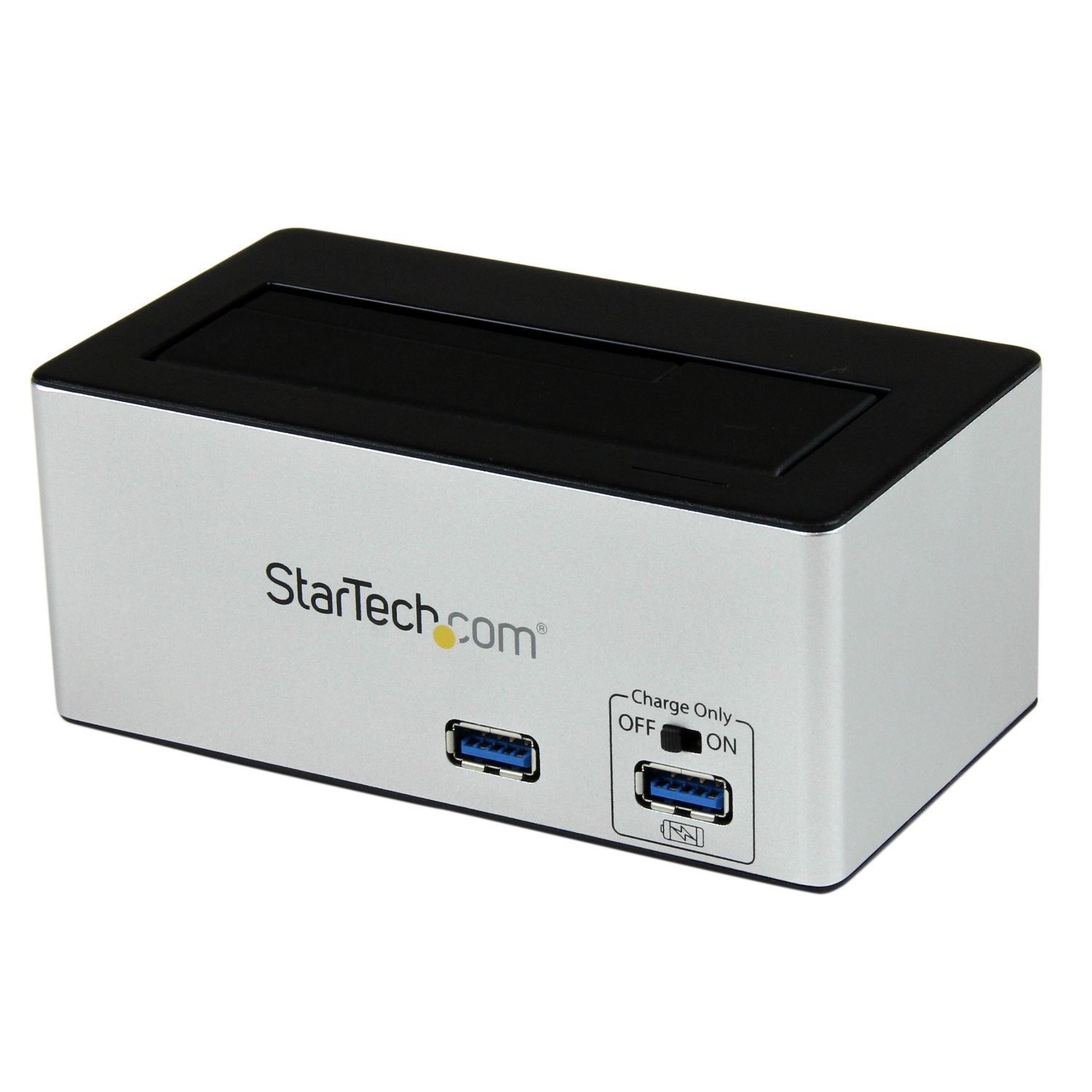
Зураг: The StarTech.com SDOCKU33HB docking station, showing the top-loading drive bay and front panel.
Урд самбарын онцлог
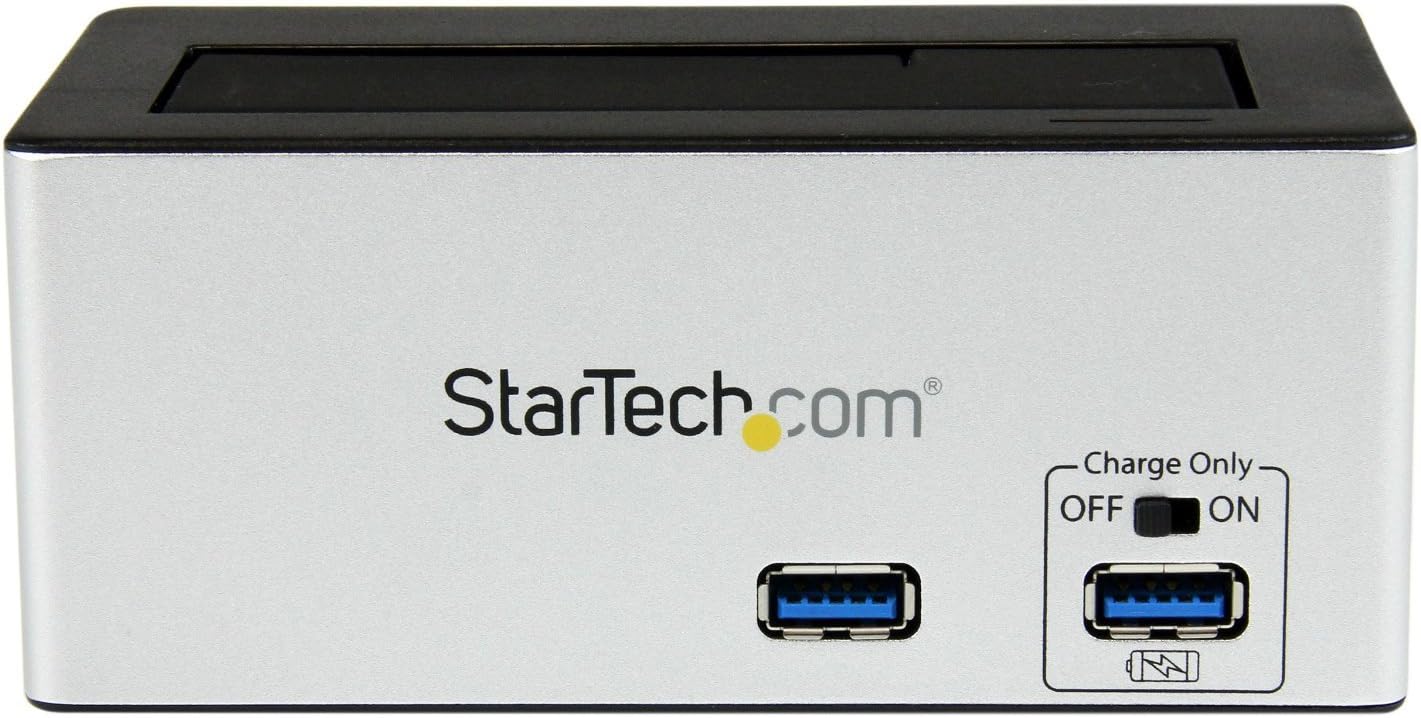
Зураг: Урд view of the docking station, highlighting the USB 3.0 data port and the USB Fast Charge port with its ON/OFF switch.
- USB 3.0 Data Port: Connects to your computer for data transfer.
- USB Fast Charge Port: Provides accelerated charging for mobile devices. Features an ON/OFF switch for activation.
Арын самбарын онцлог

Зураг: Арын view of the docking station, showing the power switch, DC-IN port, USB 3.0 host connection, and the OFF/Sleep switch.
- Эрчим хүч солих: Turns the docking station ON or OFF.
- DC-IN порт: Дагалдах тэжээлийн адаптерт холбогдоно.
- USB 3.0 хост порт: Connects the docking station to your computer's USB 3.0 port.
- OFF/Sleep Switch: Controls the sleep mode functionality of the docking station.
Багцын агуулга
Verify that all components are present in your package.
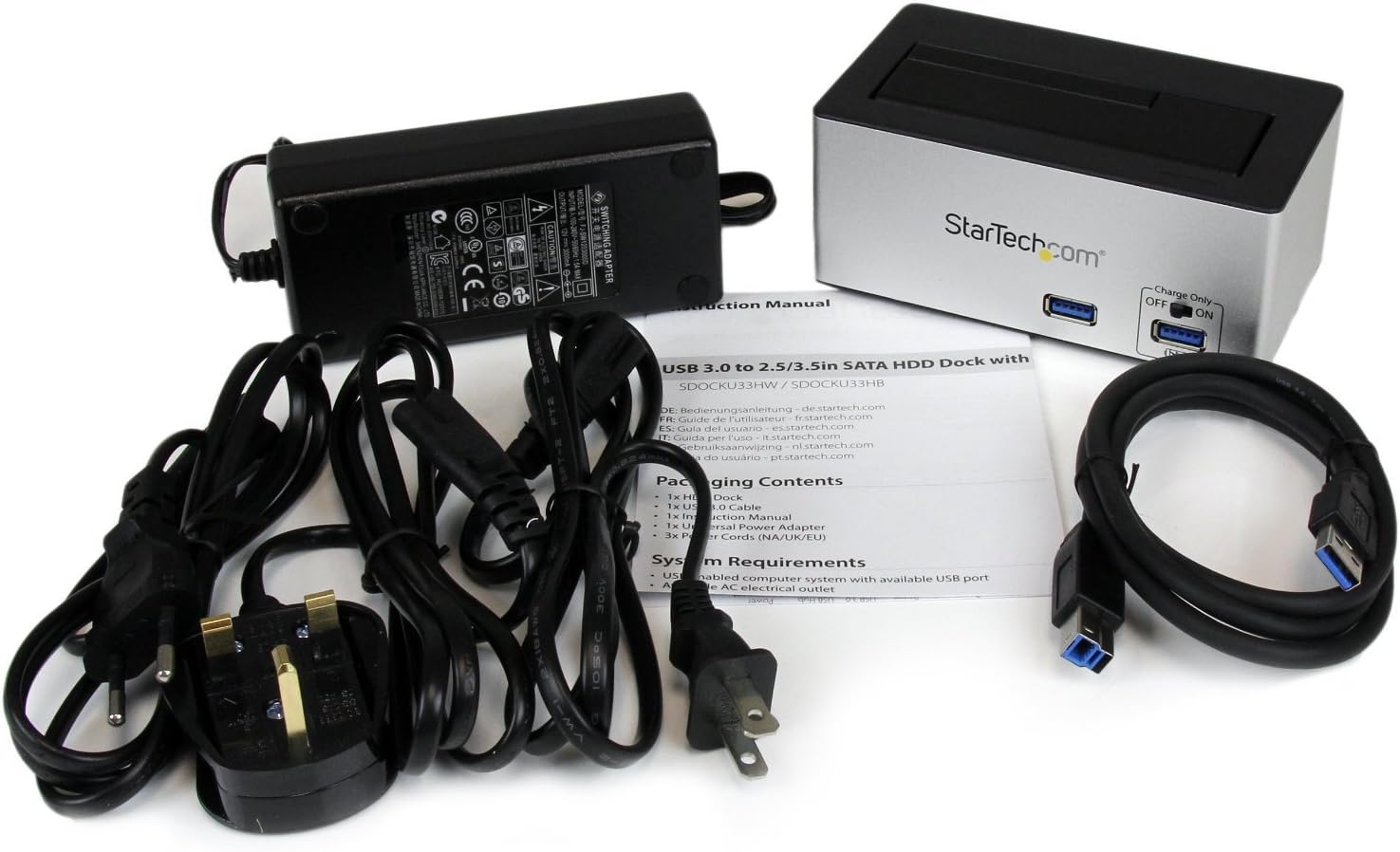
Зураг: The complete package contents, including the docking station, power adapter, USB 3.0 cable, and instruction manual.
- 1x USB 3.0 SATA Hard Drive Docking Station (SDOCKU33HB)
- 1x Universal Power Adapter
- 1x USB 3.0 кабель
- 1x зааварчилгааны гарын авлага
Системийн шаардлага
Ensure your system meets the following requirements for optimal performance.
- Computer with an available USB 3.0 port (USB 2.0/1.1 backward compatible)
- 2.5-inch or 3.5-inch SATA I/II/III SSD/HDD
- Хувьсах гүйдлийн залгуур
- Operating System: Windows XP/Vista/7/8/10/11, macOS 10.x and later, Linux
Тохируулах заавар
- Эрчим хүчийг холбох: Connect the universal power adapter to the DC-IN port on the rear of the docking station, then plug the adapter into an AC power outlet.
- Компьютерт холбогдох: Connect one end of the included USB 3.0 cable to the USB 3.0 Host Port on the rear of the docking station, and the other end to an available USB 3.0 port on your computer.
- Драйв оруулах: Gently slide your 2.5-inch or 3.5-inch SATA SSD/HDD into the top-loading drive bay until it is securely seated. Ensure the drive's SATA connector aligns with the docking station's connector.
- Асаах: Flip the Power Switch on the rear of the docking station to the 'ON' position. The power LED (if present) should illuminate.
- Драйвер суурилуулах: Таны үйлдлийн систем шаардлагатай драйверуудыг автоматаар илрүүлж суулгах ёстой. Драйверыг гараар суулгах шаардлагагүй.
- Access Drive: Once detected, the drive will appear as a removable storage device in your operating system's file explorer or disk management utility. You may need to initialize and format new drives before use.
Ашиглалтын заавар
Using the Hard Drive Dock
- Өгөгдөл дамжуулах: Once the drive is recognized by your computer, you can drag and drop files to and from the drive as you would with any other storage device.
- Халуун солилцоо: The docking station supports hot-swapping. To safely remove a drive, ensure all data transfer operations are complete, then use your operating system's "Safely Remove Hardware" or "Eject" function before pulling the drive out of the bay.
- UASP дэмжлэг: For systems supporting UASP, the docking station will leverage this protocol to achieve faster data transfer speeds, especially with SATA 6Gbps drives.
Using the USB Fast Charge Port
- Activate Fast Charge: Flip the "Charge Only" switch on the front panel to the 'ON' position.
- Төхөөрөмжийг холбох: Connect your mobile device (e.g., smartphone, tablet) to the USB Fast Charge port using its charging cable.
- Цэнэглэж байна: The port will provide enhanced power output for faster charging compared to standard USB ports.
Sleep Mode Functionality
- The "OFF/Sleep" switch on the rear panel controls the docking station's sleep mode behavior. Consult the full product manual for detailed information on sleep mode settings and compatibility.
Засвар үйлчилгээ
- Цэвэрлэгээ: Use a soft, dry cloth to clean the exterior of the docking station. Do not use liquid cleaners or solvents.
- Хадгалах: Ашиглаагүй үед залгах станцыг нарны шууд тусгал, хэт температураас хол, сэрүүн, хуурай газар хадгална.
- Drive Handling: Always handle hard drives with care. Avoid dropping or subjecting them to physical shock.
Алдааг олж засварлах
- Issue: Drive not detected by computer.
- Док станц асаалттай, тэжээлийн адаптер найдвартай холбогдсон эсэхийг шалгана уу.
- Verify the USB 3.0 cable is firmly connected to both the docking station and your computer.
- Компьютер дээрээ өөр USB порт ашиглаж үзнэ үү.
- Ensure the SATA drive is correctly seated in the docking bay.
- Check your computer's Disk Management (Windows) or Disk Utility (macOS) to see if the drive is recognized but uninitialized or unformatted. New drives require initialization and formatting.
- Test with a different SATA drive to rule out a drive issue.
- Асуудал: Өгөгдөл дамжуулах хурд удаан.
- Компьютер дээрээ USB 3.0 порттой холбогдсон эсэхээ шалгаарай. USB 2.0 портууд хурдыг удаашруулна.
- Verify your operating system and drivers support UASP for optimal performance with SATA 6Gbps drives.
- The performance of the drive itself can affect transfer speeds.
- Issue: Fast Charge port not working.
- Ensure the "Charge Only" switch on the front panel is in the 'ON' position.
- Verify the docking station is powered on.
- Try a different charging cable or device to confirm the issue is not with the device or cable.
Үзүүлэлтүүд
| Онцлог | Тодорхойлолт |
|---|---|
| Загвар | SDOCKU33HB |
| Интерфэйс | USB 3.0 (USB 2.0/1.1-тэй ухраа нийцтэй) |
| Тохиромжтой хөтчийн төрлүүд | 2.5" and 3.5" SATA I/II/III HDDs/SSDs |
| Өгөгдөл дамжуулах хурд | 5 Gbps хүртэл (USB 3.0) |
| UASP дэмжлэг | Тиймээ |
| Fast Charge Port | Тиймээ |
| Хэмжээ (L x W x H) | 3.6" x 3.6" x 6.8" (9.14 см x 9.14 см x 17.27 см) |
| Жин | 1.4 фунт (0.64 кг) |
| Өнгө | Хар |
| Эрчим хүчний хангамж | Universal AC Adapter (Input: 100-240V AC, Output: 12V DC) |
Баталгаат болон техникийн дэмжлэг
Энэхүү StarTech.com бүтээгдэхүүнийг дараах бүтээгдэхүүнүүд дэмждэг. 2 жилийн баталгаат хугацаа.
For the most up-to-date information on warranty, technical support, and product documentation, please visit the official StarTech.com website or the product page:
You can also find additional resources and contact information for technical assistance on the StarTech.com webсайт.