
1. Бүтээгдэхүүн дууссанview
The Cisco 4000 series Integrated Services Routers (ISR) are designed to provide advanced network, compute, and WAN services for modern business environments. The ISR4351/K9 model facilitates the extension of cloud services to remote sites and supports a transition to a hybrid WAN architecture. It integrates chassis, modules, and WAN services within a robust management framework, offering a flexible platform adaptable to evolving application landscapes.
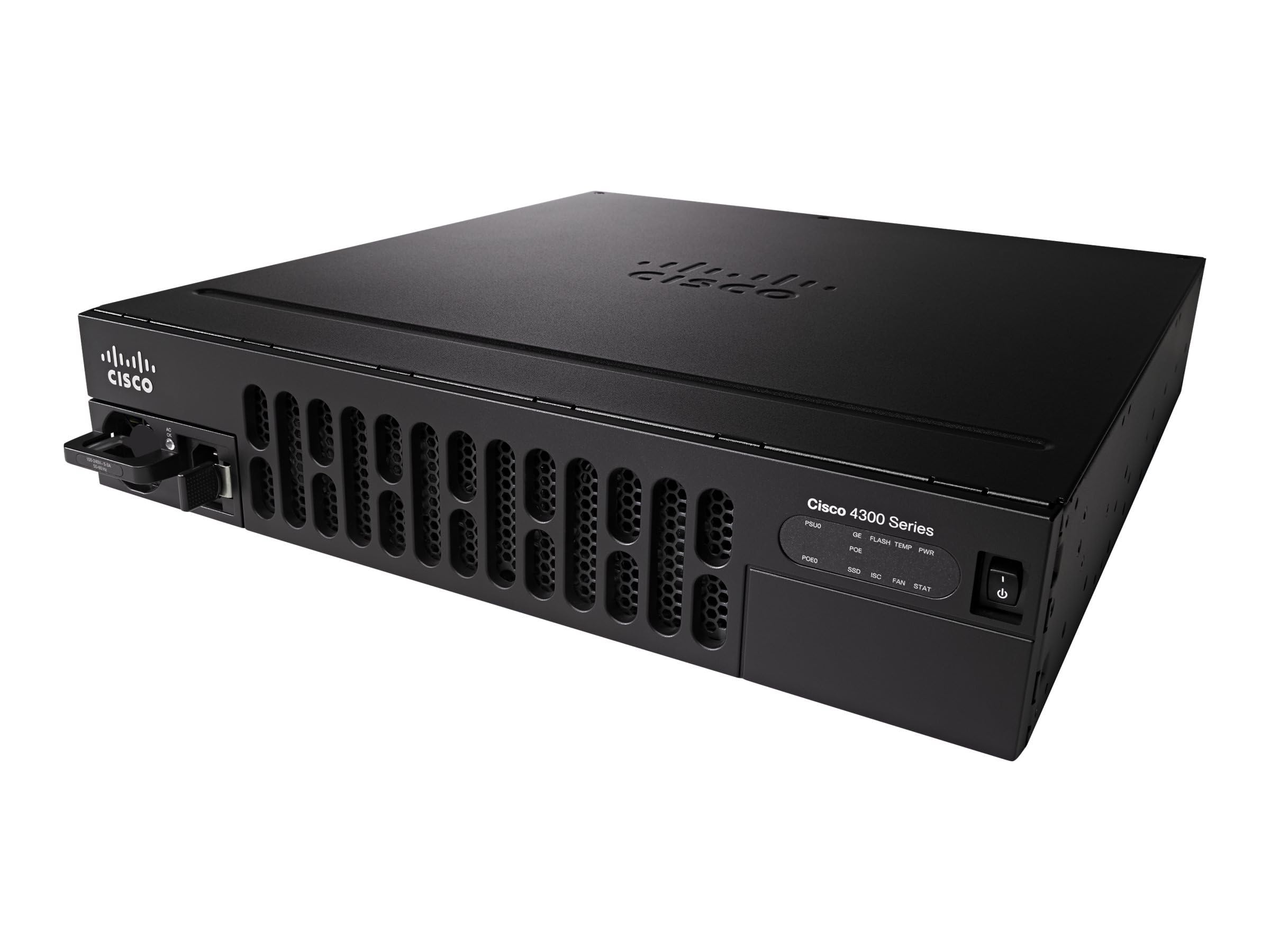
Image showing the front panel of the Cisco ISR4351/K9 Router, highlighting its rack-mountable design and port layout.
2. Багцын агуулга
Суулгацыг үргэлжлүүлэхийн өмнө багцад бүх зүйл байгаа эсэхийг шалгаарай.
- Cisco ISR4351/K9 Router
- Туузан холбох хэрэгсэл
3. Тохиргоо
Follow these steps for initial setup of your Cisco ISR4351/K9 Router:
- Савлах: Carefully remove the router and all components from the packaging. Inspect for any visible damage.
- Rack суурилуулах: Use the provided rack mounting kit to securely install the router into a standard equipment rack. Ensure adequate ventilation around the unit.
- Эрчим хүчний холболт: Цахилгааны кабелийг чиглүүлэгчийн тэжээлийн оролтод, дараа нь газардуулгатай цахилгааны залгуурт холбоно уу. Төхөөрөмжийг хараахан асааж болохгүй.
- Сүлжээний холболтууд: Connect your WAN and LAN cables to the appropriate Ethernet ports on the router. Refer to the port labels for correct connections.
- Консолын хандалт (заавал биш): For initial configuration or troubleshooting, connect a console cable from your computer to the router's console port.
- Асаах: Once all connections are secure, connect the power cable to the electrical outlet. The router will begin its boot sequence.
4. Ашиглалтын заавар
The Cisco ISR4351/K9 Router operates on Cisco IOS, providing a comprehensive command-line interface (CLI) for configuration and management. Basic operation involves configuring network interfaces, routing protocols, and security features.
- Анхны тохиргоо: Access the router via the console port or a network connection (if pre-configured) using a terminal emulator. Follow Cisco IOS configuration guides for initial setup, including IP addressing, user accounts, and basic security.
- WAN Services: Configure WAN interfaces to connect to your internet service provider or private networks. The router supports various WAN technologies for flexible connectivity.
- Application Visibility: Utilize built-in features for visibility into application traffic, enabling effective capacity planning and prioritization of critical applications.
- Intelligent Path Selection: Implement intelligent path selection to optimize traffic flow, balance loads, and potentially reduce operational costs.
- Аюулгүй байдал: Configure firewalls, VPNs, and other security protocols (such as WPS for wireless if applicable) to protect your network infrastructure.
5. Засвар үйлчилгээ
Regular maintenance ensures optimal performance and longevity of your Cisco ISR4351/K9 Router.
- Програм хангамжийн шинэчлэлтүүд: Үе үе Cisco дэмжлэгийг шалгана уу website for the latest IOS software updates. Applying updates can improve performance, add features, and address security vulnerabilities.
- Байгаль орчны нөхцөл: Ensure the router operates within recommended temperature and humidity ranges. Maintain clear airflow around the device to prevent overheating.
- Биеийн үзлэг: Regularly inspect cables and connections for wear or damage. Keep the router's exterior clean and free of dust.
- Тохиргооны нөөцлөлт: Regularly back up your router's configuration to an external storage device or network location.
6. Алдаа засах
If you encounter issues with your Cisco ISR4351/K9 Router, consider the following troubleshooting steps:
- Эрчим хүчгүй: Verify that the power cable is securely connected to both the router and a working electrical outlet. Check the power indicator lights on the router.
- Сүлжээний холболтын асуудлууд: Check all Ethernet cable connections. Verify interface status using Cisco IOS commands (e.g.,
show ip interface brief). Ensure correct IP addressing and routing configurations. - Удаан гүйцэтгэл: Monitor CPU and memory utilization (
show processes cpu,show memory). Check for high traffic loads or potential network bottlenecks. - Access Problems: If you cannot access the router via SSH/Telnet, try using the console port for direct access. Verify user credentials and access control lists (ACLs).
- Баримт бичигтэй зөвлөлдөх: Refer to the comprehensive Cisco IOS documentation and support resources available on the official Cisco website for detailed troubleshooting guides and command references.
7. Техникийн үзүүлэлтүүд
Key technical specifications for the Cisco ISR4351/K9 Router:
| Онцлог | Тодорхойлолт |
|---|---|
| Загварын нэр | ISR4351/K9 |
| Брэнд | Cisco |
| Үйлдлийн систем | Cisco IOS |
| RAM санах ой суулгасан | 4 ГБ |
| Портын тоо | 8 |
| Холболтын технологи | Ethernet |
| LAN портын зурвасын өргөн | 1000 Mbps |
| Өгөгдөл дамжуулах хурд | Секундэд 200 мегабит |
| Maximum Upstream Data Transfer Rate | Секундэд 450 мегабит |
| Утасгүй холбооны стандарт | 802.11n |
| Давтамжийн зурвасын ангилал | Хос зурвас |
| Аюулгүй байдлын протокол | WPS |
| Ботьtage | 240 вольт |
| Зүйлийн жин | 28.9 фунт |
8. Баталгаат хугацаа ба дэмжлэг
Баталгаат хугацаа: This Cisco ISR4351/K9 Router comes with a 30-day warranty from the date of purchase. Please retain your proof of purchase for warranty claims.
Техникийн дэмжлэг: Техникийн туслалцаа, нэмэлт баримт бичиг, эсвэл асуудлыг мэдээлэхийн тулд Cisco-ийн албан ёсны дэмжлэг үзүүлэх үйлчилгээнд зочилно уу website. You can find extensive resources, including knowledge bases, downloads, and contact information for support services.
Cisco дэмжлэг Webсайт: https://www.cisco.com/c/en/us/support/index.html