
JACKYLED QK1260-U3
JACKYLED Power Strip Tower Surge Protector (Model QK1260-U3) Instruction Manual
Model: QK1260-U3 | Brand: JACKYLED
1. Танилцуулга
This manual provides essential information for the safe and efficient operation of your JACKYLED Power Strip Tower Surge Protector. Please read these instructions thoroughly before use and retain them for future reference.
The JACKYLED Power Strip Tower is designed to provide multiple power outlets and USB charging ports in a compact, vertical form factor, suitable for various environments such as home offices, classrooms, or entertainment setups. It integrates surge protection and individual power control for enhanced safety and energy management.
2. Аюулгүй ажиллагааны чухал заавар
Цахилгаан цочрол, гал түймэр, гэмтлийн эрсдлийг бууруулахын тулд дараах аюулгүй байдлын урьдчилан сэргийлэх арга хэмжээг үргэлж дагаж мөрдөөрэй.
- Do not exceed the maximum power rating of 1625W (13A at 125V).
- This device is for indoor use only. Do not expose to moisture or use in wet environments.
- Төхөөрөмжийг задлах, өөрчлөхийг хориглоно. Бүх үйлчилгээг мэргэшсэн боловсон хүчинд шилжүүлээрэй.
- Хүүхэд, тэжээвэр амьтдаас хол байлга.
- Ensure the power cord is fully extended when in use to prevent overheating.
- Avoid plugging high-power appliances (e.g., heaters, microwaves) into the power strip.
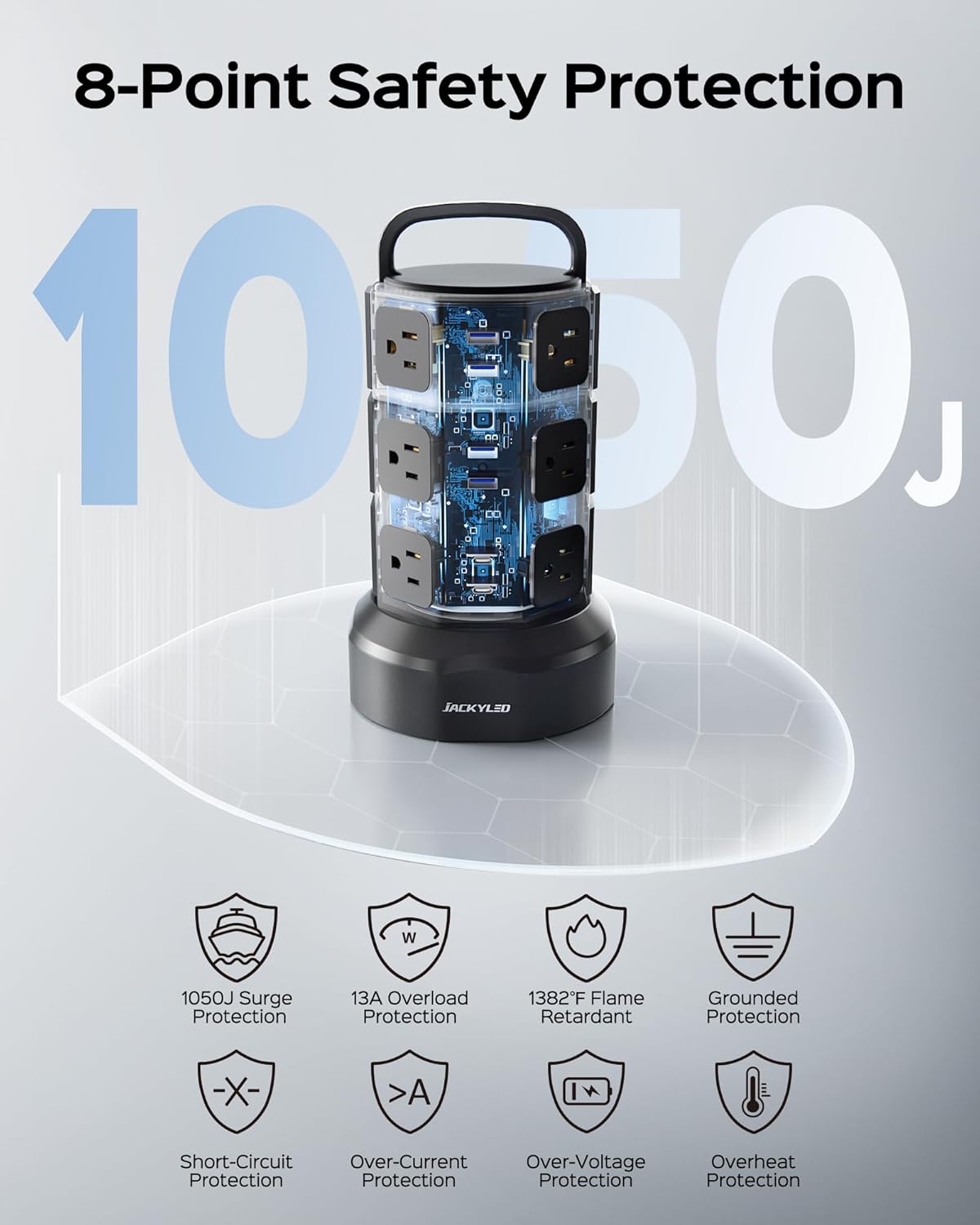
- The unit features 1050 Joules of surge protection and 13A overload protection. In case of an overload, the circuit breaker will trip, and the unit will shut off. Disconnect devices, reduce the load, and press the reset button on the bottom of the unit to restore power.

3. Бүтээгдэхүүний онцлог
The JACKYLED Power Strip Tower is equipped with several features for versatile power distribution:
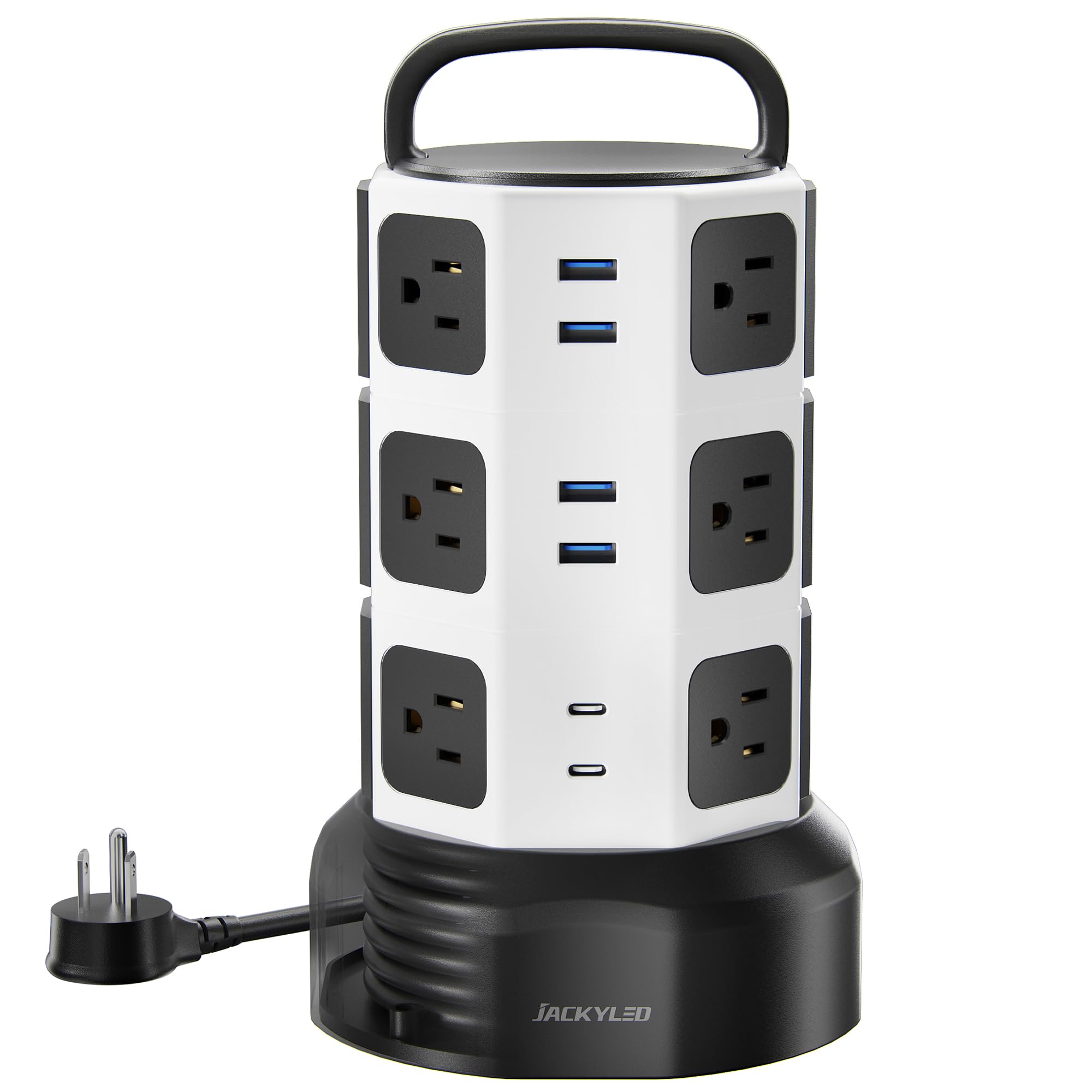
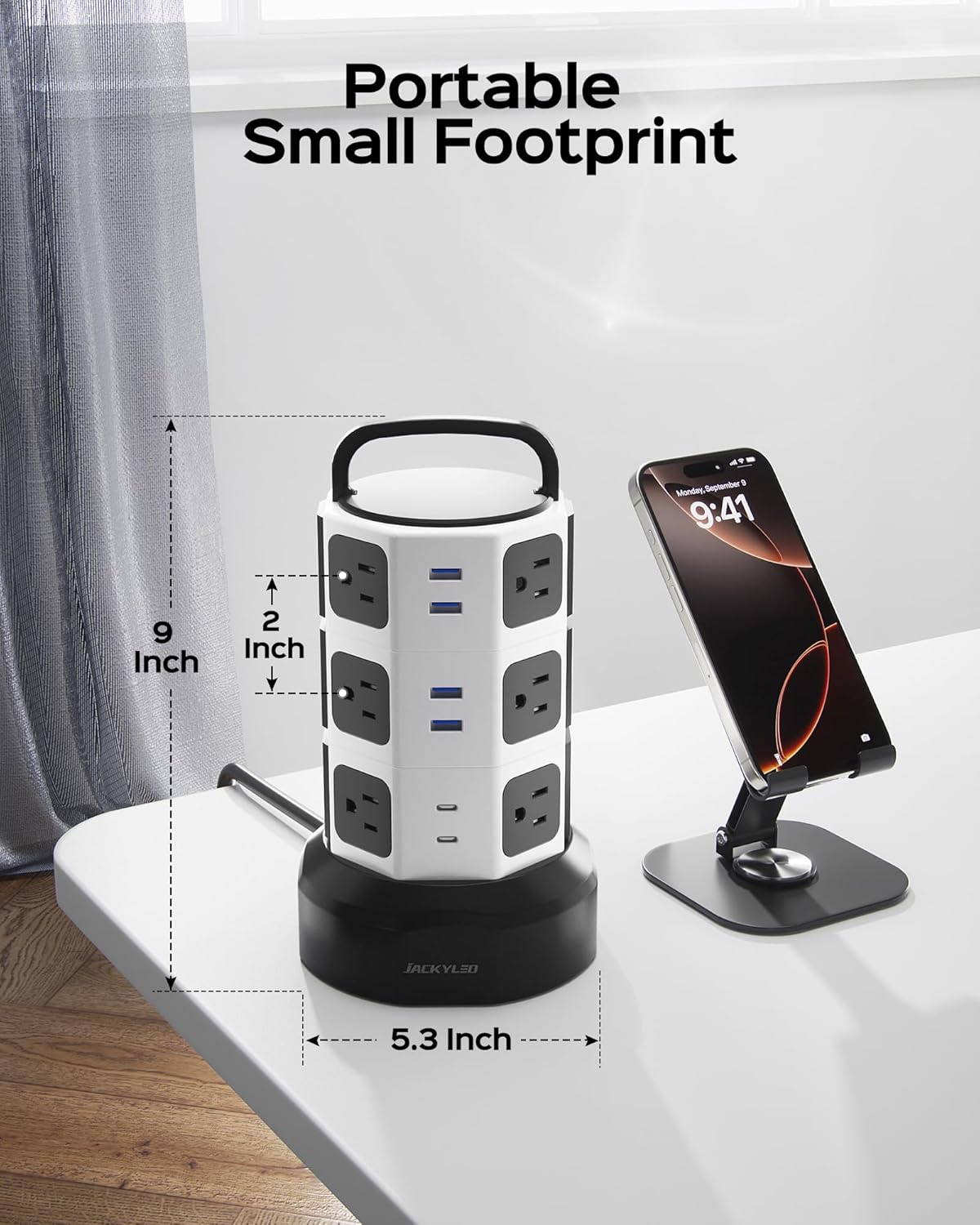
- 12 хувьсах гүйдлийн залгуур: Widely spaced (2.2 inches) to accommodate larger power adapters without blocking adjacent outlets.
- 6 USB цэнэглэгч порт: Includes 2 USB-C ports (5V⎓3A) and 4 USB-A ports (5V⎓2.4A), with smart charging technology for optimal device charging. Total USB output is 4.8A/24W shared.
- 3 Independent Switches: Each tier of AC outlets has its own power switch with an indicator light, allowing you to control power to specific sections and save energy.
- Retractable 6.5ft Cord: A pure copper extension cord that can be rolled up by rotating the tower's base, providing flexible cord length management and reducing clutter.
- 45° Flat Plug: Designed for a snug fit in wall outlets, especially useful behind furniture.
- Compact Tower Design: Vertical orientation saves desk space and keeps your area tidy.
- Олон хамгаалалтын систем: Includes 1050J surge protection, 13A overload protection, short-circuit protection, over-current protection, over-voltage protection, and overheat protection. RoHS and FCC certified.


4. Тохиргоо
- Баглаа задлах: Цахилгааны туузны цамхагийг савлагаанаас нь болгоомжтой салга.
- Байршил: Place the power strip on a stable, dry surface, away from heat sources or flammable materials. Its vertical design is ideal for desktops or floor use.
- Extend the Cord: Hold the base of the tower and pull the power cord from the bottom to extend it to the desired length. The cord is 6.5 feet long.
- Залгаас: Insert the 3-prong Type B plug into a grounded wall outlet.
- Retract the Cord (Optional): To retract excess cord, hold the base and rotate the top handle clockwise. The cord will wind back into the base, helping to manage cable clutter.

5. Ашиглалтын заавар
- Powering On/Off Sections: The power strip features three independent switches, one for each tier of AC outlets. Press the switch on the desired tier to turn it on or off. The indicator light on the switch will illuminate when the section is active.
- АС залгуурыг ашиглах: Plug your devices into any of the 12 widely spaced AC outlets. Ensure the device's power requirements do not exceed the power strip's maximum rating.
- USB портуудыг ашиглах: Connect your USB-powered devices (phones, tablets, cameras, etc.) to the 2 USB-C or 4 USB-A ports. The smart charging technology will automatically detect your device and deliver optimal charging speed.
- Rotating the Tower: The tower can be rotated 360 degrees on its base, allowing easy access to all outlets and ports from any angle.

6. Засвар үйлчилгээ
- Цэвэрлэгээ: Disconnect the power strip from the wall outlet before cleaning. Use a dry, soft cloth to wipe the exterior. Do not use liquid cleaners or aerosols.
- Хадгалах: When not in use for extended periods, retract the power cord fully and store the unit in a cool, dry place.
- Шалгалт: Periodically inspect the power cord and the unit for any signs of damage. If damage is found, discontinue use and contact customer support.
7. Алдаа засах
- Төхөөрөмжүүдэд цахилгаан байхгүй:
- Цахилгааны туузыг хананы залгуурт найдвартай залгасан эсэхийг шалгаарай.
- Check if the individual switch for the connected tier is turned on (indicator light should be blue).
- Verify that the circuit breaker on the bottom of the unit has not tripped. If it has, disconnect some devices, and press the reset button.
- Confirm that the total power draw of connected devices does not exceed 1625W.
- USB ports stopped working or are blinking green continuously:
- This may indicate an issue with the USB charging circuit or an incompatible device.
- Try disconnecting all USB devices and then reconnecting them one by one.
- Power cycle the entire unit by unplugging it from the wall for a few minutes, then plugging it back in.
- Хэрэв асуудал хэвээр байвал хэрэглэгчийн тусламжтай холбогдоно уу.
Video 1: Demonstration of USB ports blinking green continuously, indicating a potential issue.
8. Техникийн үзүүлэлтүүд
| Атрибут | Дэлгэрэнгүй |
|---|---|
| Брэнд | ЖЕКИЛД |
| Загварын дугаар | QK1260-U3 |
| Өнгө | Цагаан Хар |
| Нийт цахилгаан залгуур | 12 хувьсах гүйдлийн залгуур |
| Нийт USB портууд | 6 (2 USB-C, 4 USB-A) |
| USB-C гаралт | 5V⎓3А |
| USB-гаралт | 5V⎓2.4А |
| Нийт USB гаралт | 4.8A/24W Shared |
| Хамгийн их чадлын үнэлгээ | 1625 Вт / 13А |
| Ботьtage | 120V (as per product title, 240V listed in generic specs may apply to other regions) |
| Хүчдэлээс хамгаалах зэрэглэл | 1050 Жоуль |
| Цахилгааны утаснуудын урт | 6.5 ft (Retractable) |
| Залгуурын төрөл | Type B - 3 pin (North American & Japanese) |
| Материал | Акрилонитрил бутадиен стирол, поликарбонат |
| Dimensions (H x Base Dia.) | Ойролцоогоор 10.3" x 5.9" |
| Гэрчилгээ | RoHS, FCC |
9. Баталгаат хугацааны мэдээлэл
The JACKYLED Power Strip Tower Surge Protector comes with a 1 жилийн баталгаат хугацаа худалдан авсан өдрөөс эхлэн. Энэхүү баталгаа нь хэвийн ашиглалтын үеийн үйлдвэрлэлийн согог болон хийцийг хамарна. Энэ нь буруу ашиглалт, осол, зөвшөөрөлгүй өөрчлөлт, байгалийн гамшгаас үүдэлтэй хохирлыг хамрахгүй.
Баталгаат заргад зориулж худалдан авалтаа нотлох баримтаа үлдээнэ үү.
10. Хэрэглэгчийн дэмжлэг
For any questions, technical assistance, or warranty claims, please contact JACKYLED customer support. Our team is available to provide quick, easy-to-follow solutions and professional assistance.
Refer to the product packaging or the official JACKYLED webхамгийн сүүлийн үеийн холбоо барих мэдээллийг авах сайт.
Ask a question about this manual
Ask about setup, troubleshooting, compatibility, parts, safety, or missing instructions. Manuals+ will review the question and use this page’s manual context to help answer it.