
1. Танилцуулга
This manual provides essential instructions for the installation, operation, maintenance, and troubleshooting of your APC Smart-UPS SRT 3000VA RM 230V (SRT3000RMXLI). This Uninterruptible Power Supply (UPS) is designed to provide high-density, true double-conversion online power protection for critical electronic equipment, including servers, voice/data networks, medical labs, and light industrial applications. Please read this manual thoroughly before installing or operating the UPS to ensure proper and safe usage.
2. Аюулгүй байдлын мэдээлэл
Observe all warnings and operating instructions in this manual. Failure to do so may result in injury or equipment damage. This UPS contains hazardous voltages. Do not attempt to disassemble the unit. There are no user-serviceable parts inside.
Ерөнхий аюулгүй байдал
- Энэхүү UPS нь зөвхөн дотоод орчинд ашиглахад зориулагдсан.
- Энэ UPS-ийг нарны шууд тусгал, шингэнтэй харьцах, эсвэл хэт их тоос, чийгшилтэй газар ажиллуулж болохгүй.
- Ensure the ventilation openings on the UPS are not blocked. Maintain adequate clearance around the unit for proper airflow.
- Connect the UPS power cable directly to a grounded wall outlet. Do not use extension cords or surge suppressors.
Батерейны аюулгүй байдал
- Batteries are heavy. Remove the battery module before installing the UPS in a rack or tower configuration.
- Battery service should be performed or supervised by personnel knowledgeable of batteries and the required precautions.
- Батерейг галд бүү хая. Батерей нь дэлбэрч болзошгүй.
- Батерейг онгойлгож, гэмтээж болохгүй. Гарсан электролит нь арьс, нүдэнд хортой. Энэ нь хортой байж магадгүй юм.
- Replace batteries with the same type and number of batteries as originally installed.
3. Багцын агуулга
Carefully unpack the unit and inspect for shipping damage. If any damage is found, notify the carrier and dealer. The package should contain the following items:
- APC Smart-UPS SRT 3000VA RM 230V (SRT3000RMXLI) unit
- Battery module (may be pre-installed or separate)
- Rack-mounting hardware (rails, brackets)
- Tower stand (for tower configuration)
- USB холбооны кабель
- Цуваа холбооны кабель
- Баримт бичгийн CD
- Safety information and warranty guide
4. Бүтээгдэхүүн дууссанview
The APC Smart-UPS SRT 3000VA RM 230V is a high-performance Uninterruptible Power Supply designed to protect your critical equipment from power disturbances. It features a rack/tower convertible form factor for flexible deployment.
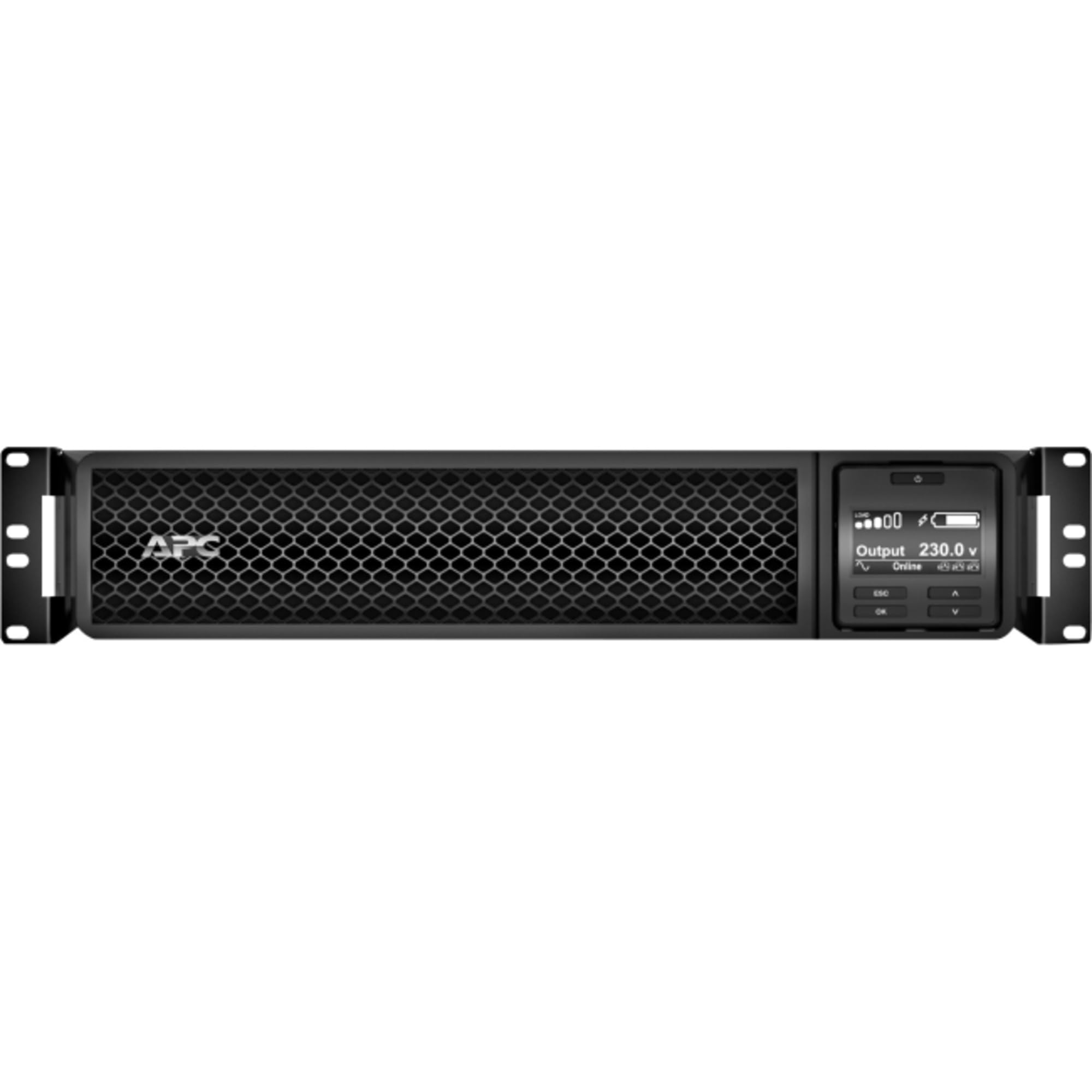
Зураг 1: Урд view of the APC Smart-UPS SRT 3000VA RM 230V. This image displays the front panel with the LCD display, control buttons, and ventilation grilles.
Гол бүрэлдэхүүн хэсгүүд
- Front Panel LCD Display: Provides real-time status information, configuration options, and alarm notifications.
- Хяналтын товчлуурууд: Used to navigate the LCD menu, power on/off the UPS, and perform self-tests.
- Зайны модуль: Ажиллах үед нөөц хүчээр хангадагtages. Hot-swappable for easy replacement.
- Оролтын цахилгаан холбогч: UPS-ийг цахилгаан хангамжийн эх үүсвэрт холбодог.
- Output Receptacles (IEC 320): Provide protected power to connected equipment.
- Communication Ports (USB, Serial): For connecting to a computer or network management card for monitoring and control.
- EPO (Онцгой байдлын үед унтраах) боомт: UPS-ийг алсаас яаралтай унтраах боломжийг олгодог.
5. Тохиргоо
Follow these steps for initial setup of your UPS.
Алхам 1: Байршил сонгоно уу
- Place the UPS on a sturdy, level surface or install it in a standard 19-inch rack.
- Орчны температур 0°C-аас 40°C (32°F-аас 104°F) хооронд байгаа эсэхийг шалгаарай.
- Maintain at least 10 cm (4 inches) of clearance at the front and rear of the unit for proper ventilation.
Step 2: Install the Battery Module
If the battery module is not pre-installed, slide it into the battery bay until it clicks into place. Connect the battery cables as indicated by the labels.
Step 3: Connect to Utility Power
- Connect the UPS input power cord to a grounded 230V AC outlet.
- The UPS will perform a self-test and the LCD display will illuminate.
Алхам 4: Тоног төхөөрөмжийг холбох
- Connect your critical equipment (servers, network devices, etc.) to the output receptacles on the rear of the UPS.
- Ensure the total load does not exceed the UPS capacity (3000VA / 2700W).
Step 5: Connect Communication Cables (Optional)
- Connect the USB or serial cable from the UPS to your computer or server for monitoring and graceful shutdown capabilities.
- Install the PowerChute software (available from APC website) on your computer for advanced management.
6. UPS-ийг ажиллуулах
UPS-ийг асааж байна
Press and hold the power button on the front panel until you hear a beep. The UPS will start up and provide power to connected equipment.
Powering Off the UPS
Press and hold the power button until the UPS shuts down. Ensure all connected equipment is safely shut down before powering off the UPS.
LCD Display and Navigation
The LCD display provides detailed information about the UPS status, battery charge, load level, and various settings. Use the navigation buttons (up, down, enter, escape) to browse through the menus and adjust settings.
Өөрийгөө шалгах
Regularly perform a self-test to ensure the UPS battery and internal components are functioning correctly. This can typically be initiated via the LCD menu or PowerChute software.
7. Засвар үйлчилгээ
Зай солих
The UPS batteries have a typical lifespan of 3-5 years. The UPS will indicate when the batteries need replacement. Refer to the safety information before attempting battery replacement. Use only APC-approved replacement battery modules (APCRBC152).
Цэвэрлэгээ
Clean the exterior of the UPS with a soft, damp cloth. Do not use solvents or abrasive cleaners. Ensure ventilation openings are free from dust and debris.
Байгаль орчны асуудал
Store the UPS in a cool, dry place when not in use. Avoid extreme temperatures and humidity, which can shorten battery life.
8. Алдаа засах
This section provides solutions to common issues you may encounter with your UPS.
| Асуудал | Боломжит шалтгаан | Шийдэл |
|---|---|---|
| UPS асахгүй байна | No utility power; Battery not connected; UPS fault | Check power outlet; Ensure battery cables are connected; Contact APC support if fault persists. |
| UPS тасралтгүй дуугардаг | On battery power; Overload; Low battery | Check utility power; Reduce connected load; Allow battery to recharge. |
| Батерейг цэнэглэхгүй байна | Battery disconnected; Battery fault; Internal fault | Verify battery connection; Replace battery if faulty; Contact APC support. |
| Холбогдсон төхөөрөмж нь хүчээ алддаг | UPS overload; Battery depleted; UPS fault | Reduce load; Allow battery to recharge; Contact APC support. |
9. Техникийн үзүүлэлтүүд
Detailed technical specifications for the APC Smart-UPS SRT 3000VA RM 230V (SRT3000RMXLI).
| Онцлог | Дэлгэрэнгүй |
|---|---|
| Загварын дугаар | SRT3000RMXLI |
| Брэнд | APC |
| Хүчин чадал | 3000 VA / 2700 ватт |
| Оролтын хэмжээtage | 230 вольт |
| Гаралтын ботьtage | 230 вольт |
| Form Factor | Rack/Tower Convertible (2U) |
| Зайны төрөл | Хар тугалгын хүчил |
| Typical Runtime (Full Load) | Ойролцоогоор 4 минут |
| Гаралтын тоо | 8 x IEC 320 C13, 2 x IEC 320 C19 |
| Харилцаа холбооны портууд | USB, Serial (RJ45), SmartSlot |
| Хэмжээ (H x W x D) | 8.5 см x 43.2 см x 63.5 см (3.35 x 17.0 x 25.0 инч) |
| Жин | 31.3 кг (69 фунт) |
| Өнгө | Хар |
10. Баталгаат хугацаа ба дэмжлэг
Баталгаат хугацааны мэдээлэл
APC provides a standard warranty for this product. Please refer to the warranty card included in your package or visit the official APC webТанай бүс нутагт хамаарах баталгаат нөхцлийн дэлгэрэнгүй мэдээллийг сайтаас авна уу. Баталгаат нэхэмжлэл гаргахын тулд худалдан авалтаа нотлох баримтаа хадгалаарай.
Техникийн дэмжлэг
For technical assistance, troubleshooting beyond this manual, or to inquire about replacement parts, please contact APC customer support. Support contact information can typically be found on the APC website or in the documentation provided with your unit. When contacting support, please have your model number (SRT3000RMXLI) and serial number ready.