
1. Танилцуулга
The Grandstream GWN7610 is a high-performance 802.11ac Wi-Fi Access Point designed for various environments such as office buildings, multi-floor locations, branch offices, and commercial/retail settings. It offers high network throughput, extensive wireless coverage, robust security features, and integrated network management without requiring external controllers. This manual provides essential information for the proper installation, configuration, and operation of your GWN7610 Access Point.
2. Багцын агуулга
Таны багц дараах зүйлсийг агуулж байгаа эсэхийг шалгана уу.
- Grandstream GWN7610 Access Point
- Mounting Equipment (bracket, screws)
- Хурдан суулгах гарын авлага (энэ баримт бичиг)
Note: A power adapter is not included. The device supports Power over Ethernet (PoE/PoE+).
3. Физик хэтэрсэнview
Familiarize yourself with the ports and indicators on your GWN7610 Access Point.

Зураг 3.1: Дээрээс доош view of the GWN7610 Access Point, showing its circular design and ventilation.
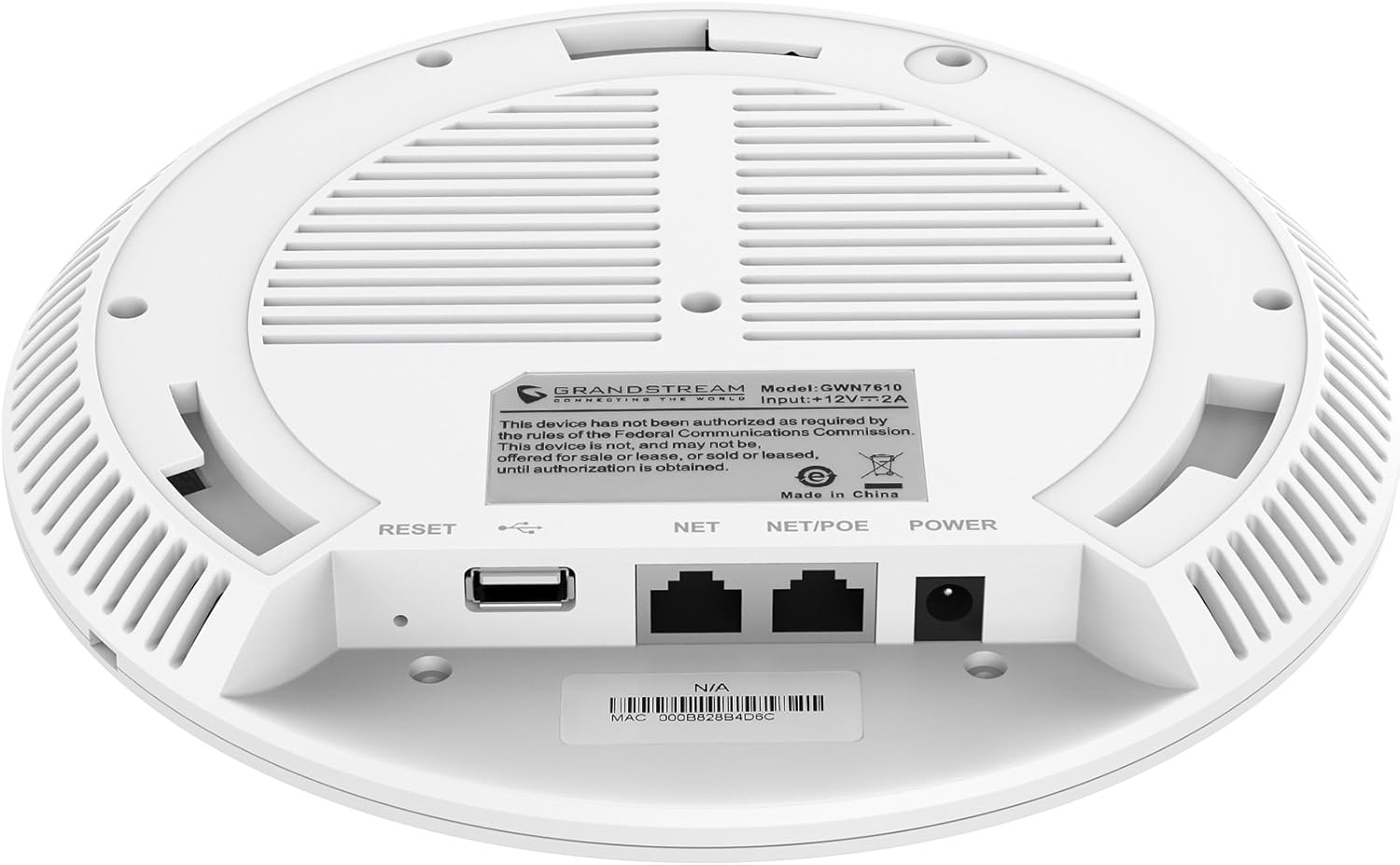
Зураг 3.2: Доод талд view of the GWN7610 Access Point, highlighting the connectivity ports and regulatory information.
- RESET товч: Used to reset the device to factory default settings. Press and hold for 10 seconds while the device is powered on.
- USB порт: For future applications such as location-based services and other IoT (Internet of Things) applications.
- NET/POE Port: Gigabit Ethernet port that supports Power over Ethernet (PoE/PoE+) for both data and power supply.
- POWER порт: DC power input (12V===2A) if not using PoE.
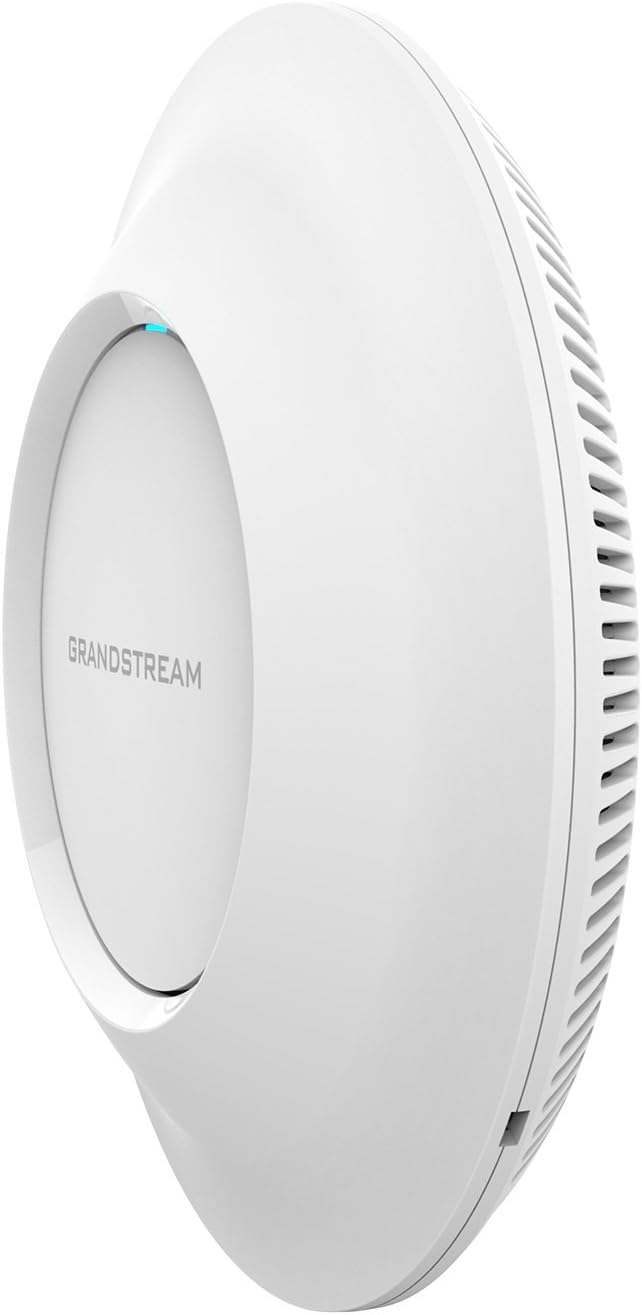
Зураг 3.3: Хажуу тал view of the GWN7610 Access Point, illustrating its sleek profile.
4. Суурилуулалт ба угсралт
The GWN7610 can be mounted on a wall or ceiling. The included mounting equipment facilitates installation. For optimal wireless coverage, choose a central location free from obstructions and sources of interference. Ensure the device is positioned away from large metal objects, concrete walls, and other electronic devices that may cause signal degradation.
Refer to the specific instructions provided with the mounting kit for detailed steps on securing the access point.
5. Тохиргоо
The GWN7610 features embedded network management, allowing for easy setup and configuration without the need for external controllers. Follow these general steps for initial setup:
- Асаах: Connect the GWN7610 to a PoE/PoE+ enabled switch or injector using an Ethernet cable, or connect a 12V===2A DC power adapter to the POWER port.
- Сүлжээний холболт: Connect the NET/POE port to your network infrastructure (router or switch).
- хандах нь Web Интерфэйс: Once powered on and connected, the GWN7610 will obtain an IP address via DHCP. You can discover the device's IP address using Grandstream's discovery tools or by checking your DHCP server's client list. Enter the IP address into a web browser to access the management interface.
- Анхны тохиргоо: Log in with the default credentials (usually found in the Quick Installation Guide or on the device label) and proceed with configuring your Wi-Fi networks (SSIDs), security settings, and other network parameters.
6. Ашиглалтын заавар
The GWN7610 is designed for robust and efficient wireless operation. Key operational features include:
- Олон SSID: Supports up to 16 SSIDs per radio, allowing for flexible network segmentation (e.g., separate networks for employees, guests, IoT devices).
- Client Capacity: Capable of supporting over 250 concurrent Wi-Fi clients, making it suitable for high-density environments.
- Dual-Band MIMO: Utilizes dual-band 3x3:3 MIMO technology for enhanced performance and reliability across both 2.4GHz and 5GHz frequencies.
- Өндөр хүчин чадал: Delivers a maximum network throughput of up to 1.75Gbps, ensuring fast data transfer rates.
- Өргөтгөсөн хамрах хүрээ: Provides an expanded coverage range of up to 175 meters, minimizing dead zones.
- Нэгдсэн хянагч: Manage multiple GWN7610 units from a single master access point, simplifying network administration.
7. Засвар үйлчилгээ
Regular maintenance ensures optimal performance and longevity of your GWN7610 Access Point.
- Програм хангамжийн шинэчлэлтүүд: Грандстримыг үе үе шалгаж байгаарай website for the latest firmware versions. Firmware updates often include performance improvements, security patches, and new features. Follow the instructions provided by Grandstream for updating firmware. Note that some updates may require using a TFTP server.
- Цэвэрлэгээ: Төхөөрөмжийг цэвэр, тоосноос хол байлга. Цэвэрлэхэд зөөлөн, хуурай даавуу ашиглаарай. Шингэн эсвэл аэрозоль цэвэрлэгч бүү ашиглаарай.
- Байгаль орчны нөхцөл: Гэмтлээс урьдчилан сэргийлэхийн тулд төхөөрөмж нь тогтоосон температур, чийгшлийн хүрээнд ажиллаж байгаа эсэхийг шалгаарай.
8. Алдаа засах
If you encounter issues with your GWN7610, consider the following troubleshooting steps:
- Эрчим хүчгүй: Verify that the device is properly connected to a PoE/PoE+ source or a compatible 12V===2A power adapter. Check the power indicator light.
- Сүлжээний холболт байхгүй: Ensure the Ethernet cable is securely connected to the NET/POE port and your network switch/router. Check the status of your network infrastructure.
- Нэвтрэх боломжгүй Web Интерфэйс: Confirm the device has an IP address and that your computer is on the same network segment. Try pinging the device's IP address. If the IP address is unknown, use Grandstream's discovery utility.
- Wi-Fi-ийн гүйцэтгэл муу: Check for sources of interference (e.g., microwaves, cordless phones). Ensure the access point is optimally placed. Adjust Wi-Fi channel settings to avoid congestion.
- Төхөөрөмж хариу өгөхгүй байна: Perform a soft reboot by disconnecting and reconnecting power. If the issue persists, perform a factory reset using the RESET button (refer to Section 3).
9. Техникийн үзүүлэлтүүд
| Онцлог | Тодорхойлолт |
|---|---|
| Утасгүй төрөл | 802.11a/g/n/ac |
| USB 2.0 портын тоо | 1 |
| Брэнд | Грандстрим |
| Цуврал | Грандстрим GWN7610 |
| Загварын дугаар | GWN7610 |
| Үйлдлийн систем | RouterOS |
| Зүйлийн жин | 1.9 фунт |
| Бүтээгдэхүүний хэмжээ (LxWxH) | 9 x 9 x 3 инч |
| Өнгө | Цагаан |
| Үйлдвэрлэгч | Грандстрим |
10. Аюулгүй байдлын мэдээлэл
Төхөөрөмжид гэмтэл учруулах эсвэл өөрийгөө гэмтээхээс сэргийлэхийн тулд эдгээр аюулгүй байдлын удирдамжийг уншиж, дагаж мөрдөнө үү.
- Төхөөрөмжийг ус, чийгэнд бүү тавь.
- Төхөөрөмжийг онгойлгож эсвэл засах гэж бүү оролдоорой. Бүх засвар үйлчилгээг мэргэшсэн ажилтнуудад даатга.
- Use only the power sources specified (PoE/PoE+ or 12V===2A DC adapter).
- Төхөөрөмжийг агааржуулалт сайтай газар суулгана.
- Санал 65 Анхааруулга: Энэ бүтээгдэхүүн нь хорт хавдар, ургийн гажиг эсвэл нөхөн үржихүйн бусад хор уршгийг үүсгэдэг Калифорнийн муж улсад мэдэгддэг химийн бодис агуулсан байж болно.
11. Зохицуулалтын нийцэл
This device complies with relevant regulatory standards. Please note the following:
FCC Warning: This device has not been authorized as required by the rules of the Federal Communications Commission. This device is not, and may not be, offered for sale or lease, or sold or leased, until authorization is obtained.
Users are advised to ensure compliance with local regulations regarding wireless device operation.
12. Баталгаат хугацаа ба дэмжлэг
Баталгаат хугацаа болон техникийн дэмжлэг авахыг хүсвэл албан ёсны Grandstream-ээс лавлана уу webсайтад зочлох эсвэл эрх бүхий борлуулагчтайгаа холбогдоно уу. Баталгаат хугацааны нэхэмжлэлийн талаар худалдан авалтын баримтаа хадгална уу.