
Танилцуулга
Худалдан авалт хийсэнд баярлалааasing the MAJORITY Histon Portable DAB/DAB+ Digital Radio. This manual provides essential information for setting up, operating, and maintaining your radio. Please read it thoroughly before use to ensure optimal performance and longevity of your device.
Хайрцагт юу байна
- MAJORITY Histon Radio
- Сүлжээний цахилгаан кабель
- Эзэмшигчийн гарын авлага (энэ баримт бичиг)

Image: The contents of the product packaging, including the Histon radio, its mains power cable, and the user manual.
Бүтээгдэхүүн дууссанview
The MAJORITY Histon radio is designed for portable and mains-powered listening, offering both DAB/DAB+ and FM radio reception. It features a clear LED display, dual alarm functionality, and a sleep timer.
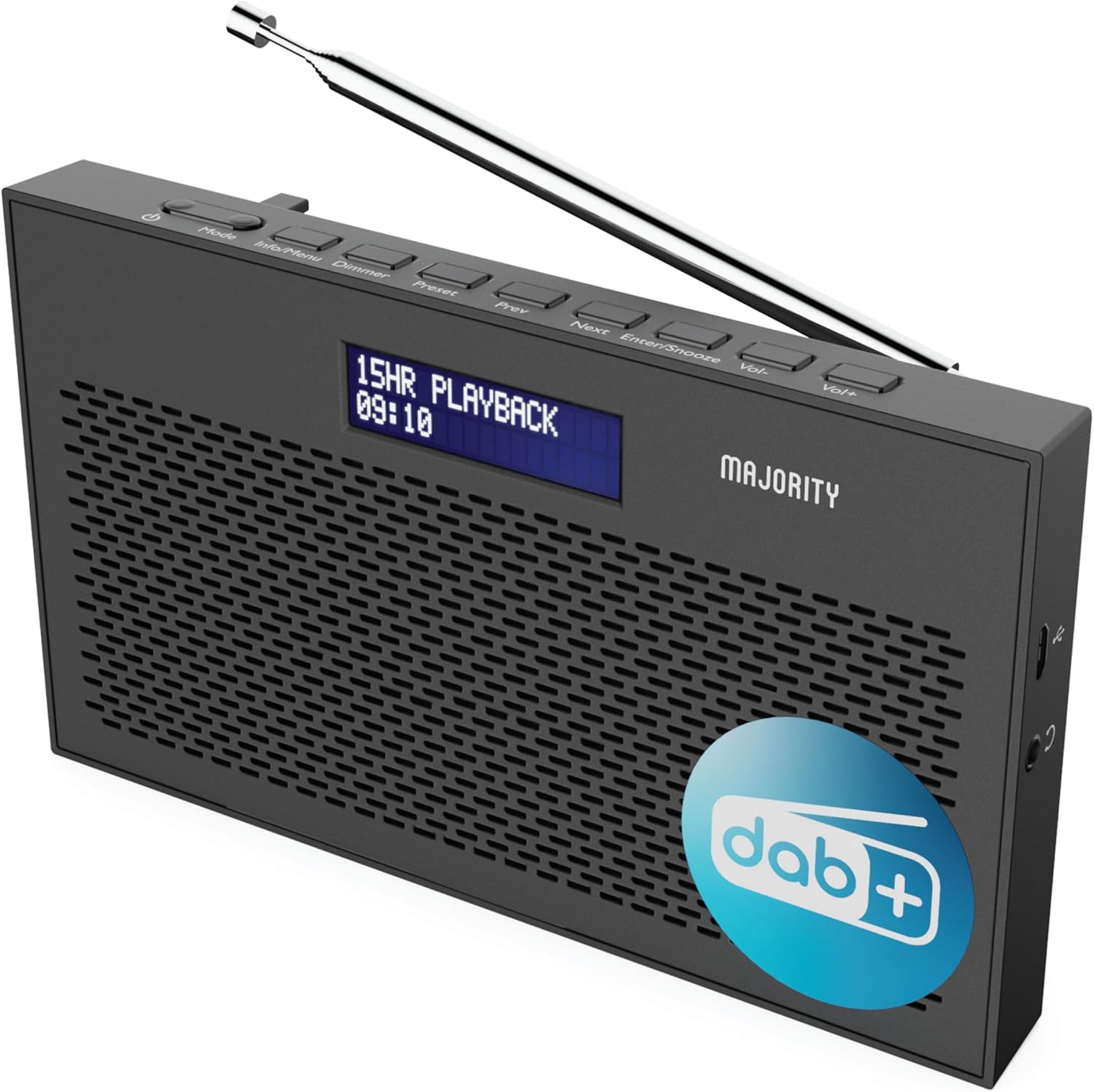
Зураг: Нарийвчилсан view of the Majority Histon radio, highlighting its compact design and front speaker.
Хяналт ба дэлгэц
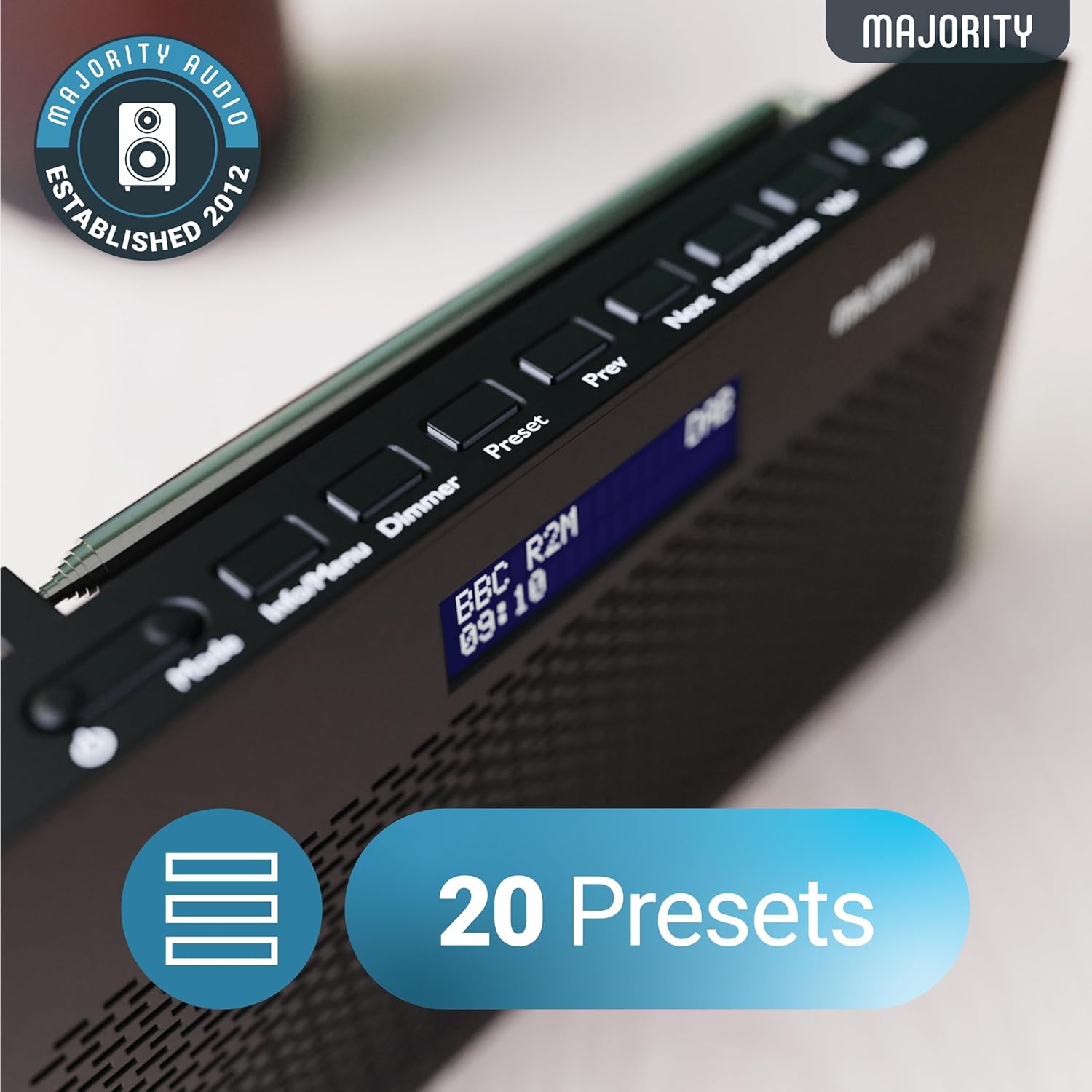
Image: A close-up of the radio's top panel, illustrating the various control buttons and the LED display showing station information.
- Горим: Switches between DAB, FM, and other modes.
- Мэдээлэл/Цэс: Displays station information or accesses menu settings.
- Диммер: Дэлгэцийн тод байдлыг тохируулна.
- Урьдчилан тохируулсан: Accesses or saves preset stations.
- Өмнөх/Дараагийн: Буудлууд эсвэл цэсний сонголтуудаар шилжинэ.
- Enter/Snooze: Confirms selections or activates snooze during an alarm.
- Боть-/Боть+: Дууг тохируулна.
Портууд ба холболтууд
- DC IN порт: For connecting the mains power cable.
- 3.5 мм чихэвчний залгуур: Хувийн сонсох зориулалттай.
- Зайны тасалгаа: Located on the rear for 4 AA batteries (not included).
- Телескоп антен: Extendable for optimal signal reception.
Тохиргоо
Асааж байна
The Histon radio can be powered by either the included mains power cable or 4 x AA batteries (not supplied).
- Цахилгаан эрчим хүч: Connect the mains power cable to the DC IN port on the radio and plug the adapter into a wall socket.
- Зайны хүч: Open the battery compartment on the rear of the radio and insert 4 x AA batteries, ensuring correct polarity.

Image: The radio in a portable setting, emphasizing its 15-hour battery life capability.
Антенны тохируулга
Extend the telescopic antenna fully for the best possible signal reception, especially for DAB/DAB+ and FM broadcasts.
Анхны скан (DAB/DAB+)
Upon first power-on, the radio will automatically perform a full scan for DAB/DAB+ stations. This process may take a few minutes. Once complete, the radio will tune to the first available station.
- If no stations are found, ensure the antenna is fully extended and reposition the radio, then perform a manual scan (see Operating Instructions).
Ашиглалтын заавар
DAB/DAB+ радиогийн ажиллагаа
- Selecting DAB Mode: дээр дарна уу Горим "DAB" гарч иртэл товчийг дарна уу.
- Станцын сонголт: -г ашиглана уу Өмнөх or Дараа нь buttons to scroll through available DAB stations. Press Оруулна уу станц сонгох.
- Бүтэн скан: To perform a full scan for new stations, press and hold the Мэдээлэл/Цэс button to enter the menu, then navigate to "Full Scan" and press Оруулна уу.
- Урьдчилан тохируулсан станцууд:
- Урьдчилсан тохиргоог хадгалах: While listening to a station, press and hold the Урьдчилан тохируулсан товч. Ашиглах Өмнөх/Дараагийн урьдчилан тохируулсан дугаарыг (1-20) сонгохын тулд дарна уу, дараа нь Оруулна уу хэмнэх.
- Урьдчилсан тохируулгыг эргэн санах: товчийг дарна уу Урьдчилан тохируулсан товч. Ашиглах Өмнөх/Дараагийн to scroll through saved presets, then press Оруулна уу to tune.
Image: The radio's control panel, highlighting the capability to store up to 20 preset radio stations.
FM радиогийн үйл ажиллагаа
- Selecting FM Mode: дээр дарна уу Горим "FM" гарч ирэх хүртэл товчийг дарна уу.
- Автомат скан хийх: Дарж удаан дарна уу Оруулна уу to automatically scan for the next available FM station.
- Гараар тааруулах: Товчхон дарна уу Өмнөх or Дараа нь to fine-tune the frequency in 0.05 MHz steps.
- Урьдчилан тохируулсан станцууд: Saving and recalling FM presets follows the same procedure as DAB presets.
Сэрүүлэг тохируулах
The Histon radio features a dual alarm function.

Image: The radio displaying "DUAL ALARM" on its screen, illustrating its dual alarm capability.
- Дарж удаан дарна уу Мэдээлэл/Цэс цэс рүү орох.
- Ашиглах Өмнөх/Дараагийн to navigate to "System Settings" and press Оруулна уу.
- Navigate to "Alarm" and press Оруулна уу.
- Select "Alarm 1" or "Alarm 2" and press Оруулна уу.
- Configure the alarm time, duration, source (Buzzer, DAB, FM), frequency (Daily, Once, Weekends, Weekdays), and volume using Өмнөх/Дараагийн болон Оруулна уу.
- To activate/deactivate an alarm, select "On" or "Off" for the chosen alarm.
- Сэрүүлэг дуугарахад, товчийг дарна уу Оруулна уу/Түр хойшлуул to snooze for 9 minutes, or press the Хүч Сэрүүлгийг унтраах товчлуур.
Унтах таймер
Унтах таймер нь тогтоосон хугацааны дараа радиог автоматаар унтраах боломжийг олгодог.
- Дарж удаан дарна уу Мэдээлэл/Цэс цэс рүү орох.
- Navigate to "System Settings" and press Оруулна уу.
- Navigate to "Sleep" and press Оруулна уу.
- Ашиглах Өмнөх/Дараагийн to select the desired sleep duration (e.g., 15, 30, 45, 60, 90, 120 minutes) or "Off". Press Оруулна уу баталгаажуулах.
Дэлгэцийн тод байдал
Adjust the brightness of the LED display.
- товчийг дарна уу Бүдгэр Товчлуурыг дарж гэрэлтүүлгийн түвшнийг эргүүлнэ.
Чихэвчний хэрэглээ
For private listening, connect standard 3.5mm headphones to the headphone jack on the side of the radio. The internal speaker will automatically mute when headphones are connected.
Алдааг олж засварлах
| Асуудал | Боломжит шалтгаан / шийдэл |
|---|---|
| Цахилгаан байхгүй / Радио асахгүй байна. |
|
| Poor DAB/FM reception or no stations found. |
|
| Дуу нь гажуудсан эсвэл завсарлагатай байна. |
|
| Сэрүүлэг дуугарахгүй байна. |
|
| Дэлгэц хоосон эсвэл унших боломжгүй байна. |
|
Үзүүлэлтүүд
- Загвар: Histon 2
- Бүтээгдэхүүний хэмжээ: 18 x 4.5 x 11 см (L x W x H)
- Жин: 249 грамм
- Эрчим хүчний эх үүсвэр: Mains (via included adapter) or 4 x AA Batteries (not included)
- Дэмжигдсэн радио хамтлагууд: DAB/DAB+, FM
- Урьдчилан тохируулсан зүйлс: 20 (DAB) / 20 (FM)
- Холболт: 3.5mm Headphone Jack, DC IN Port
- Онцлог шинж чанарууд: Portable, Lightweight, Automatic and Manual Tuning, Dual Alarm Clock, Sleep Timer, LED Display, Mono/Auto Switching in FM Mode

Image: A visual representation of the radio's dimensions for reference.
Засвар үйлчилгээ
- Цэвэрлэгээ: Радиогийн гадаргууг цэвэрлэхийн тулд зөөлөн, хуурай даавуу ашиглаарай. Зүлгүүрийн цэвэрлэгч эсвэл уусгагч хэрэглэж болохгүй.
- Хадгалах: Хэрэв радиог удаан хугацаагаар хадгалах бол гоожихоос сэргийлж батерейг нь салгаж авна уу. Сэрүүн, хуурай газар хадгална уу.
- Усанд өртөх: Энэ радио ус нэвтэрдэггүй. Ус эсвэл өндөр чийгшилд өртөхөөс зайлсхий.
- Антенны арчилгаа: Handle the telescopic antenna gently to prevent bending or breaking.
Баталгаат болон дэмжлэг
The MAJORITY Histon radio comes with a 3 жилийн баталгаат хугацаа. To activate your warranty and for further support, please refer to the registration instructions provided with your purchase or visit the official MAJORITY webсайт.
For technical assistance or warranty claims, please contact MAJORITY customer support through their official channels. Keep your proof of purchase for warranty validation.

Image: A graphic highlighting the 3-year warranty provided with Majority audio products.