
1. Танилцуулга
This manual provides essential information for setting up, operating, maintaining, and troubleshooting your Acer Predator Orion 3000 (PO3-600) desktop computer. Please read this guide thoroughly to ensure proper use and to maximize your system's performance and longevity.
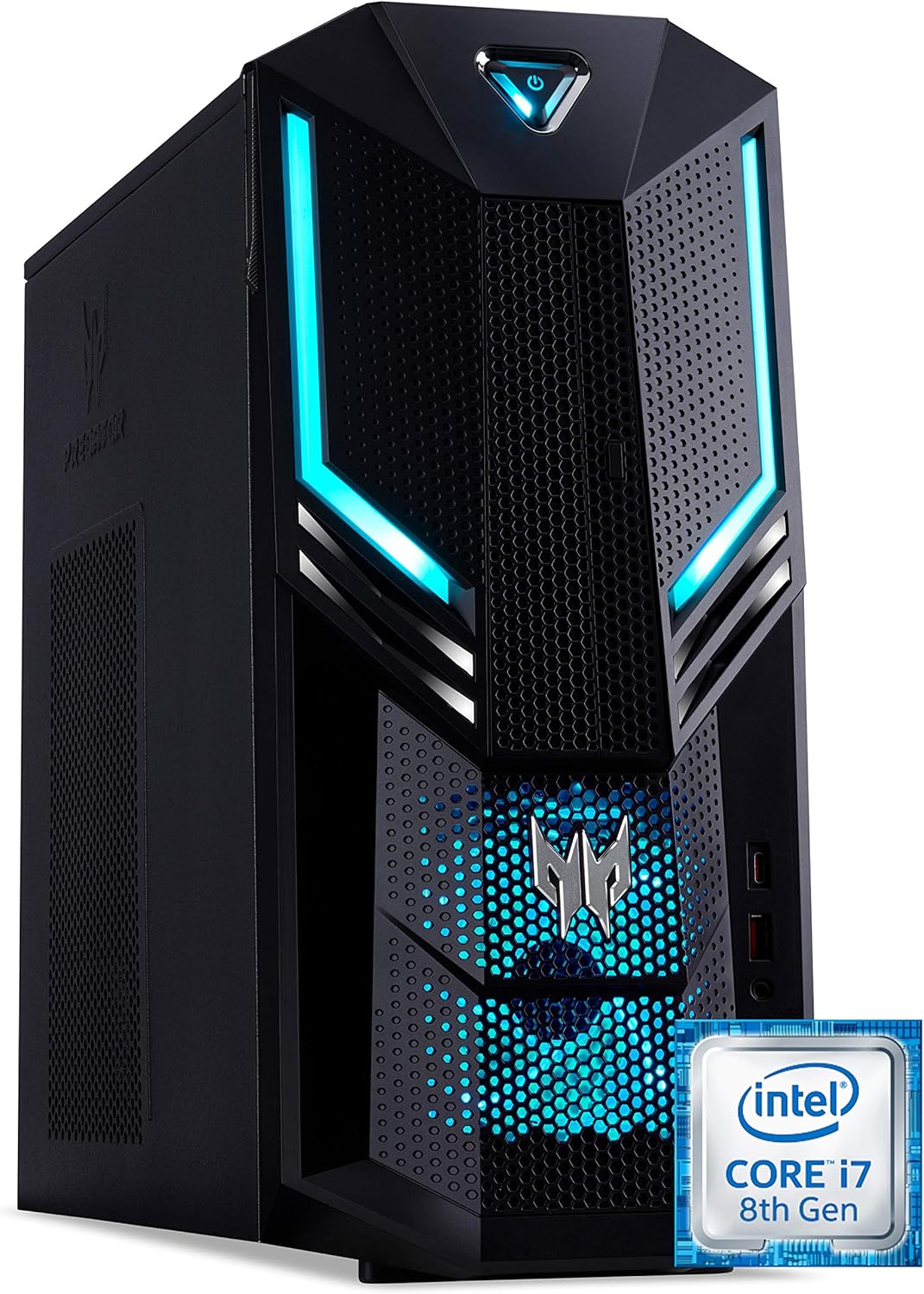
Зураг 1.1: Урд-баруун view of the Acer Predator Orion 3000 desktop computer, showcasing its black chassis with blue LED accents and angular design.
2. Тохиргоо
2.1 Савлах
Carefully remove all components from the packaging. Verify that all items listed in the 'Included Components' section of this manual are present. Retain the packaging for future transport or service needs.
2.2 Захын төхөөрөмжүүдийг холбох
- Монитор: Connect your monitor to one of the available video output ports (HDMI, DVI, or DisplayPort) on the graphics card at the rear of the computer.
- Гар ба хулгана: Connect the included Predator USB keyboard and mouse to any available USB ports. The system features both USB 2.0, USB 3.1, and USB 3.1 Type-C ports.
- Сүлжээ: For a wired connection, connect an Ethernet cable from your router or modem to the LAN port on the rear of the computer. For wireless, ensure your Wi-Fi antenna (if external) is connected.
- Аудио: Connect speakers or headphones to the audio output jacks. The system supports Sound BlasterX Pro Gaming Sound Engine for enhanced audio.
- Эрчим хүч: Цахилгааны кабелийг компьютерын ар талд байрлах цахилгаан тэжээлийн хэсэг (PSU)-д холбож, дараа нь нөгөө үзүүрийг нь газардуулгатай цахилгаан залгуурт залгаарай.
2.3 Анхдагч асаалттай
Press the power button located on the top front of the computer. The system will boot up, and the blue LED accents will illuminate. Follow the on-screen instructions to complete the Windows 10 Home operating system setup, including language, region, and user account creation.
3. Компьютерээ ажиллуулах
3.1 Эрчим хүчний менежмент
- Асаах: Цахилгаан товчийг нэг удаа дар.
- Унтраах: From Windows, click the Start button, then Power > Shut down.
- Дахин эхлүүлэх: From Windows, click the Start button, then Power > Restart.
- Унтах: From Windows, click the Start button, then Power > Sleep.
3.2 Windows 10 Нүүр хуудас
Your Predator Orion 3000 comes pre-installed with Windows 10 Home. Familiarize yourself with the operating system's interface, settings, and features. Regular updates are recommended for security and performance.
3.3 Тоглоомын онцлогууд
The system is designed for gaming, featuring an Intel Core i7-8700 processor and NVIDIA GeForce GTX 1060 graphics. It is VR-ready, allowing for immersive virtual reality experiences. The integrated Sound BlasterX Pro Gaming Sound Engine provides high-quality audio for gaming and multimedia.

Зураг 3.1: Acer Predator Orion 3000 desktop with gaming headphones, highlighting its gaming capabilities.
4. Засвар үйлчилгээ
4.1 Цэвэрлэгээ
- Гадна: Зөөлөн ашиглах, damp Гаднах гадаргууг цэвэрлэхийн тулд даавуу. Зүлгүүрийн цэвэрлэгчээс зайлсхий.
- Агааржуулалт: Regularly check and clean the air intake vents on the front and left side of the chassis to ensure proper airflow and prevent dust buildup. Use compressed air to gently clear dust.
- Дотоод бүрэлдэхүүн хэсгүүд: For advanced cleaning of internal components, it is recommended to consult a professional or refer to detailed service guides.
4.2 Програм хангамжийн шинэчлэлтүүд
Keep your operating system, drivers (especially graphics drivers), and applications updated to ensure optimal performance, security, and compatibility.

Зураг 4.1: Дотоод view of the Acer Predator Orion 3000 desktop computer with the side panel removed, revealing the motherboard, CPU cooler, RAM slots, and storage drive bays. Regular cleaning of these areas is important for system health.
5. Алдаа засах
Энэ хэсэгт танд тулгарч болох нийтлэг асуудлуудыг авч үзэх болно. Илүү төвөгтэй асуудлуудыг Acer-ийн албан ёсны дэмжлэгийн эх сурвалжаас үзнэ үү.
5.1 Эрчим хүчгүй
- Цахилгааны кабелийг компьютер болон цахилгааны залгуурт найдвартай холбосон эсэхийг шалгаарай.
- Өөр төхөөрөмжийг залгах замаар цахилгааны залгуур ажиллаж байгаа эсэхийг шалгана уу.
5.2 Дэлгэц байхгүй
- Монитор асаалттай байгаа бөгөөд видео кабель нь компьютер болон монитор хоёуланд нь найдвартай холбогдсон эсэхийг шалгана уу.
- Дэлгэц дээрээ зөв оролтын эх үүсвэр сонгогдсон эсэхийг шалгаарай.
5.3 System is Slow or Unresponsive
- Ар талд ажиллаж байгаа шаардлагагүй програмуудыг хаа.
- Нэр хүндтэй вирусны эсрэг программ хангамж ашиглан хортой програм эсвэл вирус байгаа эсэхийг шалгана уу.
- Үндсэн диск дээрээ (SSD) хангалттай зай байгаа эсэхийг шалгаарай.
- Компьютерээ дахин эхлүүлнэ үү.
5.4 Хэт их сэнсний дуу чимээ
- Ensure the computer's air vents are not obstructed and are free of dust.
- Verify the computer is in a well-ventilated area.
- Monitor CPU and GPU temperatures using system utilities. High temperatures can cause fans to run faster.
6. Техникийн үзүүлэлтүүд
Below are the key technical specifications for the Acer Predator Orion 3000 (PO3-600) desktop computer.
| Бүрэлдэхүүн хэсэг | Тодорхойлолт |
|---|---|
| Загварын нэр | Acer Predator Orion 3000 (PO3-600) |
| Үйлдлийн систем | Windows 10 Нүүр хуудас |
| Процессор | Intel Core i7-8700 (6 Cores, 3.2 GHz base, up to 4.6 GHz burst) |
| График карт | NVIDIA GeForce GTX 1060 (6 GB GDDR5 VRAM) |
| RAM | 16 GB DDR4 (дээд тал нь 16 ГБ) |
| Хадгалах | 128 GB SSD + 1 TB HDD |
| Оптик хөтөч | DVD+R |
| Холболт | Ethernet RJ-45, Wi-Fi (802.11ac) |
| Урд портууд | 1x USB 3.1, 1x USB 3.1 Type-C, Audio Jacks |
| Арын портууд | 2x USB 3.1, 4x USB 2.0, 1x HDMI, 1x DVI, 3x DisplayPort, 5x Audio Jacks, LAN |
| Өргөтгөх үүрүүд | 1x PCIe x16, 1x PCIe x1, 2x M.2 (1x SSD, 1x Wi-Fi) |
| Хэмжээ (H x W x D) | 35 x 16.3 x 34 см |
| Жин | 6 кг |
| Хөргөх | Passive, via air intake |
| Дагалдах төхөөрөмжүүд багтсан | Predator USB Keyboard (blue), Predator USB Mouse (blue) |

Зураг 6.1: Intel Core i7 8th Gen logo, indicating the processor type used in the system.
7. Баталгаат хугацаа ба дэмжлэг
7.1 Үйлдвэрлэгчийн баталгаа
Your Acer Predator Orion 3000 (PO3-600) desktop computer is covered by a Үйлдвэрлэгчийн 2 жилийн баталгаат хугацаа. This warranty covers defects in materials and workmanship under normal use. Please refer to the warranty documentation included with your product for full terms and conditions. Your statutory warranty rights remain unaffected.
7.2 Техникийн дэмжлэг
For technical assistance, troubleshooting beyond this manual, or warranty claims, please contact Acer customer support. You can typically find contact information on the Acer official website or in the documentation provided with your computer.