
1. Танилцуулга
This manual provides essential information for the proper setup, operation, and maintenance of your FEITIAN bR301-C45 BLE Bluetooth Smart Card Reader. This device is designed for secure ID authentication, e-payment, and access control applications, supporting various smart card types.
2. Аюулгүй байдлын мэдээлэл
- Төхөөрөмжийг хэт өндөр температур, чийгшил эсвэл нарны шууд тусгалд бүү байлга.
- Төхөөрөмжийг унагах эсвэл хүчтэй нөлөөнд оруулахаас зайлсхий.
- Төхөөрөмжийг задлах, өөрчлөхийг бүү оролдоорой. Энэ нь баталгааг хүчингүй болгоно.
- Зөвхөн дагалдаж ирсэн эсвэл санал болгосон цэнэглэгч кабелийг ашиглана уу.
- Хүүхдийн гар хүрэхгүй газар хадгална.
3. Багцын агуулга
Таны багцад бүх зүйл байгаа эсэхийг шалгана уу:
- FEITIAN bR301-C45 BLE Bluetooth Smart Card Reader
- USB Type-C to USB-A Charging/Data Cable
- Хурдан эхлүүлэх гарын авлага (энэ гарын авлагад ороогүй болно)

Зураг 3.1: Package contents including the bR301-C45 reader and USB cable.
4. Бүтээгдэхүүн дууссанview
Familiarize yourself with the components of your smart card reader.

Зураг 4.1: Урд view of the bR301-C45 reader, showing the card insertion slot and FEITIAN logo.

Зураг 4.2: Буцах view of the bR301-C45 reader, displaying regulatory compliance marks (RoHS, CE, FC) and Bluetooth logo.
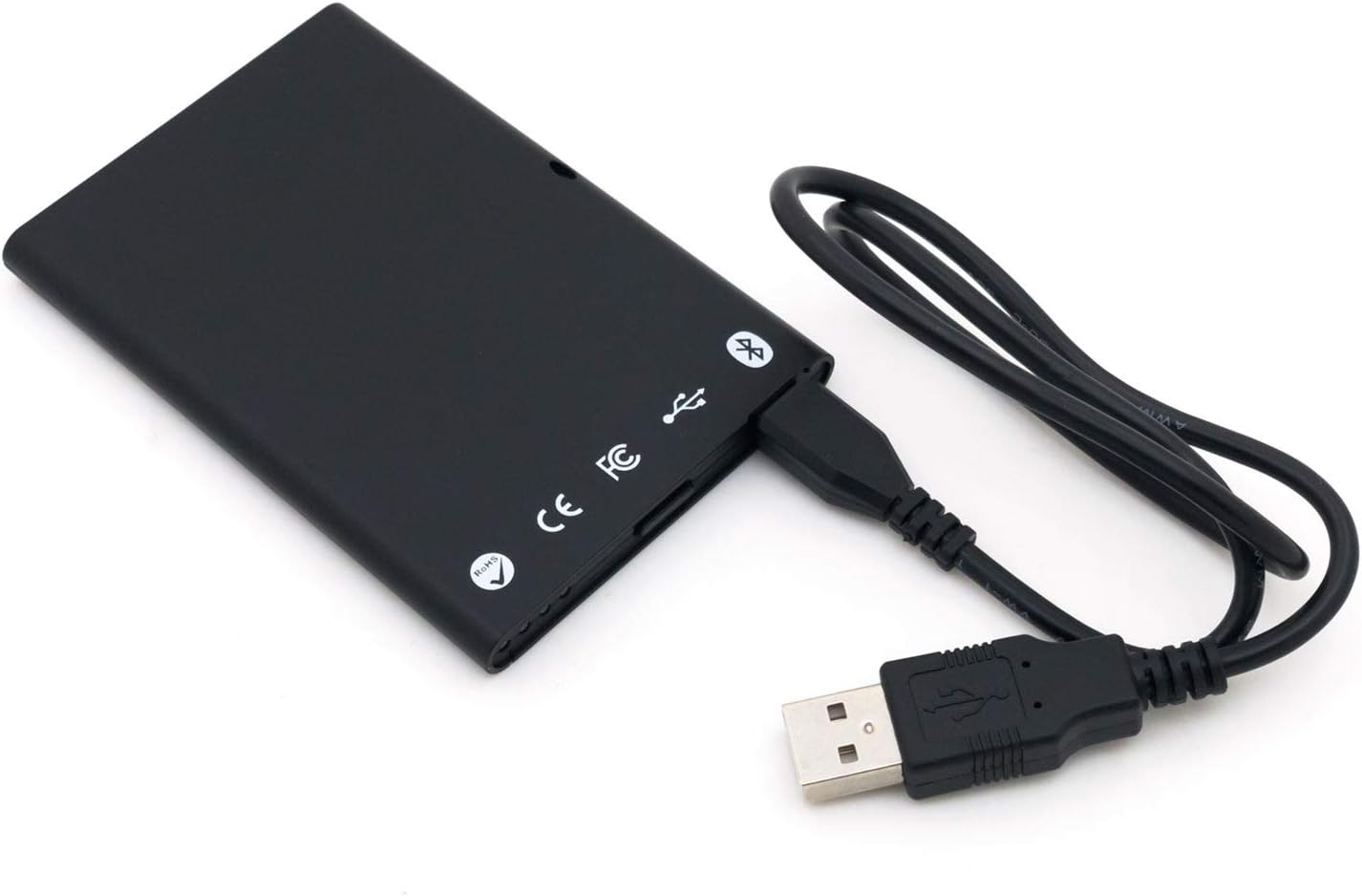
Зураг 4.3: The bR301-C45 reader connected to a USB cable, illustrating the USB-C port location.
5. Тохиргоо
5.1 Төхөөрөмжийг цэнэглэх
The bR301-C45 reader includes a 350mAh Li-Ion battery. Before initial use, or if the battery is low, charge the device using the provided USB cable.
- Connect the USB Type-C end of the cable to the reader's port.
- Connect the USB-A end of the cable to a powered USB port on a computer or a USB wall adapter.
- The device will indicate charging status (e.g., an LED indicator, refer to specific product documentation for LED behavior).
5.2 USB Connection (Plug and Play)
For direct connection to a computer, the bR301-C45 supports plug-and-play functionality, requiring no additional drivers for basic operation.
- Ensure the reader is charged or connected to a power source.
- Connect the USB Type-C end of the cable to the reader.
- Кабелийн USB-A төгсгөлийг компьютер дээрээ байгаа USB порт руу холбоно уу.
- Your operating system should automatically detect and configure the device.
5.3 Bluetooth (BLE) Connection
The bR301-C45 can connect wirelessly via Bluetooth Low Energy (BLE) to compatible devices.
- Ensure the reader is sufficiently charged.
- Activate Bluetooth on your host device (e.g., smartphone, tablet, computer).
- Put the bR301-C45 into pairing mode (refer to specific product documentation for button presses or indicators).
- хайх available Bluetooth devices on your host device.
- Select "FEITIAN bR301-C45" or a similar identifier from the list and complete the pairing process.
Жич: For certain applications, especially those involving government CAC or PIV cards, specific software or utilities (e.g., "Smart Card Utility") may be required on your host device. These applications may involve additional licensing or configuration steps not covered in this general manual. Consult the software provider's documentation for details.
6. Төхөөрөмжийг ажиллуулах
6.1 Ухаалаг карт оруулах
- Identify the correct orientation for your smart card. Typically, the chip on the card faces upwards and is inserted into the reader.
- Gently slide the smart card into the card slot until it is fully seated. Do not force the card.
- The reader or associated software will indicate successful card detection.
6.2 Removing a Smart Card
To remove a smart card, gently pull it out from the slot. Ensure no active operations are being performed with the card before removal to prevent data corruption.
6.3 Програмтай ашиглах
Once connected and a smart card is inserted, the bR301-C45 reader facilitates secure communication between the smart card and your application. This includes:
- Secure ID Authentication: For logging into systems or verifying identity.
- E-Payment: For secure transactions.
- Хандалтын хяналт: For gaining access to restricted areas or digital resources.
The specific steps for using the reader will depend on the application you are using. Refer to the documentation for your specific software or service.
7. Засвар үйлчилгээ
7.1 Цэвэрлэгээ
To clean the device, use a soft, dry, lint-free cloth. Do not use liquid cleaners, aerosols, or solvents, as these can damage the device.
7.2 Батерейны арчилгаа
- Байнга зайгаа бүрэн цэнэглэхээс зайлсхий.
- Төхөөрөмжийг удаан хугацаагаар ашиглаагүй бол сэрүүн, хуурай газар хадгална.
- Батерейны эрүүл мэндийг хадгалахын тулд төхөөрөмжийг удаан хугацаагаар хадгалсан бол үе үе цэнэглэ.
8. Алдаа засах
- Төхөөрөмжийг USB-ээр танихгүй байна:
- Өөр USB портоор оролдоно уу.
- USB кабелийн хоёр үзүүрт найдвартай холбогдсон эсэхийг шалгаарай.
- Компьютерээ дахин эхлүүлнэ үү.
- Bluetooth холболттой холбоотой асуудлууд:
- Ensure the reader is in pairing mode.
- Check that Bluetooth is enabled on your host device.
- Move the reader closer to the host device.
- Remove previous pairings and try again.
- Smart card not detected:
- Ensure the smart card is inserted correctly and fully seated.
- Check if the smart card is damaged or dirty.
- Verify that the necessary software/drivers are installed and configured on your computer for the specific smart card type.
- Зай цэнэглэгдэхгүй байна:
- Ensure the USB cable is functional and properly connected.
- Өөр USB тэжээлийн эх үүсвэрийг туршаад үзээрэй.
- Хэрэв асуудал үргэлжилсээр байвал дэмжлэгтэй холбогдоно уу.
9. Техникийн үзүүлэлтүүд
| Онцлог | Дэлгэрэнгүй |
|---|---|
| Загварын дугаар | bR301 C45 |
| Холболт | USB Type C, Bluetooth Low Energy (BLE) |
| Дэмжигдсэн картын төрлүүд | 1.8V, 3V, and 5V smart cards |
| Батерей | 350mAh Li-Ion (багцад багтсан) |
| Үйлдлийн системийн нийцтэй байдал | All operating systems (Plug & Play for USB) |
| Хэмжээ (LxWxH) | 3.66 x 2.09 x 0.31 инч |
| Жин | 1.27 унц |
| Өнгө | Хар |
10. Баталгаат хугацааны мэдээлэл
FEITIAN products typically come with a limited warranty. For specific warranty terms and conditions, please refer to the warranty card included with your product or visit the official FEITIAN webсайт. Баталгаат нэхэмжлэл гаргахын тулд худалдан авалтаа нотлох баримтаа хадгалаарай.
11. Дэмжлэг
For further assistance, technical support, or to download the latest drivers and software, please visit the official FEITIAN webсайт:
You may also contact FEITIAN customer service through the contact information provided on their webсайт.