
1. Танилцуулга
Welcome to the user manual for your Genius Manticore Gaming Keyboard. This guide provides essential information for setting up, operating, maintaining, and troubleshooting your new gaming keyboard. Please read these instructions carefully to ensure optimal performance and longevity of your device.
2. Бүтээгдэхүүн дууссанview
The Genius Manticore Gaming Keyboard is designed for an enhanced gaming experience, featuring a durable build and responsive keys. It connects via USB and is compatible with a wide range of devices. The keyboard includes 104 keys with a standard QWERTY layout, complemented by additional gaming-specific features.
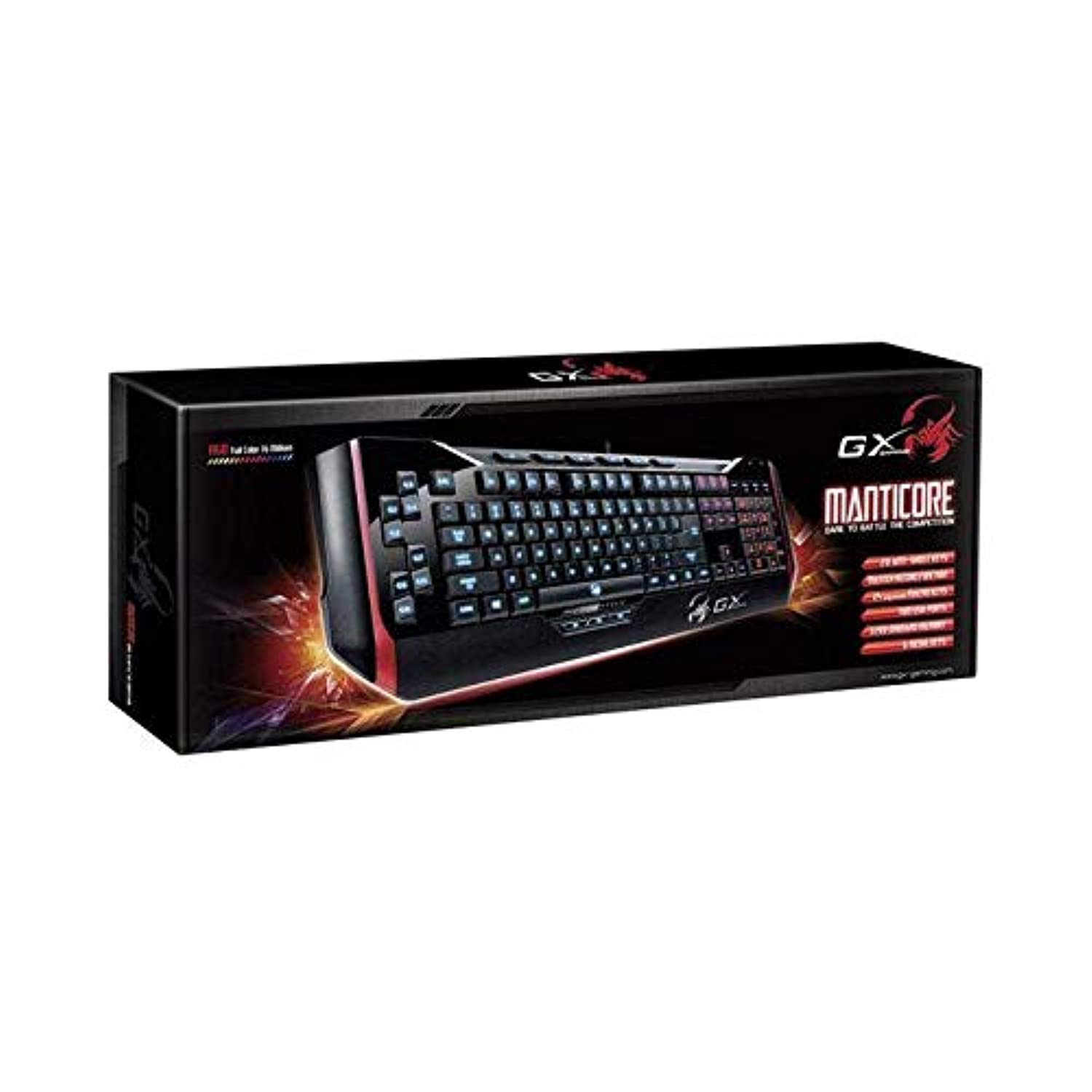
Зураг 1: Genius Manticore Gaming Keyboard. This image displays the Genius Manticore Gaming Keyboard, featuring a black body with red accents on the sides. The keys are illuminated, indicating its gaming functionality. The keyboard has a standard QWERTY layout with additional keys on the left side, likely for macros, and a numeric keypad on the right.
3. Тохиргоо
- Гарыг задлах: Carefully remove the Genius Manticore Gaming Keyboard from its packaging. Ensure all components are present.
- Төхөөрөмждөө холбогдох: Locate an available USB port on your computer or compatible device. Insert the USB connector of the keyboard firmly into the USB port.
- Драйвер суурилуулах (шаардлагатай бол): For most modern operating systems, the keyboard will be recognized automatically, and standard drivers will be installed. If prompted, follow the on-screen instructions to complete any driver installation.
- Туршилтын функц: Open a text editor or a web browser and test the keys to ensure they are responding correctly.
4. Ашиглалтын заавар
The Genius Manticore Gaming Keyboard offers a standard QWERTY layout for general typing and dedicated features for gaming.
- Стандарт түлхүүрийн функцууд: All standard alphanumeric, symbol, and function keys operate as expected on a typical QWERTY keyboard.
- Тоглоомын онцлогууд: The keyboard is designed for gaming. Specific gaming features, such as customizable backlighting or programmable macro keys (if available on your model), can typically be configured through dedicated software provided by Genius or through specific key combinations. Refer to the Genius website for any available software downloads or advanced feature guides.
- Эрчим хүчний эх үүсвэр: The keyboard is powered directly via the USB connection to your device. No external power supply or batteries are required.
5. Засвар үйлчилгээ
Тохиромжтой засвар үйлчилгээ нь таны гарны урт наслалт, гүйцэтгэлийг баталгаажуулдаг.
- Цэвэрлэгээ: Use a soft, dry cloth to wipe down the keyboard surface. For dust and debris between keys, use compressed air. Avoid using harsh chemicals or abrasive materials.
- Шингэний нөлөөлөл: This keyboard is усанд тэсвэртэй биш. Avoid spilling liquids on the keyboard, as this can cause permanent damage. If liquid exposure occurs, immediately disconnect the keyboard from your device and allow it to dry completely before attempting to use it again.
- Хадгалах: Ашиглаагүй үедээ гарыг цэвэр, хуурай орчинд, хэт өндөр температур болон нарны шууд тусгалаас хол хадгална уу.
6. Алдаа засах
Хэрэв та гартай холбоотой асуудалтай тулгарвал дараах шийдлүүдийг туршаад үзээрэй.
- Гар хариу өгөхгүй байна:
- USB кабель гар болон компьютерт найдвартай холбогдсон эсэхийг шалгаарай.
- Компьютер дээрээ гарыг өөр USB порт руу холбож үзнэ үү.
- Асуудал нь гар эсвэл анхны компьютерт байгаа эсэхийг тодорхойлохын тулд гарыг өөр компьютер дээр туршиж үзээрэй.
- Компьютерээ дахин эхлүүлнэ үү.
- Тодорхой товчлуурууд ажиллахгүй байна:
- Check for any physical obstructions under the non-functional keys.
- Засвар үйлчилгээний хэсэгт тайлбарласны дагуу гарыг цэвэрлэ.
- Ensure no software conflicts are present (e.g., macro software interfering with standard key functions).
- Арын гэрэлтүүлгийн асуудал:
- If your model features adjustable backlighting, ensure it is not turned off or set to the lowest brightness level. Consult the Genius website for specific key combinations to control backlighting.
If these steps do not resolve the issue, please contact Genius customer support for further assistance.
7. Техникийн үзүүлэлтүүд
| Онцлог | Дэлгэрэнгүй |
|---|---|
| Брэнд нэр | Суут ухаантан |
| Загварын дугаар | GE31310058108 |
| Тохиромжтой төхөөрөмжүүд | Бүгд |
| Холболтын технологи | USB |
| Гарын тайлбар | Тоглоом |
| Онцлог шинж чанарууд | Тоглоом |
| Өнгө | Multi-color (Black and Red) |
| Загвар | Орчин үеийн |
| Материал | Олон материал |
| Сэдэв | Тоглоомууд |
| Эрчим хүчний эх үүсвэр | USB тэжээл |
| Түлхүүрүүдийн тоо | 104 |
| Гарны зохион байгуулалт | QWERTY гар |
| Гарын чиг баримжаа | Хоёр талт |
| Товчлуурын тоо | 104 |
| Усны эсэргүүцлийн түвшин | Усанд тэсвэртэй биш |
| Үйлдвэрлэгч | Суут ухаантан |
| ASIN | B07MQMXJS9 |
8. Баталгаат хугацаа ба дэмжлэг
Your Genius Manticore Gaming Keyboard is covered by a standard manufacturer's warranty. For detailed information regarding warranty terms, registration, or to access technical support, please visit the official Genius webсайт эсвэл харилцагчийн үйлчилгээний хэлтэстэй холбогдоно уу. Худалдан авалтын баримтаа худалдан авалтын баталгаа болгон хадгалаарай.
Нэмэлт тусламж авахыг хүсвэл зочилж болно Genius Official Webсайт.