
Аюулгүй байдлын чухал заавар
To ensure safe operation and prolong the life of your monitor, please read and follow these instructions carefully:
- Мониторыг цэвэрлэхийн өмнө цахилгааны утсыг үргэлж цахилгааны залгуураас салга.
- Цахилгаан цочролоос зайлсхийхийн тулд мониторыг бороо, чийгэнд бүү тавь.
- Хэт халалтаас сэргийлэхийн тулд дэлгэцийн эргэн тойронд агааржуулалтыг зөв хий. Агааржуулалтын нүхийг бүү бөглө.
- Зөвхөн үйлдвэрлэгчээс нийлүүлсэн тэжээлийн адаптер болон кабелийг ашиглана уу.
- Avoid placing heavy objects on the power cord or monitor.
- If the monitor is damaged or malfunctions, do not attempt to repair it yourself. Contact qualified service personnel.
Багцын агуулга
Before proceeding with the setup, please check the contents of your package to ensure all items are present:
- Acer CB272U smiiprx LED Monitor
- Хяналтын тавиур (суурь ба гар)
- Цахилгааны утас
- HDMI кабель
- Хурдан эхлүүлэх гарын авлага / Баталгаат карт
Тохиргоо
1. Мониторын тавиурыг угсрах
- Carefully remove the monitor from its packaging. Place the monitor face down on a soft, clean cloth or surface to prevent scratches to the screen.
- Attach the stand arm to the back of the monitor panel. Ensure it is securely fastened, typically by sliding it into place until it clicks or by tightening screws.
- Connect the stand base to the bottom of the stand arm. Secure the base by tightening the captive screw located underneath the base.

Зураг 1: Ар талд view of the Acer CB272U smiiprx monitor with the stand attached, illustrating the assembly points.
2. Connecting the Monitor to Your Computer
- Connect one end of the provided HDMI cable to the HDMI port on the monitor.
- Connect the other end of the HDMI cable to the HDMI output port on your computer or graphics card.
- Цахилгааны утсыг дэлгэцийн тэжээлийн оролтод залгаад, дараа нь нөгөө үзүүрийг нь газардуулгатай цахилгаан залгуурт залгаарай.

Зураг 2: Өнцөгтэй арын хэсэг view showing the input ports of the monitor, including HDMI and power connections.
Мониторыг ажиллуулах
Асаах, унтраах
Locate the power button on the monitor's bezel. Press it once to turn the monitor on. The power indicator light will illuminate. Press it again to turn the monitor off.
Adjusting Display Settings (OSD Menu)
The On-Screen Display (OSD) menu allows you to customize various monitor settings. Use the control buttons (usually located on the back or bottom right of the monitor) to navigate the OSD menu. Common adjustments include:
- Гэрэлтүүлэг/Ялгарал: Гэрэл ба бараан хэсгийн ерөнхий гэрэлтүүлэг болон ялгааг тохируулна уу.
- Өнгөний тохиргоо: Өнгөний температур, гамма болон хувь хүний RGB түвшинг өөрчлөх.
- Оролтын эх сурвалж: Manually select the video input (e.g., HDMI).
- Аудио: Control volume for the built-in speakers.
Эргономикийн тохируулга
The Acer CB272U smiiprx monitor stand offers multiple ergonomic adjustments to optimize your viewтав тухтай байдал:
- Өндөр тохируулга: Мониторыг нүдний түвшинд хүртэл дээшлүүлж эсвэл доошлуулна.
- Хазайлт: Adjust the screen angle forward or backward to reduce glare.
- Эргэдэг: Rotate the monitor horizontally to share your screen or adjust viewөнцөг.
- Пивот: Rotate the screen to a portrait orientation for document viewкод бичих эсвэл кодлох.
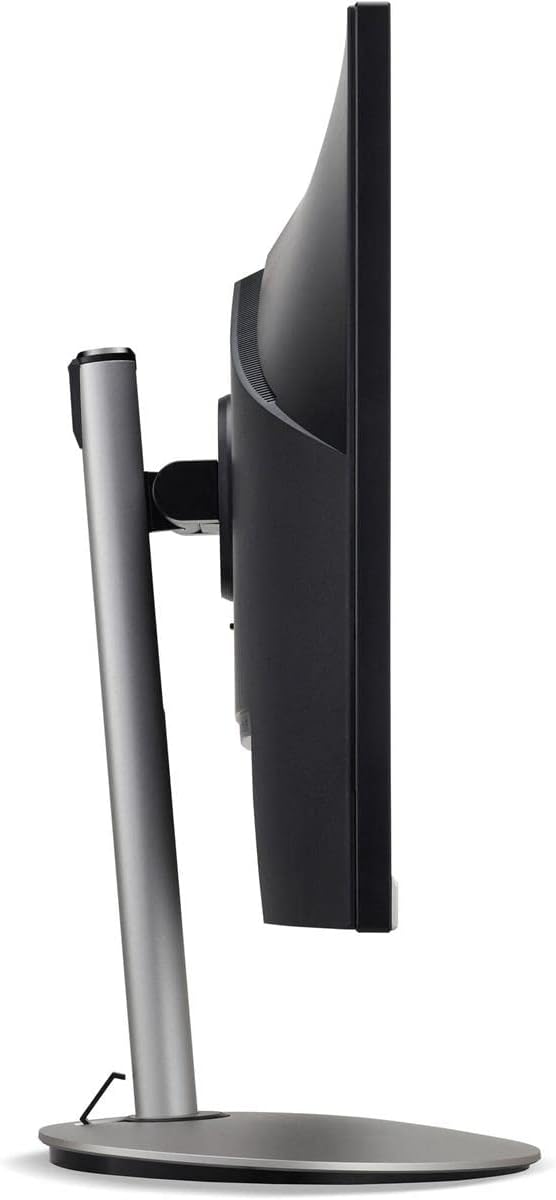
Зураг 3: Side profile of the monitor, illustrating its adjustable stand for ergonomic positioning.
Засвар үйлчилгээ
Cleaning the Monitor Screen and Casing
To clean your monitor, first ensure it is turned off and unplugged from the power outlet. Use a soft, lint-free cloth. For stubborn marks, lightly dampen the cloth with water or a specialized non-abrasive screen cleaner. Дэлгэц рүү шууд шингэн цацаж болохгүй, casing. Хүчтэй химийн бодис, зүлгүүрийн цэвэрлэгч, уусгагч хэрэглэхээс зайлсхий.
Хадгалах заавар
If you need to store the monitor for an extended period, it is recommended to use its original packaging to protect it from dust, moisture, and physical damage. Store in a cool, dry environment away from direct sunlight and extreme temperatures.
Алдааг олж засварлах
Нийтлэг асуудлууд болон тэдгээрийн шийдлүүдийг доорх хүснэгтээс харна уу.
| Асуудал | Боломжит шалтгаан | Шийдэл |
|---|---|---|
| Дэлгэц дээр зураг алга | Цахилгаан кабель салгагдсан; Видео кабель салгагдсан; Буруу оролтын эх үүсвэр сонгосон. | Check power and video cable connections; Ensure the monitor is powered on; Select the correct input source via the OSD menu. |
| Зураг бүдгэрсэн эсвэл гажуудсан байна | Incorrect resolution setting; Faulty video cable. | Set the display resolution to 2560 x 1440 at 75 Hz; Try a different HDMI cable. |
| Чанга яригчаас дуу гарахгүй | Monitor volume too low or muted; Incorrect audio output selected on computer. | Adjust monitor volume via OSD; Unmute audio; Select the monitor as the audio output device in your computer's sound settings. |
| Монитор анивчиж байна | Refresh rate mismatch; Interference; Faulty cable. | Ensure refresh rate is set to 75 Hz; Check for nearby electronic devices causing interference; Replace video cable. |
Үзүүлэлтүүд
Key technical specifications for the Acer CB272U smiiprx LED Monitor:
| Онцлог | Дэлгэрэнгүй |
|---|---|
| Загварын нэр | CB272U smiiprx |
| Дэлгэцийн хэмжээ | 24.1 инч |
| Төрөлхийн тогтоол | 2560 x 1440 (WQHD) |
| Сэргээх хурд | 75 Гц |
| Хариу өгөх хугацаа | 1 Millisecond (VRB) |
| Харьцаа | 16:9 |
| Дэлгэцийн төрөл | LED-backlit LCD / TFT active matrix (IPS) |
| Гэрэлтүүлэг | 350 кд/м² |
| Ялгаатай харьцаа | 1000:1 (Статик) |
| Холболт | HDMI |
| Дасан зохицох синк | FreeSync |
| Суулгасан чанга яригч | Тиймээ |
| Dimensions (WxDxH with stand) | 24.1 инч x 9.2 инч x 20.5 инч |
| Жин (индэртэй) | 18.1 фунт |

Figure 4: Monitor dimensions with stand, indicating width, depth, and height.
Баталгаат хугацааны мэдээлэл
The Acer CB272U smiiprx LED Monitor comes with a 3 жилийн үйлдвэрлэгчийн баталгаат хугацаа. This warranty covers defects in materials and workmanship under normal use. For complete details regarding warranty coverage, limitations, and how to make a claim, please refer to the warranty documentation included with your product or visit the official Acer support webсайт.
Please retain your proof of purchase (receipt or invoice) as it will be required for any warranty service.
Хэрэглэгчийн дэмжлэг
Should you require further assistance, technical support, or wish to download the latest drivers and firmware updates for your monitor, please visit the official Acer support webсайт:
You can also find contact information for Acer customer service in your region on the support webхувь хүний тусламж авах сайт.