
1. Танилцуулга
The Walfront GT8907 is a handheld digital anemometer designed for precise measurement of wind speed, temperature, and air volume. This device is suitable for various applications including industrial settings, environmental monitoring, HVAC system analysis, and outdoor activities. It features a high-definition large screen display for clear readings and soft rubber buttons for comfortable operation. This manual provides detailed instructions for the proper setup, operation, and maintenance of your GT8907 anemometer.

Figure 1: Walfront GT8907 Anemometer with its wind fan probe connected, displaying wind speed and temperature.
2. Багцын агуулга
Хүлээн авахдаа багцын агуулгыг шалгаж, бүх зүйл байгаа эсэхийг шалгана уу:
- Walfront GT8907 Digital Anemometer Unit
- Wind Fan Probe (connected via cable)
- USB Cable (for data transfer, if applicable)
- Хэрэглэгчийн гарын авлага (энэ баримт бичиг)
- Зөөврийн цүнх
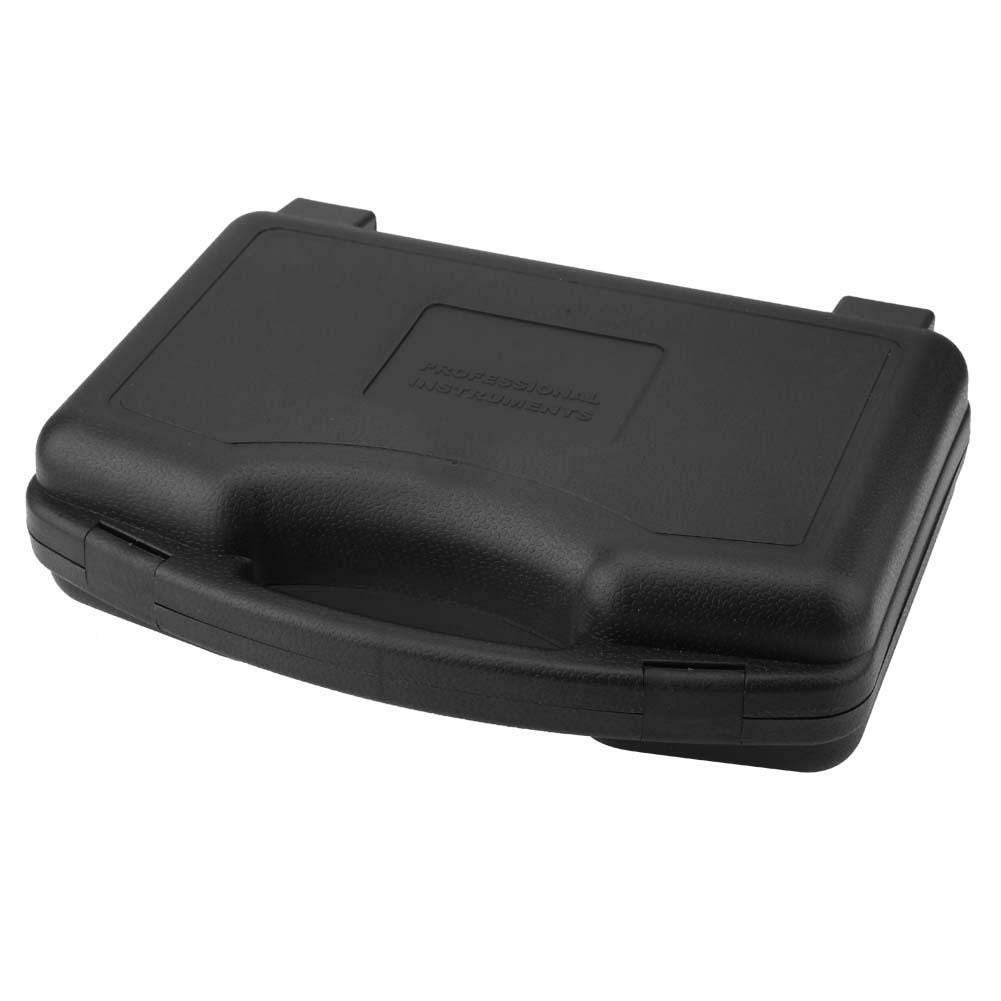
Figure 2: The protective carrying case for the GT8907 anemometer, designed for safe storage and transport.
3. Төхөөрөмж дууссанview
Familiarize yourself with the components and controls of the GT8907 anemometer:

Figure 3: Detailed diagram of the GT8907 anemometer, highlighting the main unit's screen and buttons, and the wind fan probe with its telescopic rod and handle.
- Дэлгэц: High-definition LCD display for readings.
- Түгжих товчлуур: To hold current readings.
- Mode Switch / Enter Button: To cycle through measurement modes and confirm selections.
- Air Volume Switch: To switch to air volume measurement.
- ON/OFF / Unit Button: Power on/off the device; short press to change units.
- Setting Area: For configuring measurement area for air volume.
- Хадгалах товч: To save data.
- Read Data Button: To recall saved data.
- Delete Data Button: To delete saved data.
- Wind Fan: Rotates to measure wind speed.
- Телескоп саваа: Extends the wind fan for reaching measurement points.
- Бариул: Ergonomic grip for the wind fan probe.
4. Тохиргоо
4.1 Батерей суурилуулах
The GT8907 anemometer requires four (4) 1.5V AAA batteries (not included). Follow these steps to install the batteries:
- Үндсэн төхөөрөмжийн ар талд байрлах батерейны тасалгааны тагийг олоорой.
- Тагийг доош нь гулсуулж эсвэл түгжээг дарж нээнэ үү.
- Insert four AAA batteries, ensuring correct polarity (+ and -) as indicated inside the compartment.
- Зайны тасалгааны тагийг сольж, байрандаа найдвартай товшиж байгаа эсэхийг шалгаарай.

Figure 4: The open battery compartment of the GT8907, showing the correct orientation for inserting four AAA batteries.
4.2 Сорьцын холболт
Ensure the wind fan probe is securely connected to the main unit via its cable. The connector should fit snugly into the port on the top of the main unit.
5. Ашиглалтын заавар
5.1 Асаах/унтраах
- Төхөөрөмжийг асаахын тулд товчийг дараад барина уу ON/OFF товч.
- Төхөөрөмжийг унтраахын тулд товчлуурыг удаан дарна уу ON/OFF button again. The device also features an auto-power-off function to conserve battery life.
5.2 Хэмжилтийн нэгжийг өөрчлөх
Төхөөрөмж асаалттай үед товч дарна уу НЭГЖ button (which is also the ON/OFF button) to cycle through available wind speed units (m/s, Ft/min, Knots, Km/h, Mph) and temperature units (°C, °F).
5.3 Wind Speed and Temperature Measurement
The device automatically displays wind speed and temperature upon power-on. Extend the telescopic rod of the wind fan probe and position the fan in the airflow you wish to measure. Ensure the fan is facing directly into the wind for accurate readings.

Figure 5: The GT8907 anemometer in use, showing its digital display with wind speed and temperature readings against a backdrop of wind turbines.
5.4 Air Volume Measurement (CFM/CMM)
- дээр дарна уу VEL/УРСАХ button to switch to air volume measurement mode.
- дээр дарна уу AREA/SAMPLE button to enter the area setting mode.
- Use the arrow buttons (if available, or other designated buttons) to adjust the measurement area (e.g., duct dimensions). Refer to the on-screen prompts.
- дарна уу ENTER to confirm the area setting.
- Position the wind fan probe in the airflow. The device will display the air volume in CFM (Cubic Feet per Minute) or CMM (Cubic Meters per Minute).
5.5 Өгөгдөл хадгалах функц
дээр дарна уу БАРЬ button to freeze the current readings on the display. Press it again to release the hold function and resume live measurements.
5.6 Өгөгдөл хадгалах ба эргүүлэн татах
- To save a reading, press the ХАДГАЛАХ товч.
- Хадгалсан өгөгдлийг сэргээхийн тулд товчийг дарна уу УНШИХ button. Use navigation buttons (if available) to browse through saved records.
- To delete saved data, press the ДЭЛ товч.
6. Засвар үйлчилгээ
6.1 Цэвэрлэгээ
Wipe the device and probe with a soft, dry cloth. Do not use abrasive cleaners or solvents. Ensure the wind fan is free from dust and debris for accurate operation.
6.2 Батерейг солих
When the low battery indicator appears on the display, replace all four AAA batteries as described in Section 4.1. Remove batteries if the device will not be used for an extended period to prevent leakage.
6.3 Хадгалалт
Store the anemometer in its protective carrying case in a cool, dry place, away from direct sunlight and extreme temperatures. Ensure the wind fan probe is retracted or protected to prevent damage.
7. Алдаа засах
- Төхөөрөмж асахгүй байна:
- Батерейг зөв туйлшралтайгаар зөв суурилуулсан эсэхийг шалгана уу.
- Шинэ AAA батерейгаар солино.
- Буруу уншилтууд:
- Ensure the wind fan is clean and rotates freely.
- Verify the probe is securely connected to the main unit.
- Confirm the device is set to the correct measurement unit.
- Ensure the wind fan is positioned directly in the airflow.
- Дэлгэц бүдэг эсвэл хоосон байна:
- Зайгаа солих.
- Төхөөрөмж хэт өндөр температурт өртөөгүй эсэхийг шалгаарай.
8. Техникийн үзүүлэлтүүд
| Параметр | Тодорхойлолт |
|---|---|
| Загвар | GT8907 |
| Салхины хурдыг хэмжих хүрээ | 0.0 - 45.0 m/s; 0.0 - 8800 Ft/min; 0.0 - 88.0 Knots; 0.0 - 140.0 Km/h; 0.0 - 100 Mph |
| Салхины хурдны нарийвчлал | 0.01 (m/s, Knots, Mph); 0.01/0.1/1 (Ft/min); 0.01 (Km/h) |
| Wind Speed Precision | ±3% ±0.1 (m/s); ±3% ±20 (Ft/min); ±3% ±0.2 (Knots); ±3% ±0.4 (Km/h); ±3% ±0.2 (Mph) |
| Air Volume Measurement Range (CFM) | 0 - 999900 ft³/min |
| Air Volume Measurement Range (CMM) | 0 - 999900 m³/min |
| Температурын хэмжилтийн хүрээ | 0 - 45 ° C / 32 - 113 ° F |
| Температурын нарийвчлал | 0.1°C / 0.18°F |
| Температурын нарийвчлал | ± 1.0 ° C / ± 1.8 ° F |
| Чийгийн хэмжилтийн хүрээ | 10 - 90% RH (without condensation) |
| Агаарын чийгшил | 0.1% RH |
| Чийгийн нарийвчлал | ±5% |
| Ажлын орчны температур | 0 - 50°C (32 - 122°F) |
| Ажлын орчны чийгшил | 40 - 80% RH |
| Storage Condition Temperature | -40 - 60°C (-40 - 140°F) |
| Storage Condition Humidity | ≤ 80% RH |
| Эрчим хүчний хангамж | 4 x 1.5V AAA батерей |
| Жин | Ойролцоогоор 1214 г / 42.8 унц |
| Хэмжээ (L x W x H) | 3.94 x 3.94 x 3.94 инч (Үндсэн нэгж) |
9. Баталгаат хугацаа ба дэмжлэг
Walfront products are designed for reliability and performance. For warranty information or technical support, please refer to the contact details provided with your purchase or visit the official Walfront webсайт. Худалдан авалтын баримтаа баталгаат нэхэмжлэлд зориулж худалдан авалтын баталгаа болгон хадгална уу.
For further assistance, you may contact Walfront customer service through their official channels. Please have your model number (GT8907) and purchase details ready.