
Танилцуулга
This manual provides instructions for the VINABTY MKJ36998126 Replacement Remote Control. This remote is designed as a direct replacement for various LG TV models, including the 32LV2400, 42LV4400, 47LV4400, and 55LV4400 series. It is pre-programmed and requires no additional setup beyond battery installation.
The remote control offers a comfortable, ergonomic design and provides full functionality for your compatible LG television, allowing you to control power, volume, channels, input, and other essential TV functions.
Тохиргоо
1. Зай суурилуулах
The VINABTY MKJ36998126 remote control requires two (2) AAA batteries (not included) for operation. Follow these steps to install the batteries:
- Алсын удирдлагын ар талд байгаа зайны тасалгааг ол.
- Батерейны тагийг доош гулсуулж онгойлгоно уу.
- Хоёр AAA батерейг оруулаад эерэг (+) ба сөрөг (-) терминалууд тасалгааны доторх тэмдэглэгээтэй зөв таарч байгаа эсэхийг шалгаарай.
- Батерейны тагийг найдвартай товших хүртэл нь шургуулна уу.
Жич: Хоёр батерейг нэгэн зэрэг шинээр сольж байгаарай. Хуучин болон шинэ батерей эсвэл өөр төрлийн батерейг хольж хэрэглэж болохгүй.
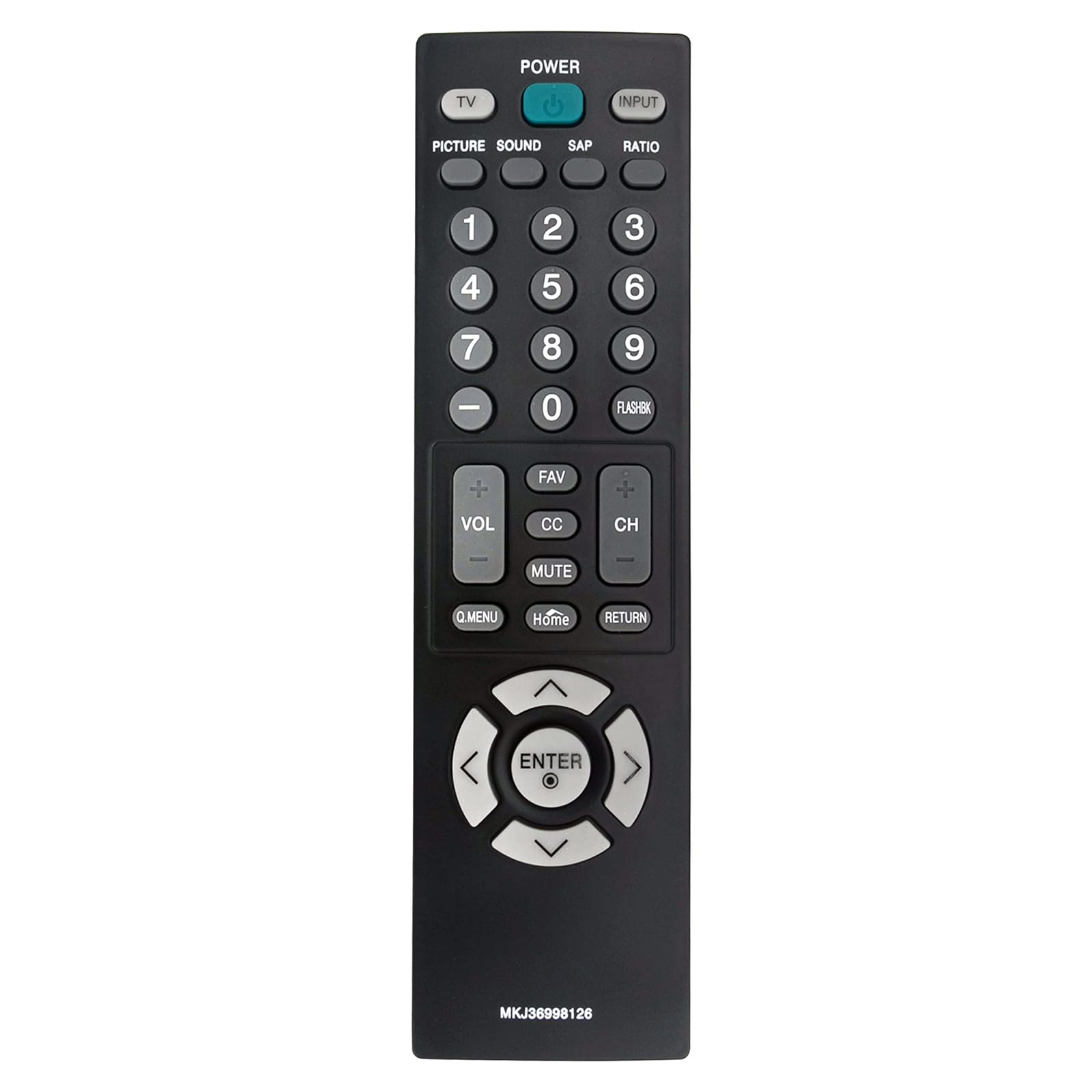
Зураг: Урд view of the VINJABTY MKJ36998126 remote control, showing the button layout. The battery compartment is on the reverse side.
2. Анхны хэрэглээ
This remote control is pre-programmed for compatible LG TV models. Once batteries are installed, it is ready for immediate use. No additional programming or pairing is required.
Ашиглалтын заавар
The VINABTY MKJ36998126 remote control provides intuitive access to your LG TV's functions. Below is a general overview of the main buttons and their functions:

Зураг: Нарийвчилсан нүүр view of the VINABTY MKJ36998126 remote control, highlighting the various buttons and their labels for easy identification.
- ХҮЧ: ТВ-г асаах эсвэл унтраана.
- ТВ: ТВ горимд шилждэг.
- Оруулах: Оролтын эх үүсвэрийг (HDMI, AV, Component гэх мэт) сонгоно.
- ЗУРАГ: Зургийн тохиргоог тохируулна.
- ДУУ: Дууны тохиргоог тохируулна.
- SAP: Хоёрдогч Аудио Програмыг сонгоно (боломжтой бол).
- ХАРЬЦАА: Дэлгэцийн харьцааг өөрчилнө.
- Тоон товчлуурууд (0-9): Сувгуудыг шууд сонгоно эсвэл тоон утгыг оруулна.
- ФЛЭШБК: Recalls the previously viewed суваг.
- VOL (+/-): Дууны хэмжээг ихэсгэх буюу багасгах.
- CH (+/-): Сувгийг дээш эсвэл доош нь өөрчилдөг.
- Дуртай зүйл: Дуртай сувгууд руу ханддаг.
- CC: Хаалттай тайлбарыг асаах эсвэл унтраах.
- ХААЛТ: ТВ-ийн дууг хаадаг эсвэл нээдэг.
- А.ЦЭС: Accesses the Quick Menu for common settings.
- Нүүр хуудас: Returns to the TV's home screen or main menu.
- БУЦАХ: Өмнөх дэлгэц эсвэл цэс рүү буцна.
- Навигацийн самбар (Дээш, Доош, Зүүн, Баруун, ОРУУЛАХ): Цэсүүдээр гүйлгэж, сонголтыг баталгаажуулна.

Image: The VINABTY MKJ36998126 remote control shown next to a compatible LG television, illustrating its intended use.
Засвар үйлчилгээ
Зай солих
When the remote control's performance degrades or it stops responding, it is likely time to replace the batteries. Follow the battery installation steps outlined in the 'Setup' section.
Цэвэрлэгээ
Алсын удирдлагыг цэвэрлэхийн тулд зөөлөн, хуурай даавуу ашиглана уу. Зөрүүд шороонд бага зэрэг dampдаавууг усаар эсвэл зөөлөн, зүлгүүргүй цэвэрлэгчээр угаана. Химийн хатуу бодис хэрэглэж болохгүй, алсын удирдлагаа усанд дүрж болохгүй.
Хадгалах
Store the remote control in a dry place, away from direct sunlight and extreme temperatures. If the remote will not be used for an extended period, it is recommended to remove the batteries to prevent leakage.
Алдааг олж засварлах
- Алсын удирдлага хариу өгөхгүй байна:
- Батерейг зөв туйлшралтайгаар зөв суурилуулсан эсэхийг шалгаарай.
- Хуучин батерейг шинэ AAA батерейгаар солино.
- Алсын удирдлага болон телевизийн хэт улаан туяаны мэдрэгчийн хооронд ямар нэгэн саад байгаа эсэхийг шалгана уу.
- Ensure you are within the maximum operating range (approximately 33 feet) and pointing the remote directly at the TV.
- Тодорхой товчлуурууд ажиллахгүй байна:
- Clean the remote control, especially around the affected buttons, to remove any debris that might be causing sticking.
- If cleaning does not resolve the issue, the button may be worn or damaged.
- TV not listed as compatible:
- This remote is specifically designed for the listed LG TV models. If your TV model is not listed, full compatibility cannot be guaranteed.
Үзүүлэлтүүд
| Онцлог | Дэлгэрэнгүй |
|---|---|
| Брэнд | VINABTY |
| Загварын нэр | MKJ36998126 |
| Тохиромжтой төхөөрөмжүүд | LG Television (32LV2400, 42LV4400, 47LV4400, 55LV4400 series) |
| Холболтын технологи | Хэт улаан туяа |
| Шаардлагатай батерейны тоо | 2 |
| Зайны төрөл | AAA (Шүлтлэг хэрэглэхийг зөвлөж байна) |
| Хамгийн их хүрээ | 33 фут |
| Товчлуурын тоо | 30 |
| Хэмжээ (L x W x H) | 5"L x 1.9"W x 0.5"H |
| Онцлог шинж чанар | Эргономик |

Image: The VINABTY MKJ36998126 remote control with its length (7.28 inches) and width (1.97 inches) clearly marked.
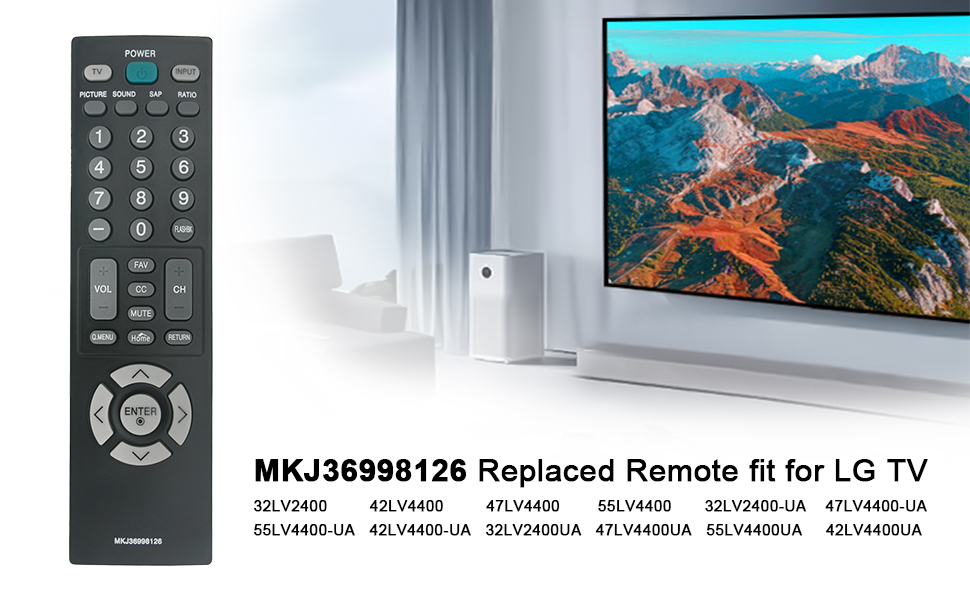
Image: The VINABTY MKJ36998126 remote control displayed alongside a list of compatible LG TV models, including 32LV2400, 42LV4400, 47LV4400, and 55LV4400 series.
Баталгаат хугацааны мэдээлэл
Specific warranty details for the VINABTY MKJ36998126 remote control may vary. Please refer to the retailer's return policy or contact the manufacturer directly for comprehensive warranty information.
Дэмжлэг
For further assistance, troubleshooting, or inquiries regarding your VINABTY MKJ36998126 remote control, please contact your point of purchase or the product manufacturer. Ensure you have your product model number (MKJ36998126) available when seeking support.