
1. Бүтээгдэхүүн дууссанview
The Nexus Max 20 is a versatile personal massager designed for targeted stimulation. It features a main unit and a removable, rechargeable, and waterproof vibrating ball, offering multiple usage options. The device is controlled wirelessly via a remote control and offers 20 distinct vibration functions. Constructed from high-quality, hypoallergenic silicone, the Max 20 provides a smooth and comfortable experience.
This manual provides essential information for the safe and effective use, maintenance, and care of your Nexus Max 20.
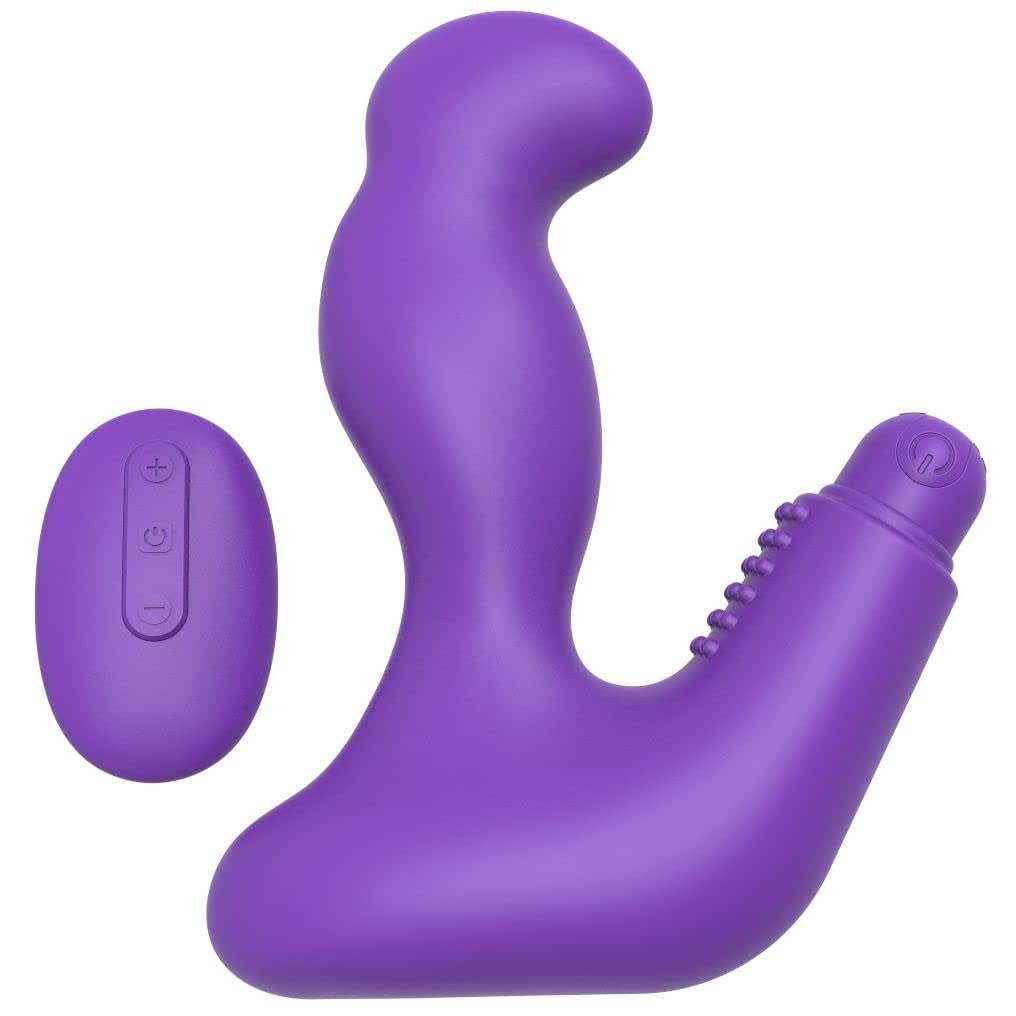
Image 1.1: The Nexus Max 20 main unit and its accompanying remote control.
2. Аюулгүй байдлын мэдээлэл
- Анх хэрэглэхийн өмнө бүх зааврыг уншиж, ирээдүйд лавлах зорилгоор хадгална уу.
- Энэ бүтээгдэхүүн нь зөвхөн насанд хүрэгчдэд зориулагдсан.
- Хэрэв бүтээгдэхүүн гэмтсэн эсвэл согогтой харагдаж байвал бүү хэрэглэ.
- Discontinue use immediately if you experience any discomfort or pain.
- Clean the product thoroughly before and after each use as described in the Maintenance section.
- Энэ бүтээгдэхүүнтэй хамт зөвхөн усан суурьтай тослох материал хэрэглээрэй. Тосон суурьтай тослох материал нь силиконыг гэмтээж болзошгүй.
- Хүүхдийн гар хүрэхгүй газар хадгална.
- Do not attempt to disassemble or modify the product. This will void the warranty.
3. Багцын агуулга
Бүх зүйл багцад байгаа эсэхийг шалгана уу:
- 1 x Nexus Max 20 Main Unit
- 1 x Removable Vibrating Ball (rechargeable)
- 1 x Утасгүй алсын удирдлага
- 1 x USB Charging Cable (for vibrating ball)
- 1 х хэрэглэгчийн гарын авлага (энэ баримт бичиг)

Image 3.1: The Nexus Max 20 packaging, illustrating the components included.
4. Тохиргоо ба анхны хэрэглээ
4.1. Charging the Vibrating Ball
- Locate the charging port on the removable vibrating ball. This is typically a small, discreet port.
- Connect the supplied USB charging cable to the vibrating ball and to a USB power source (e.g., computer, USB wall adapter).
- The indicator light on the vibrating ball will illuminate or flash during charging.
- Charge for approximately 2-3 hours for a full charge before first use. The indicator light will change or turn off when fully charged.
- Цэнэглэж дууссаны дараа цэнэглэгч кабелийг салга.
4.2. Inserting the Vibrating Ball into the Main Unit
The vibrating ball can be inserted into the designated cavity of the main unit for integrated vibration. Ensure the ball is fully charged before insertion.
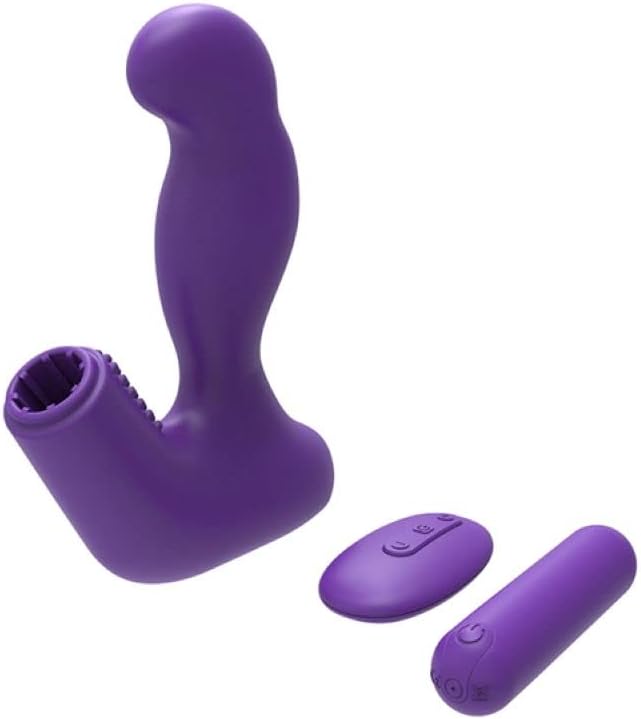
Image 4.1: The Nexus Max 20 main unit with the vibrating ball detached, illustrating its modular design.
4.3. Анхны цэвэрлэгээ
Before first use, clean the product thoroughly according to the "Maintenance and Care" section.
5. Ашиглалтын заавар
5.1. Асаах/унтраах
- Vibrating Ball: Press and hold the power button on the vibrating ball for 2-3 seconds to turn it on or off.
- Алсын удирдлага: The remote control typically activates when a button is pressed and enters standby when inactive.
5.2. Алсын удирдлага ашиглах
The Nexus Max 20 features a wireless remote control for convenient operation. Ensure the vibrating ball is powered on to receive commands from the remote.
- Цахилгаан товч: Press and hold the power button on the remote to turn the vibrating ball on or off. A short press may cycle through modes.
- Function/Mode Button: Press the function button (often indicated by a wave or pattern icon) to cycle through the 20 different vibration patterns and intensities.
- Эрчимт байдлын товчлуурууд (+/-): Use the plus (+) and minus (-) buttons to adjust the vibration intensity within a selected pattern, if applicable.
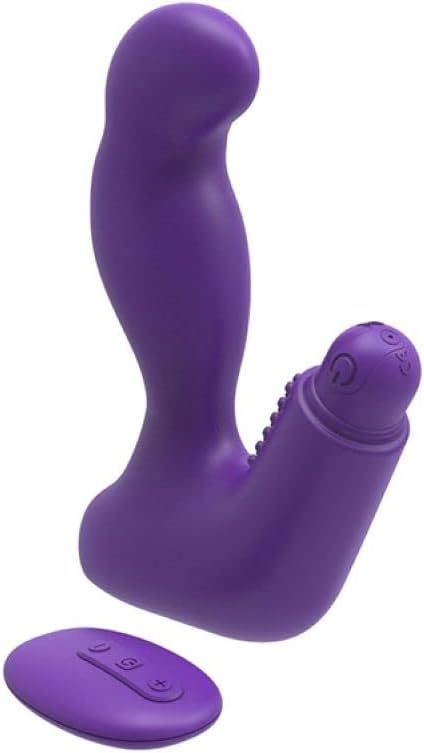
Image 5.1: The remote control for the Nexus Max 20, showing its operational buttons.
5.3. Usage Options
The modular design of the Max 20 allows for three distinct usage options:
- Main Unit with Vibrating Ball: Insert the vibrating ball into the main unit for combined stimulation.
- Main Unit without Vibration: Use the main unit alone for non-vibrating stimulation.
- Vibrating Ball Alone: Use the removable vibrating ball independently for targeted vibration.
6. Засвар үйлчилгээ, арчилгаа
6.1. Цэвэрлэгээ
- Clean the product thoroughly before and after each use.
- Бүлээн ус, зөөлөн, тоглоомонд тэсвэртэй саван эсвэл тусгай тоглоом цэвэрлэгчээр угаана.
- Цэвэр усаар сайтар зайлж угаана.
- Хадгалахаасаа өмнө хөвөнгүй даавуугаар арчиж хатаана эсвэл агаарт бүрэн хатаана.
- Силикон материалыг гэмтээж болзошгүй тул спирт, газрын тос, ацетон агуулсан цэвэрлэгч хэрэглэж болохгүй.
6.2. Хадгалах
- Store the Nexus Max 20 in a clean, dry, and cool place, away from direct sunlight and extreme temperatures.
- Avoid storing with other silicone products or materials that may react with silicone.
7. Алдаа засах
| Асуудал | Боломжит шалтгаан | Шийдэл |
|---|---|---|
| Төхөөрөмж асахгүй байна. | Батерей дуусч байна. | Charge the vibrating ball fully using the provided USB cable. |
| Алсын удирдлага ажиллахгүй байна. | Vibrating ball is not powered on or out of range. | Ensure the vibrating ball is turned on. Bring the remote closer to the device. |
| Чичиргээ сул байна. | Low battery or low intensity setting. | Recharge the vibrating ball. Increase intensity using the remote control. |
| Product feels sticky or damaged. | Incompatible lubricant or cleaning agent used. | Only use water-based lubricants. Refer to the cleaning instructions. Discontinue use if damage persists. |
8. Техникийн үзүүлэлтүүд
- Загварын дугаар: MX2002
- Материал: High-quality Silicone, ABS
- Өнгө: Нил ягаан
- Чиг үүрэг: 20 чичиргээний загвар
- Эрчим хүчний эх үүсвэр: Rechargeable (vibrating ball), Remote control (battery type not specified, typically button cell)
- Усны эсэргүүцэл: Усны хамгаалалттай
- Бүтээгдэхүүний хэмжээс (L x W x H): Ойролцоогоор 19 x 19 x 5 см
- Бүтээгдэхүүний жин: Ойролцоогоор 300 грамм
9. Баталгаат хугацаа ба дэмжлэг
Nexus products are manufactured to high-quality standards. For specific warranty information, please refer to the documentation included with your purchase or visit the official Nexus website. If you encounter any issues not covered in this manual, please contact Nexus customer support for assistance.
For further inquiries or support, please visit: www.nexus-toys.com