
Танилцуулга
The HBN Smart Plug Mini 15A is a compact Wi-Fi enabled smart outlet designed to automate your home appliances. It allows for remote control, scheduling, and voice control through compatible smart home systems. This manual provides detailed instructions for setting up and operating your smart plug.
Аюулгүй байдлын мэдээлэл
- Ухаалаг залгуурыг заасан цахилгааны үнэлгээнд (15) багтаан ашиглаж байгаа эсэхийг шалгаарай Amps, 125 Volts AC, 1875 Watts).
- Do not exceed the maximum load capacity to prevent overheating and potential hazards.
- For indoor use only, unless specified otherwise for outdoor models.
- Уснаас хол байлгах ба damp орчин.
- Төхөөрөмжийг задлах, өөрчлөхийг хориглоно.
- ETL-certified for safety.
Бүтээгдэхүүн дууссанview
The HBN Smart Plug Mini 15A is a compact device that plugs into a standard wall outlet. It features a power button/indicator light on the top and a single 3-prong outlet on the front. Its small size ensures it does not block adjacent outlets.

Зураг: Урд view of the HBN Smart Plug Mini 15A, showing the single outlet and power button/indicator light.

Image: Diagram illustrating key features of the HBN Smart Plug, including ON/OFF Switch, Voice Control, Away Mode, Countdown, Device Share, WiFi Control, and Timer Function.
Тохируулах заавар
To begin using your HBN Smart Plug, follow these steps to connect it to your Wi-Fi network and the HBN Smart app.
1. Download the HBN Smart App
хайх "HBN Smart" in your mobile device's app store (Google Play Store for Android or Apple App Store for iOS) and download the application. Alternatively, you can scan the QR code provided in the product packaging.
2. Prepare the Smart Plug for Pairing
- Plug the HBN Smart Plug into a standard wall outlet.
- Ensure your Wi-Fi network is a 2.4GHz network. The smart plug does not support 5GHz Wi-Fi.
- Press and hold the power button on the top of the smart plug for approximately 5 seconds until the indicator light begins to blink rapidly (EZ Mode) or slowly (AP Mode).
Video: Official HBN Mini Smart Plug Instruction Video. This video demonstrates the setup process for the HBN Smart Plug, including pairing with the app and connecting to Wi-Fi.
3. Add Device in HBN Smart App
- Open the HBN Smart app and register or log in.
- Tap the "Add Device" or "+" icon.
- Select "Socket (Wi-Fi)" or "Electrical Outlet" from the device list.
- Confirm the indicator light status (rapidly blinking for EZ Mode or slowly blinking for AP Mode).
- 2.4GHz Wi-Fi сүлжээний нэр, нууц үгээ оруулна уу.
- The app will search for and connect to the smart plug. Once connected, you can rename the device for easy identification (e.g., "Living Room Lamp").
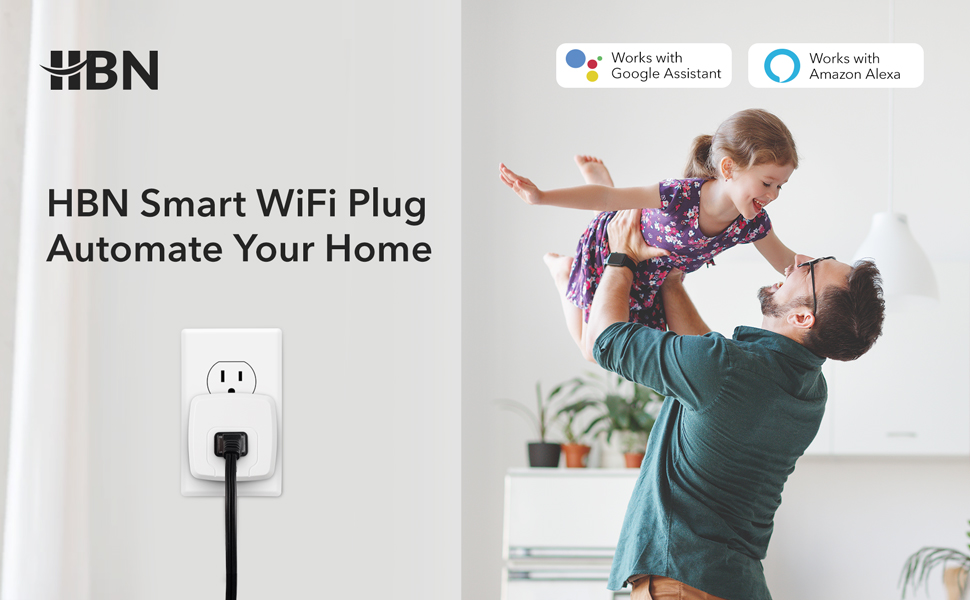
Image: A smart plug connected to an outlet, with text indicating "HBN Smart WiFi Plug Automate Your Home".
Ашиглалтын заавар
Once your HBN Smart Plug is set up, you can control it using the HBN Smart app or voice commands.
1. Remote Control via HBN Smart App
Open the HBN Smart app. On the main screen, you will see your added smart plugs. Tap on a device to turn it on or off. You can also access detailed controls for each plug, including timers and schedules.

Image: A person using a smartphone to control a smart plug, with options for Remote Control, Timing, and Voice Control.
2. Timer and Schedule Setting
Within the HBN Smart app, select a smart plug and navigate to the "Timer" or "Schedule" section. You can set countdown timers for automatic turn-off or create recurring schedules for daily or weekly operation. This is useful for lights, fans, or other appliances.

Image: A coffee maker plugged into an HBN Smart Plug, illustrating the ability to set timers and schedules for appliances.
3. Voice Control with Alexa or Google Home
The HBN Smart Plug is compatible with Amazon Alexa and Google Home Assistant. To enable voice control:
- Ensure your smart plug is already connected to the HBN Smart app.
- Alexa эсвэл Google Home програмаа нээнэ үү.
- Go to the "Skills & Games" (Alexa) or "Works with Google" (Google Home) section.
- хайх "Tuya Smart" or "HBN Smart" skill/service and enable it.
- Link your HBN Smart account with your Alexa/Google account.
- Төхөөрөмжүүдийг илрүүл. Таны ухаалаг залгуур гарч ирэх ёстой.
- You can now use voice commands like "Alexa, turn on Living Room Lamp" or "Hey Google, turn off Bedroom Fan."

Image: An HBN Smart Plug in an outlet with various Amazon Echo and Google Home devices, demonstrating voice control capabilities.
4. Group Control and Family Share
In the HBN Smart app, you can create groups of smart plugs to control multiple devices with a single command. You can also share control of your smart devices with family members by inviting them through the app.
Засвар үйлчилгээ
The HBN Smart Plug requires minimal maintenance. Keep the device clean and dry. Avoid exposing it to extreme temperatures or direct sunlight. Do not use harsh chemicals for cleaning.
Алдааг олж засварлах
- Төхөөрөмж Wi-Fi-д холбогдоогүй байна: Ensure your Wi-Fi network is 2.4GHz. The smart plug does not support 5GHz networks. Try moving the smart plug closer to your Wi-Fi router. Reset the smart plug by holding the power button for 5 seconds until the indicator blinks rapidly or slowly, then try pairing again.
- Дуут удирдлага ажиллахгүй байна: Verify that the HBN Smart skill/service is enabled and linked correctly in your Alexa or Google Home app. Ensure the device name in the voice assistant app matches the name in the HBN Smart app.
- Төхөөрөмж хариу өгөхгүй байна: Unplug the smart plug from the wall outlet, wait 10 seconds, and plug it back in. If the issue persists, try resetting the device and re-pairing it with the app.
- Power button not responding: If the power button does not respond or the indicator light does not illuminate, the unit may be defective. Contact customer support for assistance.
Үзүүлэлтүүд
| Онцлог | Тодорхойлолт |
|---|---|
| Загварын дугаар | U152T |
| Одоогийн үнэлгээ | 15 Amps |
| Үйл ажиллагааны ботьtage | 125 вольт (AC) |
| Ватtage | 1875 ватт |
| Холболтын протокол | Wi-Fi (зөвхөн 2.4 GHz) |
| Хяналтын арга | Remote On/Off, Scheduling, Voice Control |
| Хянагчийн төрөл | Amazon Alexa, Google туслах |
| Хэмжээ (L x W x H) | 2.13 x 2.1 x 2.13 инч |
| Зүйлийн жин | 5.3 унц |
| Материал | Хуванцар |
| Гэрчилгээ | ETL гэрчилгээтэй |
Баталгаат болон дэмжлэг
HBN strives to provide quality home improvement products and excellent after-sales service. For any issues or support needs, please refer to the contact information below:
- Үйлдвэрлэгч: HBN
- Худалдагч: Official HBN (on Amazon)
- Буцаах бодлого: 30-day refund/replacement (check Amazon for current policy details)
- For further assistance, please visit the official HBN website or contact their customer support as provided in your product packaging.


