Танилцуулга
The Harman Kardon Aura Studio 3 is a Bluetooth wireless speaker designed to deliver exceptional 360-degree sound with an integrated ambient lighting experience. Its distinctive domed design and compact footprint allow it to blend seamlessly into various home décors while providing immersive audio.
This manual provides essential information for setting up, operating, maintaining, and troubleshooting your Aura Studio 3 speaker. Please read it thoroughly before use to ensure optimal performance and longevity of your device.
Багцын агуулга
Сав баглаа боодлыг нээхдээ жагсаасан бүх бүрэлдэхүүн хэсгүүд байгаа эсэхийг шалгана уу:
- 1x Harman Kardon Aura Studio 3 Speaker
- 1x цахилгаан кабель
- 1х Түргэн эхлэх гарын авлага
- 1x Аюулгүй байдлын хуудас
- 1х Баталгаат карт
Тохиргоо
1. Байрлуулах
Place the Harman Kardon Aura Studio 3 on a stable, flat surface. For optimal 360-degree sound dispersion, ensure there are no obstructions around the speaker. Consider placing it centrally in a room or an open area.
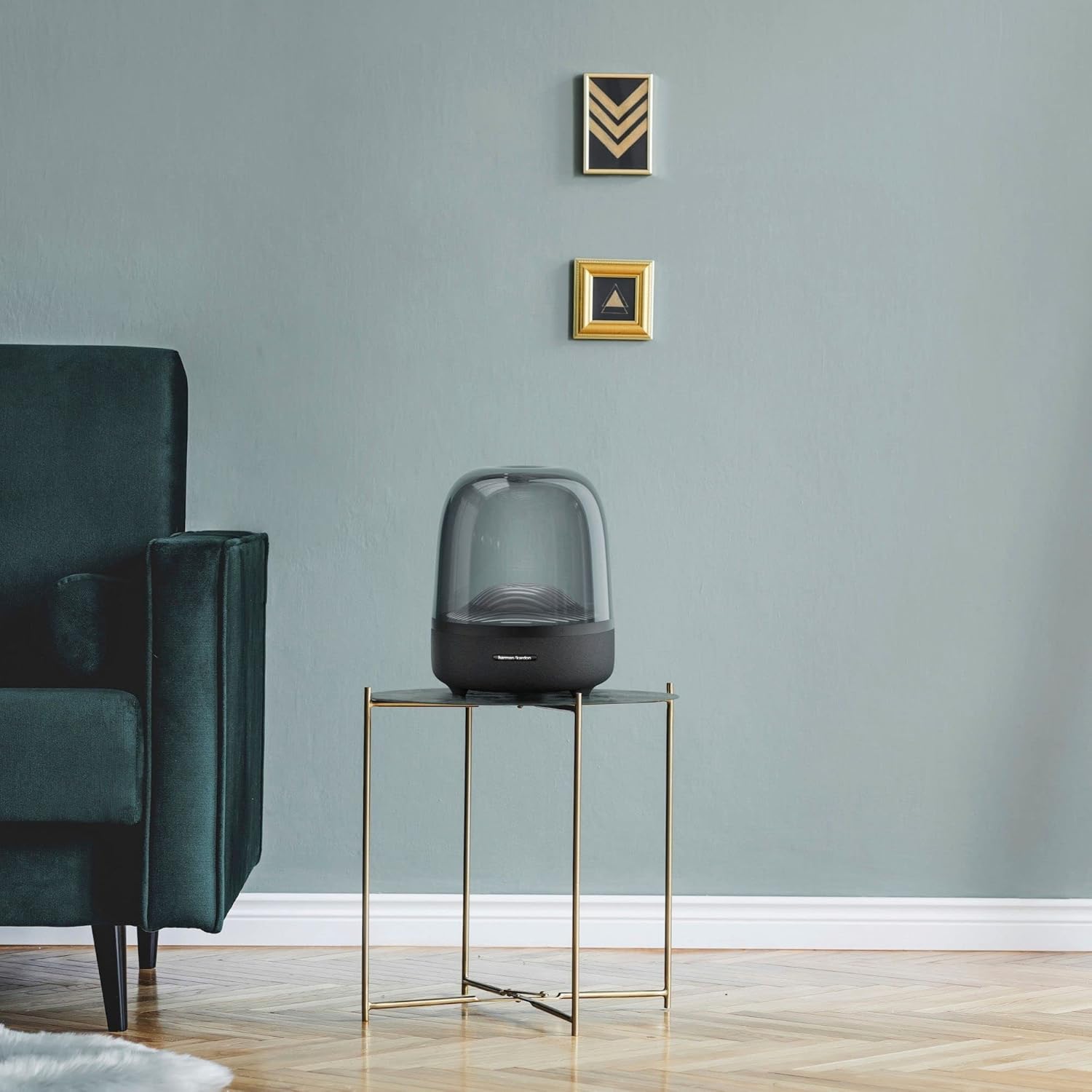
The Harman Kardon Aura Studio 3 blends seamlessly into various home environments, providing both aesthetic appeal and immersive sound.
2. Эрчим хүчний холболт
Connect the provided power cable to the power input port on the rear of the speaker. Plug the other end of the power cable into a suitable wall outlet. The speaker requires a corded electric power source for operation.

The main unit of the Harman Kardon Aura Studio 3, ready for power connection.
3. Анхдагч асаалттай
Once connected to power, press the power button located on the speaker's control panel to turn it on. The ambient lighting will illuminate, indicating the speaker is active.
Ашиглалтын заавар
1. Bluetooth хослол
- Чанга яригч асаалттай байгаа эсэхийг шалгаарай.
- The speaker will automatically enter Bluetooth pairing mode when first turned on or if no device is connected. The Bluetooth indicator light will blink.
- Мобайл төхөөрөмж дээрээ (ухаалаг утас, таблет, зөөврийн компьютер) Bluetooth-г идэвхжүүлж, боломжтой төхөөрөмжүүдийг хайж олоорой.
- Select "Harman Kardon Aura Studio 3" from the list of devices.
- Once connected, the Bluetooth indicator light will become solid, and a confirmation sound may play.
- The speaker supports wireless streaming via Bluetooth.
The Aura Studio 3 can remember multiple paired devices. To connect to a previously paired device, simply select the speaker from your device's Bluetooth list. If you wish to connect a new device, ensure the current Bluetooth connection is disconnected or press and hold the Bluetooth button on the speaker to enter pairing mode.
2. Аудио тоглуулах
After successful Bluetooth pairing, you can play audio from your connected device. Control playback (play/pause, skip tracks) and volume directly from your source device or using the touch-sensitive controls on the speaker.

The touch-sensitive controls and ambient lighting feature of the Aura Studio 3.
3. Орчны гэрэлтүүлгийн хяналт
The Aura Studio 3 features integrated ambient lighting that creates a water wave ripple movement. This lighting enhances the visual experience of your music. The lighting can be toggled on or off using the dedicated light button on the speaker's control panel.
Онцлогууд дууссанview
- Distinctive, Elegant Design: The unique domed shape and transparent enclosure provide a modern and sophisticated aesthetic.
- Exceptional 360-Degree Sound: Engineered to deliver rich, room-filling audio that disperses evenly in all directions.
- Орчны гэрэлтүүлэг: Features a dynamic light show with a water wave ripple effect that visually complements your audio experience.
- Wireless Streaming with Bluetooth: Easily connect your Bluetooth-enabled devices for seamless audio playback.
- Хүчирхэг аудио гаралт: Equipped with a 100W subwoofer and 30W regular speakers for a total of 130W of system power, providing deep bass and clear highs.

The downward-firing subwoofer contributes to the speaker's powerful bass response.
Засвар үйлчилгээ
To ensure the longevity and optimal performance of your Harman Kardon Aura Studio 3, follow these maintenance guidelines:
- Цэвэрлэгээ: Use a soft, dry, lint-free cloth to wipe the exterior surfaces of the speaker. Avoid using abrasive cleaners, waxes, or solvents as they may damage the finish.
- Тоосжилтоос урьдчилан сэргийлэх: Regularly dust the speaker, especially the transparent dome, to maintain clarity and prevent dust buildup.
- Шингэний нөлөөлөл: While the speaker is rated as waterproof, avoid submerging it in water or exposing it to excessive moisture. Ensure all ports are dry before connecting the power cable.
- Хадгалах: Удаан хугацаагаар ашиглаагүй бол чанга яригчийг нарны шууд тусгал, хэт температураас хол, сэрүүн, хуурай газар хадгална.
- Харьцуулах: Handle the speaker with care. Avoid dropping it or subjecting it to strong impacts, which could damage internal components or the exterior.
Алдааг олж засварлах
If you encounter issues with your Harman Kardon Aura Studio 3, refer to the following common troubleshooting steps:
| Асуудал | Боломжит шалтгаан / шийдэл |
|---|---|
| Хүч чадалгүй | Ensure the power cable is securely connected to both the speaker and a working wall outlet. Verify the outlet has power. |
| Bluetooth-ээр холбох боломжгүй |
|
| Дуу байхгүй / Дуу багатай |
|
| Ambient Lighting Not Working | Press the dedicated light button on the speaker to toggle the ambient lighting on/off. If the issue persists, power cycle the speaker. |
For more detailed troubleshooting, please refer to the comprehensive Хэрэглэгчийн гарын авлага (PDF) or Алдааг олж засварлах гарын авлага (PDF) онлайнаар авах боломжтой.
Үзүүлэлтүүд
| Онцлог | Дэлгэрэнгүй |
|---|---|
| Загварын нэр | Aura Studio 3 |
| Загварын дугаар | HKAURAS3BLKAM |
| Брэнд | Харман Кардон |
| Чанга яригчийн төрөл | Мультимедиа |
| Холболтын технологи | Bluetooth, Утастай (AUX) |
| Утасгүй холбооны технологи | Bluetooth |
| Эрчим хүчний эх үүсвэр | Утастай цахилгаан |
| Чанга яригчийн хамгийн их гаралтын чадал | 25 ватт (RMS) |
| Сабвуферийн диаметр | 14.18 сантиметр |
| Woofer диаметр | 28.36 сантиметр |
| Дуу шуугианы харьцаа | 80 дБ |
| Бүтээгдэхүүний хэмжээс | 10.35"D x 10.63"W x 14.88"H (26.3cm D x 27cm W x 37.8cm H) |
| Зүйлийн жин | 7.9 фунт (3.58 кг) |
| Материал | Хуванцар |
| Өнгө | Хар |
| Хяналтын арга | Хүрэх |
| Онцлог шинж чанар | Ambient Lighting, 360 Degree Sound |
| Усны хамгаалалттай | ҮНЭН |
| Усны эсэргүүцлийн түвшин | Усны хамгаалалттай |

Detailed dimensions of the Aura Studio 3 speaker.
Баталгаат болон дэмжлэг
The Harman Kardon Aura Studio 3 comes with a Limited Warranty. Please refer to the included Warranty Card in your package for detailed terms and conditions regarding coverage and duration.
For further assistance, technical support, or warranty claims, please visit the official Harman Kardon support website or contact their customer service. You may also find additional resources in the Хэрэглэгчийн гарын авлага (PDF) болон Алдааг олж засварлах гарын авлага (PDF).