Танилцуулга
The POLY Voyager Focus UC is a stereo Bluetooth headset designed for professionals. It offers seamless connectivity between PC/Mac and smartphones, featuring active noise canceling to enhance focus in various environments.
Гол онцлогууд:
- Wireless connectivity to PC/Mac via USB-A Bluetooth adapter and mobile phones via Bluetooth.
- Certified for Microsoft Teams and compatible with other leading collaboration platforms.
- Active Noise Canceling (ANC) for reduced background distractions.
- Three noise-canceling microphones for clear voice transmission.
- Up to 12 hours talk time (10 hours with ANC) and 15 hours listening time (12 hours with ANC).
- Roaming range of up to 98 feet (30 meters).
- Plush ear cushions for extended comfort.
Хайрцагт юу байна
- POLY Voyager Focus UC Headset
- USB-A Bluetooth адаптер
- Цэнэглэх кабель (USB)
- Carrying Case (if included with specific variant)
Note: Specific contents may vary based on product variant and region.
Тохиргоо
1. Анхны төлбөр
Before first use, fully charge your headset. Connect the included USB charging cable to the headset's charging port and to a powered USB port on your computer or a USB wall adapter. The LED indicator on the headset will show charging status.
2. Асаах/унтраах
To power on the headset, slide the Power switch located on the right earcup. To power off, slide the switch back to the off position.
3. Connecting to PC/Mac (USB-A Adapter)
- Insert the USB-A Bluetooth adapter into an available USB port on your computer.
- The adapter's LED will flash blue, then turn solid blue when connected to the headset.
- Ensure the headset is powered on and in pairing mode (if not already paired).
- Your computer should automatically recognize the headset. Select "POLY Voyager Focus UC" as your audio device in your system settings and communication applications (e.g., Microsoft Teams, Zoom).
4. Connecting to Mobile Phone (Bluetooth)
- With the headset powered on, slide and hold the Power switch towards the Bluetooth icon until the LED flashes red and blue.
- On your mobile phone, go to Bluetooth settings and select "POLY Voyager Focus UC" from the list of available devices.
- Once paired, the headset LED will stop flashing and you will hear a voice prompt confirming the connection.
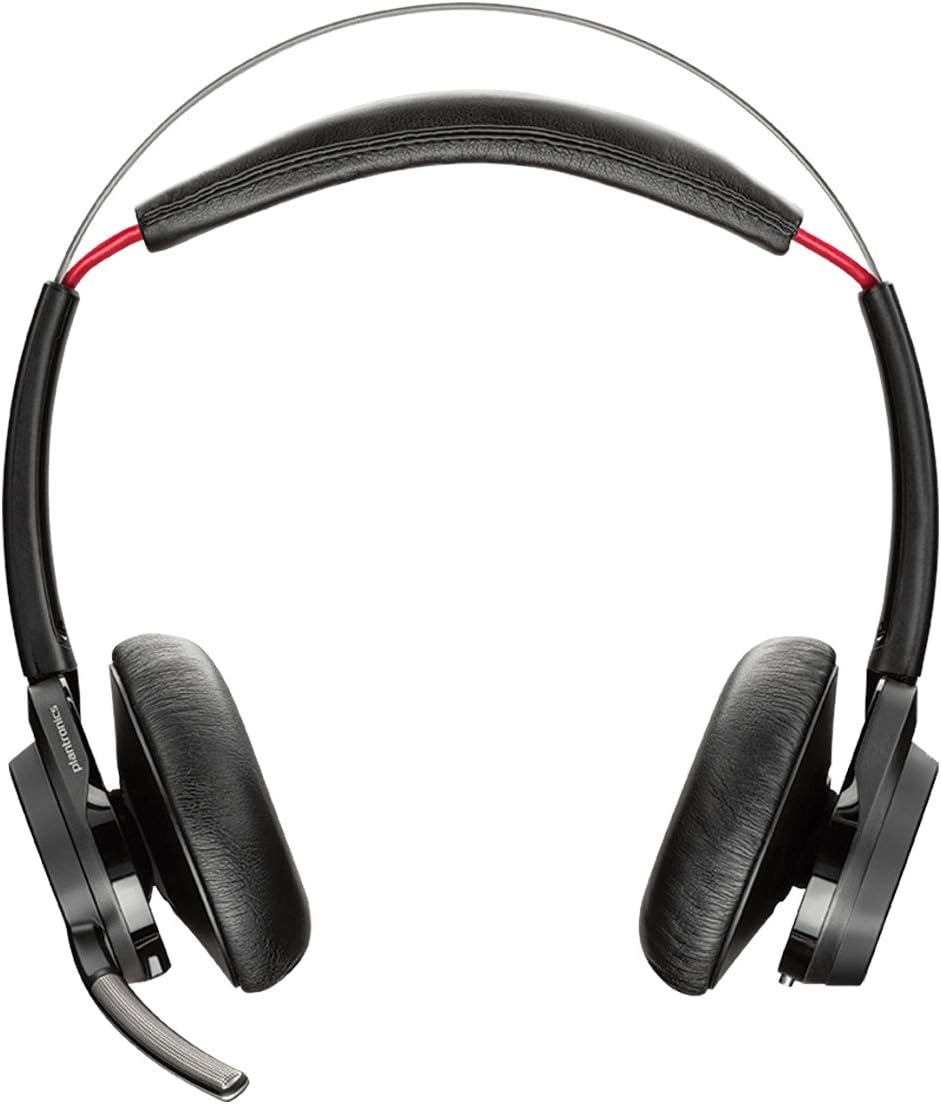
Зураг 1: Урд view of the POLY Voyager Focus UC Headset, showing the dual earcups and adjustable boom microphone.
Ашиглалтын заавар
1. Дуудлагын удирдлага
- Дуудлагад хариулах/дуусах: Press the Call button on the right earcup.
- Дууг хаах/Асаах: Press the Mute button on the boom microphone or lift/lower the boom mic.
- Дууны хяналт: Rotate the volume wheel on the right earcup up or down.
2. Active Noise Canceling (ANC)
To activate or deactivate Active Noise Canceling, slide the ANC switch located on the left earcup. ANC helps reduce ambient background noise for improved focus.
3. Медиа тоглуулах
- Тоглуулах/түр зогсоох: Press the Play/Pause button on the right earcup.
- Дараагийн дуу: Forward товчийг дарна уу.
- Өмнөх бичлэг: Press the Backward button.
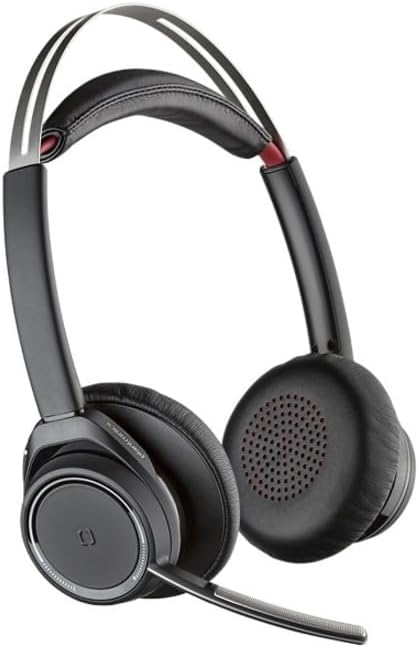
Figure 2: Close-up of the right earcup, illustrating the call, media, and volume controls.
Засвар үйлчилгээ
- Цэвэрлэгээ: Use a soft, dry cloth to clean the headset. Avoid using abrasive cleaners or solvents.
- Хадгалах: Чихэвчийг тоос шороо, эвдрэлээс хамгаалахын тулд ашиглаагүй үедээ авч явах цүнхэнд нь хадгална уу.
- Батерейны арчилгаа: Зайны ашиглалтын хугацааг уртасгахын тулд зайгаа ойр ойрхон бүрэн цэнэггүй болгохоос зайлсхий. Чихэвчийг байнгын хэрэглээгүй байсан ч тогтмол цэнэглэ.
Алдааг олж засварлах
Аудио байхгүй / Аудио чанар муу
- Чихэвч асаалттай, бүрэн цэнэглэгдсэн эсэхийг шалгаарай.
- Verify the headset is correctly paired and connected to your device (PC/Mac or mobile phone).
- Check your device's audio settings to ensure the "POLY Voyager Focus UC" is selected as the output and input device.
- If using the USB-A adapter, try plugging it into a different USB port.
- Компьютер эсвэл зөөврийн төхөөрөмжөө дахин ачаална уу.
Микрофон ажиллахгүй байна
- Ensure the microphone boom is lowered and not muted.
- Check your application's (e.g., Teams, Zoom) microphone settings to confirm the headset is selected.
- Adjust the microphone position closer to your mouth.
Bluetooth холболтын асуудал
- Ensure the headset is within the 98 feet (30 meters) operating range of your device.
- Clear previous Bluetooth pairings on your device and re-pair the headset.
- Avoid sources of interference such as Wi-Fi routers, microwaves, or other Bluetooth devices.
Үзүүлэлтүүд
| Онцлог | Дэлгэрэнгүй |
|---|---|
| Загварын нэр | Voyager Focus UC |
| Холболтын технологи | Утасгүй (Bluetooth) |
| Утасгүй холбооны технологи | Bluetooth 4.0 |
| Дуу чимээний хяналт | Идэвхтэй дуу чимээг арилгах |
| Ярилцах цаг | Up to 12 hours (10 hours with ANC on) |
| Сонсох цаг | Up to 15 hours (12 hours with ANC on) |
| Bluetooth хүрээ | 30 метр (98 фут) хүртэл |
| Тохиромжтой төхөөрөмжүүд | PCs, Macs, Mobile Phones, VoIP and Conferencing Applications |
| Зүйлийн жин | 0.634 унц |
| Бүтээгдэхүүний хэмжээс | 8.4 x 7.3 x 2.3 инч |
| Материал | Хуванцар |
Баталгаат болон дэмжлэг
Энэ бүтээгдэхүүн нь хамт ирдэг 2 жилийн дэлхийн баталгаат хугацаа. For warranty claims or technical support, please visit the official POLY support webсайт эсвэл харилцагчийн үйлчилгээтэй холбогдоно уу. Баталгаат баталгааг баталгаажуулахын тулд худалдан авалтаа баталгаажуулна уу.
For further assistance, refer to the official POLY webсайт: www.poly.com