
1. Танилцуулга
The Benro A1573FS2PRO is a robust aluminum video tripod system designed for stable and smooth camera movements. It features the S2PRO flat base video head, suitable for mirrorless cameras, DSLRs, and other video recording devices. This manual provides essential information for the proper setup, operation, and maintenance of your Benro A1573FS2PRO tripod system.
2. Хайрцагт юу байна
- Benro A1573FS2PRO Tripod
- S2PRO Fluid Video Head
- Пан бар
- Sliding Quick-Release Plate
- Rubber Feet (pre-installed)
- Spiked Feet (included for replacement)

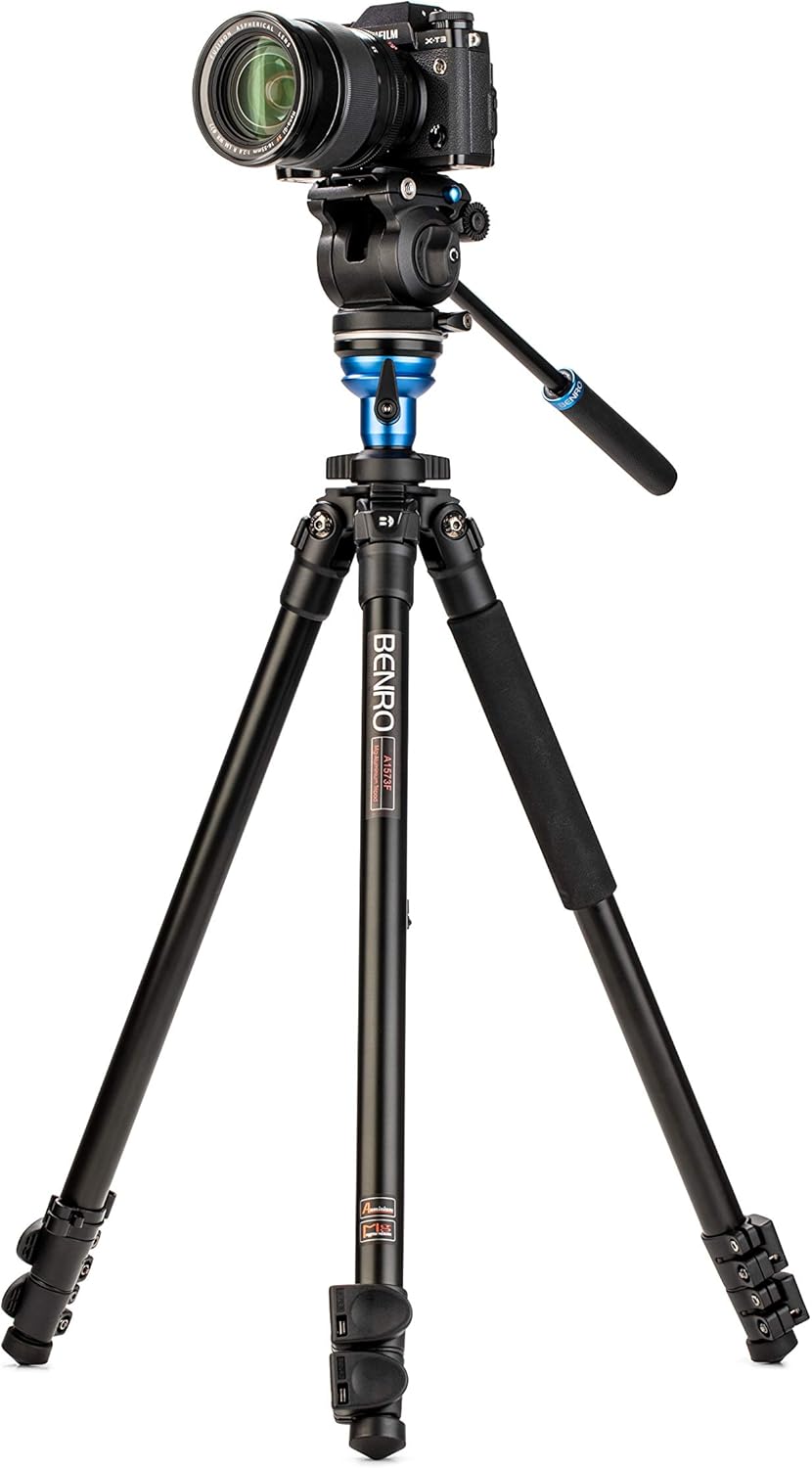
Figure 1: The Benro A1573FS2PRO tripod system, including the S2PRO fluid head and aluminum legs.
3. Үндсэн шинж чанарууд
- S2PRO Fluid Video Head: Provides smooth pan and tilt movements with fixed drag and independent locks.
- Leveling Adapter: Integrated into the center column for quick head leveling without adjusting legs.
- Aluminum Legs: Durable and stable with flip-lock leg sections for rapid deployment.
- Multi-Angle Leg Positions: Allows for stable setup on various terrains.
- Sliding Quick-Release Plate: Facilitates quick camera attachment and balancing.
- Дагалдах хэрэгслийн бэхэлгээ: Two 1/4"-20 mounts on the head for attaching external accessories.
- Convertible Feet: Includes both rubber and spiked feet for indoor and outdoor use.
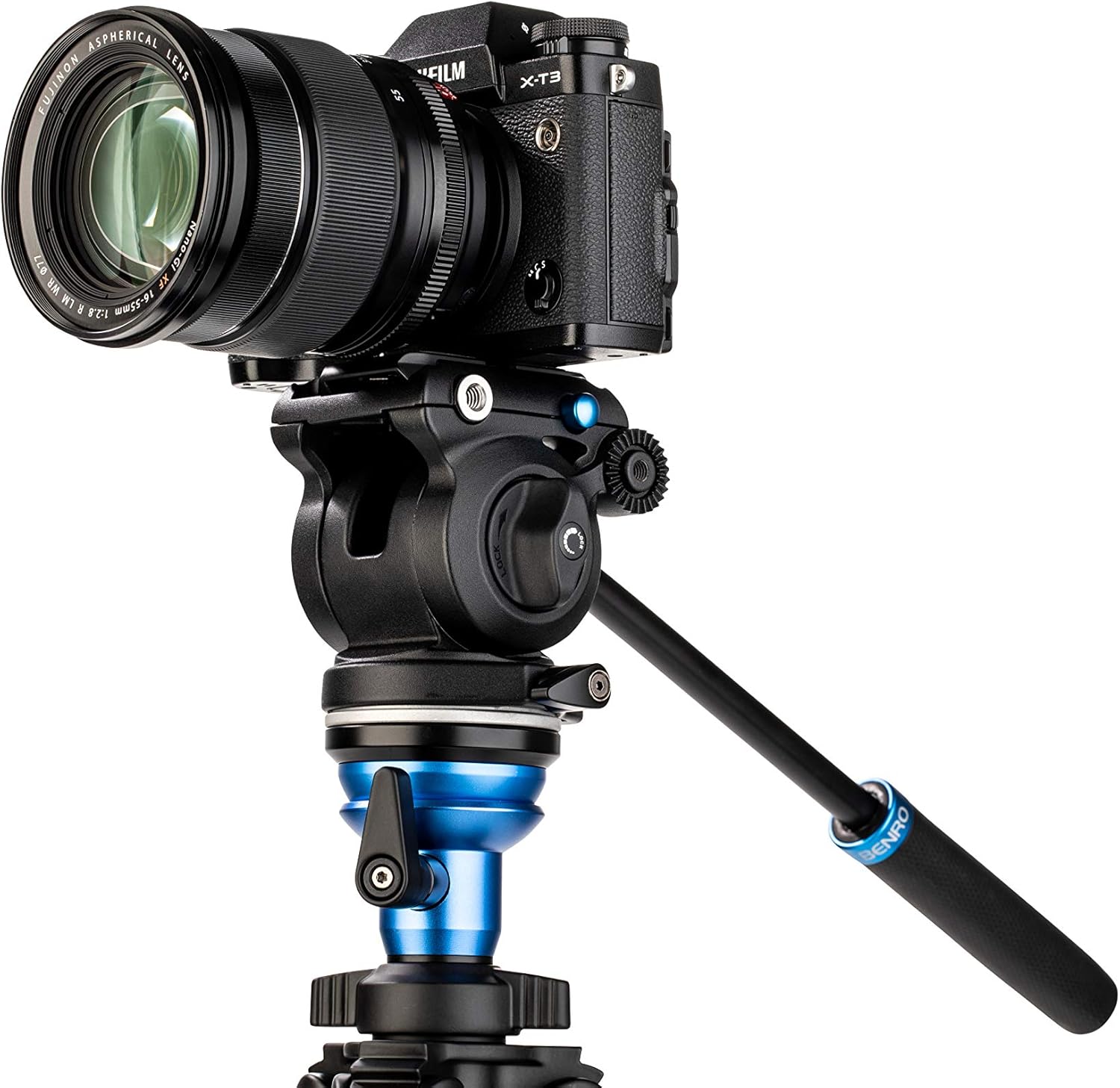
Зураг 2: Ойрын зураг view of the S2PRO fluid video head, showing the pan bar and main controls.
4. Тохируулах заавар
4.1. Савлах, анхны үзлэг
Carefully remove all components from the packaging. Inspect for any signs of damage. Ensure all listed items in "What's in the Box" are present.
4.2. Гурван хөлтэй хөлийг сунгах
- Release the flip-locks on each leg section.
- Extend the leg sections to the desired height.
- Securely close all flip-locks to ensure stability.

Figure 3: The Benro A1573FS2PRO tripod with its aluminum legs fully extended.
4.3. Хөлийн өнцгийг тохируулах
Each leg features independent angle stops. Pull out the angle lock tab at the top of each leg to adjust the leg to one of the three available positions. Push the tab back in to lock the angle.

Figure 4: Close-up of the leg angle adjustment mechanism and convertible rubber/spiked feet.
4.4. Leveling the S2PRO Head
The center column includes a leveling adapter. Loosen the locking knob on the leveling adapter, adjust the head until the bubble level indicates it is perfectly horizontal, then tighten the knob securely.

Figure 5: Detail of the center column's leveling adapter and the leg hinge assembly.
4.5. Камераа суурилуулах
- Ensure the quick-release plate is detached from the S2PRO head.
- Attach the quick-release plate to the bottom of your camera using the integrated screw.
- Slide the camera with the attached plate into the receiver on the S2PRO head until it clicks into place.
- Secure the plate by tightening the locking lever on the head.
- Adjust the sliding plate forward or backward to achieve optimal balance for your camera setup.

Figure 6: The Benro A1573FS2PRO tripod with a camera securely mounted on the S2PRO fluid head.
Зураг 7: Нарийвчилсан view of a camera mounted on the S2PRO fluid head, highlighting the quick-release plate and head controls.
5. Ашиглалтын заавар
5.1. Паналах болон хазайлгах удирдлага
The S2PRO head features independent pan and tilt locks. Loosen the pan lock knob to rotate the head horizontally (360°). Loosen the tilt lock knob to adjust the camera vertically. The head has a fixed pan and tilt drag for smooth movements. The tilt range is +90° to -70°.
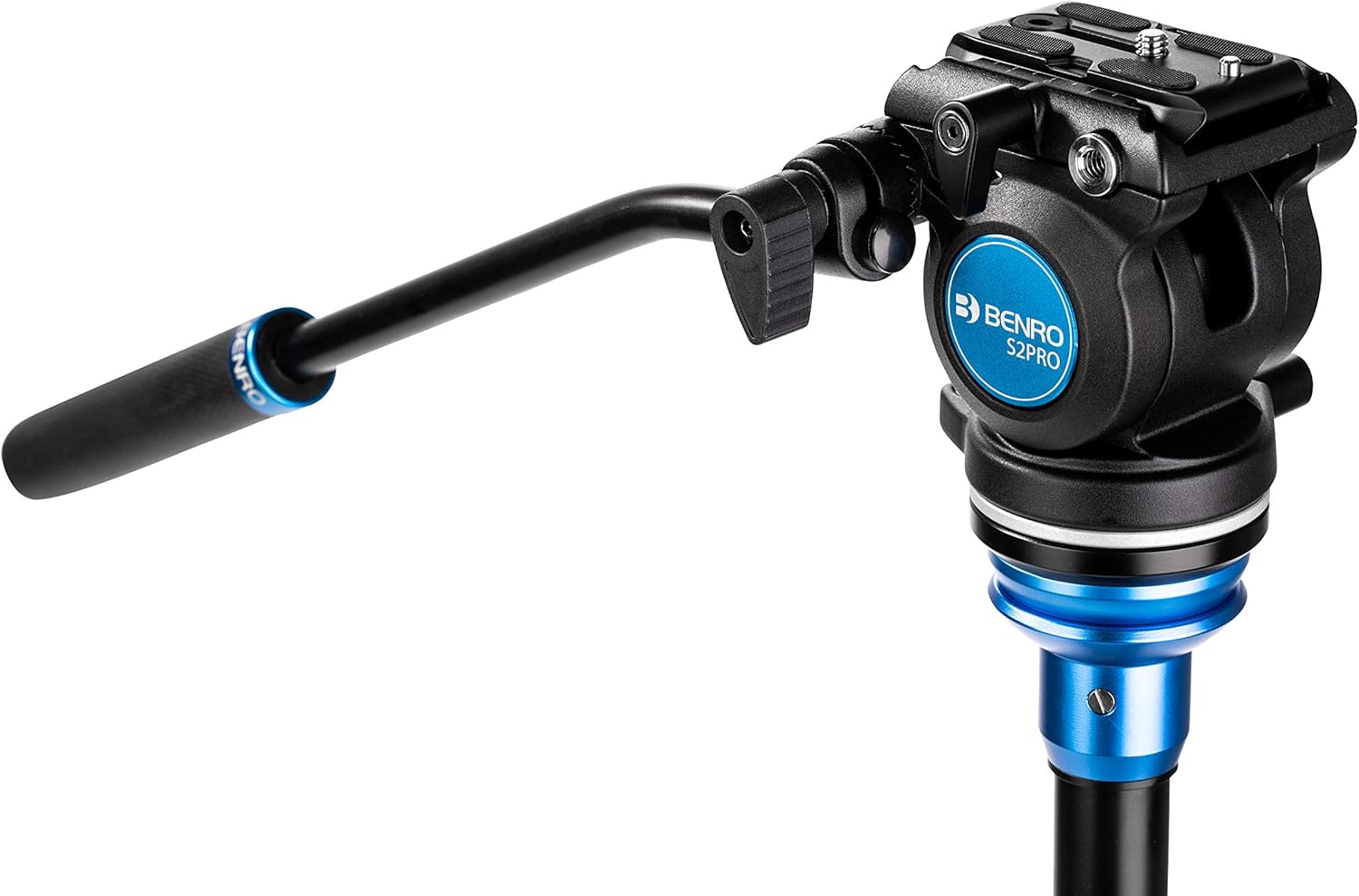
Figure 8: Close-up of the S2PRO fluid head showing the pan and tilt lock knobs and the bubble level.
5.2. Using the Bubble Level
The integrated bubble level on the S2PRO head helps ensure your camera is perfectly horizontal, which is crucial for professional-looking video footage. Adjust the leveling adapter (Section 4.4) until the bubble is centered.
5.3. Accessory Mounts
The S2PRO head includes two 1/4"-20 accessory mounts. These allow you to attach monitor arms, audio recorders, or other accessories directly to the head without needing a camera cage or rig.
6. Засвар үйлчилгээ
- Цэвэрлэгээ: Wipe down the tripod and head with a soft, dry cloth after each use. For stubborn dirt, use a slightly damp даавуу болон зөөлөн савангаар сайтар хатаана. Хүчтэй химийн бодисоос зайлсхий.
- Тосолгоо: The fluid head is factory-lubricated. Do not attempt to lubricate internal components yourself.
- Leg Locks: Periodically check that all flip-locks engage securely. If they become loose, they may require adjustment (refer to Benro support for specific instructions).
- Хадгалах: Store the tripod in its carrying case in a dry, cool environment away from direct sunlight and extreme temperatures.
7. Алдаа засах
- Гурван хөлт штатив тогтворгүй байна:
- Ensure all leg flip-locks are fully closed.
- Verify that leg angle tabs are securely locked in position.
- Check that the quick-release plate is firmly attached to the camera and locked into the head.
- Ensure the leveling adapter is tightened.
- Pan/Tilt movement is not smooth:
- Ensure pan and tilt lock knobs are fully loosened.
- Check for any obstructions or debris around the head's moving parts.
- Camera not level:
- Re-adjust the leveling adapter on the center column using the bubble level.
8. Техникийн үзүүлэлтүүд
| Онцлог | Тодорхойлолт |
|---|---|
| Загварын нэр | A1573FS2PRO |
| Материал | Хөнгөн цагаан |
| Tripod толгойн төрөл | Video Heads (S2PRO Fluid Head) |
| Жингийн хязгаарлалт | 2.5 кг (5.5 фунт) |
| Зүйлийн жин | 2.23 кг (4.91 фунт) |
| Хамгийн их өндөр | 250 см |
| Налалтын хүрээ | +90° / -70° |
| Тохиромжтой төхөөрөмжүүд | Camera (Mirrorless, DSLR, etc.) |
| Бүтээгдэхүүний хэмжээс | 3.86 x 3.86 x 4.53 inches (Head dimensions) |
9. Баталгаат хугацааны мэдээлэл
The Benro A1573FS2PRO comes with a standard limited warranty of 3 жил from the date of purchase for the original owner. This warranty can be extended by an additional 2 жил (for a total of 5 years) if the product is registered online in applicable regions. Please retain your proof of purchase for warranty claims.
For detailed warranty terms and conditions, please visit the official Benro webсайт эсвэл хэрэглэгчийн дэмжлэгтэй холбоо барина уу.
10. Дэмжлэг
For technical assistance, spare parts, or further inquiries regarding your Benro A1573FS2PRO tripod system, please contact Benro customer support through their official website. You may also find additional resources, FAQs, and video tutorials on the Benro support page.
Benro Official Webсайт: www.benro.com