
1. Оршил ба түүнээс дээшview
The Hbada W203 Gaming Chair is designed to provide ergonomic support and comfort for extended periods of sitting, whether for gaming or office work. It features a robust construction, adjustable components, and a design focused on user well-being.
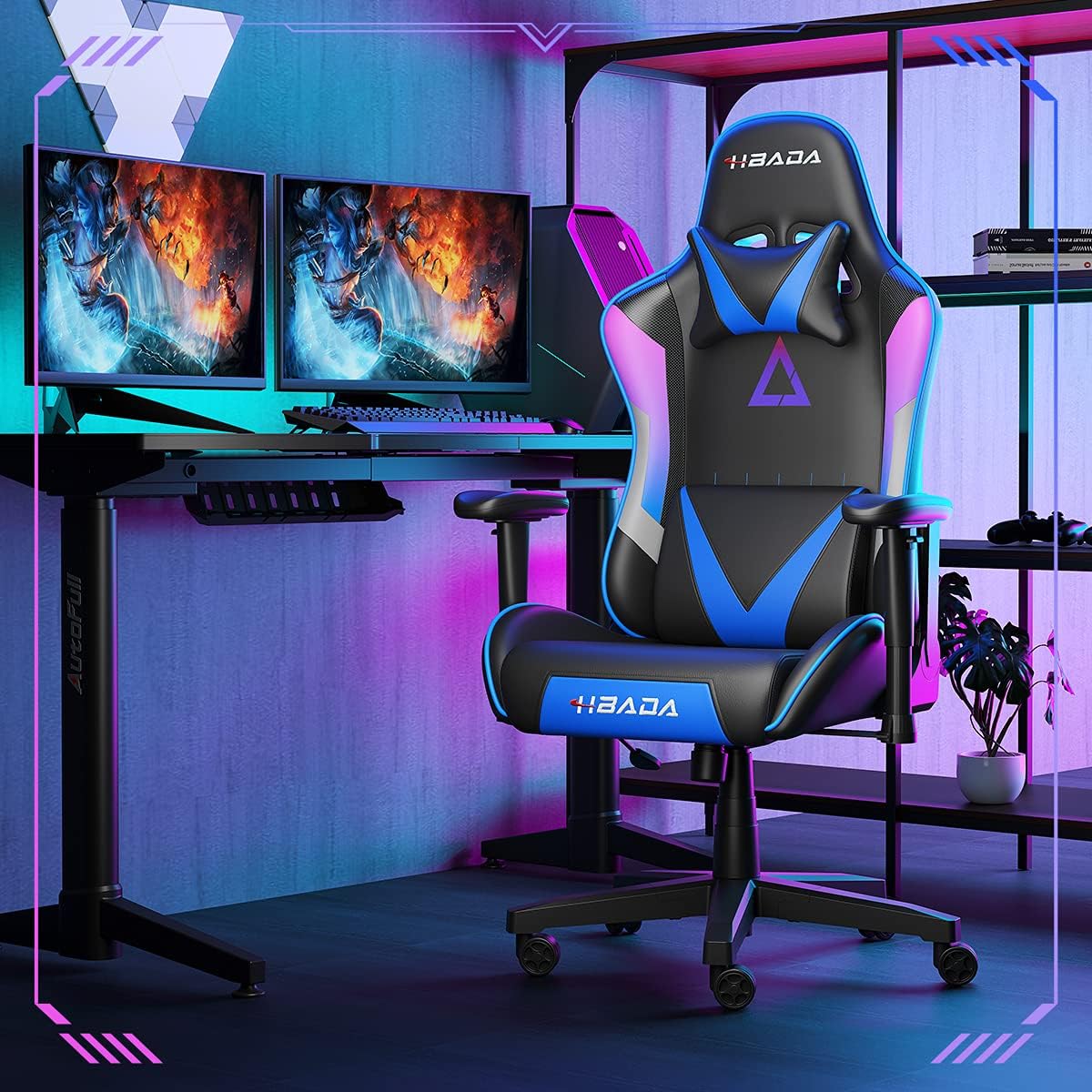
Image 1.1: The Hbada W203 Gaming Chair in a typical gaming environment, showcasing its design and presence.
2. Аюулгүй байдлын мэдээлэл
- Хамгийн их жингийн багтаамж 150 кг (330.7 фунт) -аас хэтрэхгүй.
- Хэрэглэхийн өмнө бүх боолт болон шурагнууд найдвартай чангалагдсан эсэхийг шалгаж, үе үе сул байгаа эсэхийг шалгаарай.
- Сандал дээр зогсох эсвэл сандал болгон ашиглахаас зайлсхий.
- Тохируулга хийх үед гар, хуруугаа хөдөлж буй хэсгээс хол байлга.
- Хазайхаас сэргийлж сандлыг хавтгай, тогтвортой гадаргуу дээр ашиглаарай.
3. Багцын агуулга
Verify that all components are present before beginning assembly. If any parts are missing or damaged, contact customer service.
- Арын суудал
- Суудлын дэр
- Гарын түшлэг (2)
- Оддын суурь
- Кастер (5)
- Хийн өргөх цилиндр
- Хийн өргөх бүрхүүл
- Механизмын хавтан
- Толгойн түшлэгийн дэр
- Бүсэлхий нурууг дэмжих дэр
- Тоног төхөөрөмжийн багц (эрэг, угаагч, Аллен эрэг чангалах түлхүүр)
- Зааварчилгааны гарын авлага
4. Угсрах заавар
Assembly typically requires two people due to the weight of some components. Follow these steps carefully.
- Кастеруудыг сууринд бэхлэх: Insert each of the five casters into the holes at the end of each leg of the star base until they click into place.
- Хийн өргөгчийг оруулах: Хийн өргөгч цилиндрийг од хэлбэрийн суурийн төв нүхэнд байрлуул. Үүнийг хийн өргөгч таглаагаар таглана.
- Механизмын хавтанг суудалд бэхлэх: Align the mechanism plate with the screw holes on the underside of the seat cushion. Secure it with the provided screws and Allen wrench. Ensure the front of the mechanism faces the front of the seat.
- Гарын түшлэгийг суудалд бэхлэх: Secure the armrests to the sides of the seat cushion using the designated screws. Do not overtighten initially to allow for minor adjustments.
- Арын түшлэгийг суудалд бэхлэх: Align the backrest with the mounting brackets on the seat cushion. Secure it with screws.
- Суудлын угсралтыг суурьтай холбох: Carefully place the assembled seat onto the gas lift cylinder, ensuring it is centered. Apply downward pressure to secure it.
- Attach Headrest and Lumbar Support: Position the headrest pillow and lumbar support pillow as desired. They are typically secured with straps.
- Эцсийн чангаруулах: Once fully assembled, go back and tighten all screws firmly.

Зураг 4.1: Дууслааview of chair features, including lift function, height-adjustable armrests, 155-degree recline, silent casters, 360-degree rotation, and durable base.
5. Ашиглалтын заавар
5.1. Сандлын өндрийн тохируулга
To adjust the chair height, locate the lever on the right side, beneath the seat. While seated, pull the lever up to lower the chair. To raise the chair, stand up slightly and pull the lever up. Release the lever at the desired height.
5.2. Хэвтээ байрлалын функц
The chair offers a recline angle of up to 155 degrees with a 17-degree locking feature. To recline, pull the recline lever (typically on the left side) upwards and lean back. Release the lever to lock the backrest in position. To return to an upright position, pull the lever and lean forward.

Image 5.1: The chair's backrest can recline up to 155 degrees, allowing for various comfortable positions.
5.3. Гар түшлэгийн тохируулга
The armrests can be lifted to adjust their height. Locate the button or lever on the side of each armrest. Press or lift it and move the armrest up or down to your preferred height. Release the button/lever to lock it.
5.4. Lumbar Support and Headrest
The chair includes removable and adjustable headrest and lumbar support pillows. Adjust their position by sliding them along the backrest straps to provide optimal support for your head, neck, and lower back.
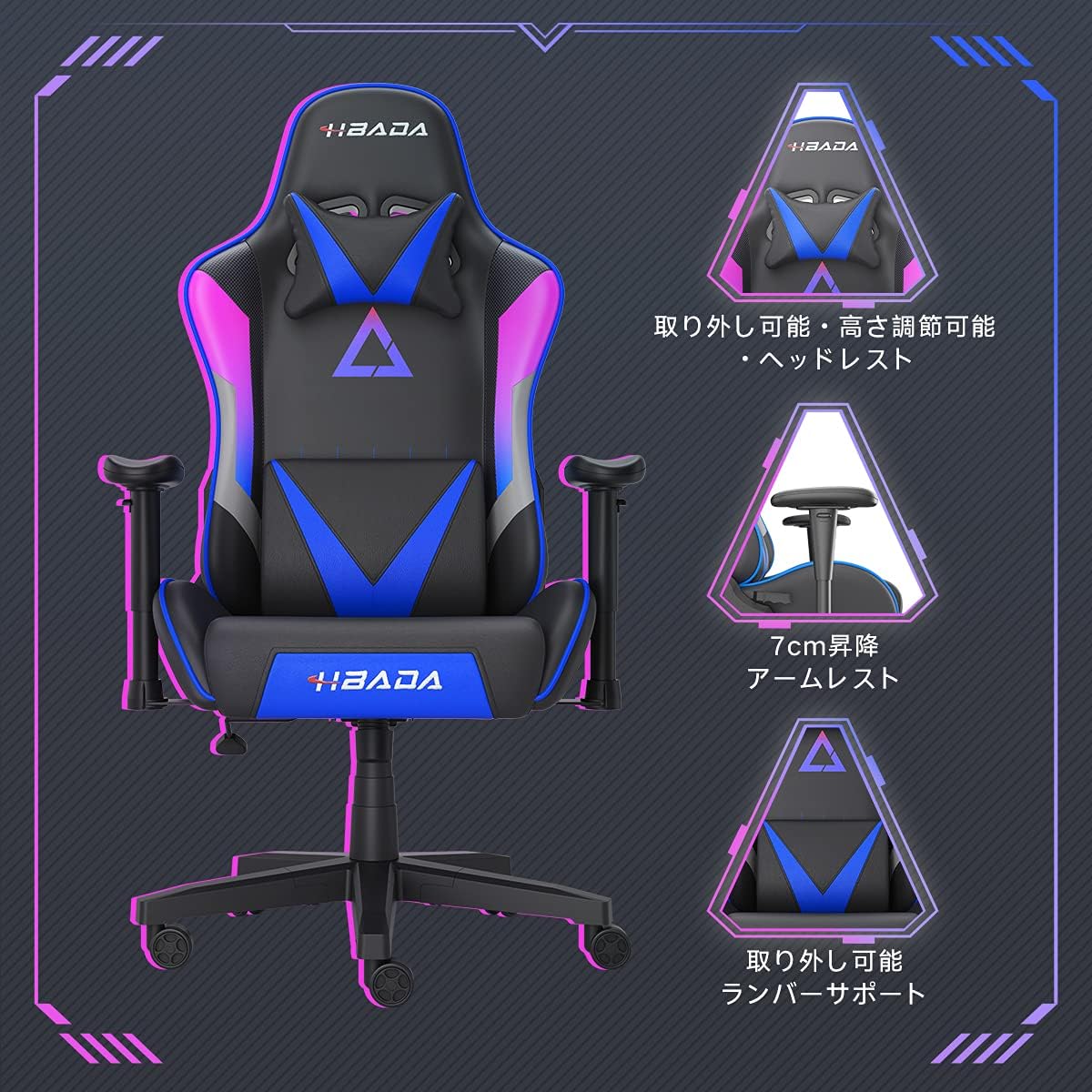
Зураг 5.2: Нарийвчилсан view of the adjustable headrest, lifting armrests, and removable lumbar support.
5.5. Эргэдэг функц
Уг сандал нь 360 градус эргүүлэх функцтэй бөгөөд суурийг хөдөлгөхгүйгээр хялбар эргүүлэх боломжийг олгодог.
6. Засвар үйлчилгээ
- Цэвэрлэгээ: The chair's synthetic leather (PU) material can be wiped clean with a damp даавуу. Хүчтэй химийн бодис, зүлгүүрийн цэвэрлэгчээс зайлсхий.
- Бэхэлгээ: Бүх боолт болон шураг чанга байгаа эсэхийг үе үе шалгаж байгаарай. Тогтвортой байдлыг хангаж, чихрахаас сэргийлж шаардлагатай бол дахин чангална.
- Кастерууд: Хөдөлгөөнийг жигд байлгахын тулд дугуйг үс, хог хаягдлаас цэвэр байлга.
7. Алдаа засах
- Сандал хашгирах: Check and tighten all assembly screws. Applying a small amount of lubricant to moving metal parts (like the mechanism plate) may help.
- Height Adjustment Not Working: Хийн өргөгч хөшүүрэг бүрэн холбогдсон эсэхийг шалгаарай. Хэрэв асуудал арилахгүй бол хийн өргөгч цилиндрийг солих шаардлагатай байж магадгүй. Харилцагчийн үйлчилгээтэй холбогдоно уу.
- Сандал тогтворгүй санагдаж байна: Verify that the star base is correctly assembled and all casters are fully inserted. Ensure all screws are tightened.
- Кастерууд жигд өнхрөхгүй байна: Кастер дугуйнаас хог хаягдал (үс, тоос)-ыг цэвэрлэ.
For issues not listed here or persistent problems, please contact Hbada customer service.
8. Техникийн үзүүлэлтүүд

Image 8.1: Key dimensions of the Hbada W203 Gaming Chair.
| Онцлог | Дэлгэрэнгүй |
|---|---|
| Загварын нэр | Hbada W203 |
| Бүтээгдэхүүний хэмжээ (D x W x H) | 70 x 70 x 128 см (27.6 x 27.6 x 50.4 инч) |
| Суудлын өндрийг тохируулж болно | 40 - 48 см (15.7 - 18.9 инч) |
| Зүйлийн жин | 22.5 кг (49.6 фунт) |
| Хамгийн их ачааллын багтаамж | 150 кг (330.7 фунт) |
| Материал | Synthetic leather (PU upholstery), Metal (frame), Reinforced Nylon Resin (base), High-density Urethane Foam (cushion), Silent PU Nylon Casters |
| Тулах өнцөг | Up to 155 degrees with 17-degree locking |
| Armrest тохируулга | Lifting (approx. 7 cm range) |
| Онцлог шинж чанарууд | Adjustable Lumbar Support, Ergonomic Design |

Image 8.2: Internal construction details, showing high-density foam and a robust metal frame.
9. Баталгаат хугацаа ба дэмжлэг
The Hbada W203 Gaming Chair comes with a 1 жилийн баталгаат үйлчилгээ. This warranty covers initial defects and manufacturing faults.
If you encounter any initial defects, malfunctions, or have any concerns regarding your product, please contact our customer service center. Our support team aims to respond within 24 hours and will assist with free exchanges or repairs as applicable.
For customer service inquiries, please refer to the contact information provided on your purchase receipt or the official Hbada webсайт.