
1. Танилцуулга
This instruction manual provides essential information for the safe and effective use of your Hubble Connected View Pro Twin 5-inch Video Baby Monitor. Please read this manual thoroughly before operating the device and retain it for future reference.
The Hubble Connected View Pro Twin is designed to help you monitor your baby with its dual camera system, 5-inch color display, and various features including two-way talk, night vision, and room temperature monitoring. This device operates on a secure, non-WiFi connection for enhanced privacy.
2. Тохиргоо
2.1. Багцын агуулга
Бүх зүйл багцад байгаа эсэхийг шалгаарай:
- 1 x Nursery View Pro Parent Unit
- 2 x Nursery Cameras
- 2 х цахилгаан хувиргагч
- Түргэн эхлүүлэх гарын авлага
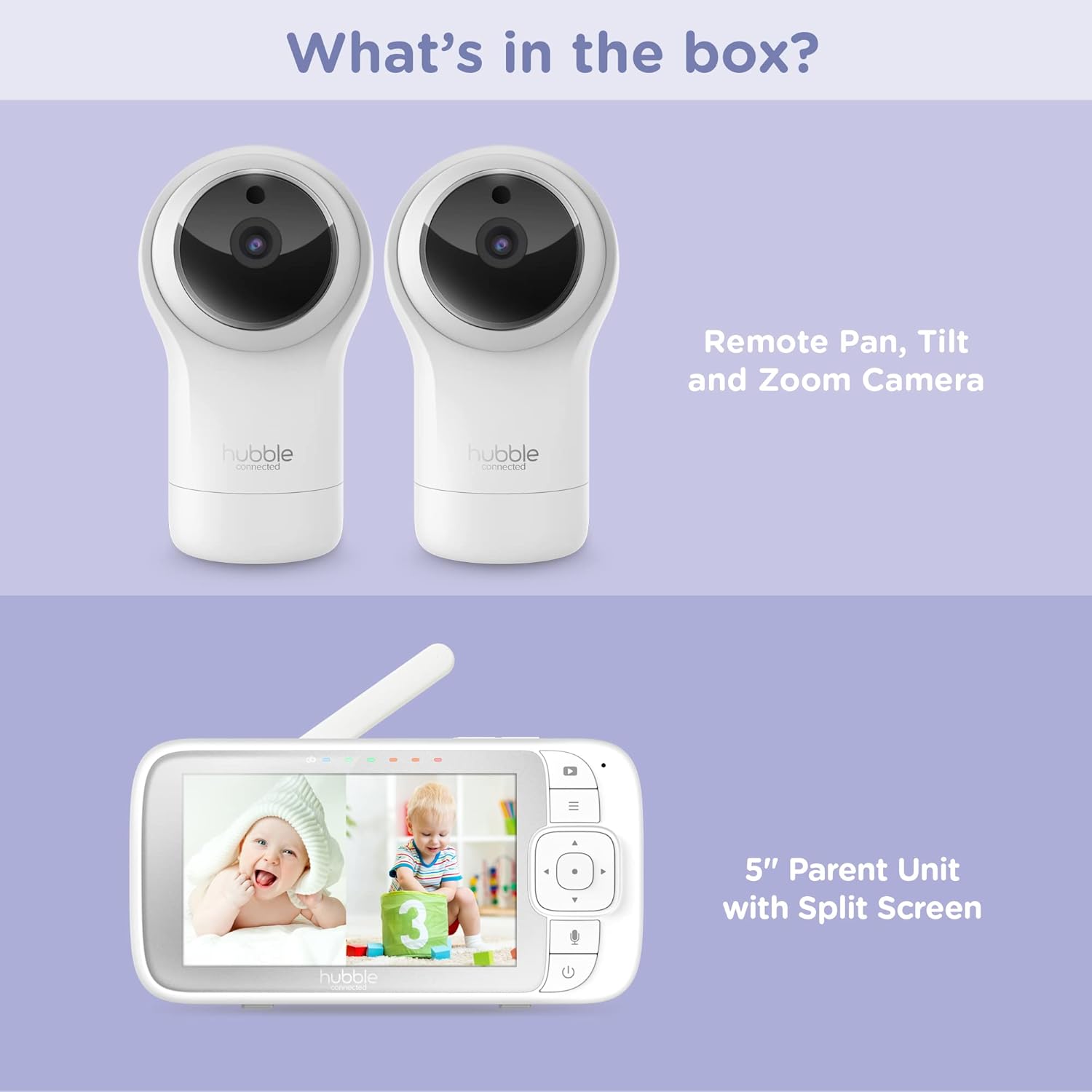
Figure 2.1: Package Contents - Parent Unit and Two Cameras
2.2. Powering On and Initial Placement
- Өгөгдсөн цахилгаан адаптер ашиглан камер бүрийг цахилгаан залгуурт холбоно уу.
- Connect the Parent Unit to a power outlet using its dedicated power adapter. The Parent Unit contains a rechargeable battery for portable use.
- Press and hold the Power button on the Parent Unit until the screen turns on.
- Place the cameras in a secure location within the baby's room, ensuring a clear view of the crib or play area. Avoid placing cameras within reach of children or near heat sources.

Figure 2.2: Hubble Connected View Pro Twin Monitor and Cameras
3. Мониторыг ажиллуулах
3.1. Эцэг эхийн нэгжийн хяналт
The Parent Unit features a 5-inch color display and intuitive buttons for navigation and control:
- Чиглэлийн дэвсгэр: Used to navigate menus and control camera pan/tilt/zoom.
- Цэсийн товчлуур: Тохиргоо болон функцуудад ханддаг.
- Talk Button (Microphone icon): Activates two-way talk.
- Цахилгаан товч: Төхөөрөмжийг асаах/унтраах.
- Дууны товчлуурууд (+/-): Аудио дууны хэмжээг тохируулна.

Figure 3.1: Parent Unit Displaying Split Screen
3.2. Viewгоримууд
Your monitor supports multiple viewсонголтууд:
- Ганц камер View: Displays the feed from one camera at a time. Use the menu to switch between cameras.
- Дэлгэц хуваах View: Simultaneously displays feeds from both cameras on the 5-inch screen. This allows for monitoring two areas at once.
- Скан хийх горим: The monitor can automatically cycle through the camera feeds periodically.
3.3. Camera Control (Pan, Tilt, Zoom)
Use the directional pad on the Parent Unit to remotely adjust the camera's view:
- Пан: Move the camera horizontally (left/right).
- Хазайлт: Move the camera vertically (up/down).
- Томруулах: Enlarge or reduce the image.
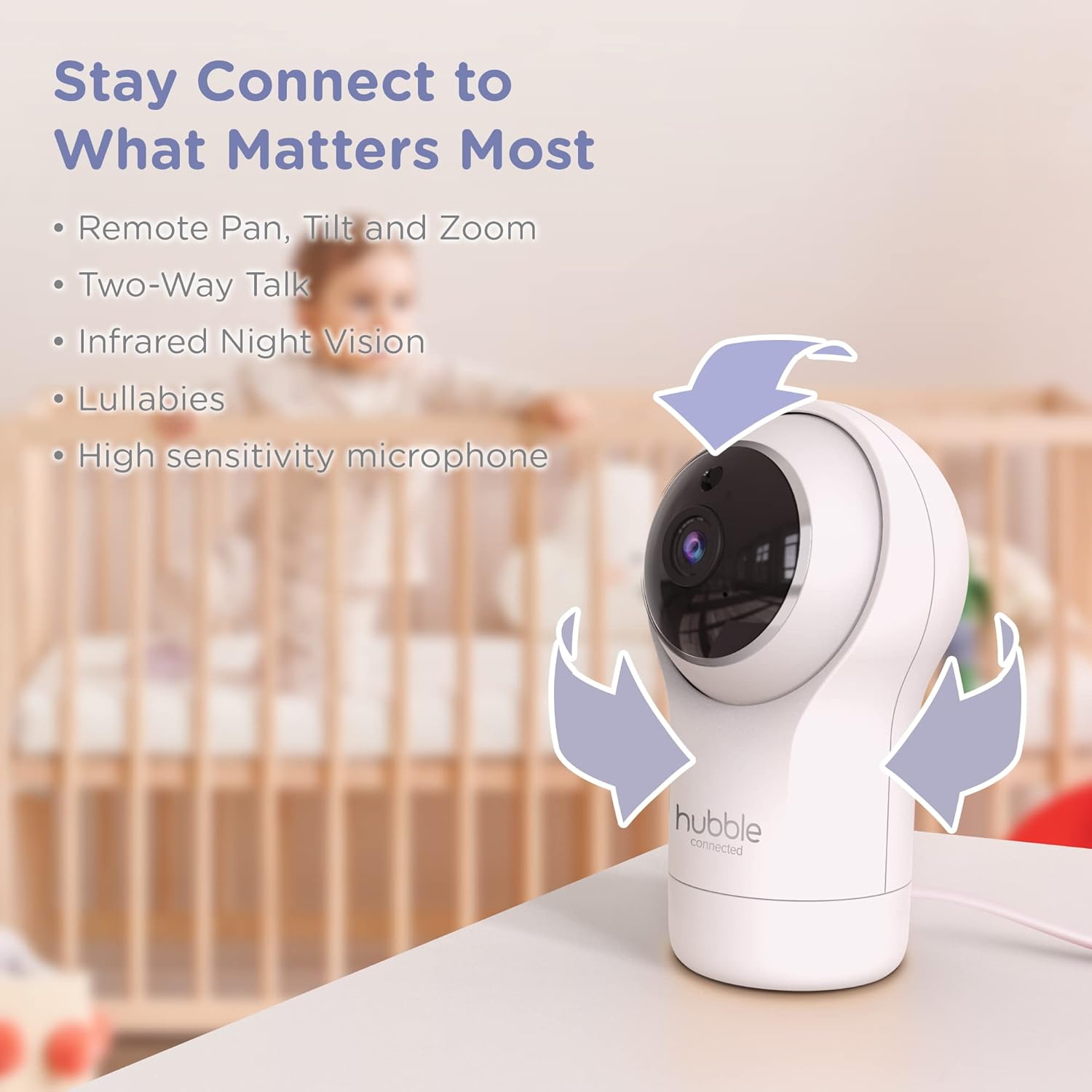
Figure 3.2: Camera Pan, Tilt, and Zoom Functionality
3.4. Хоёр талын яриа
To communicate with your baby, press and hold the microphone button on the Parent Unit and speak. Release the button to hear your baby's response.
3.5. Шөнийн хараа
The cameras are equipped with infrared night vision, which automatically activates in low-light conditions, providing a clear black-and-white image of your baby.

Figure 3.3: Infrared Night Vision in Operation
3.6. Lullabies and Room Temperature Monitoring
The monitor includes preloaded lullabies to soothe your baby. Access these through the Parent Unit's menu. The system also continuously monitors the room temperature, displayed on the Parent Unit, to ensure a comfortable environment for your child.

Зураг 3.4: Гол онцлогуудview
3.7. Бүтээгдэхүүний албан ёсны видео
Видео 3.1: Дууслааview of the Nursery View Pro Twin features, including split screen, pan/tilt/zoom, two-way talk, night vision, and lullabies.
4. Засвар үйлчилгээ
4.1. Цэвэрлэгээ
To clean the monitor and cameras, use a soft, dry cloth. Do not use abrasive cleaners or solvents. Ensure the devices are unplugged before cleaning.
4.2. Хадгалах
When not in use for extended periods, store the monitor and cameras in a cool, dry place, away from direct sunlight and extreme temperatures.
5. Алдаа засах
5.1. No Signal/Poor Image
- Ensure both the Parent Unit and cameras are powered on and within range.
- Check for obstructions between the Parent Unit and cameras that might interfere with the signal.
- Relocate the Parent Unit or cameras to improve reception.
5.2. Battery Not Charging/Low Battery Alert
- Verify that the power adapter is securely connected to the Parent Unit and a working power outlet.
- Allow sufficient time for the battery to charge.
- Хэрэв асуудал хэвээр байвал хэрэглэгчийн тусламжтай холбогдоно уу.
6. Техникийн үзүүлэлтүүд
| Онцлог | Дэлгэрэнгүй |
|---|---|
| Загварын нэр | Цэцэрлэг View Pro Twin |
| Загварын дугаар | HCNVPRO2 |
| Дэлгэцийн хэмжээ | 5 инчийн диагональ өнгөт дэлгэц |
| Холболтын технологи | Wireless (Non-WiFi) |
| Хүрээ | 1,000 фут / 300 м хүртэл |
| Видео бичлэгийн нягтрал | 720p |
| Онцлог шинж чанарууд | Night Vision, Two-Way Talk, Soothing Nature Sounds, Room Temperature Monitoring |
| Эрчим хүчний эх үүсвэр | Battery Powered (Parent Unit), AC Adapter (Cameras) |
| Батерей | 3 лити ион батерей шаардлагатай (дагсан) |
| Зүйлийн жин | 2 фунт |
| Бүтээгдэхүүний хэмжээс | 2.8 x 2.7 x 4.8 инч |
7. Баталгаат хугацаа ба дэмжлэг
7.1. Баталгаат хугацааны мэдээлэл
Your Hubble Connected View Pro Twin is covered by a One (1) year Limited Warranty from the date of purchase. Please retain your proof of purchase for warranty claims.
7.2. Хэрэглэгчийн дэмжлэг
For technical assistance, troubleshooting, or warranty inquiries, please contact Hubble Connected customer support. Visit the official Hubble Connected Store нэмэлт мэдээлэл, дэмжлэгийн эх сурвалжийг авна уу.