
1. Аюулгүй байдлын чухал мэдээлэл
Please read all safety and operating instructions carefully before using this television. Keep this manual for future reference. Always follow basic safety precautions to reduce the risk of fire, electric shock, and injury.
- Энэ төхөөрөмжийг бороо, чийгэнд бүү тавь.
- Агааржуулалтын нүхийг хааж болохгүй. Үйлдвэрлэгчийн зааврын дагуу суурилуулна.
- Радиатор, халаалтын төхөөрөмж, зуух болон бусад төхөөрөмж (үүнд ampөргөгч) дулаан үүсгэдэг.
- Цахилгааны утсыг алхах, хавчихаас хамгаалаарай, ялангуяа залгуур, тохь тухтай сав, төхөөрөмжөөс гарах цэгээс хамгаалаарай.
- Зөвхөн үйлдвэрлэгчээс заасан хавсралт/дагалдах хэрэгслийг ашиглана уу.
- Бүх засвар үйлчилгээг мэргэшсэн үйлчилгээний ажилтнуудад хандаарай. Төхөөрөмж ямар нэгэн байдлаар гэмтсэн тохиолдолд засвар үйлчилгээ хийх шаардлагатай.
2. Хайрцагт юу байна
Carefully unpack your new Sansui TV and ensure all items listed below are present.
- 1 x Sansui 4K Ultra HD Android LED TV (JSW50ASUHD)
- 2 x Ширээний суурь
- 1 x Wall Mounting Set
- 4 x Screws for stand/mount
- 1 х хэрэглэгчийн гарын авлага
- 1 х Баталгаат карт
- 1 x Алсын удирдлага
- 2 x AAA батерей (алсын зайд)
- 1 х цахилгаан утас
- 1 x мини AV кабель
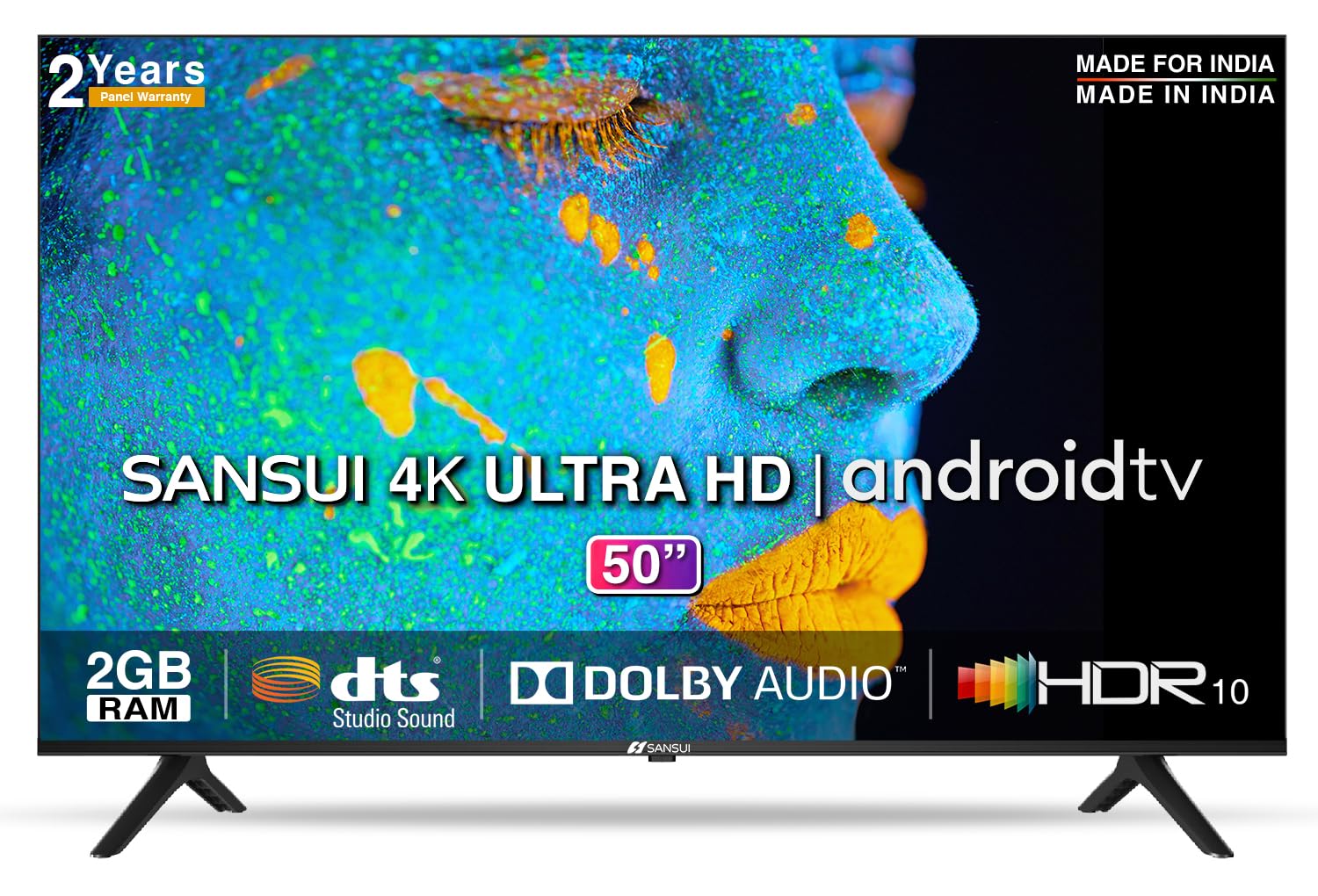
Image: Sansui 50-inch 4K Ultra HD Android LED TV with its table stand.
3. Бүтээгдэхүүн дууссанview
3.1. Үндсэн шинж чанарууд
- Дэлгэц: 4K Ultra HD (3840x2160) resolution, 60Hz refresh rate, Wide Viewing Angle, A+ Grade Panel, Wide Colour Gamut, HDR 10, Crystal Clear Display, High Brightness, Bezel-less Design.
- Аудио: Dolby Audio, DTS Studio Sound, 20 Watts Audio Output.
- Ухаалаг ТВ-ийн онцлогууд: Android 10.0 (Certified by Google), Google Assistant, Alexa Enabled Support, Built-in Chromecast, CA53 Quad Core Processor, 2GB RAM, 8GB ROM.
- Дэмжигдсэн програмууд: Prime Video, Netflix, Disney + Hotstar, YouTube, Google Play.
- Холболт: 3 HDMI ports, 2 USB ports, 3.5mm audio jack, Bluetooth, Wi-Fi, RJ45 (Ethernet), Antenna.

Image: Visual representation of the TV's main features and capabilities.
3.2. Хэмжээ
The TV features a 50-inch screen (127 cm diagonal) with a bezel-less design for an immersive viewтуршлага.

Image: Detailed dimensions of the Sansui 50-inch TV, including width, height, and depth with and without the stand.
4. Тохиргоо
4.1. Installing the Table Stand
- Телевизийн дэлгэцийг гэмтээхгүйн тулд зөөлөн, тэгш гадаргуу дээр доош нь тавь.
- Align the table stand bases with the corresponding slots at the bottom of the TV.
- Secure the bases using the provided screws. Ensure they are tightened firmly.
4.2. Хананд суурилуулах (заавал биш)
If you choose to wall mount your TV, please use the provided wall mounting set and screws. The VESA mount standard is 800 x 400 mm. It is recommended to seek professional assistance for wall mounting to ensure proper and safe installation.
4.3. Төхөөрөмжүүдийг холбох
The TV offers various connectivity options for your external devices.
- Эрчим хүч: Цахилгааны утсыг ТВ-ийн тэжээлийн оролтод, дараа нь ханын залгуурт холбоно.
- HDMI: Use HDMI cables to connect devices like set-top boxes, gaming consoles, or Blu-ray players to the 3 HDMI ports.
- USB: Connect USB drives or other USB devices to the 2 USB ports for media playback.
- Аудио гаралт: Use the 3.5mm jack to connect headphones or external audio systems.
- Ethernet (RJ45): For a stable internet connection, connect an Ethernet cable from your router to the RJ45 port.
- Антен: Connect your antenna cable to the RF input for terrestrial broadcasting.
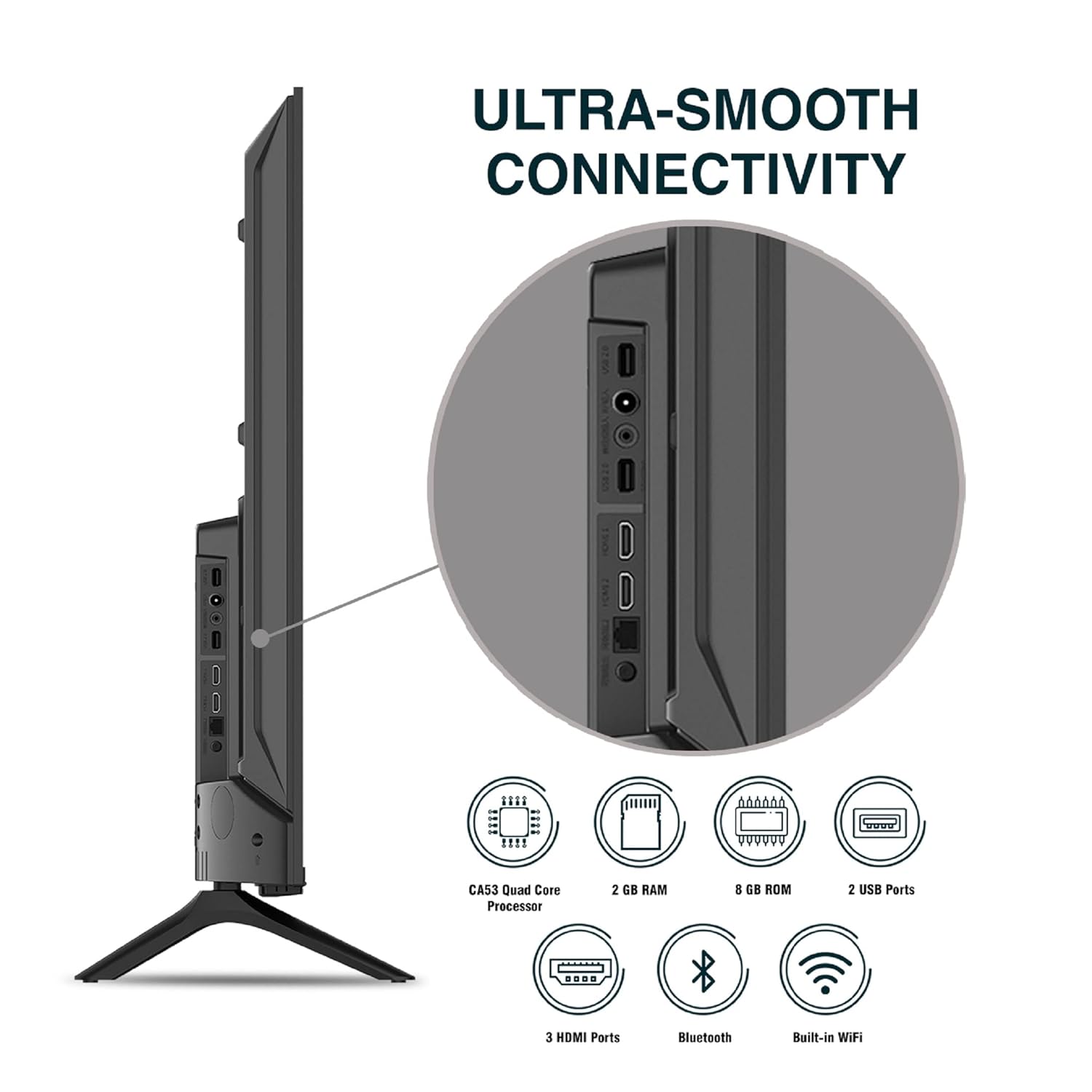
Зураг: Нарийвчилсан view ТВ-ийн холболтын портуудын.
5. Ашиглалтын заавар
5.1. Үндсэн үйл ажиллагаа
- Асаах/унтраах: Press the power button on the remote control or on the TV to turn it on or off.
- Анхны тохиргоо: Upon first power-on, follow the on-screen instructions to set up language, network connection, and Google account.
- Оролтын эх сурвалж: Press the 'Input' button on the remote to select between HDMI, AV, TV, or other connected sources.
- Дууны хяналт: Алсын удирдлага дээрх дууг нэмэгдүүлэх/дооруулах товчийг ашиглана уу.
5.2. Ухаалаг удирдлага ашиглах
The included remote control features voice control and dedicated hotkeys for quick access to popular streaming services.
- Дуут удирдлага: Press the Google Assistant button (microphone icon) and speak your commands to search for content, control smart home devices, or ask questions.
- Халуун товчлуурууд: Directly launch Netflix, Prime Video, YouTube, and Google Play with a single press.
- Навигац: Use the directional pad and 'OK' button to navigate the Android TV interface.

Image: Sansui Smart Remote Control with voice control and app hotkeys.
5.3. Android TV Interface and Smart Features
Your Sansui TV runs on Android 10.0, providing access to a wide range of apps and smart functionalities.
- Үндсэн дэлгэц: The home screen displays your favorite apps, recommended content, and input sources.
- Google Play Store: Download and install additional apps, games, and content from the Google Play Store.
- Суулгасан Chromecast: Cast content (videos, photos, music) from your smartphone, tablet, or computer directly to the TV.
- Google Assistant/Alexa: Use voice commands via the remote or a compatible Alexa device to control your TV and other smart home devices.

Image: Android TV home screen showing available applications.
6. Засвар үйлчилгээ
Зөв арчилгаа, засвар үйлчилгээ нь таны телевизийн ашиглалтын хугацааг уртасгах болно.
- Дэлгэц цэвэрлэх: Зөөлөн, хөвөнгүй даавуугаар дэлгэцийг зөөлөн арчина. Зөрүүд тэмдгүүдийн хувьд зурагтуудад зориулагдсан дэлгэц цэвэрлэгчийг шууд дэлгэцэн дээр биш харин даавуунд түрхээрэй.
- Шүүгээ цэвэрлэх: ТВ-ийн шүүгээг зөөлөн, хуурай даавуугаар арчих. Зүлгүүрийн цэвэрлэгч, уусгагчийг бүү ашигла.
- Агааржуулалт: Хэт халалтаас урьдчилан сэргийлэхийн тулд агааржуулалтын нүхийг тоос шороо, хог хаягдалгүй байлгах хэрэгтэй.
- Цахилгааны утас: Regularly check the power cord for any damage. If damaged, replace it with an authorized part.
7. Алдаа засах
If you encounter any issues, refer to the following common problems and solutions.
| Асуудал | Боломжит шалтгаан | Шийдэл |
|---|---|---|
| Хүч чадалгүй | Цахилгааны утас салгагдсан; Цахилгаан залгуурын асуудал | Цахилгааны утас холболтыг шалгах; Гаралтыг өөр төхөөрөмжөөр шалгана уу. |
| Зураггүй, зөвхөн дуу чимээ | Буруу оролтын эх үүсвэр; Гадаад төхөөрөмжийн асуудал | Select correct input source; Check external device connection and power. |
| No Sound, Only Picture | Volume muted/low; External audio system issue | Unmute or increase volume; Check external audio system connections. |
| Алсын удирдлага ажиллахгүй байна | Батерей дууссан; Алсын удирдлага болон ТВ-ийн хоорондох саад тотгор | Батерейг солих; Аливаа саад тотгорыг арилгах. |
| Wi-Fi холболтын асуудал | Буруу нууц үг; Чиглүүлэгчийн асуудал; Дохионы хөндлөнгийн оролцоо | Нууц үгээ дахин оруулна уу; чиглүүлэгчийг дахин эхлүүлэх; ТВ-ийг чиглүүлэгч рүү ойртуулах эсвэл Ethernet ашиглана уу. |
Хэрэв эдгээр шийдлүүдийг туршиж үзсэний дараа асуудал хэвээр байвал хэрэглэгчийн дэмжлэгтэй холбогдоно уу.
8. Техникийн үзүүлэлтүүд
Detailed technical specifications for the Sansui JSW50ASUHD TV.
| Онцлог | Тодорхойлолт |
|---|---|
| Загварын нэр | SANSUI LED - JSW50ASUHD |
| Дэлгэцийн хэмжээ | 50 инч (127 см) |
| Дэлгэцийн технологи | LED |
| Шийдвэр | 4K Ultra HD (3840x2160) |
| Сэргээх хурд | 60 Гц |
| Үйлдлийн систем | Android 10.0 (Certified by Google) |
| Процессор | CA53 Дөрвөн цөмт |
| RAM | 2 ГБ |
| ROM (Хадгалах) | 8 ГБ |
| Аудио гаралт | 20 ватт |
| Дууны технологи | Dolby Аудио, DTS Студийн Дуу |
| HDMI портууд | 3 |
| USB портууд | 2 |
| Утасгүй холболт | Wi-Fi, Bluetooth |
| Бусад холболт | Ethernet (RJ45), 3.5mm Audio Jack, Antenna |
| HDR дэмжлэг | HDR10 |
| Суурилуулах төрөл | Ханын тавиур ба ширээний бэхэлгээ |
| VESA холбох стандарт | 800 х 400 мм |
| Эрчим хүчний хэрэглээ | 120 ватт |
| Зүйлийн жин | 9650 грамм |
| Өнгө | Mystique Black |
9. Баталгаат хугацаа ба дэмжлэг
Your Sansui TV comes with a comprehensive warranty and dedicated customer support.
- Баталгаат хугацаа: 1 year comprehensive warranty and 1 year additional on panel from the date of purchase.
- Баталгаат хугацааны дэмжлэг: For warranty-related queries, please contact Sansui Toll Free No.: 1800-419-3777.
- Импортлогчтой харилцах: Jaina India Pvt Ltd., D170, Okhla Industrial Area, Phase-1, New Delhi-110020 INDIA | Email: sansuicare@jainaindia.com.
Баталгаат заргад зориулж худалдан авалтын баримтаа үлдээнэ үү.