Танилцуулга
The Bell+Howell BH65TWS Bluetooth True Wireless Stereo Link Cinema Speaker offers a versatile audio experience. It allows wireless music streaming via Bluetooth up to 33 feet away and includes an auxiliary input for wired connections. Featuring True Wireless Stereo (TWS) technology, two BH65TWS speakers can be paired for an immersive surround sound experience. Its compact and robust design makes it suitable for various environments, providing up to 10 hours of audio playback on a single charge.
Хайрцагт юу байна
Бүх зүйл байгаа эсэхийг шалгахын тулд багцын агуулгыг шалгана уу:
- BH65TWS Speaker
- USB кабель
- Туслах кабель
- Хэрэглэх заавар (энэ баримт бичиг)
- Баталгаат карт
Бүтээгдэхүүн дууссанview
Чанга яригчийн удирдлага болон портуудтай танилцаарай.

Зураг 1: Урд view of the Bell+Howell BH65TWS speaker, highlighting the top control panel with power, volume, play/pause, and mode buttons, and the front speaker grille.
Хяналтын товчлуурууд:
- Цахилгаан товч: Press and hold to turn the speaker ON or OFF.
- Дууг багасгах (-): Дууг бууруулахын тулд дарна уу. Өмнөх дуу руу алгасахын тулд дараад барина уу.
- Дууны хэмжээг нэмэгдүүлэх (+): Дууг нэмэгдүүлэхийн тулд дарна уу. Дараагийн дуу руу алгасахын тулд дараад барина уу.
- Тоглуулах/түр зогсоох/Дуудлага хийх товч: Press to play or pause music. Press to answer or end a phone call. Press and hold to reject an incoming call. Double-press to redial the last number.
- Горимын товчлуур (M): Press to switch between Bluetooth and Auxiliary input modes.
Портууд ба үзүүлэлтүүд:
- Микро USB цэнэглэгч порт: Чанга яригчийн дотоод зайг цэнэглэхэд зориулагдсан.
- 3.5 мм AUX оролт: For connecting external audio devices via the auxiliary cable.
- LED үзүүлэлт: Цэнэглэх төлөв болон Bluetooth холболтын төлөвийг харуулна.
- Микрофон: Гар ашиглахгүй дуудлага хийх зориулалттай.
Тохиргоо
Чанга яригчийг цэнэглэж байна
- Connect the small end of the included USB cable to the Micro USB charging port on the speaker.
- USB кабелийн том үзүүрийг USB тэжээлийн адаптер (дагаагүй) эсвэл компьютерийн USB порт руу холбоно уу.
- The LED indicator will illuminate to show charging status. It will typically turn off or change color once fully charged. A full charge provides up to 10 hours of music playtime.
Асаах/унтраах
- Асаахын тулд: Press and hold the Power button for approximately 3 seconds until you hear an audible tone and the LED indicator flashes.
- Унтраахын тулд: Press and hold the Power button for approximately 3 seconds until you hear an audible tone and the LED indicator turns off.
Ашиглалтын заавар
Bluetooth хослуулах
- Ensure the speaker is powered on and in Bluetooth mode (the LED indicator will be flashing blue). If not, press the Mode button to switch to Bluetooth mode.
- Ухаалаг утас, таблет эсвэл бусад Bluetooth-тэй төхөөрөмж дээрээ Bluetooth-г идэвхжүүлнэ үү.
- хайх available Bluetooth devices. Select "BH65TWS" from the list.
- Once paired, the LED indicator will stop flashing and remain solid blue, and you will hear a confirmation tone.
- You can now stream audio wirelessly from your device to the speaker. The effective range is up to 33 feet (10 meters).
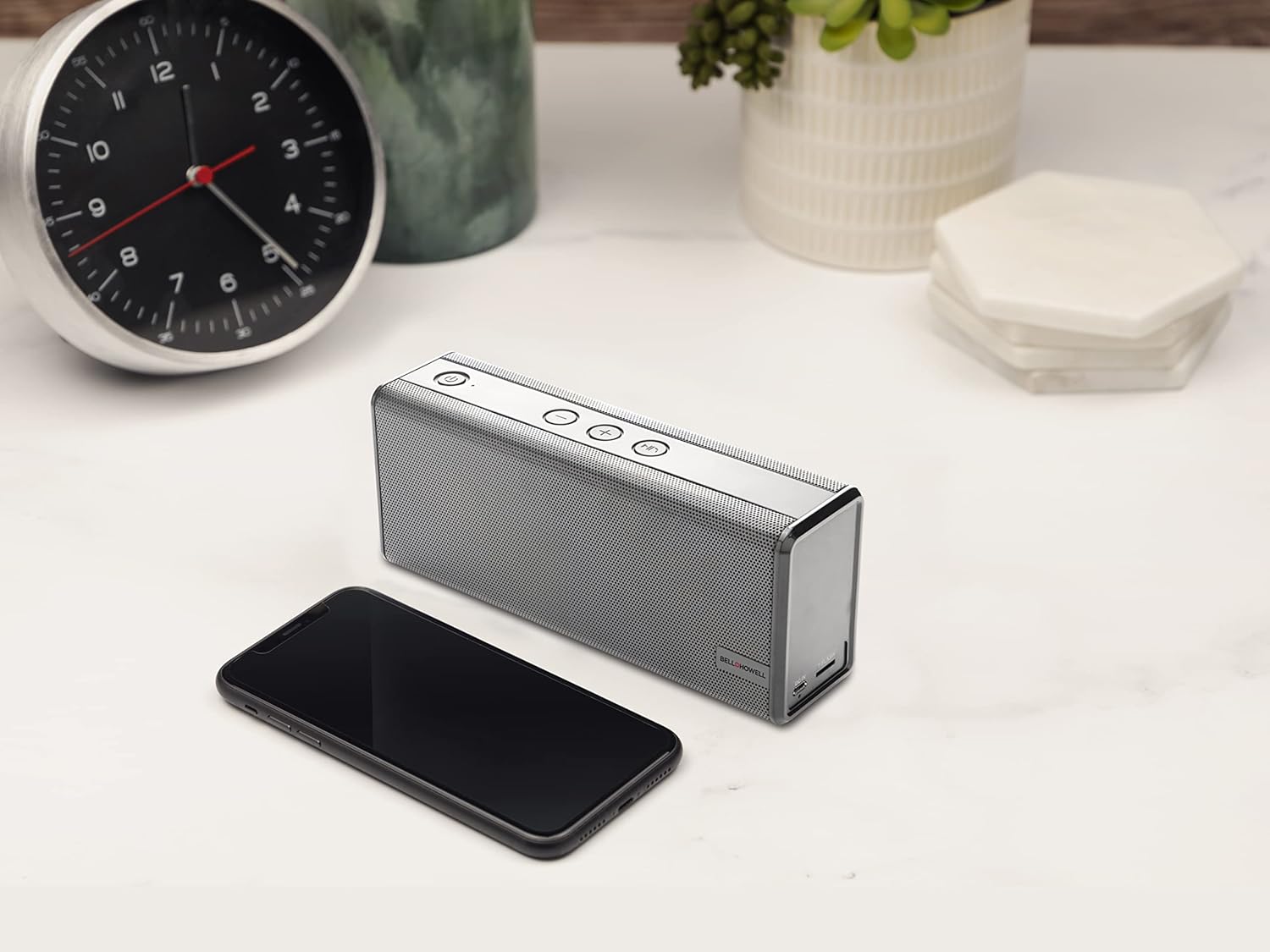
Зураг 2: The Bell+Howell BH65TWS speaker positioned on a desk next to a smartphone, illustrating its compact size and readiness for wireless audio streaming.
Жинхэнэ утасгүй стерео (TWS) хослол
To achieve a true stereo sound experience, you can pair two BH65TWS speakers together.
- Ensure both BH65TWS speakers are powered on and not connected to any Bluetooth device.
- On one of the speakers (this will be your primary speaker), press and hold the Mode button for approximately 3 seconds. You will hear a tone, and the speaker will enter TWS pairing mode.
- The two speakers will automatically search for and connect to each other. Once connected, you will hear a confirmation tone, and the LED indicator on the primary speaker will flash blue, while the secondary speaker's LED will be solid blue.
- Now, connect your Bluetooth device to the primary speaker as described in the "Bluetooth Pairing" section. The audio will play through both speakers in stereo.
Auxiliary Input (AUX) Mode
For devices without Bluetooth, use the auxiliary input:
- Connect one end of the included 3.5mm auxiliary cable to the AUX input port on the speaker.
- Connect the other end of the auxiliary cable to the headphone jack or audio output of your external device.
- Press the Mode button on the speaker until it enters AUX mode (the LED indicator may change color or pattern).
- Холбогдсон төхөөрөмжөөсөө шууд тоглуулах болон дууны түвшинг хянана уу.
Гар чөлөөтэй дуудлага хийх
Bluetooth-ээр ухаалаг гар утсанд холбогдсон үед чанга яригчийг гар ашиглахгүйгээр дуудлага хийхэд ашиглаж болно:
- Дуудлагад хариулах: Ирж буй дуудлагад хариулахын тулд Тоглуулах/Түр зогсоох/Дуудлага хийх товчийг нэг удаа дарна уу.
- Дуудлага дуусгах: Press the Play/Pause/Call button once to end an active call.
- Дуудлагаас татгалзах: Press and hold the Play/Pause/Call button for 2 seconds to reject an incoming call.
- Дахин залгах: Double-press the Play/Pause/Call button to redial the last number called.
Засвар үйлчилгээ
Proper care ensures the longevity of your speaker.
- Цэвэрлэгээ: Чанга яригчийн гадаргууг зөөлөн, хуурай даавуугаар арчина. Зүлгүүрийн цэвэрлэгч, лав эсвэл уусгагч хэрэглэж болохгүй.
- Хадгалах: Удаан хугацаагаар ашиглаагүй бол чанга яригчийг нарны шууд тусгал, хэт температураас хол, сэрүүн, хуурай газар хадгална.
- Батерейны арчилгаа: To maintain battery health, fully charge the speaker at least once every three months, even if not in regular use.
- Усны эсэргүүцэл: Энэ чанга яригч нь ус нэвтэрдэггүйУс эсвэл хэт их чийгэнд өртөхөөс зайлсхий.
Алдааг олж засварлах
If you encounter issues, refer to the following solutions:
| Асуудал | Боломжит шийдэл |
|---|---|
| Чанга яригч асахгүй байна. | Ensure the battery is charged. Connect the speaker to a power source using the USB cable and try again after a few minutes. |
| Bluetooth-ээр холбох боломжгүй. |
|
| Чанга яригчаас ямар ч чимээ алга. |
|
| TWS холболт амжилтгүй боллоо. |
|
Үзүүлэлтүүд
| Онцлог | Дэлгэрэнгүй |
|---|---|
| Загварын нэр | Жинхэнэ утасгүй стерео Bluetooth чанга яригч |
| Брэнд | Белл+Хауэлл |
| Холболтын технологи | Bluetooth, туслах |
| Утасгүй холбооны технологи | Bluetooth |
| Bluetooth хүрээ | 33 Фут (10 метр) |
| Чанга яригчийн төрөл | Surround Sound (with TWS pairing) |
| Онцлог шинж чанарууд | Built-in Microphone, Stereo Pairing (TWS) |
| Зөвлөмж болгож буй хэрэглээ | Music, Outdoor, Travel |
| Тохиромжтой төхөөрөмжүүд | Ширээний компьютер, Зөөврийн компьютер, MP3 тоглуулагч, Ухаалаг утас, Таблет |
| Эрчим хүчний эх үүсвэр | Батерейгаар ажилладаг |
| Зайны төрөл | 1 лити ион батерей (дагсан) |
| Зайны багтаамж | 2200 мАч |
| Хөгжим тоглох цаг | 10 цаг хүртэл |
| Чанга яригчийн хамгийн их гаралтын чадал | 6 Watts (Dual 3 watt drivers) |
| Аудио гаралтын горим | Стерео, Хүрээлэн буй орчин |
| Хяналтын арга | Товчлуур |
| Бүтээгдэхүүний хэмжээс | 8.7 x 4.7 x 2.8 инч |
| Зүйлийн жин | 2 фунт |
| Өнгө | Мөнгө |
| Усны хамгаалалттай | Үгүй |
Аюулгүй байдлын мэдээлэл
Аюулгүй ажиллагааны хувьд дараах аюулгүй ажиллагааны зааврыг уншиж, дагаж мөрдөнө үү.
- Чанга яригчийг хэт өндөр температур, нарны шууд тусгал, өндөр чийгшилд бүү тавь.
- Чанга яригчийг унагах эсвэл хүчтэй нөлөөнд оруулахаас зайлсхий.
- Чанга яригчийг өөрөө задлах, засварлах, өөрчлөхийг хориглоно. Энэ нь баталгааг хүчингүй болгож, аюулгүй байдалд эрсдэл учруулж болзошгүй.
- Keep the speaker away from water and liquids. It is not waterproof.
- Цэнэглэхийн тулд зөвхөн өгсөн USB кабелийг ашиглана уу.
- Do not operate the speaker at excessively high volumes for prolonged periods, as this may cause hearing damage.
- Dispose of the battery and speaker according to local regulations. Do not dispose of batteries in fire.
Баталгаат хугацааны мэдээлэл
The Bell+Howell BH65TWS speaker comes with a Хязгаарлагдмал баталгаат хугацаа. Please refer to the included Warranty Card for specific terms, conditions, and duration of coverage. Keep your purchase receipt as proof of purchase for warranty claims.
Дэмжлэг
For further assistance or inquiries not covered in this manual, please contact Bell+Howell customer support. Refer to the contact information provided on the Warranty Card or visit the official Bell+Howell webтуслах нөөцийн сайт.