
1. Танилцуулга
Thank you for choosing the VOYEE WE-07 Wired Game Controller. This manual provides detailed instructions for setting up, operating, and maintaining your controller. The WE-07 is designed for a responsive and immersive gaming experience on both PC and PlayStation 3 platforms.

Image: The VOYEE WE-07 wired game controller, featuring a black and red design with prominent VOYEE branding and illuminated rumble effects, indicating its dual shock capabilities.
2. Бүтээгдэхүүний онцлог
- Утастай холболт: Equipped with a 1.8-meter (5.9ft) USB cable for a stable connection and comfortable gaming distance.
- Dual Shock Vibration: Built-in dual motion motors provide varied intensity feedback for an authentic gaming experience.
- Эргономик дизайн: Features a special matte layer for a comfortable grip during extended gaming sessions.
- Өргөн нийцтэй байдал: Supports Windows 7/8/8.1/10/11 PC games (DInput and XInput modes) and is fully compatible with Sony PlayStation 3 consoles.

Image: An illustration highlighting the internal dual shock rumble motor within the VOYEE WE-07 controller, emphasizing its vibration feedback capability.
3. Хянагчийн зохион байгуулалт
Familiarize yourself with the buttons and controls of your VOYEE WE-07 controller:

Image: A detailed diagram of the VOYEE WE-07 controller, labeling all buttons and joysticks, including R1/R2/L1/L2 buttons, LED indicators, SELECT, START, HOME, D-Pad, Left/Right Joysticks, and A/B/X/Y buttons.
- Зүүн жолоодлогын хэрэгсэл: Чиглэлийн хөдөлгөөний хувьд.
- Баруун жолоодлогын хэрэгсэл: For camera control or aiming.
- D-Pad: Нарийвчлалтай оролтод зориулсан чиглүүлэгч дэвсгэр.
- Үйлдлийн товчлуурууд (A, B, X, Y): Тоглоомын доторх үйлдлүүдийн хувьд.
- Мөрний товчнууд (L1, R1): Дээд талд суурилуулсан товчлуурууд.
- Триггер товчлуурууд (L2, R2): Доод талд суурилуулсан аналог триггерүүд.
- СОНГОХ товчлуур: Typically for menu navigation or specific game functions.
- START товч: Typically for pausing or starting games.
- HOME/P3 Button: For accessing system menus or PlayStation 3 home screen.
- LED Indicators (1-4): Show player number or connection status.
4. Тохируулах заавар
Connecting your VOYEE WE-07 controller is a straightforward process:
4.1. Connecting to a PC (Windows 7/8/8.1/10/11)
- Компьютер дээрээ байгаа USB портыг олоорой.
- Plug the USB connector of the VOYEE WE-07 controller into the USB port.
- Your computer will automatically detect and install the necessary drivers. This may take a few moments.
- Once installed, the controller will be ready for use. You may need to configure the controller settings within your game or platform (e.g., Steam) for optimal performance.
The controller supports both DInput (DirectInput) and XInput modes. Most modern PC games use XInput, which is automatically recognized. For older games, DInput might be used.
4.2. Connecting to a PlayStation 3 (PS3)
- PS3 консолоо асаалттай байгаа эсэхийг шалгаарай.
- Plug the USB connector of the VOYEE WE-07 controller into an available USB port on your PS3.
- The PS3 will recognize the controller. The LED indicators on the controller will light up to show the assigned player number.
- The controller is now ready for use with your PlayStation 3 games.

Image: A close-up of the VOYEE WE-07 controller's USB cable connecting to a device, illustrating the wired connection process.
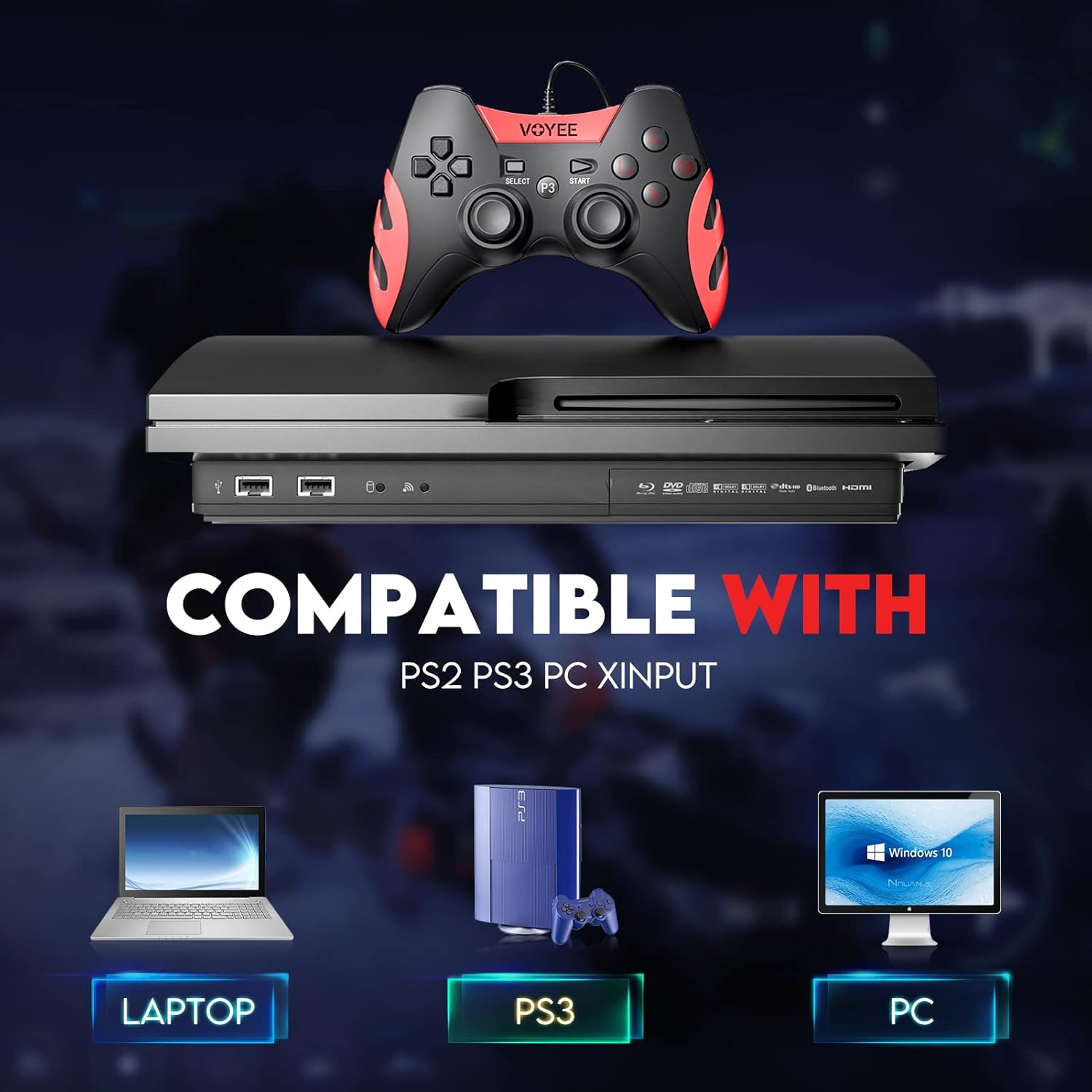
Image: A graphic demonstrating the VOYEE WE-07 controller's compatibility with various platforms, including laptops, PlayStation 3 consoles, and desktop PCs, highlighting its versatility.
5. Ашиглалтын заавар
Once connected, the VOYEE WE-07 controller functions similarly to standard gamepads. Here are some general operating tips:
- Тоглоомын хяналт: Use the joysticks and D-Pad for movement and navigation. The action buttons (A, B, X, Y) and shoulder/trigger buttons (L1, R1, L2, R2) perform in-game actions as defined by the specific game.
- Чичиргээний санал хүсэлт: The dual shock motors will provide tactile feedback during gameplay, enhancing immersion. This feature is automatically enabled when supported by the game.
- HOME/P3 Button: Press this button to access the system menu on PS3 or to bring up the game overlay on PC (depending on the game or platform).
- Эргономик: The controller's matte finish and ergonomic design are intended for comfortable use during long gaming sessions.
6. Алдаа засах
If you encounter issues with your VOYEE WE-07 controller, please refer to the following common solutions:
| Асуудал | Шийдэл |
|---|---|
| Controller not recognized by PC/PS3. |
|
| Чичиргээний хариу үйлдэл ажиллахгүй байна. |
|
| Товчлуур эсвэл joystick нь хариу өгөхгүй байна. |
|
7. Засвар үйлчилгээ
To ensure the longevity and optimal performance of your VOYEE WE-07 controller, follow these maintenance guidelines:
- Цэвэрлэгээ: Хянагчийн гадаргууг зөөлөн, хуурай даавуугаар арчина. Зөрүүд бохирдлыг бага зэрэг арчина.ampдаавуугаар усаар. Хүчтэй химийн бодис, зүлгүүрийн цэвэрлэгч хэрэглэхээс зайлсхий.
- Хадгалах: Хянагчийг сэрүүн, хуурай газар, нарны шууд тусгал болон хэт өндөр температураас хол хадгална уу. Хянагч дээр хүнд зүйл тавихаас зайлсхий.
- Кабель арчилгаа: Do not sharply bend or pull the USB cable. Always grasp the plug when disconnecting, not the cable itself.
- Дусалаас зайлсхийх: Удирдагчийг уналт, нөлөөллөөс хамгаалж, дотоод эд ангиудыг гэмтээж болно.
8. Техникийн үзүүлэлтүүд
| Загвар | БИД-07 |
| Брэнд | VOYEE |
| Холболт | Утастай USB |
| Кабелийн урт | 1.8 метр (5.9 фут) |
| Тохиромжтой төхөөрөмжүүд | PC (Windows 7/8/8.1/10/11), PlayStation 3 |
| Хянагчийн төрөл | Gamepad, Joystick (DInput & XInput) |
| Нэмэлт онцлогууд | Dual Shock Vibration, Ergonomic Design, Matte Finish |
| Товчлуурын тоо | 17 |
9. Баталгаат хугацаа ба дэмжлэг
VOYEE provides a 365 хоногийн баталгаат хугацаа for the WE-07 wired gamepad controller from the date of purchase. This warranty covers manufacturing defects under normal use.
If you encounter any problems or have questions regarding your VOYEE WE-07 controller, please do not hesitate to contact our customer service team via e-mail. Our friendly customer service is available to assist you.
For support, please visit the official VOYEE webхолбоо барих мэдээллийг авахын тулд сайт руу орох эсвэл худалдан авалтын баримт бичгээс лавлана уу.