
Cuifati Cuifatip0izksa79g3281
Cuifati Wireless Smart Remote Control User Manual
Model: Cuifatip0izksa79g3281
Танилцуулга
This manual provides comprehensive instructions for the Cuifati Wireless Smart Remote Control. It covers setup, operation, maintenance, and troubleshooting to ensure optimal performance and longevity of your device. This remote control features 2.4G and Bluetooth 5.0 connectivity, voice control, and IR learning capabilities, making it compatible with a wide range of devices such as Nvidia Shield, PCs, Projectors, Smart TVs, and Android TV Boxes.
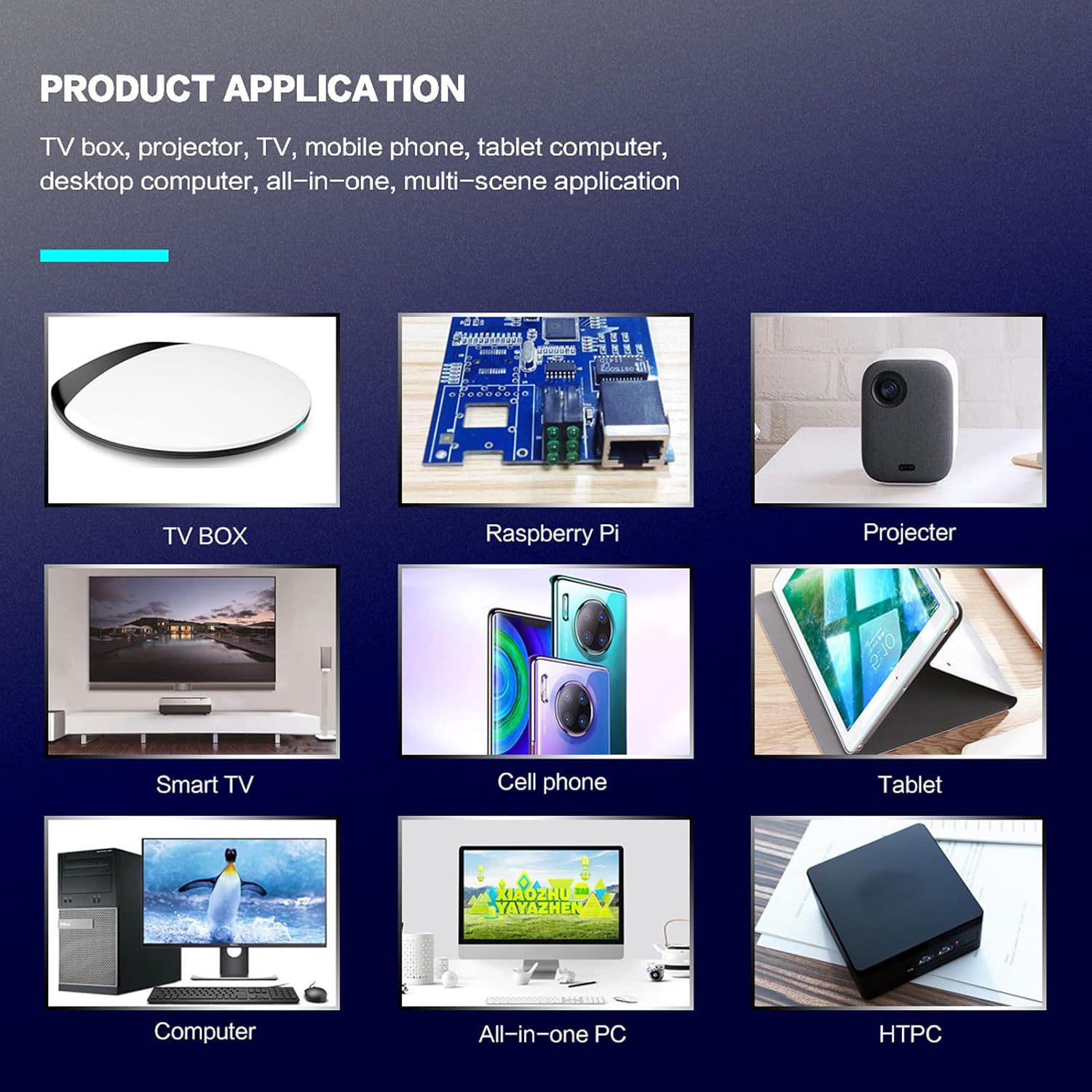
Зураг 1: Product application examples.
Багцын агуулга
Таны багцад бүх зүйл байгаа эсэхийг шалгана уу:
- 1 x Cuifati Wireless Smart Remote Control
- 1 x 2.4G USB хүлээн авагч
- 1 х хэрэглэгчийн гарын авлага
Үзүүлэлтүүд
| Онцлог | Дэлгэрэнгүй |
|---|---|
| Брэнд | Куифати |
| Загварын дугаар | Cuifatip0izksa79g3281 |
| Материал | ABS |
| Ботьtage | 3.0 В |
| Холболтын горимууд | 2.4G, Bluetooth 5.0 |
| Үйл ажиллагааны гүйдэл | <15 мА |
| Зогсолт гүйдэл | <20 uA |
| Ашиглалтын зай | >10 meters (32.8 feet) |
| Зайны төрөл | 2 x AAA батерей (оруулаагүй) |
| Товчлуурын тоо | 5 (Control buttons, total buttons are more) |
| Тохиромжтой төхөөрөмжүүд | Streaming devices, Televisions, PCs, Projectors, Smart TVs, Android TV Boxes |
| Онцлог шинж чанар | Universal, Voice Control, IR Learning, Backlit |
Тохируулах гарын авлага
1. Зай суурилуулах
Алсын удирдлагад хоёр AAA батерей шаардлагатай (оруулаагүй).
- Алсын удирдлагын арын хэсэгт байрлах зай тасалгааны тагийг онгойлгоно уу.
- Хоёр AAA батерейг оруулаад зөв туйлшралыг (+ ба -) баталгаажуулна уу.
- Зайны тасалгааны тагийг сайтар хаа.

Зураг 2: Battery compartment with AAA batteries.
2. Алсын удирдлагыг холбох
The remote control supports both 2.4G wireless and Bluetooth 5.0 connectivity.
2.1. 2.4G утасгүй холболт (USB хүлээн авагчаар дамжуулан)
- Insert the 2.4G USB receiver into an available USB port on your device (e.g., Smart TV, Android TV Box, PC).
- Төхөөрөмж нь шаардлагатай драйверуудыг автоматаар илрүүлж, суулгах ёстой.
- Алсын удирдлага одоо ашиглахад бэлэн боллоо.
2.2. Bluetooth 5.0 холболт
For Bluetooth connection, ensure your device supports Bluetooth 5.0 or higher.
- Алсын удирдлага дээрх товчлуурыг удаан дар OK товчлуур болон Буцах button simultaneously for 3 seconds. The indicator light on the remote will flash rapidly, indicating it is in pairing mode.
- On your device, navigate to the Bluetooth settings and search for available devices.
- Select "G20s Pro" (or similar device name) from the list of found devices to pair.
- Хослуулсны дараа алсын удирдлага дээрх заагч гэрэл анивчихаа болино.

Зураг 3: Bluetooth холбох заавар.
Ашиглалтын заавар
1. Button Functions Overview
Familiarize yourself with the layout and functions of the remote control buttons.

Зураг 4: Remote control button layout and functions.
- Power (IR Learning Key): Turns the device on/off. Can be programmed via IR learning.
- Микрофон: Activates voice input.
- Заагч гэрэл: Shows status (pairing, IR learning).
- Mute (IR Learning Key): Mutes/unmutes audio. Can be programmed via IR learning.
- Pg+ / Pg-: Page Up / Page Down.
- Navigation Keys (Up/Down/Left/Right): For menu navigation.
- OK / Enter / Mouse Left: Confirms selection or acts as left mouse click.
- Return / Mouse Right: Goes back or acts as right mouse click.
- Гэр: Returns to the home screen.
- Open Google Voice Assistant: Dedicated button for voice assistant.
- Volume - / Volume +: Adjusts volume.
- Тоглуулах/түр зогсоох: Медиа тоглуулахыг хянадаг.
- Өмнөх / Дараачийн: Skips to previous or next media track.
- BackSpace: Deletes characters.
- Цэс: Press and hold to turn on/off the backlight.
2. Дуут удирдлага
The remote control supports voice commands for compatible devices. Press the Микрофон button and speak clearly into the remote to issue commands or search content.
3. IR сургалтын функц
The Power and Mute buttons can learn infrared signals from your existing TV remote control, allowing you to control basic TV functions with this remote.

Зураг 5: IR Learning process for the Power button.
- -г удаан дар Хүч товчлуур (эсвэл Дууг хаах button) on the Cuifati remote for 3 seconds. The red indicator light will flash slowly, entering IR learning mode.
- Point the infrared emitter of your original TV remote control directly at the infrared receiver of the Cuifati remote (approximately 2-3 cm apart).
- Press the desired button on your original TV remote (e.g., Power button). The Cuifati remote's red indicator light will flash rapidly and then turn off, indicating successful learning.
- Repeat the process for other buttons if desired.
4. Motion Sensing (Air Mouse)
The remote control features a gyroscope core compensation algorithm for motion sensing, allowing it to function as an air mouse. Move the remote in the air to control the cursor on your screen.

Зураг 6: Motion sensing in action.
Засвар үйлчилгээ
- Keep the remote control dry. Avoid exposure to moisture or liquids.
- Алсын удирдлагыг зөөлөн, хуурай даавуугаар цэвэрлээрэй. Зүлгүүрийн цэвэрлэгч эсвэл уусгагч хэрэглэж болохгүй.
- Хэрэв алсын удирдлагыг удаан хугацаагаар ашиглахгүй бол гоожихоос сэргийлж батерейг нь салгаж авна уу.
- Алсын удирдлагыг унагах эсвэл хүчтэй цохилтонд оруулахаас зайлсхий.
Алдааг олж засварлах
- Алсын удирдлага хариу өгөхгүй байна:
- Батерейг зөв суулгаж, дуусаагүй эсэхийг шалгаарай. Шаардлагатай бол солино.
- Check if the 2.4G USB receiver is properly inserted into the device's USB port.
- For Bluetooth connection, ensure the remote is paired correctly. Re-pair if connection is lost.
- Ensure there are no obstructions between the remote and the device (for 2.4G) or within Bluetooth range.
- Дуут удирдлага ажиллахгүй байна:
- Ensure the remote is properly connected via 2.4G or Bluetooth.
- Verify that your device supports voice input and that the microphone is enabled.
- Алсын удирдлагын микрофонд ойрхон, тодорхой ярь.
- IR сургалт амжилтгүй боллоо:
- Ensure the original remote's IR emitter is pointed directly at the Cuifati remote's IR receiver, within 2-3 cm.
- Анхны алсын удирдлага хангалттай батерейтай эсэхийг шалгаарай.
- Repeat the learning steps carefully.
Баталгаат болон дэмжлэг
Specific warranty information is not provided in this manual. For warranty details, technical support, or service inquiries, please refer to the product packaging or contact the manufacturer directly through their official webсайт эсвэл харилцагчийн үйлчилгээний сувгууд.
Ask a question about this manual
Ask about setup, troubleshooting, compatibility, parts, safety, or missing instructions. Manuals+ will review the question and use this page’s manual context to help answer it.