
Танилцуулга
This manual provides essential information for the proper setup, operation, and maintenance of your ZEBRONICS K24 Wired USB Keyboard. Please read this manual thoroughly before using the product to ensure optimal performance and longevity.
Багцын агуулга
- 1 x ZEBRONICS K24 Wired USB Keyboard
Тохируулах заавар
- Гарыг задлах: Гарыг савлагаанаас нь болгоомжтой салга.

Image: ZEBRONICS K24 Wired USB Keyboard, showing the keyboard and its USB cable.
- Connect to your Device: Locate an available USB port on your computer or laptop. Insert the USB connector of the keyboard cable into the USB port.
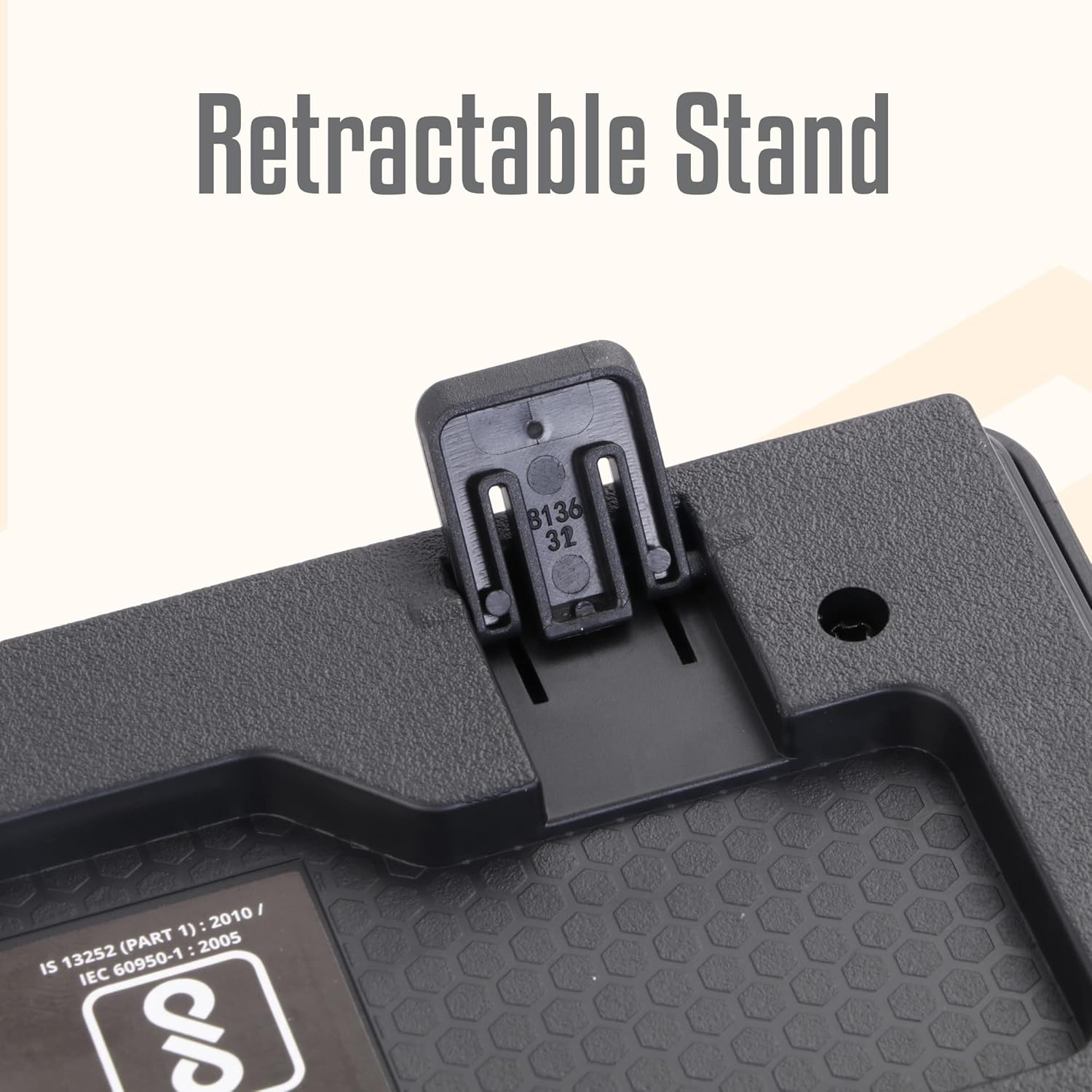
Image: A hand connecting the USB cable of the keyboard to a laptop's USB port.
- Драйвер суурилуулах: The keyboard is plug-and-play. Your operating system (Windows, macOS, Linux) will automatically detect and install the necessary drivers. No manual driver installation is required.
- Adjust the Stand (Optional): For an ergonomic typing angle, extend the retractable stands located on the underside of the keyboard.

Image: Close-up of the retractable stand on the back of the keyboard, extended for ergonomic use.
Ашиглалтын заавар
The ZEBRONICS K24 keyboard operates like any standard 104-key keyboard. Simply connect it to your device, and it will be ready for use.
- Бичих: Use the keys for text input, data entry, and command execution.
- Мультимедиа түлхүүрүүд: The keyboard may feature integrated multimedia functions accessible via the 'Fn' key combined with function keys (F1-F12). Refer to your operating system's settings for specific key assignments if needed.
- Рупигийн түлхүүр: The keyboard includes a dedicated Rupee key for convenient currency input.

Image: Close-up of the keyboard highlighting the Rupee symbol on a key.
Онцлогууд
- Standard Layout with 104 Keys: Full-size keyboard for comprehensive functionality.
- UV Coated Keycaps: Ensures durability and prevents legend fading over time.
- Long Life 8 Million Keystrokes: Designed for extended usage and reliability.
- Silent and Comfortable Use: Provides a quiet typing experience suitable for various environments.
- Нарийхан дизайн: Орон зай хэмнэж, гоо зүйн хувьд тааламжтайasing for any desk setup.
- Эвхэгддэг тавиур: Offers adjustable ergonomic typing angles.
- 1.5 Meter Textured Cable: хангадаг ample length and durability for flexible placement.
- USB холболт: Ensures broad compatibility with PCs and laptops.

Image: Close-up of the keyboard keys, showing their round, chiclet style and UV coating.

Image: The keyboard with its 1.5-meter textured USB cable coiled next to it.
Засвар үйлчилгээ
- Цэвэрлэгээ: Use a soft, dry cloth to wipe the keyboard surface. For deeper cleaning, use a can of compressed air to remove dust and debris from between the keys. Avoid using harsh chemicals or abrasive materials.
- Хадгалах: Ашиглаагүй үедээ гарыг цэвэр, хуурай газар, нарны шууд тусгал болон хэт өндөр температураас хол хадгална уу.
- Кабель арчилгаа: Гэмтлээс урьдчилан сэргийлэхийн тулд USB кабелийг хэт нугалах, мушгихаас зайлсхий.
Алдааг олж засварлах
| Асуудал | Боломжит шалтгаан | Шийдэл |
|---|---|---|
| Гар хариу өгөхгүй байна | Сул USB холболт, буруу USB порт, драйверын асуудал. | Ensure the USB cable is securely plugged in. Try a different USB port. Restart your computer. |
| Түлхүүрүүд ажиллахгүй байна | Түлхүүрүүдийн доорх хог хаягдал, програм хангамжийн зөрчил. | Clean the keys with compressed air. Check for any software conflicts or update keyboard drivers. |
| Incorrect characters appearing | Incorrect keyboard layout setting. | Check your operating system's keyboard language and layout settings. |
If you encounter issues not listed here, please contact ZEBRONICS customer support.
Үзүүлэлтүүд
| Онцлог | Дэлгэрэнгүй |
|---|---|
| Брэнд | ЗЕБРОНИК |
| Загварын дугаар | Zeb-k24 |
| Холболтын технологи | Утастай (USB) |
| Түлхүүрүүдийн тоо | 104 |
| Товчлуурын төрөл | UV Coated Chiclet Keys |
| Товчоор дарах амьдрал | 8 сая |
| Кабелийн урт | 1.5 метр |
| Тохиромжтой төхөөрөмжүүд | Зөөврийн компьютер, компьютер |
| Гарны зохион байгуулалт | QWERTY, includes Rupee key |
| Дизайн | Slim, Ergonomic with Retractable Stand |
| Өнгө | Хар |
| Материал | Хуванцар |
| Зүйлийн хэмжээс L x W x H | Ойролцоогоор 435 мм x 133 мм x 20 мм |
| Зүйлийн жин | 510 грамм |
Note: Keyboard dimensions are approximate.
Баталгаат болон дэмжлэг
Баталгаат хугацаа: The ZEBRONICS K24 Wired USB Keyboard comes with a 1-year carry-in warranty to the service center from the date of purchase.
Хэрэглэгчийн дэмжлэг: For any product-related queries, technical assistance, or warranty claims, please contact ZEBRONICS customer support. Refer to the official ZEBRONICS webхамгийн сүүлийн үеийн холбоо барих мэдээллийг авах сайт.


