
1. Танилцуулга
Thank you for choosing the Kaidi TWS Smart Touch Wireless Earbuds KD-771. These earbuds feature Bluetooth V5.1 for stable connectivity, Smart Touch controls for easy operation, and an IPX4 splash-resistant design, making them suitable for various activities. This manual provides detailed instructions to help you get the most out of your new earbuds.
Багцын агуулга:
- 1 Pair of Kaidi KD-771 Wireless Earbuds
- 1 Цэнэглэх хайрцаг
- 1 USB Charging Cable (Type-C, typically)
- 1 Хэрэглэгчийн гарын авлага
2. Тохиргоо
2.1 Чихэвч болон цэнэглэгчийг цэнэглэх
Before first use, fully charge the earbuds and the charging case. The charging case acts as a portable power bank for your earbuds.
- Чихэвчийг цэнэглэж байна: Place the earbuds into their respective slots in the charging case. Ensure the charging contacts align. The indicator lights on the earbuds will show their charging status.
- Кейс цэнэглэх: Connect the USB charging cable to the charging port on the case and the other end to a USB power adapter (not included) or a computer USB port. The charging case indicator will illuminate to show charging status. A full charge for the case and earbuds typically takes approximately 4 hours.
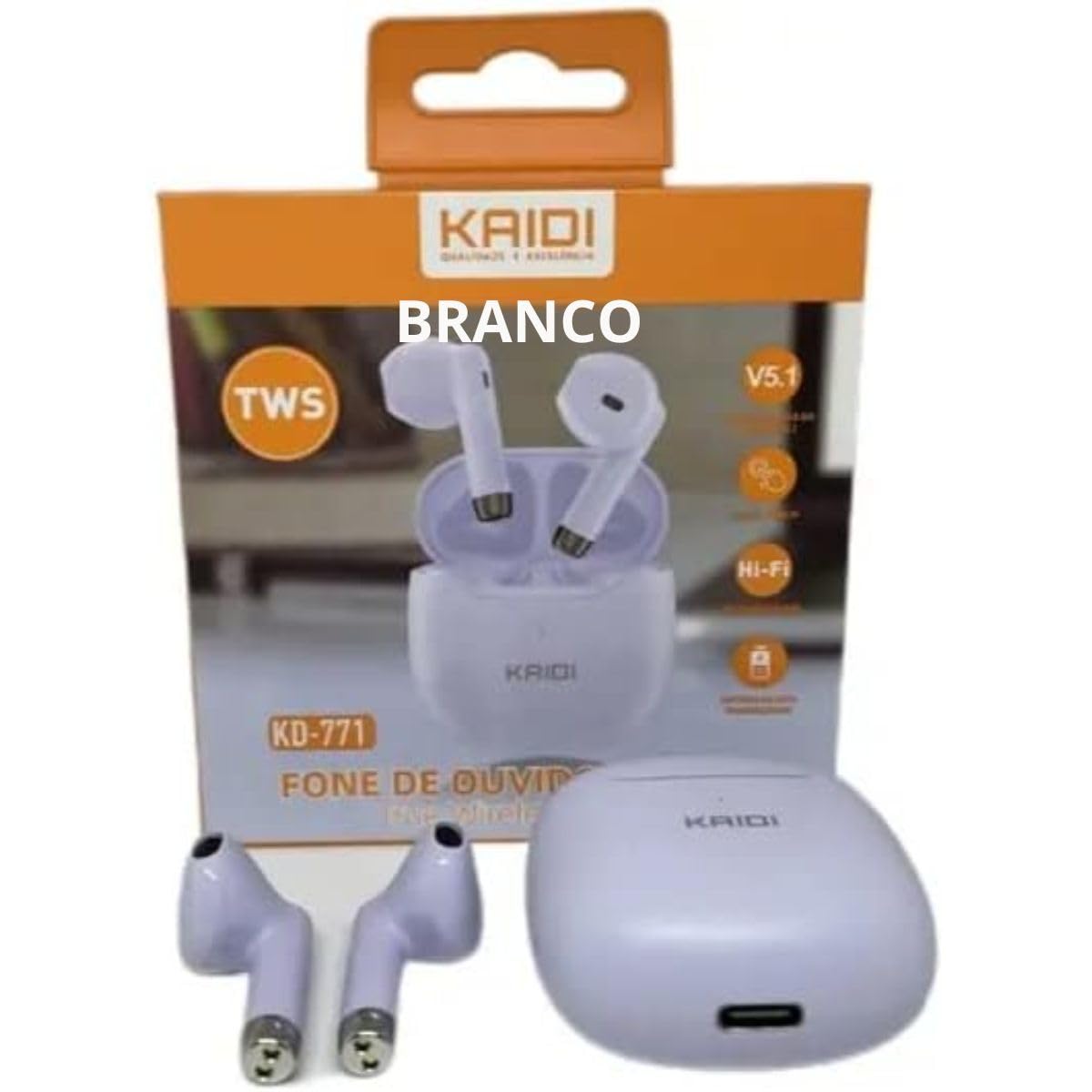
Image: Kaidi KD-771 Earbuds in their charging case. The earbuds are white and sit securely in the case, which is also white. This image illustrates the product's appearance and how the earbuds are stored.
2.2 Таны төхөөрөмжтэй хослуулах
Follow these steps to pair your Kaidi KD-771 earbuds with your smartphone or other Bluetooth-enabled device:
- Асаах: Open the charging case. The earbuds will automatically power on and enter pairing mode. You will hear an audible prompt, and the indicator lights on the earbuds will flash (typically blue and red alternately).
- Bluetooth-г идэвхжүүлэх: Төхөөрөмж дээрээ Bluetooth тохиргоо руу очоод Bluetooth асаалттай байгаа эсэхийг шалгана уу.
- Чихэвч сонгох: In the list of available Bluetooth devices, look for "KD-771" or a similar name and select it to connect.
- Баталгаажуулалт: Once connected, you will hear a confirmation sound from the earbuds, and the indicator lights will stop flashing or flash slowly.
Жич: Хэрэв төхөөрөмж дээр Bluetooth-г идэвхжүүлсэн бол чихэвчийг гэрээсээ гаргавал хамгийн сүүлд холбогдсон төхөөрөмжид автоматаар холбогдоно.
3. Ашиглалтын заавар
The Kaidi KD-771 earbuds feature Smart Touch controls for convenient operation.
3.1 Асаах/унтраах
- Асаах: Open the charging case, or long-press the touch area on both earbuds for approximately 3 seconds.
- Унтраах: Place the earbuds back into the charging case and close the lid, or long-press the touch area on both earbuds for approximately 5 seconds.
3.2 Хөгжим тоглуулах
- Тоглуулах/түр зогсоох: Tap the touch area on either the left or right earbud once.
- Дараагийн дуу: Баруун чихэвчний мэдрэгчтэй хэсгийг давхар товш.
- Өмнөх бичлэг: Зүүн чихэвчний мэдрэгчтэй хэсгийг давхар товш.
3.3 Дуудлагын удирдлага
- Дуудлагад хариулах/дуусах: Ирж буй дуудлага эсвэл идэвхтэй дуудлагын үеэр чихэвчний аль нэгнийх нь хүрэх хэсгийг нэг удаа товшино уу.
- Дуудлагаас татгалзах: Long-press the touch area on either earbud for approximately 2 seconds during an incoming call.
3.4 Дуут туслах
- Дуут туслахыг идэвхжүүлэх: Triple-tap the touch area on either earbud.
3.5 Дууны хяналт
- Эзлэхүүнийг нэмэгдүүлэх: Long-press the touch area on the right earbud.
- Эзлэхүүнийг бууруулах: Long-press the touch area on the left earbud.
4. Засвар үйлчилгээ
4.1 Цэвэрлэгээ
- Зөөлөн, хуурай, хөвөнгүй даавуугаар чихэвч болон цэнэглэгчийг цэвэрлэ.
- Зүлгүүрийн цэвэрлэгч, уусгагч, аэрозол шүршигч хэрэглэж болохгүй.
- Чихний чихэвч болон хайрцагны цэнэглэх контактуудыг хуурай хөвөн арчдасаар зөөлөн цэвэрлэ.
4.2 Хадгалалт
- Ашиглаагүй үед чихэвчийг хамгаалж, цэнэгтэй байлгахын тулд цэнэглэгчдээ хадгалаарай.
- Төхөөрөмжийг сэрүүн, хуурай газар, хэт температур, нарны шууд тусгалаас хол байлга.
4.3 Усны эсэргүүцэл (IPX4)
The Kaidi KD-771 earbuds are rated IPX4, meaning they are splash-resistant. This protects them from splashing water from any direction. They are suitable for light rain or sweaty workouts.
- Чихэвчийг усанд дүрж болохгүй.
- Тэднийг өндөр даралттай усны тийрэлтэт онгоцонд оруулахаас зайлсхий.
- Цэнэглэх контактыг гэмтээхгүйн тулд чихэвчийг цэнэглэх хайрцагт буцааж оруулахын өмнө хатсан эсэхийг шалгаарай.
5. Алдаа засах
5.1 Чихэвчийг холбохгүй байна
- Чихэвч хоёулаа цэнэглэгдсэн эсэхийг шалгаарай.
- Төхөөрөмжийнхөө Bluetooth-г унтраагаад дахин асаана уу.
- Delete "KD-771" from your device's Bluetooth list and try pairing again.
- If only one earbud connects, try resetting the earbuds (refer to the full reset instructions if available in a separate guide, or try placing them back in the case and taking them out again).
5.2 Дуугүй эсвэл дуу багатай
- Төхөөрөмж болон чихэвчний дууны түвшинг шалгана уу.
- Чихэвч таны төхөөрөмжид зөв холбогдсон эсэхийг шалгаарай.
- Чихэвчний чанга яригчийн торноос хог хаягдлыг цэвэрлэ.
5.3 Цэнэглэхтэй холбоотой асуудлууд
- Цэнэглэх кабель нь хайрцаг болон тэжээлийн эх үүсвэрт найдвартай холбогдсон эсэхийг шалгаарай.
- Verify that the power source is working.
- Чихэвч болон гэр доторх цэнэглэх контактуудыг цэвэрлэ.
6. Техникийн үзүүлэлтүүд
| Онцлог | Тодорхойлолт |
|---|---|
| Загварын дугаар | KD-771 |
| Bluetooth хувилбар | V5.1 |
| Батерейны хугацаа (чихэвч) | Approx. 4 hours (talk time/music playback) |
| Цэнэглэх хугацаа | Ойролцоогоор 4 цаг (цай болон чихэвчийг бүрэн цэнэглэхэд) |
| Усны эсэргүүцэл | IPX4 (ус цацахад тэсвэртэй) |
| Эсэргүүцэл | 32 Ом |
| Давтамжийн хүрээ | 2.400 - 2.485 GHz |
| Аудио драйверын төрөл | Тэнцвэртэй арматурын жолооч |
| Хяналтын арга | Хүрэх |
| Бүрэлдэхүүн хэсгүүдийг багтаасан | Чихэвч, Цэнэглэгчийн гэр |
| ANATEL Certification | 18583-21-14467 |
7. Баталгаат хугацаа ба дэмжлэг
7.1 Баталгаат хугацааны мэдээлэл
This Kaidi KD-771 product is covered by a 3 сарын баталгаат хугацаа from the date of purchase against manufacturing defects. Please retain your proof of purchase for warranty claims.
Баталгаат нь дараахь шалтгааны улмаас учирсан хохирлыг хамрахгүй.
- Зохисгүй хэрэглээ эсвэл харьцах.
- Зөвшөөрөлгүй засвар, өөрчлөлт.
- Accidental damage, drops, or extreme temperatures.
- Water damage beyond the IPX4 rating (e.g., submersion).
7.2 Дэмжлэг
For further assistance, troubleshooting, or warranty inquiries, please contact the retailer or the manufacturer (KAIDI) directly. Refer to your purchase documentation for specific contact details.