
Танилцуулга
Thank you for choosing the Goshyda 1080P FHD Dash Cam. This manual provides essential information for the proper installation, operation, and maintenance of your device. Please read it thoroughly before use to ensure optimal performance and safety.
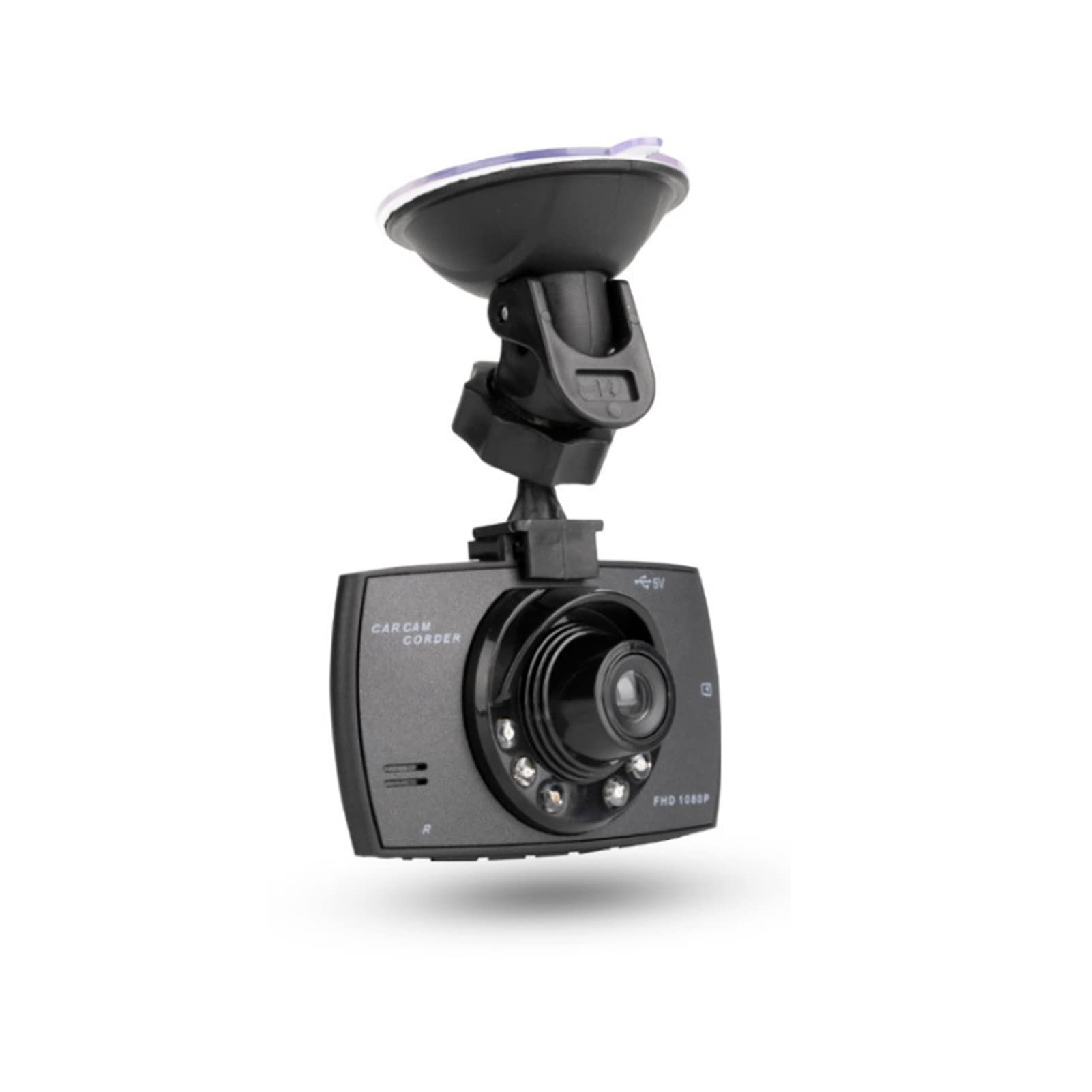
Зураг: Урд view of the Goshyda 1080P FHD Dash Cam.
Багцын агуулга
Доор жагсаасан бүх зүйл таны багцад байгаа эсэхийг шалгаарай.
- 1 x Driving Recorder (Dash Cam)
- 1 х машины цэнэглэгч
- 1 х сорох аяга бэхэлгээ
- 1 х хэрэглэгчийн гарын авлага

Image: Contents of the Goshyda Dash Cam package, including the dash cam unit, car charger, and suction cup mount.
Тохиргоо ба суурилуулалт
- Зураасны камерыг суурилуулах: Attach the suction cup mount to the dash cam. Securely affix the suction cup mount to your vehicle's windshield, ensuring it does not obstruct your view замын.
- Эрчим хүчний холболт: Connect the car charger to the dash cam's USB port. Plug the other end of the car charger into your vehicle's cigarette lighter socket. Route the cable neatly to avoid interference with driving controls.
- Санах ойн карт оруулах: Insert a compatible micro SD card (8-32 GB, not included) into the dash cam's memory card slot. Ensure the card is inserted correctly until it clicks into place.

Image: The dash cam mounted on a car windshield, showing the driver's view замын.
Төхөөрөмжийг цэнэглэж байна
The dash cam can be charged using two methods:
- Via Car Charger: Connect the dash cam to the included car charger and plug it into your vehicle's 12V cigarette lighter socket. The device will automatically begin recording when the car starts.
- Via USB to Computer: Connect the dash cam to a computer's USB port using a compatible USB cable (not included). A green light will indicate charging. The green light will turn off automatically when the battery is fully charged.
Чухал: Only use a 5V output car power supply. When using the car charger, long-press the power button or disconnect the power to turn off the recorder.
Ашиглалтын заавар
Автомат бичлэг
When connected to the car's 12V power supply and the vehicle starts, the dash cam will automatically power on and begin recording. In case of power failure, the recorder will automatically shut down after 15 seconds and save the recorded files.
Давталтын бичлэг
The dash cam features seamless loop recording. When the memory card is full, the camera will automatically overwrite the oldest unlocked video files. This ensures continuous recording without manual intervention.

Image: The dash cam screen showing a recording in progress, demonstrating the loop recording function.
G-Sensor (Gravity Detection)
In the event of a collision or sudden impact, the built-in G-sensor will detect the event and automatically lock the current video file. Түгжигдсэн files нь давталтын бичлэгээр дарж бичихээс хамгаалагдсан бөгөөд энэ нь чухал нотлох баримтыг хадгалдаг.
Гарын авлага File Түгжих
During recording, you can manually press the lock button on the dash cam to protect the current video file from being deleted or overwritten.

Image: The dash cam's front, highlighting the night vision lights and indicating G-sensor functionality in a traffic scenario.
Хөдөлгөөн илрүүлэх
When enabled, the dash cam will automatically start recording if it detects motion in its field of view while parked. This feature helps monitor your vehicle when you are away.
Гол онцлогууд
- 1080P Full HD Recording: Тодорхой foo видео авдагtage at 1920x1080P resolution.
- 170-Degree Wide Angle Lens: өргөнөөр хангадаг view of the road, minimizing blind spots.
- 2.4 инчийн LCD дэлгэц: Бодит цагийн горимд viewing and playback of recordings.
- 6 Infrared Fill Lights: Enhances night vision for clearer recordings in low-light conditions.
- G-мэдрэгч: Automatically detects impacts and protects video files.
- Давталтын бичлэг: Ensures continuous recording by overwriting old, unlocked files.
- Хөдөлгөөн илрүүлэх: Records automatically when motion is detected while parked.

Image: The dash cam mounted inside a car, illustrating its 1080P Full HD recording capability and 170-degree wide-angle view.

Зураг: Ойрын зураг view of the dash cam's lens, clearly showing the six infrared fill lights designed for improved night vision.
Үзүүлэлтүүд
| Онцлог | Тодорхойлолт |
|---|---|
| Пиксел | 1000W (10 Megapixels) |
| Viewing өнцөг | 170 градус |
| Видео формат | AVI |
| Video Encoding Mode | M-JPEG |
| Видеоны нягтрал | 1920x1080P |
| Видео гаралт | AVOUT, HD Multimedia Interface |
| Видео гаралтын формат | PAUNTSC |
| Үйлдлийн системийн нийцтэй байдал | Windows 2000, Windows XP, Windows 7, etc. |
| Санах ойн картны багтаамж | 8-32 GB Micro SD card (not included) |
| Батерей | 3.7V 120mAh Polymer Battery (built-in) |
| Power Consumption (Video) | 200 мАч |
| Эрчим хүчний хэрэглээ (зогсоол) | 250-315 мАч |
| Дэлгэцийн хэмжээ | 2.4 инч |
| Суурилуулах төрөл | Сорох цомын уул |
| Хяналтын арга | Алсын удирдлага |
| Frame Rate | 30 FPS |
| Зүйлийн жин | 172 грамм |
Засвар үйлчилгээ
- Цэвэрлэгээ: Хяналтын камерын линз болон дэлгэцийг цэвэрлэхдээ зөөлөн, хуурай даавуу ашиглаарай. Зүлгүүрийн цэвэрлэгч эсвэл уусгагч хэрэглэхээс зайлсхий.
- Температур: Do not expose the device to extreme temperatures, either hot or cold, as this can affect battery life and performance.
- Санах ойн карт: Regularly format your memory card (at least once a month) to ensure optimal performance and prevent data corruption. Back up important files форматлахын өмнө.
Алдааг олж засварлах
- Төхөөрөмж асахгүй байна: Ensure the car charger is securely connected to both the dash cam and the vehicle's cigarette lighter socket. Check if the vehicle's 12V power outlet is functioning.
- Бичлэгийн асуудал: Verify that a compatible memory card is inserted and has sufficient free space. Format the memory card if necessary.
- Видео чанар муу: Clean the lens of the dash cam. Ensure the windshield is clean where the camera is mounted.
- Батерей хурдан дуусдаг: The built-in battery is primarily for emergency power-off and saving files. For continuous operation, the dash cam should remain connected to the car charger.
Баталгаат болон дэмжлэг
For warranty information or technical support, please refer to the contact details provided with your purchase or visit the official Goshyda webсайт. Худалдан авалтын баримтаа худалдан авалтын баталгаа болгон хадгалаарай.
