
1. Танилцуулга
Thank you for choosing the Voktta Battery Capacity Voltage Meter. This device is designed to accurately monitor your battery's capacity, voltage, and temperature, providing essential data for various applications. It features a clear display, alarm functions, and broad compatibility with different battery types. Please read this manual thoroughly before installation and operation to ensure correct usage and optimal performance.
2. Бүтээгдэхүүний онцлог
- Олон үйлдэлт дэлгэц: Simultaneously shows battery capacity percentage, ботьtage, and temperature (Celsius or Fahrenheit).
- Нэгдсэн хамгаалалт: Equipped with a protective cover, dustproof and waterproof surface, and reverse input connection protection.
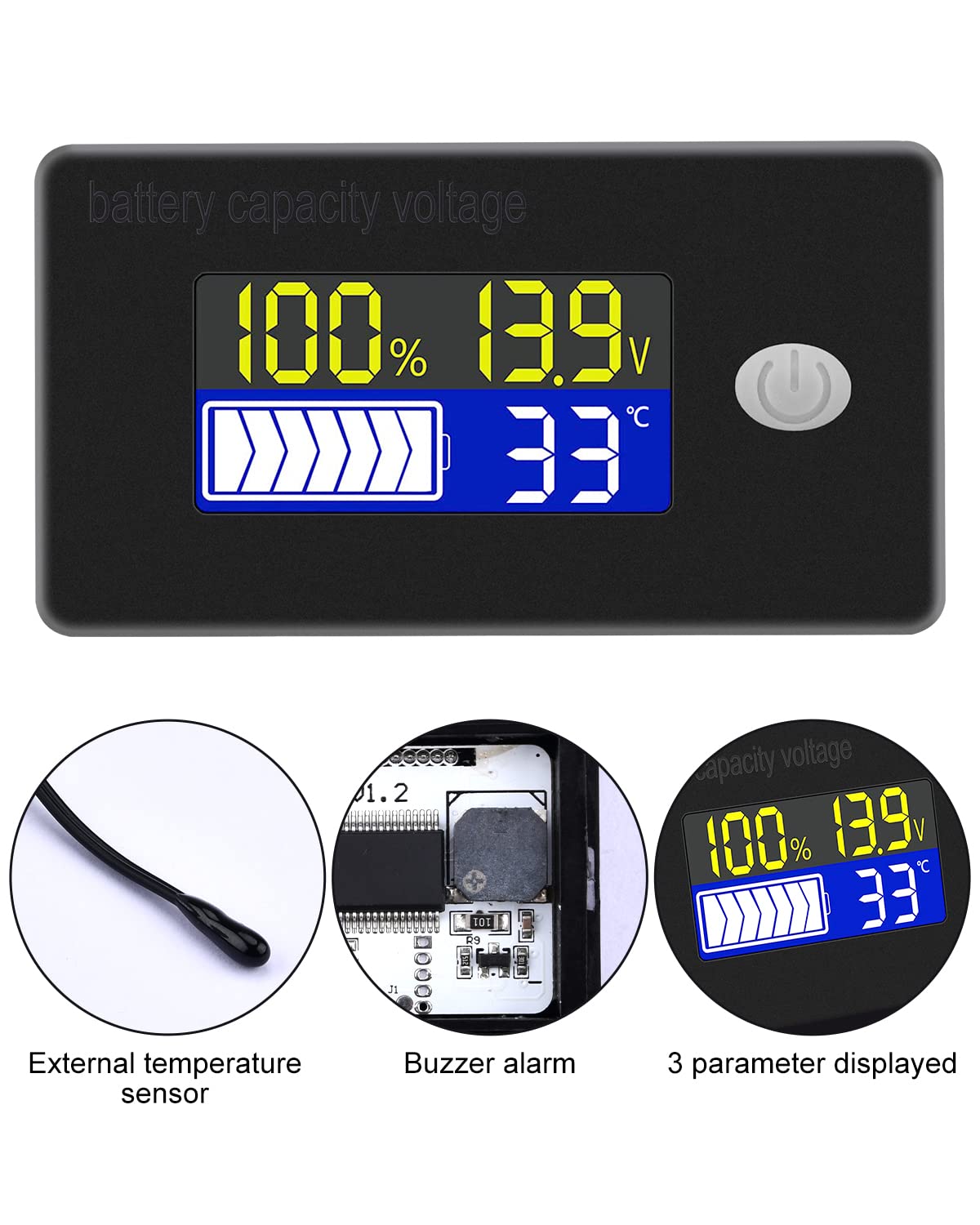
- External Temperature Sensor & Buzzer: Includes an external temperature sensor for accurate readings and an internal buzzer for high/low voltage and over-temperature alarms.
- Six Programmable Modes: Allows setting battery type, delay for ultra-low power mode, adjusting battery percentage limits, activating undervoltage alarm and threshold, activating temperature alarm, and voltage шалгалт тохируулга.
- Өргөн хүрээний батерейны нийцтэй байдал: Compatible with 12V, 24V, 36V, 48V, 60V, 72V, 84V lead-acid batteries, lithium-ion batteries, polymer lithium-ion batteries, 3-15 series lithium-ion batteries, water batteries, and lithium iron phosphate batteries.
- Өргөн хэрэглээний програм: Suitable for use in jet skis, golf carts, RVs, lawnmowers, aquariums, DIY solar generators, and other systems requiring battery monitoring.
3. Багцын агуулга
Дараах зүйлсийн багцад байгаа эсэхийг шалгана уу.
- Voktta Battery Capacity Voltage Тоолуур
- Connection Wires (Red for positive, Black for negative)
- Гадаад температур мэдрэгч
- Хэрэглэгчийн гарын авлага (энэ баримт бичиг)

4. Аюулгүй байдлын мэдээлэл
- Төхөөрөмжийг суулгах эсвэл засварлахын өмнө үргэлж цахилгааныг салга.
- Ensure correct polarity when connecting the wires (Red to positive, Black to negative) to prevent damage to the meter and battery.
- Do not exceed the specified operating voltage хүрээ (10-100 В).
- Keep the device away from extreme temperatures, moisture, and corrosive environments.
- Төхөөрөмжийг задлах, өөрчлөхийг бүү оролдоорой. Бүх үйлчилгээг мэргэшсэн боловсон хүчинд шилжүүлээрэй.
5. Бүтээгдэхүүн дууссанview
The Voktta Battery Capacity Voltage Meter features a compact design with a clear LCD display and a single control button. The external temperature sensor provides accurate ambient or battery temperature readings.

6. Суурилуулалт ба утас
Зөв суулгахын тулд дараах алхмуудыг дагана уу.
- Суурилуулалт: Choose a suitable location for the meter, ensuring it is protected from direct impact and excessive vibration. The meter is designed for panel mounting.
- Эрчим хүчний холболт: Connect the red wire to the positive (+) terminal of your battery system and the black wire to the negative (-) terminal. Ensure a secure connection. The meter supports a wide voltage оролтын хүрээ 10-100V.
- Температур мэдрэгчийн холболт: Plug the external temperature sensor into its designated port on the back of the meter. Position the sensor to measure the desired temperature (e.g., near the battery for battery temperature, or in the environment for ambient temperature).

7. Анхны тохиргоо
After connecting the meter, you may need to configure it for your specific battery type and preferences.
7.1 Асаах/унтраах
Press the power button (usually located on the front panel) to turn the device on or off.

7.2 Батерейны төрлийг тохируулах
The meter supports various battery types. Refer to the detailed programming instructions (often accessed by holding the power button or a dedicated 'SET' button) to select the correct battery chemistry and voltage configuration (e.g., 3S Lithium, 12V Lead-Acid).

8. Ашиглалтын заавар
Once powered on and configured, the meter will display real-time battery information.
8.1 Дэлгэцийн горимууд
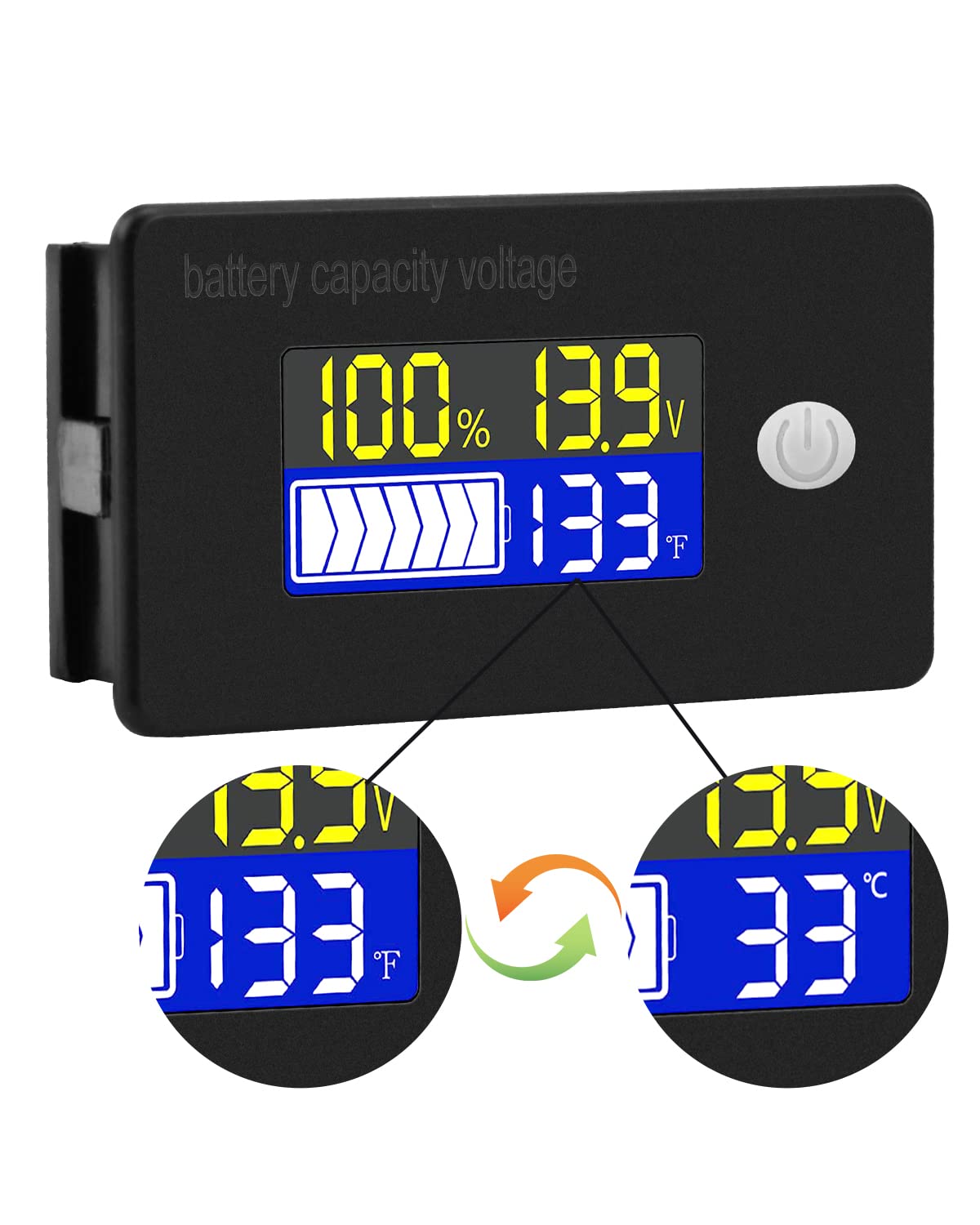
The display typically shows battery capacity percentage, одоогийн ботьtage, and temperature. Some models allow switching between Celsius and Fahrenheit for temperature display.
Сэрүүлгийн 8.2 функц
The internal buzzer will activate if the battery voltage falls below the set low voltage threshold, exceeds the high voltage threshold, or if the temperature goes beyond the set limits. This provides an audible warning for critical conditions.
9. Нарийвчилсан тохиргоо
The meter offers several programmable modes for fine-tuning its operation. Access these modes by following the specific button press sequences outlined in the full product documentation (if provided separately) or by holding the main button for an extended period.
- Батерейны төрлийн тохиргоо: Configure the meter for your specific battery chemistry and cell count (e.g., LiFePO4, Li-ion, Lead-Acid, 3S, 4S, etc.).
- Ultra-Low Power Mode Delay: Set a delay (10s, 20s, 30s, 60s, 120s adjustable) before the meter enters a low power consumption state to conserve energy.
- Батерей Персенtage Хязгаар: Adjust the upper and lower voltage thresholds that correspond to 100% and 0% battery capacity for accurate percentage дэлгэц.
- Undervoltage Сэрүүлэг: Activate and set the specific voltage threshold (e.g., 10.5V to 60.0V) at which the low voltage alarm will trigger.
- Илүүдэл температурын сэрүүлэг: Activate and set the temperature threshold (e.g., 0°C to 79°C or 0°F to 179°F) at which the over-temperature alarm will trigger.
- Ботьtage Шалгалт тохируулга: Гүйцэтгэх ботьtage calibration to ensure the most accurate readings.
10. Техникийн үзүүлэлтүүд
| Параметр | Үнэ цэнэ |
|---|---|
| Брэнд | Voktta |
| Загварын дугаар | B0BHSSKRVP |
| Үйл ажиллагааны ботьtage | 10-100 В |
| Үйл ажиллагааны гүйдэл | 8-10 мА |
| Эрчим хүчний зарцуулалт (унтах горим) | 15-20уА |
| Ботьtage Нарийвчлал | ±0.1% ~ ±0.5% |
| Температурын нарийвчлал | ±0.5℃ ~ ±1℃ (built-in standard, external 30cm probe) |
| Температурын хүрээ | -19~80℃ / 0~179℉ |
| Over-temperature Alarm Setting | 0~79℃ / 0~179℉ |
| Бага ботьtage Сэрүүлгийн тохиргоо | 10.5~60.0V |
| Дууны дууны түвшин | 60~80дБ |
| Ашиглалтын температур | -10~65° |
| Өнгө | Хар |
| Дагаж мөрдөх | CE, IP67, RoHS |
| Хэмжилтийн төрөл | Вольтметр |
11. Алдаа засах
If you encounter issues with your Voktta Battery Capacity Voltage Meter, refer to the following common problems and solutions:
- Дэлгэц байхгүй:
- Check power connections: Ensure red wire is connected to positive and black to negative, and connections are secure.
- Зайны хэмжээг баталгаажуулна ууtage: Зайны хэмжээг баталгаажуулна ууtage is within the 10-100V operating range.
- Буруу уншилтууд:
- Ботьtagд/Хүчин чадал: Батерейны төрөл болон эзэлхүүний зөв эсэхийг шалгаарайtage configuration are set in the meter's settings. Perform voltage calibration if available.
- Температур: Check if the external temperature sensor is properly connected and positioned.
- Alarm Constantly Triggering:
- Review alarm thresholds: Adjust the low voltage, өндөр ботьtage, or over-temperature alarm settings to appropriate levels for your battery and application.
- Check battery health: A constantly triggering low voltage alarm might indicate a failing battery.
- Товчнууд хариу өгөхгүй байна:
- Power cycle the device: Turn the meter off and then on again.
- Товчлууруудад ямар ч хог хаягдал саад болохгүй байгаа эсэхийг шалгаарай.
12. Засвар үйлчилгээ
To ensure the longevity and accurate operation of your Voktta Battery Capacity Voltage Meter, follow these maintenance guidelines:
- Цэвэрлэгээ: Use a soft, dry cloth to clean the display and housing. Do not use abrasive cleaners or solvents.
- Холболтууд: Бүх утас холболтыг найдвартай, зэврэлтээс ангид байлгахын тулд үе үе шалгана уу.
- Байгаль орчныг хамгаалах: While the device has some dust and water resistance (IP67), avoid prolonged exposure to harsh weather conditions or direct water immersion.
- Хадгалах: Хэрэв төхөөрөмжийг удаан хугацаагаар хадгалах бол цахилгаан тэжээлээс салгаж, сэрүүн, хуурай газар хадгална уу.
13. Дэмжлэг
For any questions, technical assistance, or if you encounter issues not covered in this manual, please contact Voktta customer support. We are committed to providing assistance to resolve any problems you may experience.
Холбоо барих мэдээллийг ихэвчлэн бүтээгдэхүүний сав баглаа боодол эсвэл жижиглэнгийн худалдаачны заавраас олж болно webбүтээгдэхүүнийг худалдаж авсан сайт.