
1. Танилцуулга
This manual provides detailed instructions for the setup, operation, maintenance, and troubleshooting of your Cosmic Byte ARES Wired Controller for PC. Designed for an enhanced gaming experience, this controller features Hall Effect joysticks and triggers, dual vibration, and customizable Turbo functions.
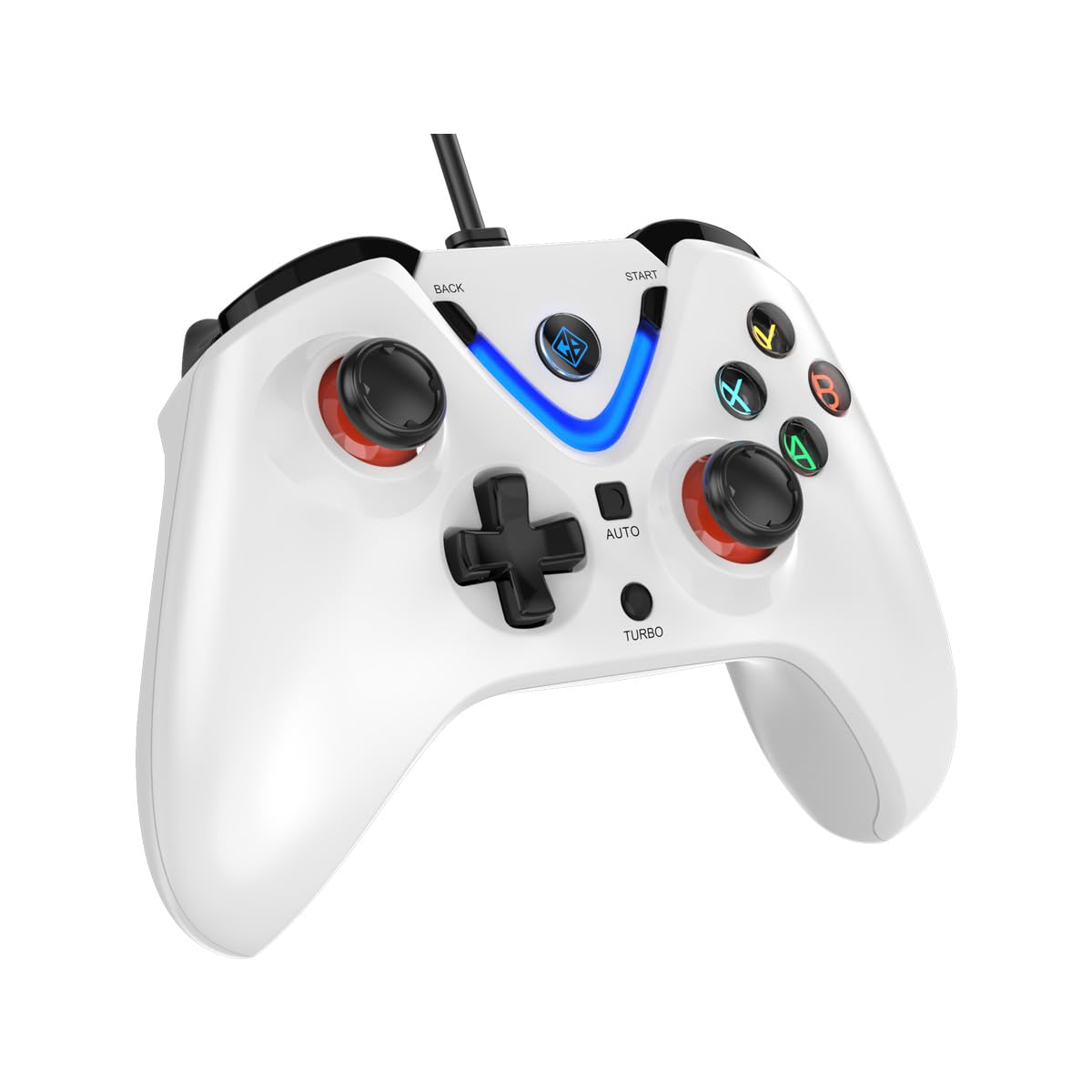
Image 1: The Cosmic Byte ARES Wired Controller in white, showcasing түүний эргономик дизайн.
2. Тохируулах заавар
2.1 Компьютерт холбогдох
- Таны компьютер асаалттай байгаа эсэхийг шалгаарай.
- Компьютер дээрээ байгаа USB портыг олоорой.
- Plug the USB connector of the Cosmic Byte ARES Wired Controller into the USB port.
- Үйлдлийн систем нь шаардлагатай драйверуудыг автоматаар илрүүлж суулгана. Энэ процесс хэдэн минут үргэлжилж магадгүй.
- Суулгалт дууссаны дараа хянагч ашиглахад бэлэн болно.

Image 2: The controller connected via its wired USB connection, ensuring fast response.
3. Ашиглалтын заавар
3.1 Үндсэн удирдлага
The Cosmic Byte ARES controller features standard gamepad layouts, including:
- Left and Right Analog Joysticks: Нарийвчлалтай хөдөлгөөн болон камерыг хянах зориулалттай.
- D-Pad: For directional input, often used in menus or for specific game actions.
- Үйлдлийн товчлуурууд (A, B, X, Y): For primary game interactions.
- Мөрний товчлуурууд (L1, R1) болон өдөөгч (L2, R2): For various in-game functions like shooting, aiming, or accelerating.
- Start and Back Buttons: For pausing games, accessing menus, or specific in-game commands.
- Турбо товч: Хурдан гал асаах функцийг идэвхжүүлэх зориулалттай.
- Автомат товч: For activating automatic rapid-fire functions.
3.2 Холл эффектийн жойстик ба триггерүүд
The controller is equipped with Hall Effect joysticks and triggers, which use magnetic sensors instead of physical contacts. This technology provides:
- Сайжруулсан нарийвчлал: More accurate and responsive input.
- Бат бөх чанар нэмэгдэх: Reduces wear and tear, preventing stick drift over time.
- Гөлгөр ажиллагаа: Consistent and linear response for triggers, allowing for nuanced control in games.

Зураг 3: Дэлбэрэв view illustrating the Hall Effect joystick mechanism and the Hall Effect triggers.
3.3 Dual Vibration Feedback
The controller features dual vibration motors that provide tactile feedback during gameplay, enhancing immersion by simulating in-game events such as impacts, explosions, or engine rumbling.
3.4 Backlit LED Buttons
The action buttons (A, B, X, Y) and the central V-shaped indicator feature LED backlighting, providing visibility in low-light conditions and adding to the controller's aesthetic.

Image 4: The controller with its LED buttons illuminated and visual representation of vibration effects.
3.5 Turbo and Auto Turbo Functions
The Turbo and Auto Turbo functions allow for rapid, repeated input of a button press without continuously pressing the button.
- Турбо идэвхжүүлэх: Press and hold the desired action button (e.g., A) and then press the Турбо button. The button will now rapidly repeat its input as long as you hold it down.
- Activating Auto Turbo: Press and hold the desired action button (e.g., A) and then press the Автомат button. The button will now rapidly repeat its input automatically without needing to be held down.
- Deactivating Turbo/Auto Turbo: To deactivate, repeat the activation steps for the specific button, or press the Тодорхой button (if available) or disconnect and reconnect the controller.

Image 5: Close-up of the controller showing the Turbo and Auto function buttons.
4. Засвар үйлчилгээ
- Цэвэрлэгээ: Удирдлагыг цэвэрлэхийн тулд зөөлөн, хуурай даавуу ашиглаарай. Зөрүүд бохирдлыг бага зэрэг арчинаamp cloth can be used, ensuring no liquid enters the controller. Avoid harsh chemicals or abrasive cleaners.
- Хадгалах: Хянагчийг сэрүүн, хуурай газар, нарны шууд тусгал болон хэт өндөр температураас хол хадгална уу. Хянагч дээр хүнд зүйл тавихаас зайлсхий.
- Кабель арчилгаа: Do not sharply bend or pull the USB cable. Always grasp the plug when disconnecting from the PC.
5. Алдаа засах
- Хянагч танигдаагүй байна:
- USB кабель нь хянагч болон компьютерт найдвартай холбогдсон эсэхийг шалгаарай.
- Хянагчийг өөр USB порт руу залгаж үзээрэй.
- Компьютерээ дахин эхлүүлнэ үү.
- Check Device Manager on Windows to see if the controller is listed and if there are any driver issues.
- Товчлуурууд/Жойстикууд хариу өгөхгүй байна:
- Verify the controller is recognized by your PC (see above).
- Test the controller in a different game or a controller testing utility to rule out game-specific issues.
- Бусад оролтын төхөөрөмж саад болохгүй байгаа эсэхийг шалгаарай.
- Чичиргээ ажиллахгүй байна:
- Чичиргээний хариу үйлдэл идэвхжсэн эсэхийг шалгахын тулд тоглоомын доторх тохиргоог шалгана уу.
- Some games may not support vibration or may have limited vibration effects.
6. Техникийн үзүүлэлтүүд
| Онцлог | Дэлгэрэнгүй |
|---|---|
| Брэнд | Сансрын байт |
| Загварын нэр | Арес |
| Тохиромжтой төхөөрөмжүүд | PC |
| Хянагчийн төрөл | Тоглоомын самбар |
| Холболтын технологи | USB |
| Бүтээгдэхүүний онцлог | Эргономик |
| Товчлуурын тоо | 16 |
| Техник хангамжийн платформ | PC |
| Эрчим хүчний эх үүсвэрийн төрөл | Цахилгаан утас, USB кабель |
| Зүйлийн жин | 220 грамм |
| Зүйлийн хэмжээ | 6 x 10 x 4 сантиметр |
| Өнгө | Цагаан |
| Гарал үүслийн улс | Хятад |

Image 6: A comparison table highlighting features of different ARES controller models.
7. Баталгаат хугацаа ба дэмжлэг
7.1 Баталгаат хугацааны мэдээлэл
The Cosmic Byte ARES Wired Controller comes with a Үйлдвэрлэлийн согогийн эсрэг 1 жилийн баталгаа худалдан авсан өдрөөс. Баталгаат заргад зориулж худалдан авалтаа нотлох баримтаа үлдээнэ үү.
7.2 Үйлдвэрлэгчийн холбоо барих мэдээлэл
For support, service, or warranty inquiries, please contact:
Сансрын байтPrakash Warehousing, S. No.163, Hissa No 1-2-3-4-5A-5B/2/1,
Phursungi, Pune 412308, Maharashtra, India
For further assistance, please visit the official Cosmic Byte webсайт эсвэл харилцагчийн үйлчилгээтэй холбогдоно уу.