
1. Танилцуулга
The Phanteks D30-120 is a high-performance 120mm case fan designed for optimal cooling and aesthetic appeal in modern computer systems. It features integrated D-RGB lighting visible from all sides, a unique fan linking system to reduce cable clutter, and a robust 30mm thick frame with aerodynamic blades for superior airflow and pressure. This manual provides essential information for the proper installation, operation, and maintenance of your Phanteks D30-120 fans.
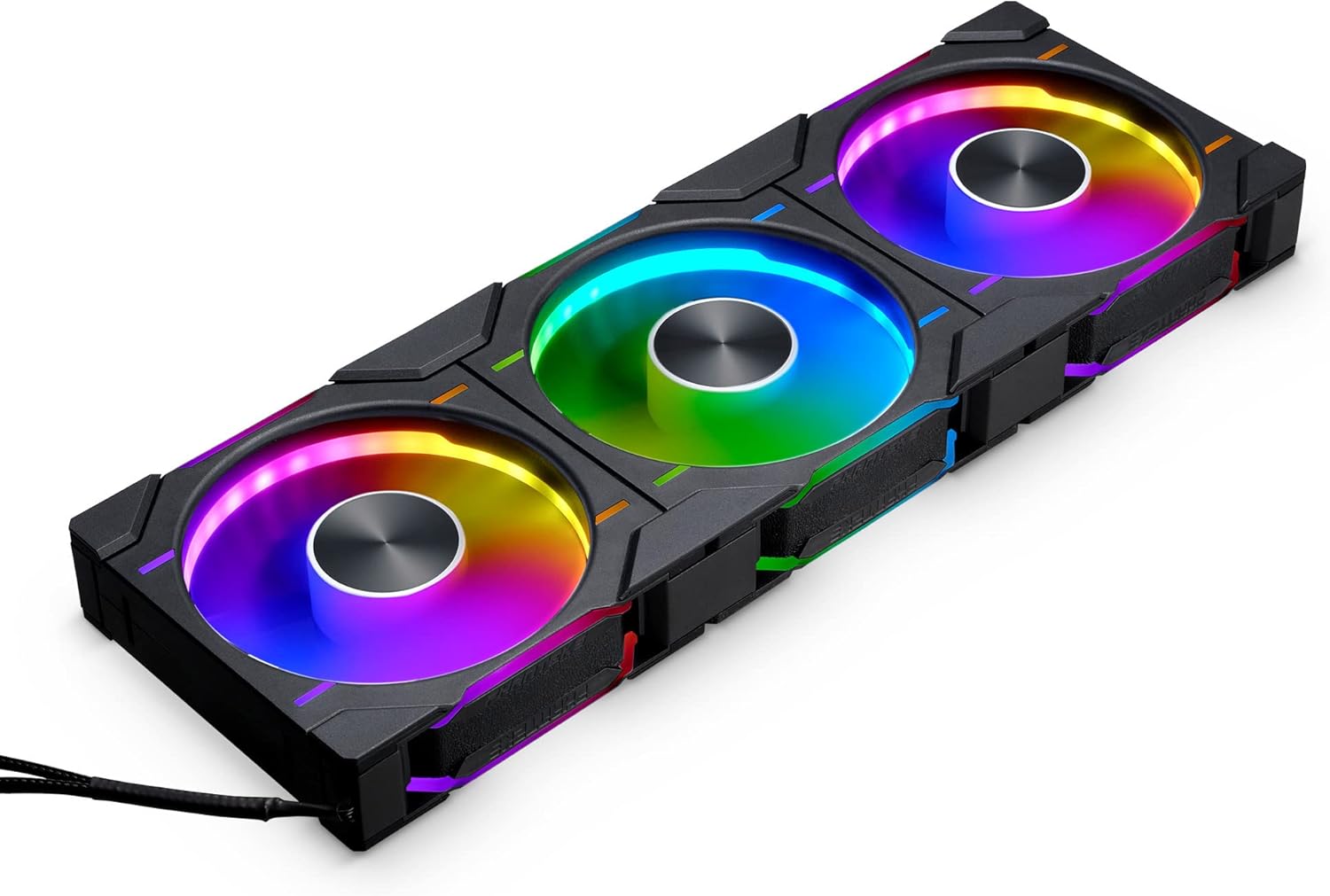
Image: A set of three Phanteks D30-120 fans showcasing their integrated D-RGB lighting and linked design.
2. Үндсэн шинж чанарууд
- Integrated D-RGB Lighting: Equipped with D-RGB lighting throughout its frame and blades on all sides, offering vibrant illumination. Compatible with Digital-RGB equipped motherboards and Phanteks Digital-RGB products.
- Easy and Clean Fan Linking System: Multiple D30-120 fan frames can be linked together as one unit using bridge connectors and screw cover plates, significantly reducing cable clutter for a cleaner build.
- Оновчтой гүйцэтгэл: Features a 30mm thick frame and aerodynamic fan blades, inspired by the T30 fan, to provide excellent air pressure and airflow (up to 64.3 CFM) even through restrictive meshes or radiators.
- Versatile Airflow Models: Available in both regular and reversed airflow models, allowing for flexible fan configurations to suit any system layout without compromising the lighting effect.
- Шингэний динамик холхивч (FDB): Ensures quiet operation and extended lifespan (MTBF of 50,000 hours at 40°C).
3. Багцын агуулга
Суулгахын өмнө бүх бүрэлдэхүүн хэсгүүд таны багцад байгаа эсэхийг шалгана уу.
- Phanteks D30-120 D-RGB PWM Fan(s)
- Суурилуулах эрэг
- Bridge Connectors
- Screw Cover Plates
- PWM Fan Cable (4-Pin)
- D-RGB Cable (3-Pin JST Daisy-chain)
- Зааварчилгааны гарын авлага

Image: Contents of the Phanteks D30-120 fan package, showing three fans, various cables, mounting screws, and linking accessories.
4. Тохиргоо ба суурилуулалт
Follow these steps for proper installation of your Phanteks D30-120 fans:
- Plan Fan Placement: Determine the optimal placement for your fans within your PC case. Consider airflow direction (intake or exhaust) and choose between regular or reversed airflow models accordingly.
- Link Multiple Fans (Optional): If installing multiple fans together, align them and use the provided bridge connectors to physically link them. This creates a single, cohesive unit and simplifies cable management. Secure the screw cover plates over the bridge connectors for a clean look.

Image: Multiple Phanteks D30-120 fans connected using the easy linking system, minimizing visible cables.
- Фенүүдийг суулгана уу: Secure the fan(s) to your PC case or radiator using the provided mounting screws. Ensure the fans are oriented correctly for your desired airflow.
- Эрчим хүчийг холбох (PWM): Connect the 4-Pin PWM fan cable from the fan unit (or the last fan in a linked series) to an available 4-Pin fan header on your motherboard. This allows for speed control.
- Connect D-RGB Lighting: Connect the 3-Pin JST D-RGB daisy-chain cable from the fan unit to a compatible 3-Pin Digital-RGB header on your motherboard or a Phanteks D-RGB controller.

Image: The D-RGB and PWM cables of the Phanteks D30-120, illustrating compatibility with Digital-RGB motherboards and Phanteks D-RGB products.
- Кабелийн менежмент: Route all cables neatly to ensure optimal airflow and a clean build aesthetic.

Зураг: Хуучинample of a perfectly set up PC with Phanteks D30-120 fans, demonstrating their aesthetic integration and D-RGB effects.
5. Ашиглалтын заавар
Once installed, the Phanteks D30-120 fans operate as follows:
- Сэнсний хурдны хяналт: The 4-Pin PWM connection allows your motherboard or fan controller to dynamically adjust the fan speed (250-2000 RPM) based on system temperature, optimizing cooling performance and noise levels.
- D-RGB Lighting Control: The D-RGB lighting can be controlled via your motherboard's RGB software (e.g., ASUS Aura Sync, MSI Mystic Light, Gigabyte RGB Fusion, ASRock Polychrome Sync) or a dedicated Phanteks D-RGB controller. This allows for customization of colors, effects, and synchronization with other D-RGB components.

Зураг: Нарийвчилсан view of the D-RGB lighting on the Phanteks D30-120 fan, highlighting its visibility from all angles.
- Агаарын урсгалын чиглэл: Ensure the fans are pushing air in the intended direction for your cooling setup. Regular models typically push air from the front (logo side) to the back, while reversed models push air from the back to the front.
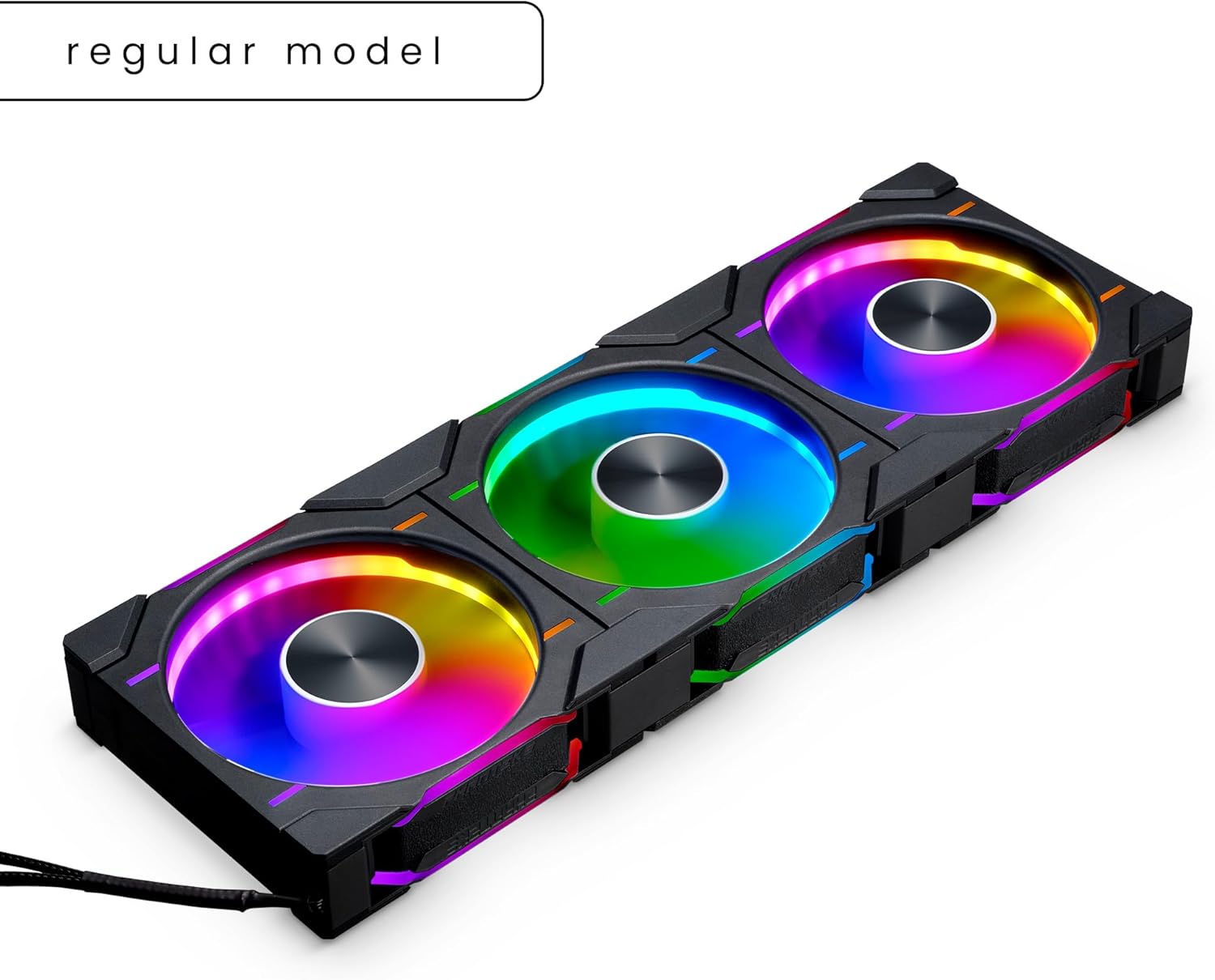
Image: A regular model of the Phanteks D30-120 fan, illustrating its standard airflow direction.
6. Засвар үйлчилгээ
To ensure optimal performance and longevity of your Phanteks D30-120 fans, periodic maintenance is recommended:
- Тоос арилгах: Regularly inspect the fan blades and frame for dust accumulation. Use compressed air or a soft brush to gently remove dust. Ensure the fan is powered off before cleaning.
- Кабель шалгах: Periodically check all cable connections (PWM and D-RGB) to ensure they are securely seated.
- Bearing Noise: While Fluid Dynamic Bearings are designed for quiet operation, listen for any unusual noises. Excessive noise might indicate an issue requiring further inspection.
7. Алдаа засах
If you encounter issues with your Phanteks D30-120 fans, refer to the following common troubleshooting steps:
- Сэнс эргэхгүй байна:
- Ensure the 4-Pin PWM cable is securely connected to the motherboard fan header.
- Check your motherboard's BIOS/UEFI settings or fan control software to ensure the fan header is enabled and configured correctly.
- Verify that your power supply is providing adequate power to the system.
- D-RGB Lighting Not Working/Incorrect Colors:
- Ensure the 3-Pin JST D-RGB cable is correctly connected to a compatible Digital-RGB header (5V, not 12V RGB).
- Check your motherboard's RGB software or Phanteks D-RGB controller settings.
- If multiple fans are linked, ensure all bridge connectors are properly seated.
- Хэт их дуу чимээ:
- Check for any obstructions (cables, dust) interfering with the fan blades.
- Сэнсийг найдвартай суурилуулсан бөгөөд гэрт чичиргээ үүсгэхгүй байгаа эсэхийг шалгаарай.
- Adjust fan speed settings in your motherboard's BIOS/UEFI or fan control software.
8. Техникийн үзүүлэлтүүд
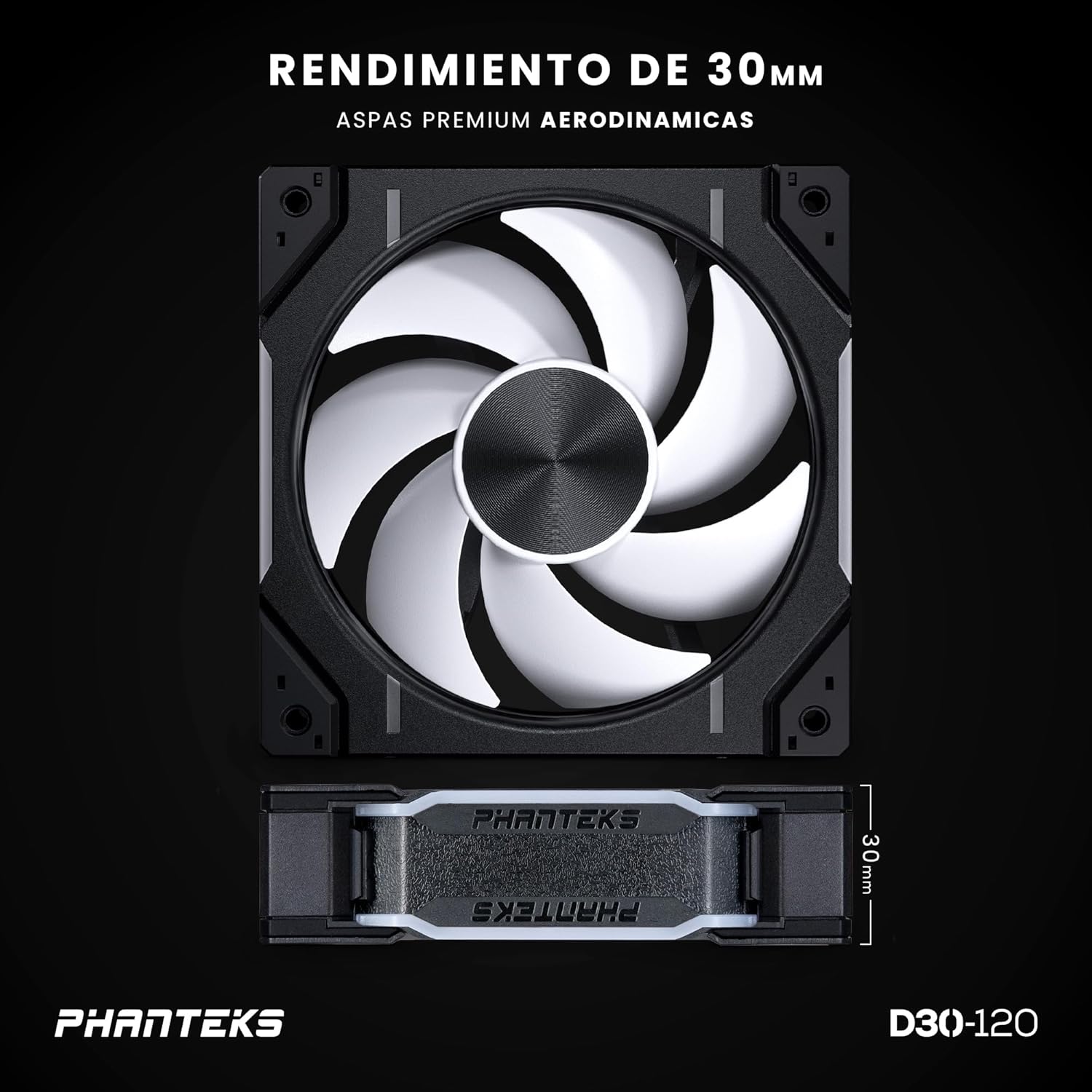
Image: The Phanteks D30-120 fan, highlighting its 30mm thickness and aerodynamic blades for enhanced performance.
| Онцлог | Тодорхойлолт |
|---|---|
| Загварын дугаар | PH-F120D30_DRGB_PWM_BK01_3P |
| Төрөл | Кейс фен |
| Сэнсний хэмжээ | 120 x 120 x 30 мм |
| Холхивчийн төрөл | FDB (Fluid Dynamic Bearing) |
| Үнэлгээтэй ботьtage (Сэнс) | 12 В |
| Үнэлгээтэй ботьtage (LED) | 5V |
| Үйл ажиллагааны ботьtage Хамрах хүрээ | 5~13.2V |
| ХБХ-ны хяналт | Тиймээ |
| Нэрлэсэн гүйдэл (Сэнс) | 0.15 А |
| Rated Current (LED Max) | 0.45 А |
| Эрчим хүчний хэрэглээ | ≤ 1.8 Вт |
| Хурд | 250-2000 ± 10% RPM |
| Макс. Агаарын урсгал | 64.3 CFM |
| Макс. Агаарын даралт | 3.01 мм H2O |
| Дуу чимээний түвшин | 30.2 дБ(А) |
| Fan холбогч | 4-зүү PWM |
| Сэнсний кабелийн урт | 700 мм / 27.56 инч |
| D-RGB Connector | 3-Pin JST Daisy-chain |
| D-RGB Cable Length | 600+100 mm / 23.62+3.94 in |
| LED дугаар | 32 (D-RGB) |
| MTBF (Life Expectancy) | 50,000 hrs at 40°C |
| Материал | PBT (Polybutylene terephthalate), Copper |
| Өнгө | Black (Fan Frame), White Matte (Blade) |
9. Баталгаат хугацаа ба дэмжлэг
Phanteks products are manufactured to the highest quality standards. This product is covered by a manufacturer's warranty against defects in materials and workmanship. For specific warranty terms and conditions, please refer to the official Phanteks webсайт эсвэл тэдний хэрэглэгчийн дэмжлэгтэй холбогдоно уу.
For technical assistance, troubleshooting, or warranty claims, please visit the official Phanteks support page or contact their customer service department. Keep your proof of purchase for warranty validation.
- Phanteks Official Webсайт: www.phanteks.com
- Дэмжлэгийн холбоо барих хаяг: Албан тушаалтны тусламжийн хэсгийг үзнэ үү webхолбоо барих мэдээлэл авах сайт.