
1. Танилцуулга
This manual provides essential information for the safe and efficient operation of your BETOPPER LM0910N LED Spider Moving Head Light. Please read this manual thoroughly before installation, operation, or maintenance. Keep this manual for future reference.
2. Аюулгүй байдлын мэдээлэл
- Ensure the product is connected to a power supply within the specified voltage range (AC 100–240V; 50–60Hz).
- Always disconnect the power supply before cleaning, maintenance, or when the unit is not in use.
- This product is designed for indoor use only. Avoid exposure to rain, moisture, or extreme temperatures.
- Хэт халалтаас урьдчилан сэргийлэхийн тулд төхөөрөмжийн эргэн тойронд хангалттай агааржуулалтыг хангана. Агааржуулалтын нүхийг хааж болохгүй.
- Нүдний гэрлийн эх үүсвэрт шууд өртөхөөс зайлсхий.
- Installation should be performed by qualified personnel, ensuring secure mounting and proper electrical connections.
- Төхөөрөмжийг өөрөө засах гэж бүү оролдоорой. Бүх засвар үйлчилгээг мэргэшсэн үйлчилгээний ажилтнуудад даатга.
3. Багцын агуулга
Савлагааг задлахдаа доор жагсаасан бүх зүйлс байгаа бөгөөд сайн нөхцөлд байгаа эсэхийг шалгаарай:
- 1 x LED Spider Moving Head Light (LM0910N)
- 1 х цахилгаан кабель
- 1 х угсрах хаалт
- 2 х эрэг
- 1 х хэрэглэгчийн гарын авлага (Англи хэл)
4. Бүтээгдэхүүн дууссанview
The BETOPPER LM0910N is a compact and lightweight LED Spider Moving Head Light designed for various entertainment venues. It features a unique triangular design with 9 individual 4-in-1 RGBW LEDs, offering a wide range of color mixing and dynamic beam effects. The unit supports infinite rotation on the X-axis and 90° movement on the Y-axis, allowing for versatile lighting patterns.

Зураг 4.1: Төрөл бүрийн views of the BETOPPER LM0910N LED Spider Moving Head Light, illustrating its compact design and dimensions.
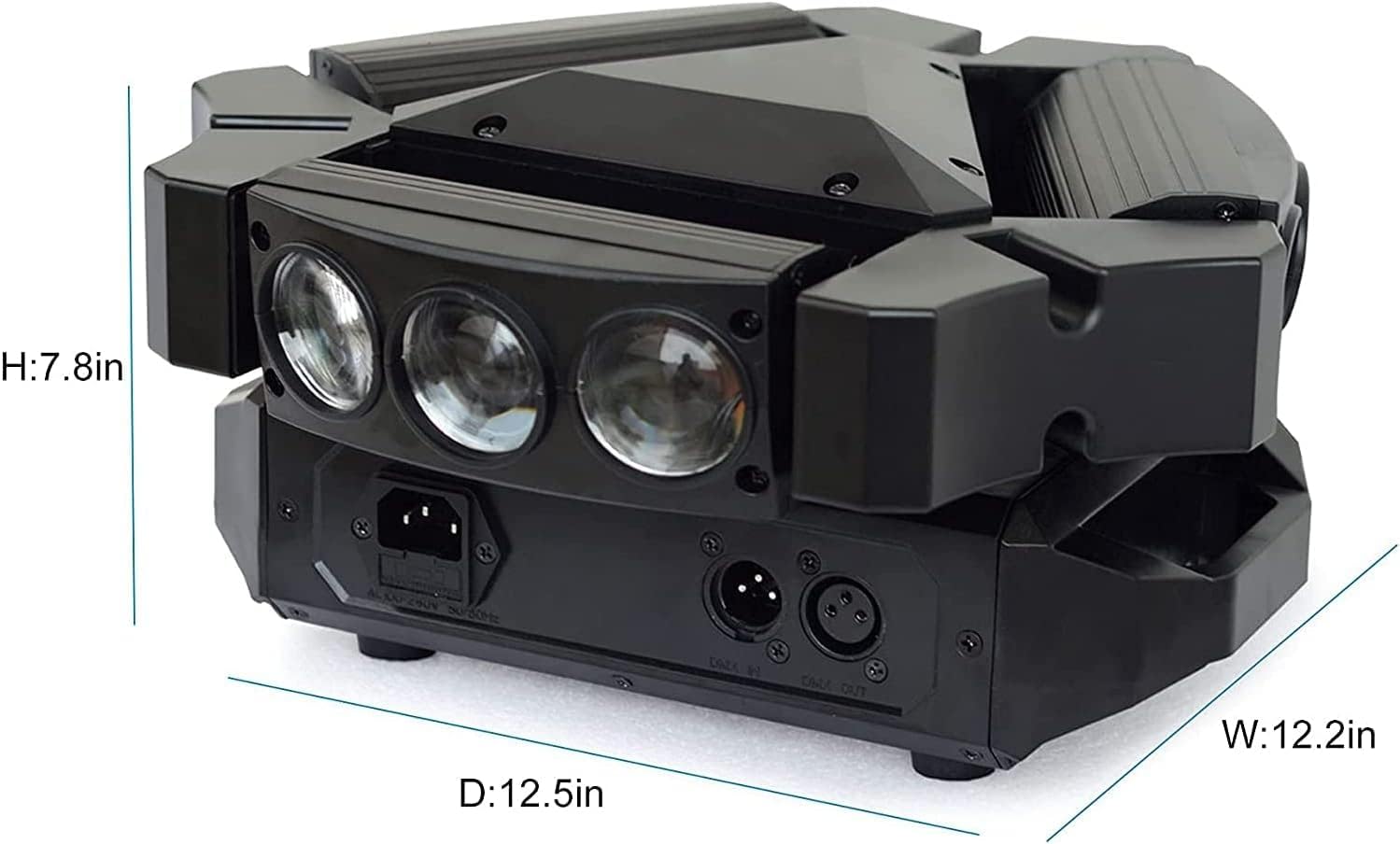
Figure 4.2: Detailed dimensions of the BETOPPER LM0910N LED Spider Moving Head Light.
5. Тохиргоо
The LM0910N can be installed in various positions:
- өлгөгдсөн: Use the provided mounting bracket to securely attach the light to a truss or ceiling. Ensure all clamps and safety cables are properly secured.
- Хананд суурилуулах: The bracket can also be used to mount the light on a wall. Ensure the wall material can support the weight of the fixture.
- Шалны байршил: The unit can be placed directly on a flat, stable surface. Ensure it is not easily knocked over.
After mounting, connect the power cable to a suitable power outlet. For DMX control, connect DMX cables from your DMX controller to the DMX IN port, and from DMX OUT to the next fixture in the chain (if applicable).
6. Үйлдлийн горимууд
The LM0910N offers four primary control modes:
- Автомат горим: The light operates through integrated pre-programmed sequences, changing effects automatically.
- Дуу идэвхжүүлсэн горим: The light reacts to sound frequencies from music, creating dynamic effects synchronized with the audio.
- DMX512 горим: Allows professional control over all functions of the light using a DMX console. This mode offers precise control over color, movement, strobe, and dimming.
- Мастер-Боолын горим: Connect multiple LM0910N units. Designate one unit as the master, and the others will follow its programming, moving and changing effects synchronously.

Figure 6.1: The light projecting green beams, demonstrating its dynamic capabilities.
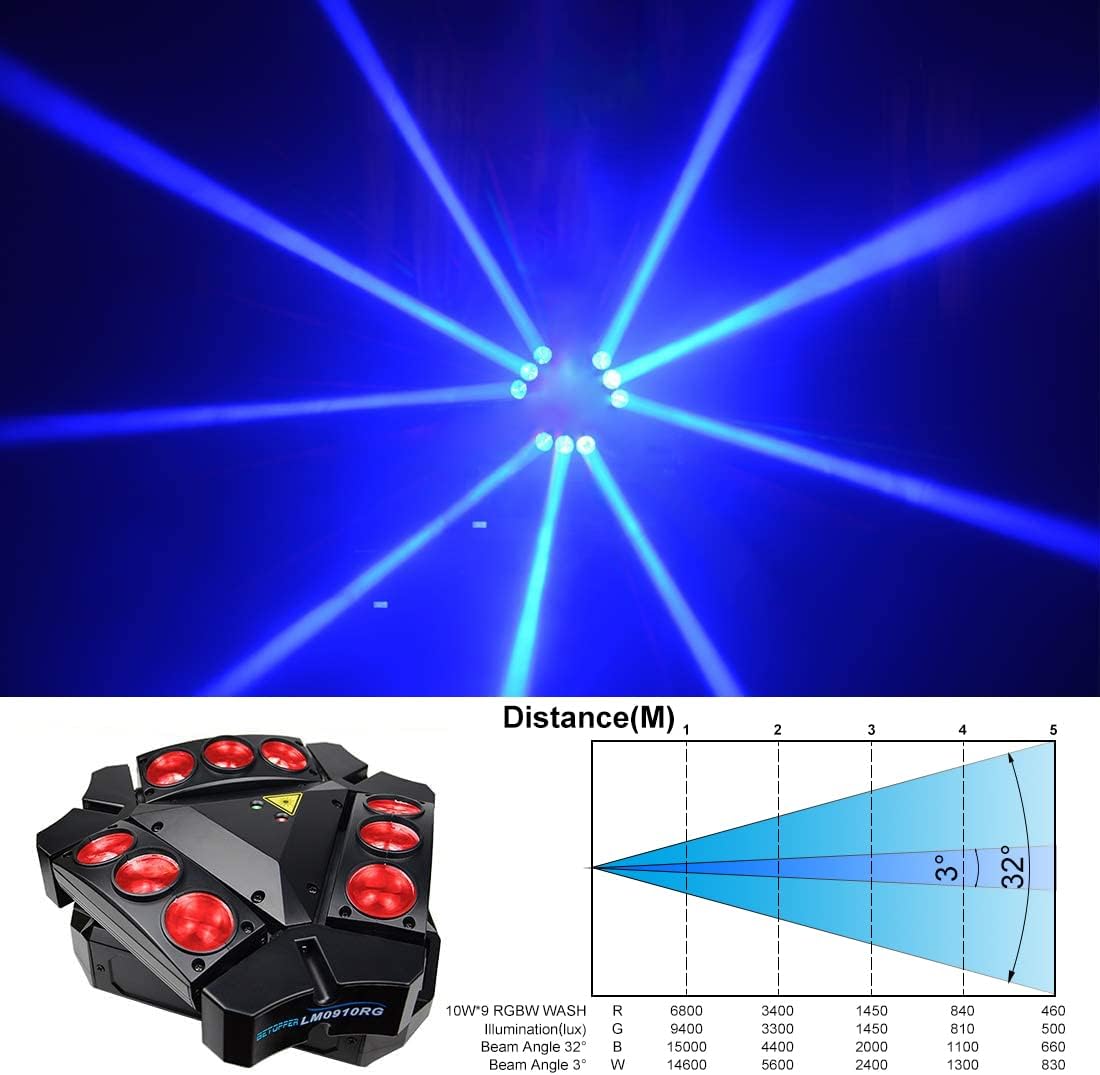
Figure 6.2: The light projecting blue beams, showcasing color options.

Figure 6.3: The light projecting various colored beams simultaneously.
7. DMX Channel Modes
The LM0910N supports two DMX channel modes for varying levels of control:
- 9 сувгийн горим: Provides basic control over essential functions.
- 11 сувгийн горим: Offers extended control, allowing for more intricate programming and effects.
Refer to the DMX chart in the separate DMX protocol document (if provided) for detailed channel assignments and values.
8. Техникийн үзүүлэлтүүд
| Онцлог | Тодорхойлолт |
|---|---|
| Гэрлийн эх үүсвэр | 9 х 10 Вт RGBW LED |
| Нэрлэсэн хүч | 35 Вт |
| Оролтын хэмжээtage | AC 100–240V; 50–60Hz |
| DMX сувгийн горимууд | 9/11 суваг |
| Хяналтын горимууд | Auto, Sound Activated, DMX512, Master-Slave |
| X-Axis Scan Angle | Хязгааргүй эргэлт |
| Y-Axis Scan Angle | 90° |
| Бүдгэрэх | 0-100% Шугаман бүдэгрүүлэх |
| Амьдрах хугацаа | 5000 ~ 10000 цаг |
| Бүтээгдэхүүний хэмжээс | 17.5 x 14.6 x 28.6 см (6.9 x 5.7 x 11.3 инч) |
| Бүтээгдэхүүний жин | 3.5 кг (7.7 фунт) |
| Ажлын орчин | Indoor 10–40 °C (50–105 °F) |
| Материал | Хуванцар |
| Гэрчилгээ | CE, RoHS, FCC |
9. Засвар үйлчилгээ
Regular maintenance ensures optimal performance and extends the lifespan of your light:
- Цэвэрлэгээ: Periodically clean the lenses and exterior housing with a soft, lint-free cloth. Do not use abrasive cleaners or solvents.
- Шалгалт: Regularly check power cables, DMX cables, and mounting hardware for any signs of wear, damage, or loose connections.
- Агааржуулалт: Хэт халалтаас урьдчилан сэргийлэхийн тулд агааржуулалтын нүхийг тоос шороо, хог хаягдлаас цэвэрлэ.
10. Алдаа засах
Хэрэв танд асуудал тулгарвал дараах нийтлэг асуудал, шийдлүүдийг үзнэ үү.
- Эрчим хүчгүй:
- Цахилгааны кабель нь төхөөрөмж болон цахилгааны залгуурт найдвартай холбогдсон эсэхийг шалгана уу.
- Цахилгааны залгуур ажиллаж байгаа эсэхийг шалгана уу.
- Check the fuse (if accessible and replaceable).
- Гэрлийн гаралт байхгүй:
- Төхөөрөмж нь тэжээл авч байгаа эсэхийг шалгаарай.
- In DMX mode, check DMX signal and channel settings. Ensure the dimmer channel is not set to 0.
- In Auto or Sound mode, ensure the mode is correctly selected.
- No Movement/Incorrect Movement:
- In DMX mode, verify DMX signal and pan/tilt channel settings.
- Ensure the unit is not physically obstructed.
- Recalibrate the unit by power cycling it.
- DMX хяналтын асуудлууд:
- Check DMX cable connections and ensure they are 3-pin XLR (or 5-pin if applicable).
- Verify the DMX address of the fixture matches the address set on your controller.
- Ensure the DMX controller is sending a valid signal.
- Өөр DMX кабелийг туршаад үзээрэй.
Хэрэв эдгээр шийдлүүдийг туршиж үзсэний дараа асуудал арилахгүй бол хэрэглэгчийн дэмжлэгтэй холбогдоно уу.
11. Баталгаат хугацаа ба дэмжлэг
BETOPPER products are manufactured to high-quality standards. For warranty information, please refer to the warranty card included with your purchase or contact BETOPPER customer support directly. For technical assistance or service inquiries, please visit the official BETOPPER webсайт эсвэл харилцагчийн үйлчилгээний хэлтэстэй холбогдоно уу.