
1. Бүтээгдэхүүн дууссанview
The TP-Link ER707-M2 is an Omada Multi-Gigabit VPN Router designed for high-performance networking environments. It features dual 2.5 Gigabit WAN ports, a Gigabit SFP WAN/LAN port, and multiple Gigabit RJ45 WAN/LAN ports, providing flexible connectivity and high-bandwidth aggregation. This router integrates seamlessly with the Omada SDN Controller for centralized management and offers robust security features including an SPI Firewall and various VPN protocols.
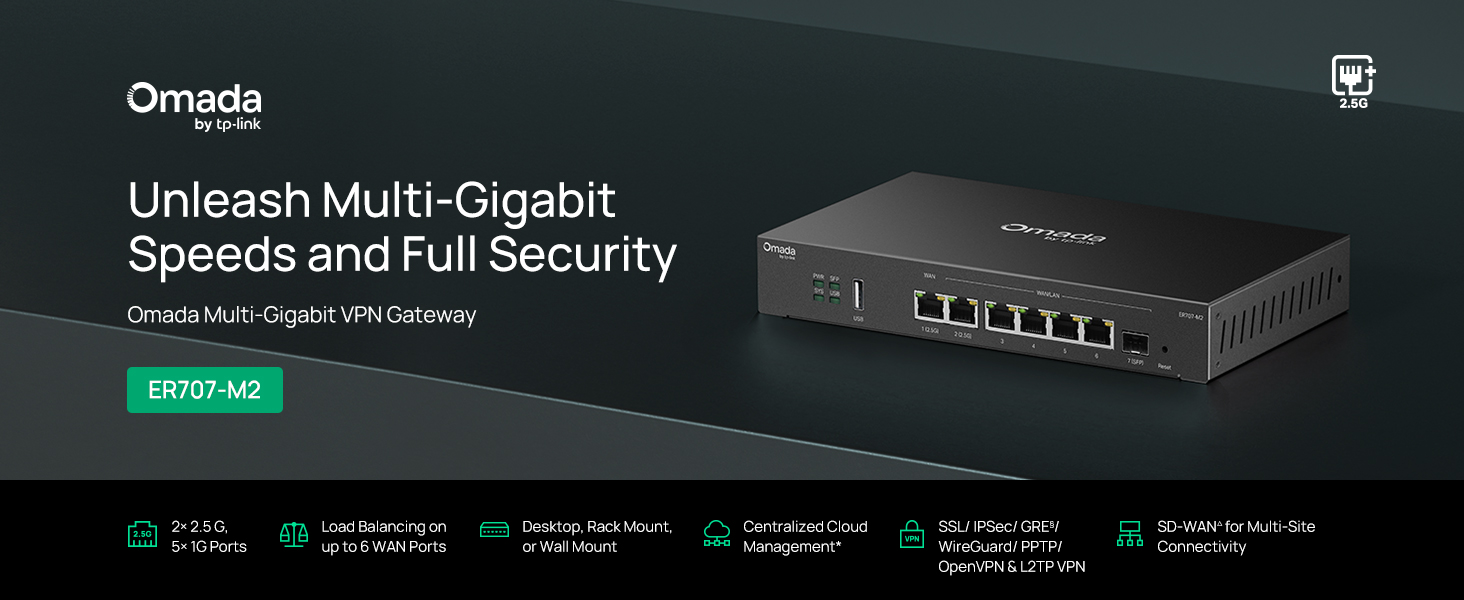
Зураг 1: Урд view of the ER707-M2 router, highlighting its ports and indicators.
Гол онцлогууд:
- Уян портын тохиргоо: Includes 1x 2.5Gigabit WAN Port, 1x 2.5Gigabit WAN/LAN Port, 4x Gigabit WAN/LAN Ports, 1x Gigabit SFP WAN/LAN Port, and 1x USB 2.0 Port.
- High-Performance Network Capacity: Supports up to 500,000 concurrent sessions and over 1000 clients.
- Үүлэн хандалт: Centralized cloud management via Omada app and web интерфейс.
- Highly Secure VPN: Supports up to 100 LAN-to-LAN IPsec, 66 OpenVPN, 60 L2TP, and 60 PPTP VPN connections.
- Дэвшилтэт аюулгүй байдал: Features SPI Firewall, Policy-based Firewall, Static Routing, Policy Routing, Multi-net DHCP, Guest Portal, and VLAN support.
- Load Balance & Link Backup: Optimizes multi-line broadband efficiency and reliability.
- USB 2.0 порт: Supports USB storage and LTE backup with a compatible LTE dongle.
2. Багцын агуулга
Таны багц дараах зүйлсийг агуулж байгаа эсэхийг шалгана уу.
- TP-Link ER707-M2 Omada Multi-Gigabit VPN Router
- Эрчим хүчний адаптер
- Шуурхай суулгах гарын авлага
If any item is missing or damaged, please contact your reseller or TP-Link support.
3. Тохиргоо
3.1 Техник хангамж суурилуулах
- Эрчим хүчний холболт: Connect the provided power adapter to the router's power input and then to a power outlet.
- WAN холболт: Connect your modem or internet service provider's device to one of the WAN ports (e.g., WAN1 2.5G or WAN/LAN2 2.5G) using an Ethernet cable. For fiber connections, use the SFP port with a compatible SFP module.
- LAN холболт: Connect your local network devices (e.g., computers, switches, Omada Access Points) to the LAN ports (WAN/LAN2-6) using Ethernet cables.
- USB төхөөрөмж (заавал биш): If using a USB storage device or an LTE dongle for backup, insert it into the USB 2.0 port.
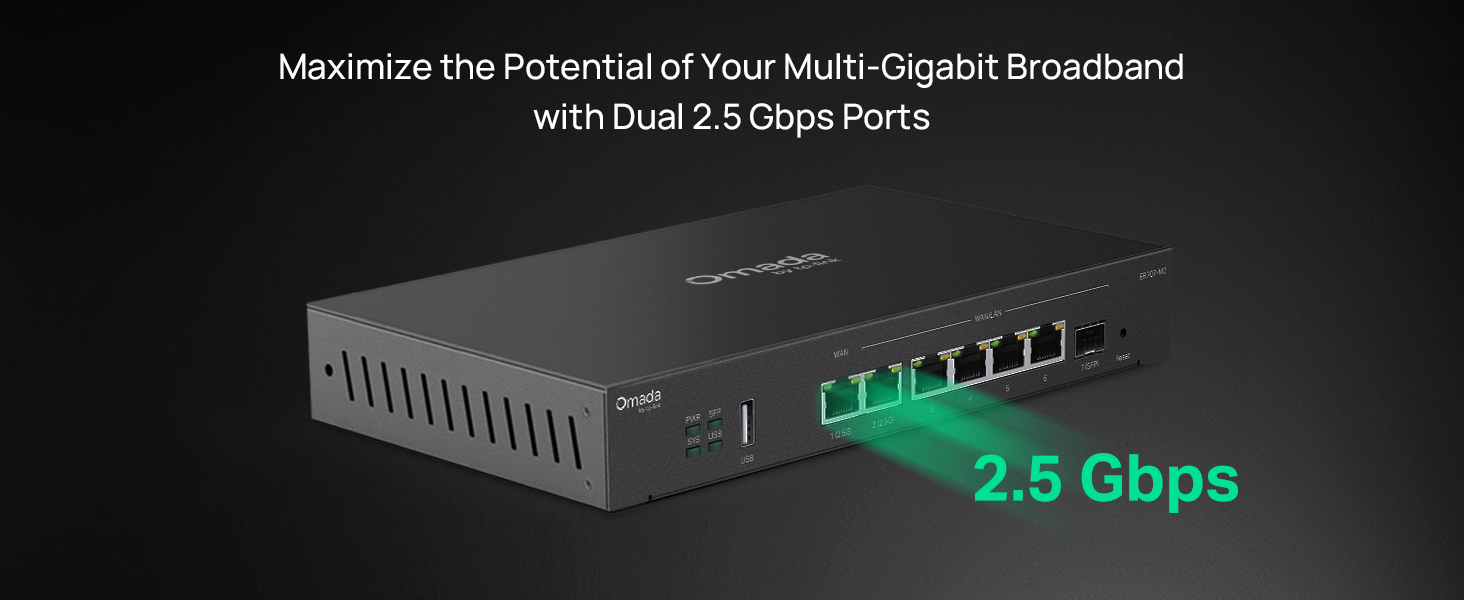
Figure 2: Illustration of the router's 2.5 Gbps ports for high-speed connectivity.
3.2 Анхны тохиргоо
The ER707-M2 can be managed via the Omada SDN Controller or through its local web интерфейс.
- Чиглүүлэгчтэй холбогдоно уу: Таны компьютер чиглүүлэгчийн LAN портуудын аль нэгэнд холбогдсон эсэхийг шалгаарай.
- Хандалт Web Интерфэйс: Нээлттэй a web хөтөч болон үндсэн IP хаягаа оруулна уу (ихэвчлэн
192.168.0.1or192.168.1.1) хаягийн мөрөнд. Анхдагч IP хаяг болон нэвтрэх эрхийн мэдээллийг Түргэн суулгах гарын авлагаас үзнэ үү. - Setup Wizard-ийг дагана уу: The first time you log in, a setup wizard will guide you through basic internet connection settings, changing the default password, and configuring Wi-Fi (if applicable).
- Omada SDN Integration (Optional): For centralized management, adopt the router into your Omada SDN Controller. This allows for remote management and unified control of your network devices.
4. Ашиглалтын заавар
4.1 Сүлжээний тохиргоо
The router offers extensive configuration options for your network:
- WAN тохиргоо: Configure WAN ports for different connection types (Dynamic IP, Static IP, PPPoE).
- LAN тохиргоо: Manage IP addresses, DHCP server, and VLANs for your local network segments.
- Олон WAN ачааллын тэнцвэржүүлэлт: Distribute internet traffic across multiple WAN connections to optimize bandwidth and provide redundancy.
- Link Backup: Configure a secondary WAN connection (e.g., via LTE dongle) to automatically take over if the primary connection fails.
4.2 VPN функц
The ER707-M2 supports various VPN protocols for secure remote access and site-to-site connectivity.
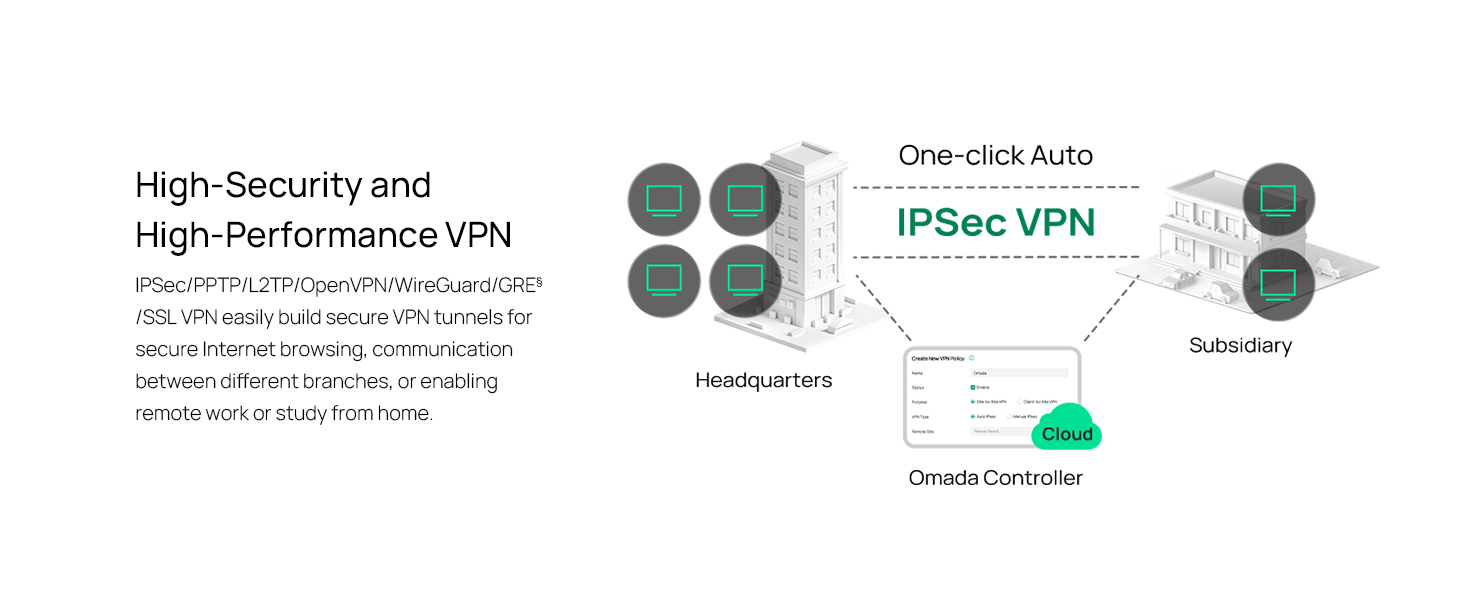
Figure 3: Visual representation of a secure VPN tunnel setup.
- IPsec VPN: Establish secure tunnels between networks (e.g., office to branch office).
- OpenVPN/SSL VPN: Provide secure remote access for individual users.
- PPTP/L2TP VPN: Legacy VPN protocols for various client connections.
4.3 Аюулгүй байдлын онцлог
The router includes advanced security measures to protect your network:
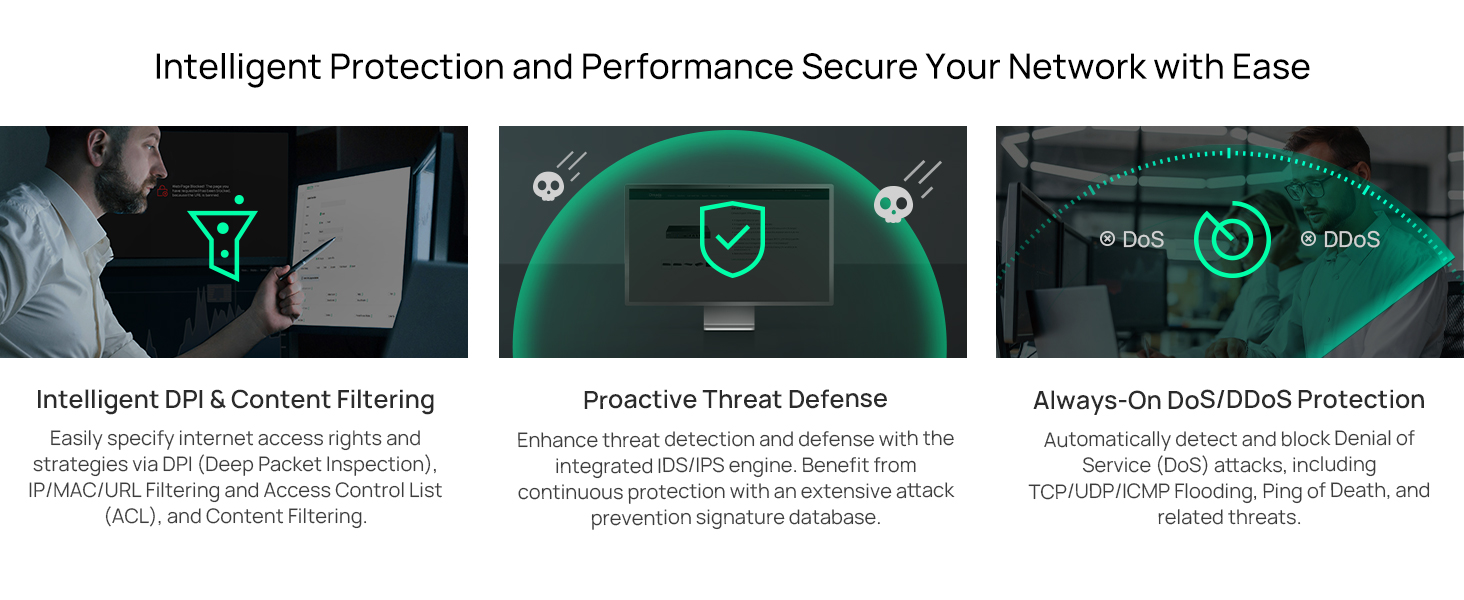
Зураг 4: Илүүview of intelligent protection and performance features.
- SPI галт хана: Stateful Packet Inspection firewall for network protection.
- Policy-based Firewall: Define rules to control network traffic based on specific criteria.
- DoS/DDoS Protection: Defend against Denial of Service and Distributed Denial of Service attacks.
- Хандалтын хяналтын жагсаалт (ACL): Manage network access for specific devices or users.
4.4 Omada SDN интеграцчилал
The ER707-M2 is part of the Omada Software-Defined Networking (SDN) solution, allowing for centralized management of your entire network.

Figure 5: How the ER707-M2 integrates into an Omada SDN network.
- Төвлөрсөн удирдлага: Manage the router, access points, and switches from a single interface via the Omada Controller (hardware or software).
- Алсын хандалт: Access and manage your network from anywhere using the Omada app or cloud portal.
- Seamless Scalability: Easily expand your network by adding more Omada devices.
5. Засвар үйлчилгээ
To ensure optimal performance and security of your ER707-M2 router, regular maintenance is recommended:
- Програм хангамжийн шинэчлэлтүүд: TP-Link албан тушаалтныг үе үе шалгаж байгаарай website for the latest firmware versions. Updating firmware can improve performance, add new features, and fix security vulnerabilities.
- Тохиргооны нөөцлөлт: Regularly back up your router's configuration settings. This allows for quick restoration in case of accidental changes or system issues.
- Биеийн үзлэг: Ensure the router is placed in a well-ventilated area, free from dust and obstructions. Check cable connections for secure fit.
- Аюулгүй байдлын Review: Үе үе дахинview your firewall rules, VPN settings, and access control lists to ensure they meet your current security requirements.
6. Алдаа засах
If you encounter issues with your ER707-M2 router, consider the following troubleshooting steps:
- Интернет холболт байхгүй:
- Бүх холболтын кабелийг (WAN, LAN, Power) шалгана уу.
- Verify your modem or ISP device is working correctly.
- Confirm WAN settings in the router's web интерфэйс зөв байна.
- Restart the modem, then the router, and then your connected devices.
- Нэвтрэх боломжгүй Web Удирдлагын хуудас:
- Компьютер чинь чиглүүлэгчийн LAN порттой холбогдсон эсэхийг шалгаарай.
- Verify your computer's IP address is in the same subnet as the router (e.g., if router is 192.168.0.1, computer should be 192.168.0.x).
- Хөтөчийнхөө кэшийг цэвэрлэх эсвэл өөр хөтөч ашиглаж үзнэ үү.
- If the issue persists, perform a factory reset (see below).
- Сүлжээний хурд удаан:
- Интернетийн үйлчилгээ үзүүлэгчийнхээ хурдыг шалгана уу.
- Ensure all cables are Cat5e or higher for Gigabit/2.5Gig connections.
- Зурвасын өргөн ихтэй програмууд эсвэл төхөөрөмжүүдийг тодорхойлохын тулд сүлжээний хэрэглээг хянах.
- Verify duplex settings on connected devices and router ports.
- Үйлдвэрийн анхны байдал: If all else fails, you can restore the router to its factory default settings. Locate the Reset button on the router (often a small pinhole button), press and hold it for about 5-10 seconds until the system LED blinks, then release. This will erase all custom configurations.
7. Техникийн үзүүлэлтүүд
| Онцлог | Дэлгэрэнгүй |
|---|---|
| Брэнд | TP-Link |
| Загварын нэр | ER707-M2 |
| Холболтын технологи | Ethernet |
| Портын тоо | 6 (1x 2.5G WAN, 1x 2.5G WAN/LAN, 4x Gigabit WAN/LAN, 1x Gigabit SFP WAN/LAN, 1x USB 2.0) |
| LAN портын зурвасын өргөн | 10/100/1000/2500Mbps |
| Өгөгдөл дамжуулах хурд | Секундэд 2500 мегабит |
| Maximum Upstream Data Transfer Rate | Секундэд 5000 мегабит |
| Аюулгүй байдлын протокол | SSL, IPSec, GRE, SSH, IKEv1/v2, PPTP, L2TP, OpenVPN |
| Хяналтын арга | Апп, Web Интерфэйс |
| Үйлдлийн систем | ZyNOS (TP-Link Omada) |
| Зүйлийн жин | 1.1 кг |
| Хэмжээ (L x W x H) | 12.9"L x 9.5"W x 3.1"H |
8. Баталгаат хугацааны мэдээлэл
The TP-Link ER707-M2 Omada Multi-Gigabit VPN Router is backed by an industry-leading Үйлдвэрлэгчийн 5 жилийн баталгаат хугацаа. Энэхүү баталгаа нь ердийн ашиглалтын үед хийгдсэн материал, хийцийн согогийг хамарна. Баталгаат заргад зориулж худалдан авалтаа нотлох баримтаа үлдээнэ үү.
9. Дэмжлэг
For technical assistance, product information, or warranty inquiries, please contact TP-Link support:
- Утасны дэмжлэг: (866) 225-8139 (Available Monday to Friday, 6am to 6pm PST)
- Бүтээгдэхүүн Webсайт: myproducts.tp-link.com/us
- Имэйл тусламж: support.USA@tp-link.com