
1. Танилцуулга
This manual provides essential information for the installation, operation, and maintenance of the Generic S5517G2NR-LE-EFI Server Motherboard. This motherboard is designed for server applications, specifically compatible with systems such as the Xerox C60, C70, Fiery E200-05, and TYAN S5517. Please read this manual thoroughly before proceeding with installation or operation to ensure proper functionality and system stability.
2. Бүтээгдэхүүн дууссанview
The S5517G2NR-LE-EFI is a robust server motherboard engineered for reliable performance in demanding environments. It features an integrated graphics card interface, two memory slots, and supports the SATA 3 system bus standard. The board is designed to accommodate specific server processors and components, providing a stable foundation for your server infrastructure.

Зураг 2.1: Дээрээс доош view of the Generic S5517G2NR-LE-EFI Server Motherboard. This image provides a general layout of the motherboard, showing the placement of major components such as the CPU socket, memory slots, and various expansion slots.
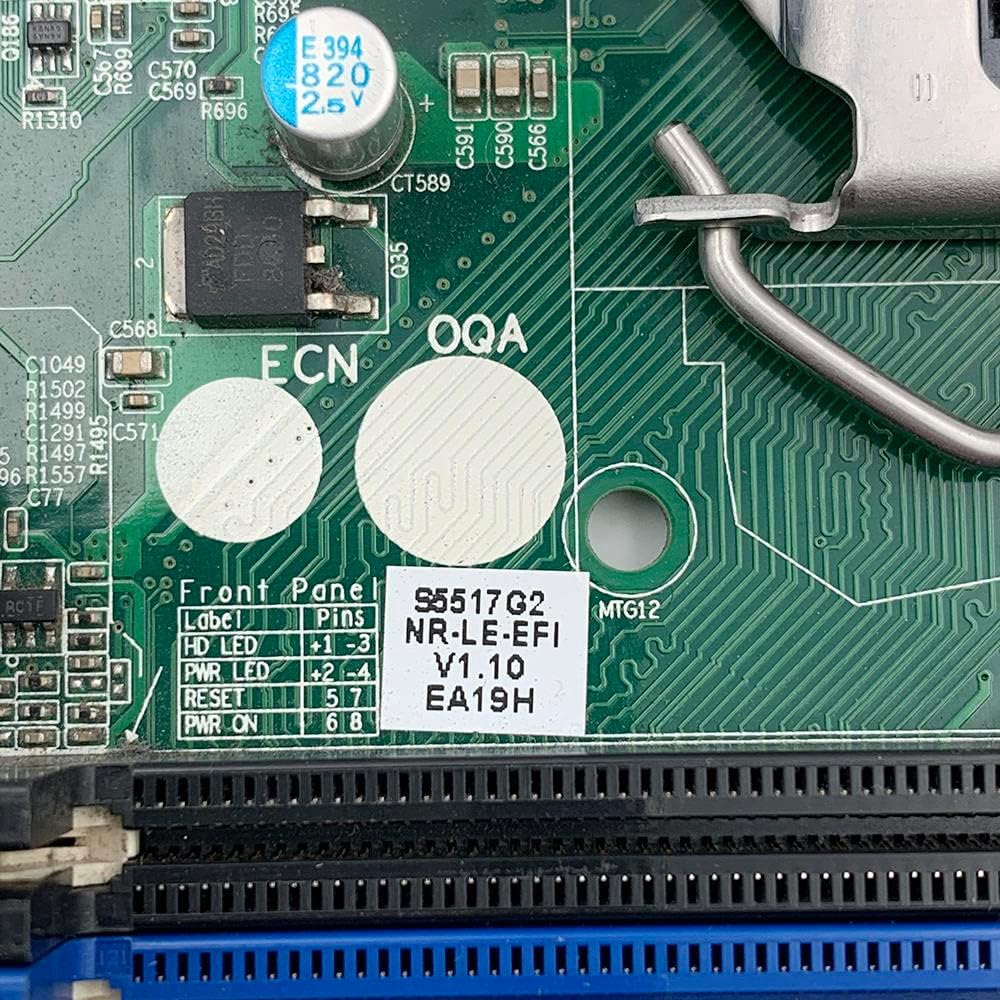
Зураг 2.2: Нарийвчилсан view of the label indicating the model number S5517G2NR-LE-EFI, version V1.10, and other identification codes. This label is essential for verifying the specific motherboard model.
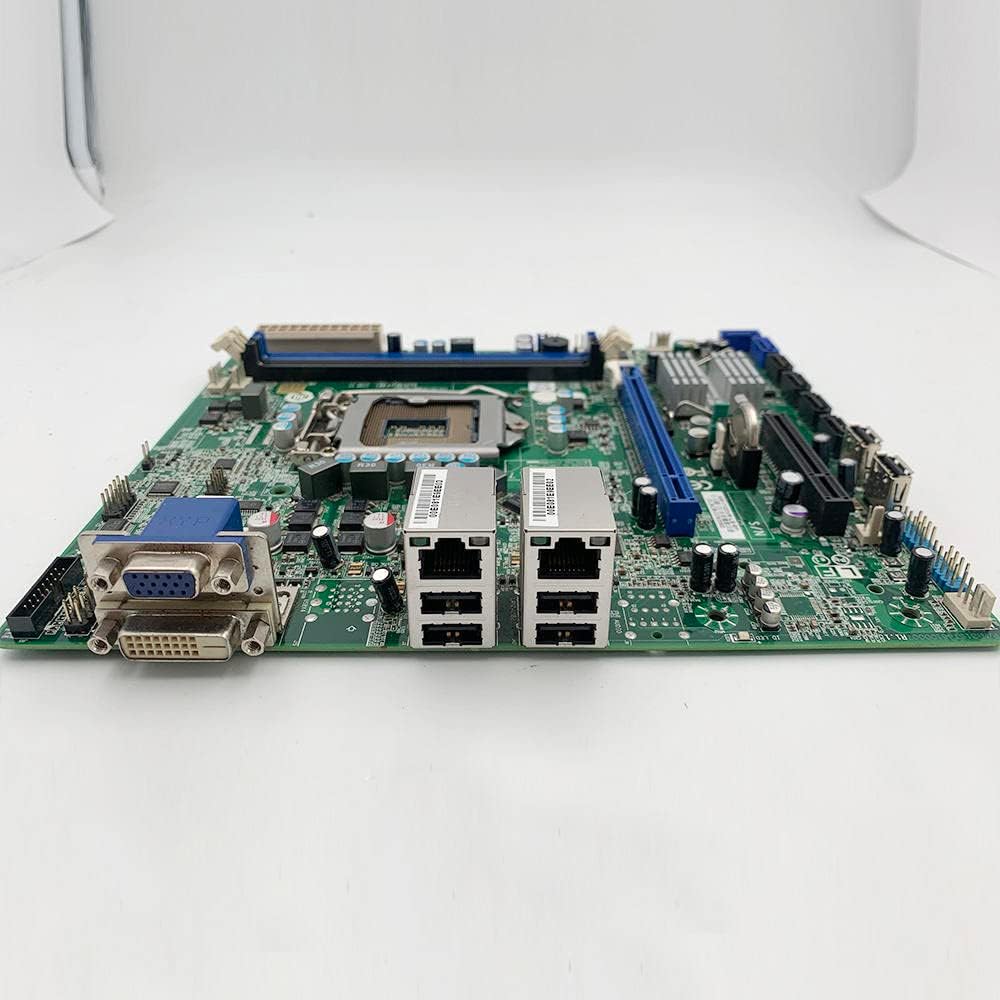
Figure 2.3: This side view illustrates the motherboard's input/output (I/O) panel, featuring VGA and DVI video outputs, dual Ethernet (LAN) ports, and USB ports. These ports are used for connecting peripherals and network cables.
3. Техникийн үзүүлэлтүүд
The following table outlines the key technical specifications for the S5517G2NR-LE-EFI Server Motherboard:
| Онцлог | Тодорхойлолт |
|---|---|
| Брэнд | Ерөнхий |
| Загварын дугаар | S5517G2NR-LE-EFI |
| Үйлдвэрлэгч | Ерөнхий |
| Чипсетийн төрөл | AMD |
| Үндсэн цахилгаан холбогч төрөл | 24 зүү |
| График картын интерфейс | Нэгдсэн |
| Санах ойн үүрүүд боломжтой | 2 |
| Системийн автобусны стандартыг дэмжинэ | SATA 3 |
| ASIN | B0C3BGSC3H |

Зураг 3.1: Ойрын зураг view of a label confirming the S5517 design and FCC compliance, surrounded by various electronic components. This indicates the board's design origin and regulatory adherence.
4. Тохиргоо ба суурилуулалт
Proper installation is crucial for the stability and performance of your server system. Always ensure you are working in an anti-static environment and handle the motherboard by its edges to prevent damage from electrostatic discharge.
4.1 Суулгахаас өмнөх шалгах хуудас
- Ensure compatibility of all components (CPU, RAM, power supply, chassis).
- Шаардлагатай багаж хэрэгслийг цуглуул: Филлипс толгойтой халив, антистатик бугуйн оосор.
- Read the manuals for your CPU, RAM, and chassis for specific installation instructions.
4.2 Эх хавтанг суурилуулах алхамууд
- Явах эд ангиудыг бэлтгэх: Install standoffs in your server chassis according to the motherboard's mounting holes.
- CPU суулгах: Carefully open the CPU socket lever. Align the CPU with the socket (match the golden triangle/notch) and gently place it into the socket. Close the lever to secure the CPU.
- CPU хөргөгчийг суулгах: Follow the cooler manufacturer's instructions to install the CPU heatsink and fan assembly. Ensure proper thermal paste application.
- RAM суулгах: Open the clips on the memory slots. Align the RAM modules with the slots (notch alignment) and press firmly until the clips snap into place. Refer to your system's manual for proper dual-channel configuration if applicable.
- Эх хавтанг суурилуулах: Carefully place the motherboard into the chassis, aligning the mounting holes with the standoffs. Secure the motherboard with screws.
- Эрчим хүчийг холбох: Connect the 24-pin main power connector from your power supply to the motherboard. Connect the CPU power connector (typically 4-pin or 8-pin) as well.
- Хадгалах төхөөрөмжүүдийг холбох: Connect SATA data cables from your storage drives (HDDs/SSDs) to the SATA 3 ports on the motherboard. Connect power cables from the power supply to the drives.
- Урд самбарын кабелийг холбох: Connect the power switch, reset switch, HDD LED, and power LED cables from the chassis front panel to the corresponding pins on the motherboard. Refer to the motherboard's silkscreen labels for correct orientation.
- Өргөтгөх картуудыг суулгах: Insert any necessary expansion cards (e.g., additional network cards) into the appropriate PCIe slots (PCIe X16, PCIe X8). Secure them with screws.

Figure 4.1: This image displays the back of the server motherboard, featuring the central CPU socket, multiple memory DIMM slots, and the intricate circuit board design. This view is crucial for identifying component placement during installation.
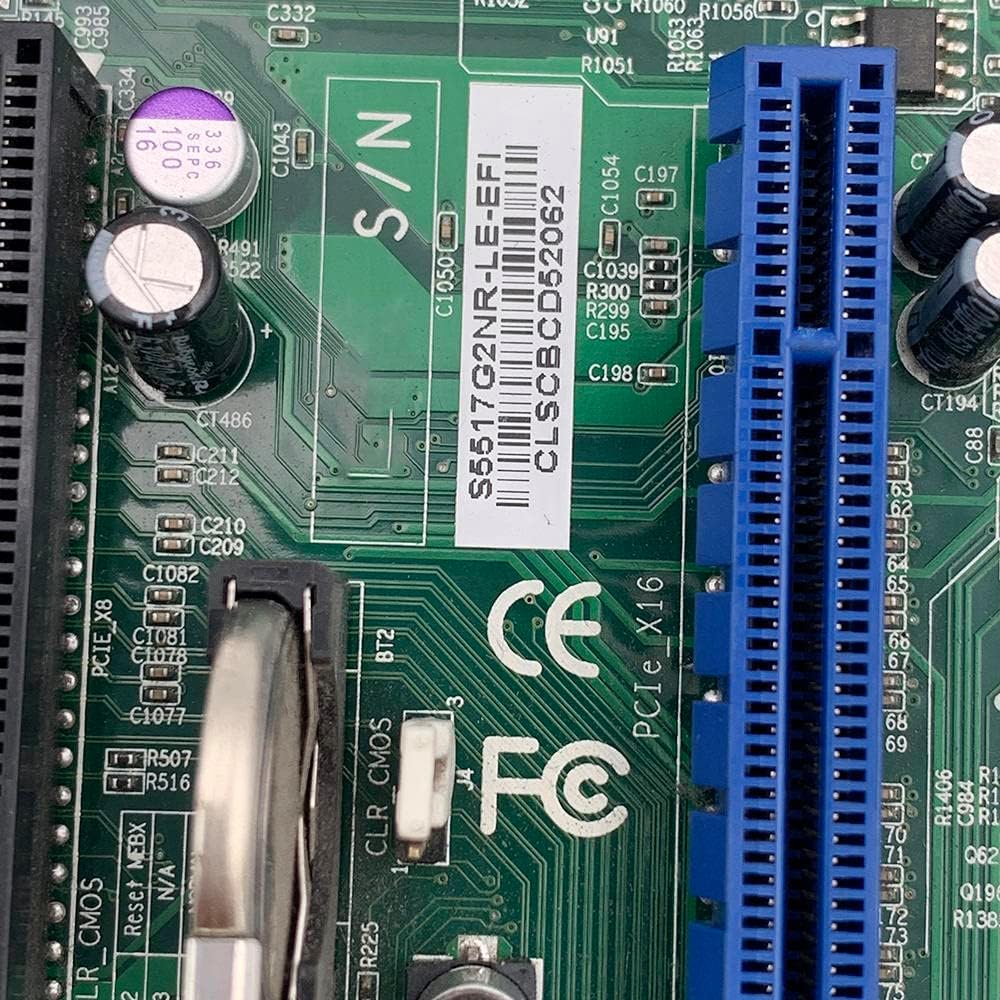
Figure 4.2: This image highlights the PCIe X16 and PCIe X8 expansion slots, along with a serial number barcode. These slots are used for installing expansion cards such as graphics cards or network adapters.
5. Ашиглалтын заавар
Once all components are installed and connected, you can proceed with initial system boot-up.
5.1 Анхны ачаалах ба BIOS/UEFI тохиргоо
- Асаах: Connect the power cord to the power supply and press the power button on your chassis.
- BIOS/UEFI хандалт: Ачаалах эхний дарааллын үед заасан товчлуурыг дахин дахин дарна уу (ихэвчлэн ДЭЛ, F2, F10, эсвэл F12) to enter the BIOS/UEFI setup utility. The exact key may vary; refer to the on-screen prompts.
- Тохиргоог тохируулах: Within the BIOS/UEFI, configure settings such as boot order, date/time, and enable/disable integrated peripherals as required for your server environment. Save changes and exit.
5.2 Үйлдлийн систем суурилуулах
After configuring the BIOS/UEFI, you can proceed with installing your preferred server operating system. Boot from your installation media (USB drive or optical disc) and follow the on-screen instructions for OS installation.
6. Засвар үйлчилгээ
Regular maintenance helps ensure the longevity and stable operation of your server motherboard and system.
- Тоос арилгах: Periodically clean dust from the motherboard, CPU cooler, and chassis fans using compressed air. Ensure the system is powered off and unplugged before cleaning.
- Кабелийн менежмент: Ensure all cables are securely connected and properly routed to maintain good airflow within the chassis.
- Програм хангамжийн шинэчлэлтүүд: Үйлдвэрлэгчийг шалгана уу website for BIOS/UEFI firmware updates. Apply updates only if necessary and follow the provided instructions carefully. Incorrect firmware updates can render the motherboard inoperable.
- Байгаль орчны хяналт: Operate the server in a clean, temperature-controlled environment to prevent overheating and component degradation.
7. Алдаа засах
Энэ хэсэг нь танд тулгарч болох нийтлэг асуудлуудын шийдлүүдийг өгдөг.
7.1 Цахилгаангүй / Ачаалахгүй
- Цахилгааны холболтыг шалгах: Ensure the 24-pin main power connector and the CPU power connector are firmly seated. Verify the power supply is switched on and connected to a working outlet.
- Урд самбарын холболтууд: Double-check the power switch cable connection to the motherboard.
- Хамгийн бага ачаалах: Disconnect all non-essential components (storage drives, expansion cards) and try booting with only the CPU, one RAM stick, and the CPU cooler.
7.2 Дэлгэцийн гаралт байхгүй
- Мониторын холболт: Ensure the monitor is properly connected to the motherboard's integrated graphics output (VGA or DVI) and is powered on.
- RAM суудал: Reseat the RAM modules. Faulty or improperly seated RAM can prevent display output.
- BIOS дахин тохируулах: Try clearing the CMOS (Complementary Metal-Oxide-Semiconductor) by removing the CMOS battery for a few minutes or using the CLR_CMOS jumper if available.
7.3 Системийн тогтворгүй байдал / эвдрэл
- Хэт халалт: Check CPU and system temperatures. Ensure CPU cooler is properly installed and fans are functioning.
- RAM-ийн асуудлууд: RAM модулиудын алдааг шалгахын тулд санах ойн оношлогооны хэрэгслийг ажиллуулна уу.
- Эрчим хүчний хангамж: An insufficient or failing power supply can cause instability.
8. Баталгаат хугацаа ба дэмжлэг
For warranty information and technical support, please refer to the specific terms provided by your retailer or the manufacturer at the time of purchase. Keep your proof of purchase for any warranty claims. This manual does not constitute a warranty statement.