
1. Танилцуулга
This manual provides essential information for setting up, operating, maintaining, and troubleshooting your VIBOX VIII-100 Gaming PC. This high-performance system is designed for gaming, photo editing, and video editing, featuring an Intel Core i9-12900KF processor, Nvidia GeForce RTX 5060 graphics card, 16GB DDR4 RAM, and a 1TB SSD, running on Windows 11 Home.

The VIBOX VIII-100 Gaming PC, highlighting its internal components and vibrant RGB lighting.
2. Тохиргоо
2.1 Сав баглаа боодол, анхны үзлэг
Сав баглаа боодолоос бүх бүрэлдэхүүн хэсгүүдийг болгоомжтой арилгана. Дараах зүйлс байгаа эсэхийг шалгаарай:
- VIBOX VIII-100 PC Tower
- 23 инчийн дэлгэц
- Тоглоомын гар
- Тоглоомын хулгана
- Чихэвч
- LED хулганы дэвсгэр
- USB Wi-Fi 6 AX900 and Bluetooth 5.4 Adapter
- Цахилгаан кабель
- Display Cables (HDMI/DisplayPort)
2.2 Захын төхөөрөмжүүдийг холбох
Connect your monitor, keyboard, mouse, and headset to the appropriate ports on the rear and front of the PC tower. The PC features versatile connectivity options.
- Монитор: Use the HDMI or DisplayPort outputs on the graphics card.
- Гар, хулгана: Connect to any available USB ports (USB 2.0 or USB 3.0).
- Чихэвч: Connect to the audio jacks (headphone and microphone) or a USB port if it's a USB headset.
- Эрчим хүч: Connect the power cable to the PC and a wall outlet.
- Сүлжээ: Connect an Ethernet cable for wired internet or use the provided USB Wi-Fi adapter for wireless connectivity.

Front panel connectivity ports, including USB 3.0, USB 2.0, headphone jack, RGB control, and power.
2.3 Эхний асаалт
Press the power button on the front of the PC tower. The system will boot into Windows 11 Home. Follow the on-screen instructions for initial Windows setup, including language, region, and user account creation.
3. Ашиглалтын заавар
3.1 Windows 11 Нүүр хуудас
Your VIBOX VIII-100 PC comes pre-installed with Windows 11 Home, optimized for gaming. Key features include:
- Шууд хадгалах сан: For faster game loading times.
- Автомат HDR: Enhances visuals for supported games.
- Xbox Game Pass Integration: Seamless access to a library of games.
- Optimized CPU Performance: For a smoother gaming experience.
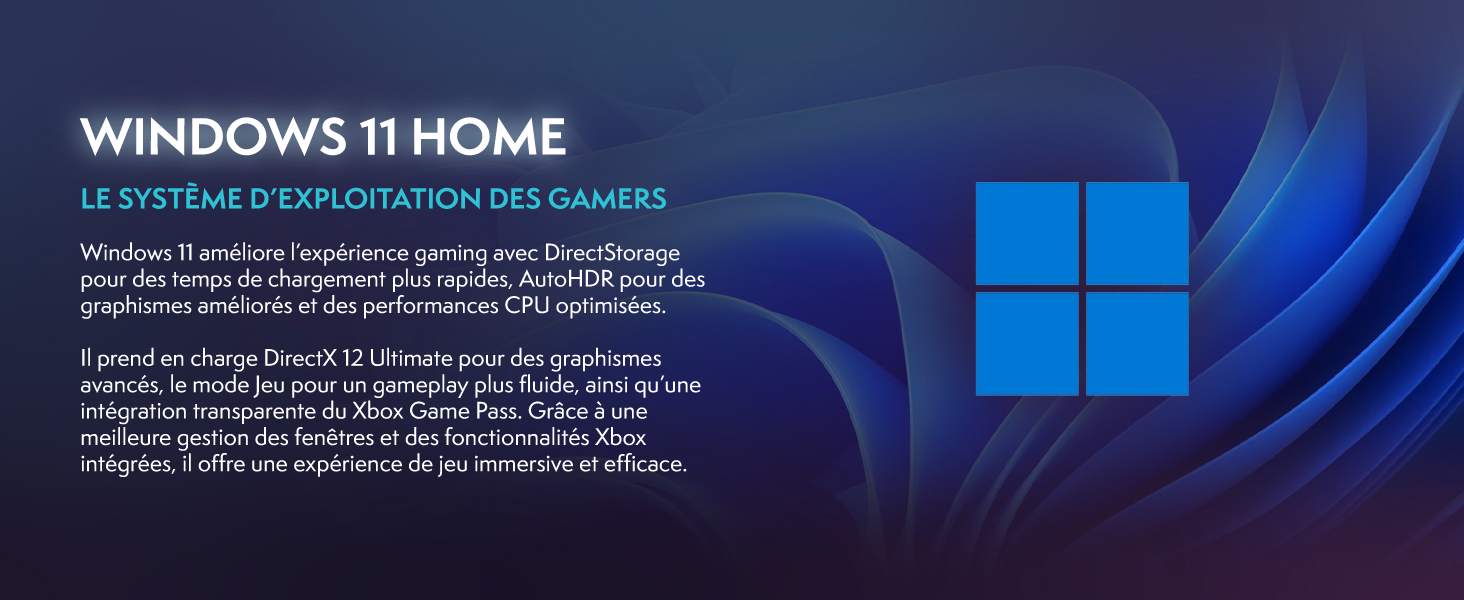
Windows 11 Home, the operating system designed for gamers.
3.2 Тоглоом ба гүйцэтгэл
The Intel Core i9-12900KF processor and Nvidia GeForce RTX 5060 graphics card provide excellent performance for demanding games and applications. The 16GB DDR4 RAM ensures smooth multitasking.
For optimal gaming performance, ensure your graphics drivers are up to date. You can manage RGB lighting effects using the dedicated button on the front panel or through compatible software.
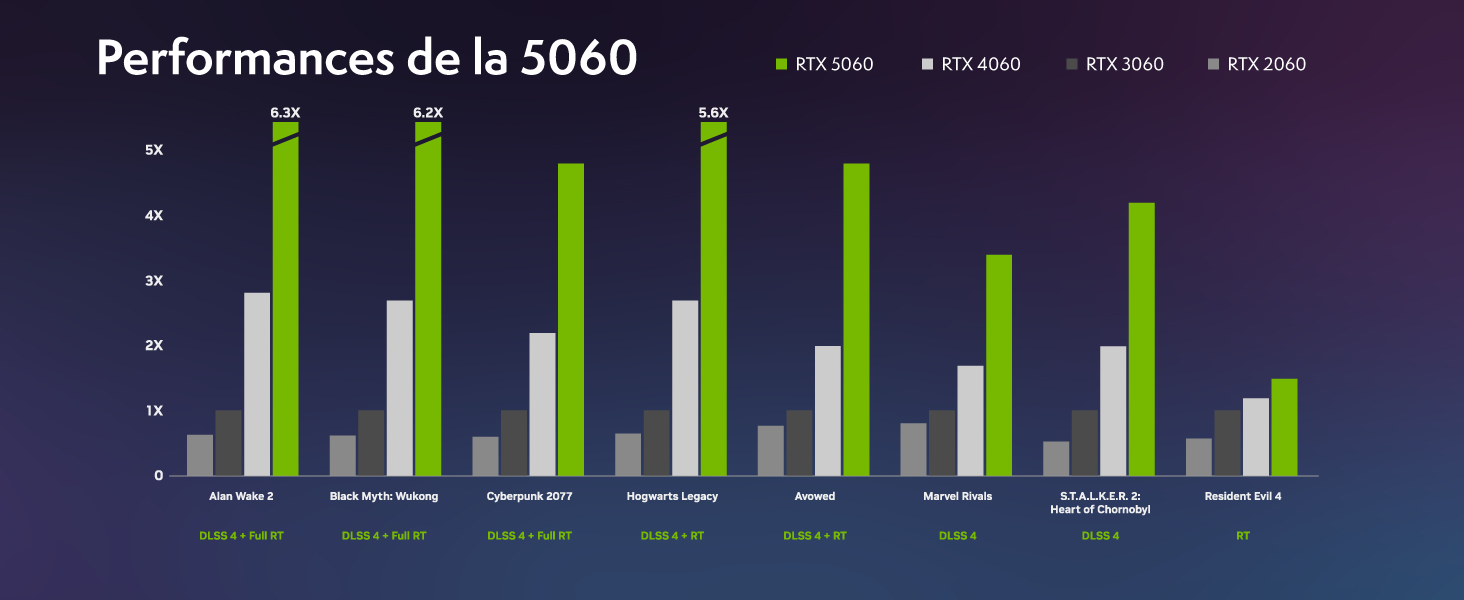
Performance benchmarks for the RTX 5060 in popular games.
4. Засвар үйлчилгээ
4.1 Хөргөх систем
Your VIBOX VIII-100 PC features an advanced cooling system, including a 120mm AIO liquid cooler for the CPU and Hex RGB Infinity 120mm fans for optimal airflow. The mesh design of the ATX gaming case ensures excellent ventilation.
- AIO Liquid Cooler: Provides efficient and quiet CPU cooling.
- Hex RGB Fans: Enhance airflow and allow for customizable aesthetics.
- Торны дизайн: Promotes superior air intake and exhaust.

The VIBOX AIO 120mm liquid cooler ensures stable CPU temperatures.
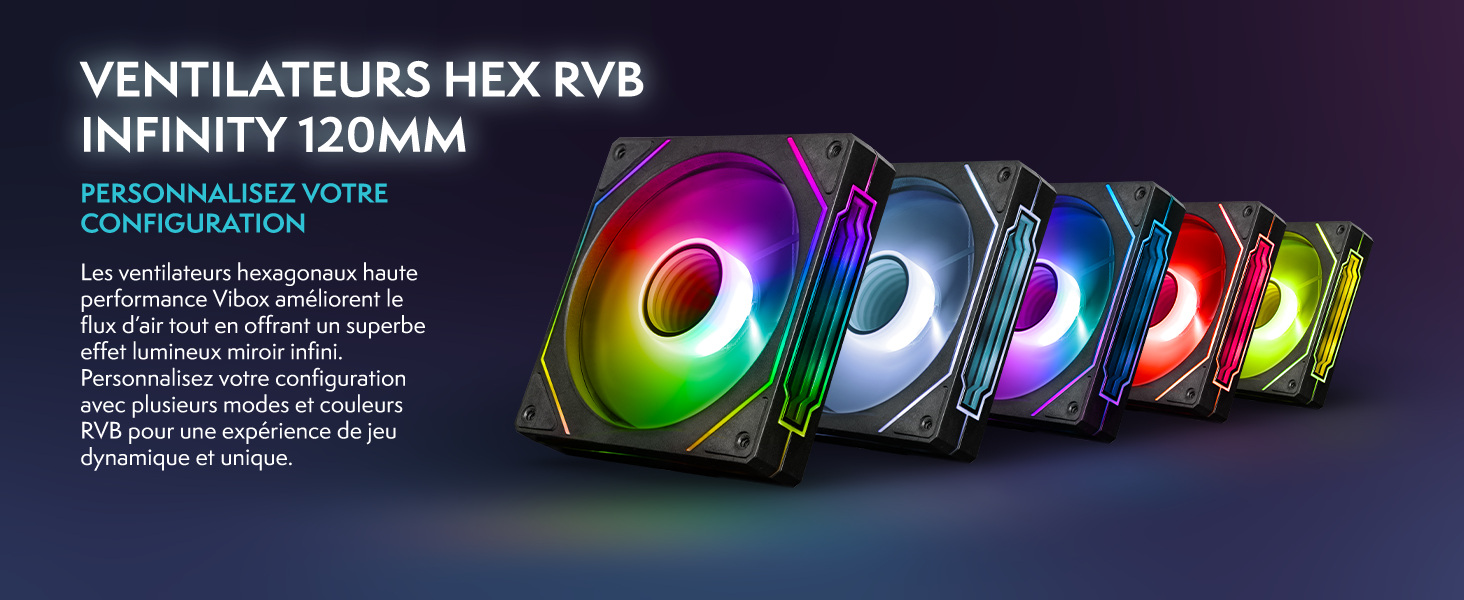
Hex RGB Infinity 120mm fans for personalized aesthetics and improved airflow.
4.2 Цэвэрлэгээ
Regular cleaning helps maintain optimal performance and extends the lifespan of your PC. The VTX-3 case features a magnetic, hinged tempered glass side panel for easy access to components for cleaning and maintenance.
- Гадна: Гадна талын гадаргууг зөөлөн арчиж, damp даавуу. Химийн хүчтэй бодисоос зайлсхий.
- Дотоод засал: Periodically open the side panel and use compressed air to remove dust from fans, heatsinks, and other components. Ensure the PC is powered off and unplugged before cleaning the interior.

The modern ATX gaming case with mesh design and tempered glass side panel for easy access.
4.3 Програм хангамжийн шинэчлэлтүүд
Keep your operating system and drivers updated to ensure stability, security, and optimal performance. Windows Update will handle OS updates, and graphics drivers can be updated via NVIDIA's official website or GeForce Experience software.
5. Алдаа засах
If you encounter issues with your VIBOX VIII-100 PC, consider the following common troubleshooting steps:
- Эрчим хүчгүй: Ensure all power cables are securely connected to the PC and the wall outlet. Check the power switch on the power supply unit (PSU) at the back of the PC.
- Дэлгэц байхгүй: Verify that the monitor is connected to the graphics card's output (HDMI or DisplayPort), not the motherboard's integrated graphics ports. Ensure the monitor is powered on and set to the correct input source.
- Сэнсний чимээ шуугиан: While the cooling system is designed for efficiency, high fan speeds can occur under heavy load. Ensure the PC has adequate ventilation and is not obstructed. If noise is excessive or unusual, check for dust buildup in fans and heatsinks.
- Системийн тогтворгүй байдал/гацалт: Ensure all drivers are up to date. Check for Windows updates. Monitor component temperatures using software utilities.
- Захын асуудлууд: Try connecting the keyboard, mouse, or headset to different USB ports. Ensure drivers for specialized peripherals are installed.
For persistent issues, refer to the official VIBOX support resources or contact customer service.
6. Техникийн үзүүлэлтүүд
Detailed technical specifications for your VIBOX VIII-100 Gaming PC:
| Бүрэлдэхүүн хэсэг | Тодорхойлолт |
|---|---|
| Брэнд | VIBOX |
| Загварын нэр | VIII-100 |
| Үйлдлийн систем | Windows 11 Нүүр хуудас |
| CPU загвар | Intel Core i9-12900KF |
| CPU-ийн хурд | 3.2 GHz (Max 5.2 GHz) |
| CPU цөм | 16 |
| График процессор | Nvidia GeForce RTX 5060 |
| Graphics RAM | 8 ГБ GDDR7 |
| RAM Installed | 16 ГБ DDR4 |
| Хамгийн их RAM дэмждэг | 128 ГБ |
| Хадгалах багтаамж | 1 TB SSD |
| Холболт | Ethernet, HDMI, USB, Wi-Fi 6 AX900, Bluetooth 5.4 |
| Видео гаралтын интерфейс | HDMI, DisplayPort |
| Хөргөх арга | Water Cooling (AIO 120mm) |
| Хэмжээ (L x W x H) | 40 x 21 x 45 см |
| Included Monitor Size | 23 инч |
| Хяналтын нарийвчлал | 1920x1080 пиксел |
| Гарны зохион байгуулалт | AZERTY |

Дууслааview of the VIBOX VIII-100's core components.
7. Баталгаат хугацаа ба дэмжлэг
7.1 Баталгаат хугацааны мэдээлэл
Your VIBOX VIII-100 Gaming PC comes with a 2 жилийн эд ангиудын баталгаа болон lifetime labor warranty. Баталгаат заргад зориулж худалдан авалтаа нотлох баримтаа үлдээнэ үү.
7.2 Хэрэглэгчийн дэмжлэг
For technical assistance, warranty inquiries, or any other support needs, please contact VIBOX customer service. You can also refer to the official user guide PDF for more detailed information.
Албан ёсны хэрэглэгчийн гарын авлага (PDF): Эндээс татаж авна уу