
Танилцуулга
The BACKBONE One Mobile Gaming Controller (PlayStation Edition) USB-C transforms your compatible smartphone into a portable gaming console. Designed for precision and comfort, this 2nd generation controller offers a seamless gaming experience across various platforms. This manual provides essential information for setup, operation, maintenance, and troubleshooting.
Тохиргоо
1. Физик холболт
To connect your smartphone, gently extend the BACKBONE One controller. Align your USB-C compatible Android phone or iPhone 15/16/17 Series device with the USB-C port on the controller and firmly insert it. The controller is designed to securely hold your phone in place. For iPhone 14 and older models, please refer to the Lightning version of the Backbone One controller.

Image: The BACKBONE One controller with a smartphone connected, illustrating the 3.5mm audio jack, USB-C pass-through charging port, console-quality buttons and thumbsticks, and the low-latency wired connection.
2. Installing the Backbone App
For optimal functionality and access to all features, download the official Backbone App from your device's respective app store (App Store for iOS, Google Play Store for Android). The app acts as a universal launcher, aggregating your games and platforms, and providing access to exclusive features.
Video: A user demonstrating the setup process of the Backbone One controller with an iPhone, including connecting the phone and navigating the initial app prompts.
Video: A detailed guide on setting up the Backbone One controller with an iPhone, covering the physical connection and initial software configuration steps.
Хянагчийг ажиллуулах
1. Controls and Layout
The BACKBONE One features console-quality controls, including ultra-wide analog triggers, high-precision clickable thumbsticks, a responsive D-pad, and standard PlayStation-style face buttons (Triangle, Circle, Cross, Square). Dedicated buttons for screenshot and menu access are also integrated.
2. Gaming Platforms
The controller is compatible with a wide range of gaming services and titles:
- Гар утасны тоглоомууд: Play popular titles from the App Store (e.g., Call of Duty, Fortnite, Roblox) and Apple Arcade.
- Cloud Gaming: Stream games through services like Xbox Game Pass and GeForce NOW.
- Зайнаас тоглуулах: Connect via Remote Play to your PlayStation, Xbox, or PC to access your console games from anywhere with a stable internet connection.

Image: A visual representation of the BACKBONE One's broad compatibility, including various remote play options, app store games, and cloud gaming services.

Image: The Backbone App displayed on a smartphone, illustrating its function as a central hub for managing games, connecting with friends, and discovering new titles.
3. Backbone+ Features
A trial membership to Backbone+ is included, unlocking enhanced features such as game recording, a friends list, and a universal launcher. This subscription is optional and not required for basic gameplay.

Image: The Backbone One controller with a smartphone showing the game recording and editing features available through the app.
Видео: Дууслааview of the Backbone One controller, demonstrating its ease of use for mobile gaming and highlighting its features and compatibility.
Засвар үйлчилгээ
To ensure the longevity of your BACKBONE One controller, clean it regularly with a soft, dry cloth. Avoid using harsh chemicals or abrasive materials. Store the controller in a cool, dry place, ideally in a protective case, when not in use.
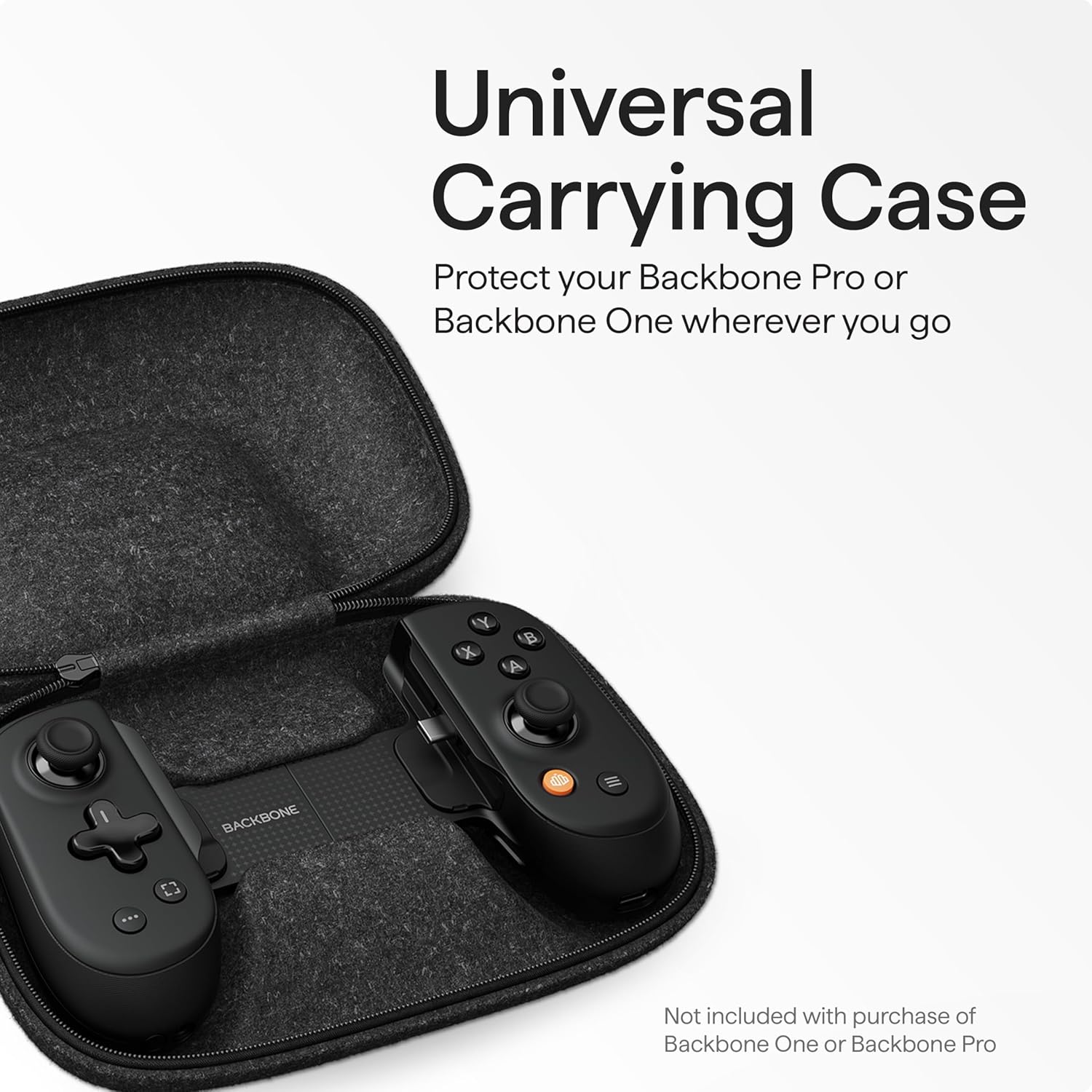
Image: The Backbone One controller shown inside an optional universal carrying case, emphasizing portability and protection.
Алдааг олж засварлах
- Phone Not Connecting: Ensure your smartphone is securely seated in the controller's USB-C port. A firm connection is necessary for the controller to function.
- Аппликейшн хянагчийг танихгүй байна: Verify that the Backbone App is installed and updated to the latest version. Restarting the app or your phone may resolve minor connectivity issues.
- Утас таарахгүй байна: The controller includes magnetic adapters for case support. If your phone with a case does not fit, check if removing these adapters improves the fit.
- Батерейны цэнэг: The controller draws minimal power from your phone. If your phone battery is low, utilize the pass-through charging feature by connecting a USB-C cable to the controller's charging port.
Видео: дахинview discussing the Backbone One Gen 2 controller's compatibility with phone cases and demonstrating how to use the included adapters for a better fit.
Үзүүлэлтүүд
| ASIN | B0CCT2TJW4 |
| Бүтээгдэхүүний хэмжээс | 6.9 x 1.28 x 3.5 инч |
| Зүйлийн жин | 10.9 унц |
| Загварын дугаар | BB-51-P-WS |
| Үйлдвэрлэгч | Нуруу |
| Эхний боломжтой огноо | 25 оны долдугаар сарын 2023 |
Дэмжлэг
For further assistance, technical support, or information regarding optional protection plans, please visit the official BACKBONE website or refer to the Backbone App for in-app support resources. A Backbone+ subscription offers enhanced features and may include additional support benefits.