
1. Танилцуулга
This manual provides instructions for the proper setup, operation, and maintenance of your Tera 3106-2 1D USB Wired Barcode Scanner. Please read this manual thoroughly before using the device to ensure optimal performance and longevity.
2. Бүтээгдэхүүн дууссанview
The Tera 3106-2 is a high-speed, accurate 1D barcode scanner designed for various applications including retail, small businesses, libraries, and warehouses. It features a plug-and-play USB connection and supports multiple customization options.

Зураг 2.1: The Tera 3106-2 scanner is designed to be eye-safe, operating without a visible laser.
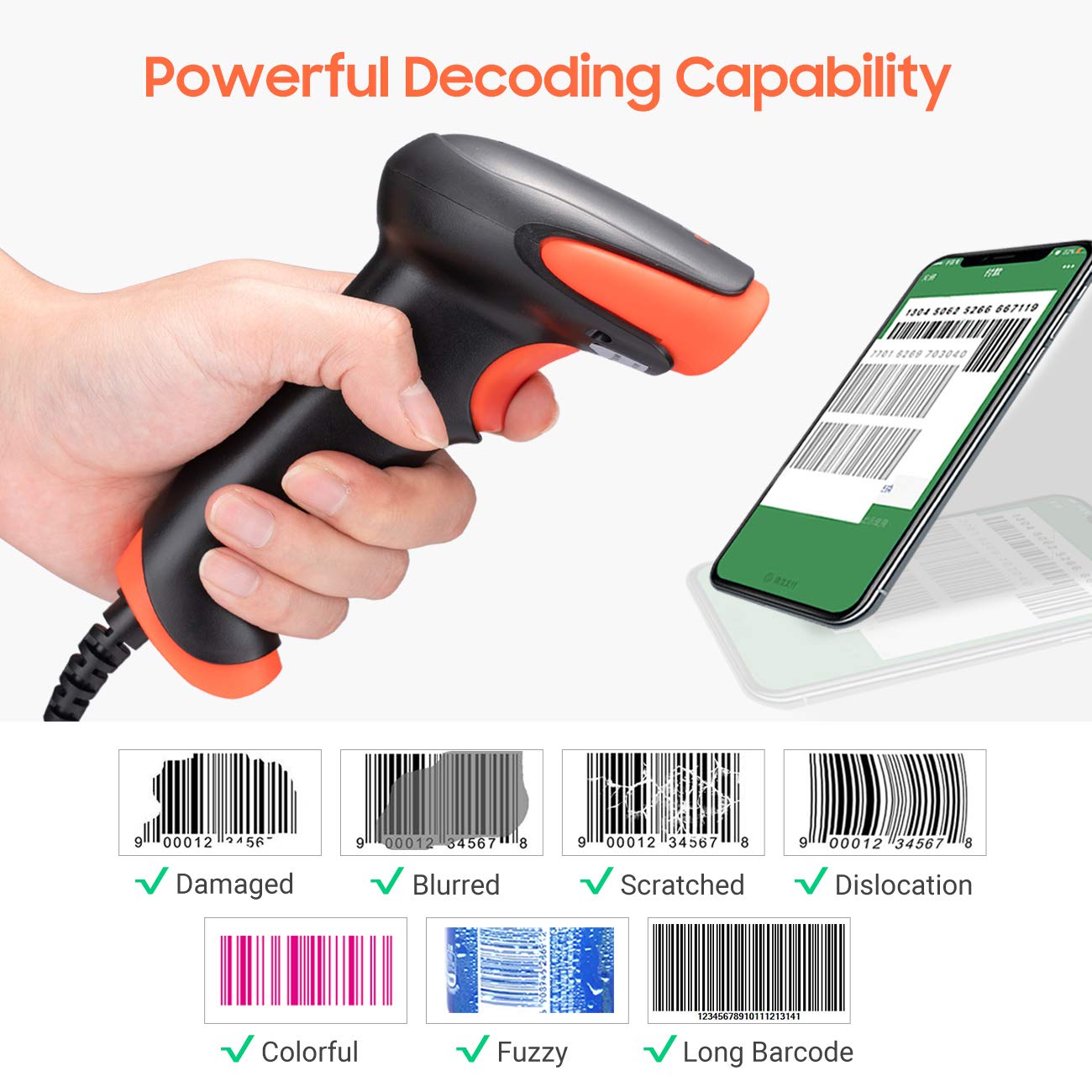
Зураг 2.2: The scanner offers powerful decoding capabilities, accurately reading damaged, blurred, scratched, dislocated, colorful, fuzzy, and long 1D barcodes.
3. Багцын агуулга
- Tera 3106-2 Barcode Scanner x1
- Хэрэглэгчийн гарын авлага x1
4. Тохиргоо
The Tera 3106-2 barcode scanner is designed for simple plug-and-play operation. No additional drivers or software installation is required for most systems.
- USB кабелийг холбоно уу: Plug the USB cable of the scanner into an available USB 2.0 port on your computer (desktop or laptop).
- Системийг таних: Your operating system (Windows, Linux, macOS, iOS, Android) will automatically detect and install the necessary device drivers. This process may take a few moments.
- Ашиглахад бэлэн: Once the system indicates that the device is ready, the scanner can be used with applications such as Word, Excel, Novell, or other common software that accepts keyboard input.

Зураг 4.1: The scanner is compatible with various devices and operating systems, including Windows, Linux, macOS, iOS, and Android.
5. Ашиглалтын заавар
5.1 Үндсэн сканнер
To scan a barcode, aim the scanner's light beam at the center of the barcode. A successful scan will typically be indicated by an audible beep and/or a visual confirmation (e.g., LED indicator). The decoded data will appear in the active input field on your connected device.
5.2 Сканнердах горимууд
The scanner supports two primary scanning modes:
- Гараар скан хийх: Press the trigger button to initiate a scan. This is the default mode.
- Auto Continuous Scanning: The scanner continuously emits a scan beam, automatically reading barcodes presented to it without needing to press the trigger.
To switch between these modes, refer to the configuration barcodes provided in the supplementary user guide or quick start sheet that came with your scanner. Scan the appropriate barcode to change the mode.
6. Тохируулах сонголтууд
The Tera 3106-2 scanner offers various customization settings to adapt to your specific needs. These settings are typically configured by scanning special barcodes found in the included user guide.
- Угтвар/дагавар: Сканнердсан өгөгдлийн өмнө эсвэл дараа өөрчлөн тэмдэгт нэмнэ үү.
- Эзлэхүүн: Adjust the sound level of the scan confirmation beep.
- Терминатор: Configure the character sent after the barcode data (e.g., Carriage Return, Tab).
- Upper/Lower Case: Convert scanned data to all uppercase or all lowercase.
- Гарын хэл: Select the appropriate keyboard layout for your region. Supported languages include English, Spanish, German, French, Italian, Japanese, and more.
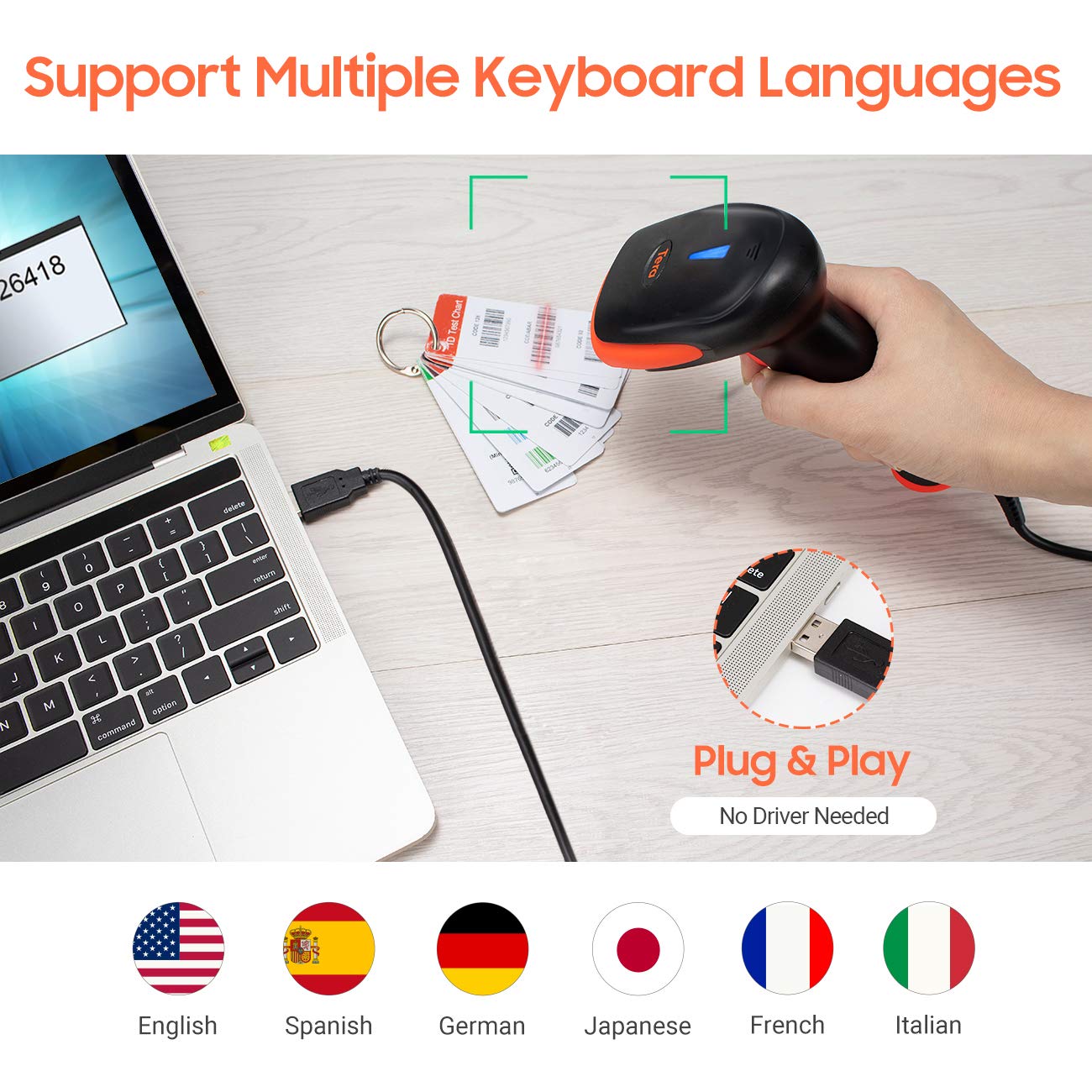
Зураг 6.1: The scanner supports multiple keyboard languages for diverse international use.

Зураг 6.2: Customize barcode output by adding prefixes, suffixes, or hiding specific digits.
7. Supported Barcodes
This scanner is compatible with a wide range of 1D barcode symbologies, including but not limited to:
- UPC&EAN (UPC-A, UPC-E, EAN-8, EAN-13)
- Code 39, CODE32, Code 93, CODE11, Code 128, UCC-EAN128
- ISSN, ISBN
- CODABAR, MSI
- Interleaved 2 of 5, Matrix 2 of 5, Industrial 2 of 5
- Мөн бусад.
The scanner also supports reading 1D barcodes directly from digital screens.
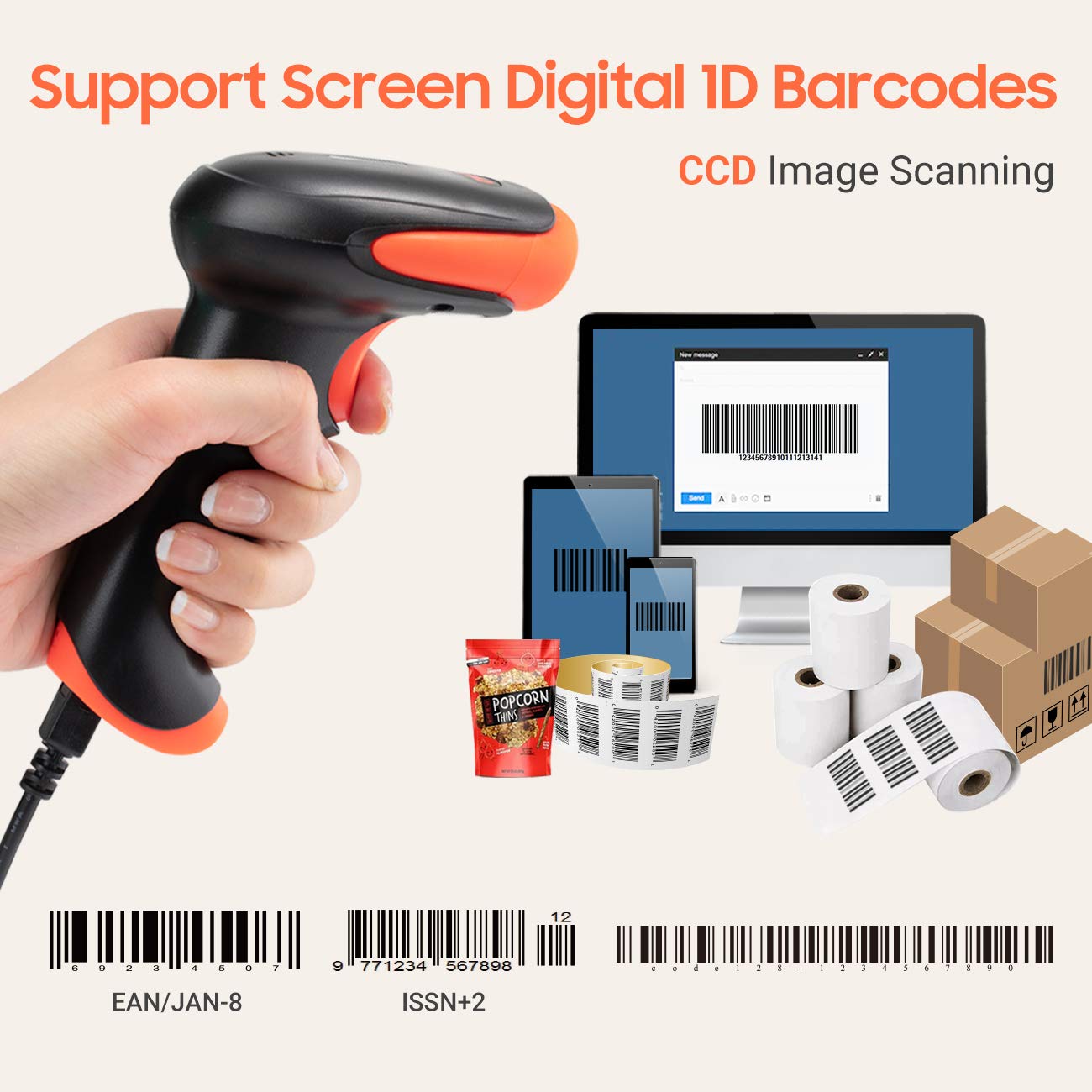
Зураг 7.1: The scanner supports reading 1D barcodes from various sources, including digital screens and printed labels.
8. Засвар үйлчилгээ
- Цэвэрлэгээ: Сканнерын гадна талыг цэвэрлэхийн тулд зөөлөн, хуурай даавуу ашиглаарай. Сканнердах цонхны хувьд зөөлөн, хөвөнгүй даавууг зөөлөн арчина.ampened with water or a mild, non-abrasive cleaner. Avoid harsh chemicals.
- Хадгалах: Сканнерийг нарны шууд тусгал, хэт температураас хол, сэрүүн, хуурай газар хадгална.
- Харьцуулах: Avoid dropping the scanner or subjecting it to strong impacts. Do not attempt to disassemble the device.
9. Алдаа засах
| Асуудал | Боломжит шалтгаан | Шийдэл |
|---|---|---|
| Сканнер асахгүй эсвэл хариу өгөхгүй байна. | USB кабель зөв холбогдоогүй эсвэл USB порт буруу байна. | Ensure the USB cable is securely plugged into both the scanner and the computer. Try a different USB port. |
| Scanner reads barcodes slowly or inaccurately. | Barcode is damaged, blurred, or poorly printed. Insufficient lighting. Scanner window is dirty. | Ensure the barcode is clear and well-lit. Clean the scanner window. Try scanning from a different angle or distance. |
| Scanner does not read barcodes from digital screens. | Screen brightness is too low or glare is present. | Increase screen brightness. Adjust the angle of the scanner to minimize glare. Ensure the barcode is fully displayed on the screen. |
| Scanned data appears incorrectly (e.g., wrong characters, missing digits). | Incorrect keyboard language setting. Prefix/suffix or other data formatting settings are active. | Verify the keyboard language setting matches your computer's keyboard layout. Review and adjust prefix/suffix or other data formatting settings using the configuration barcodes. |
| Сканнер дуугарч байгаа боловч өгөгдөл дамжуулагдахгүй байна. | Аппликешн анхааралдаа аваагүй эсвэл оролтыг хүлээн авахгүй байна. | Ensure the cursor is in the desired input field of your application. Test with a simple text editor like Notepad. |
10. Техникийн үзүүлэлтүүд
| Онцлог | Дэлгэрэнгүй |
|---|---|
| Загвар | 3106-2 |
| Сканнердах төрөл | 1D Laser (Eye Safe) |
| Холболт | USB Wired (USB 2.0) |
| Скан хийх хурд | Up to 300 scans per second |
| Алдааны түвшин | 1 in 5 million scans |
| Тохиромжтой төхөөрөмжүүд | Ширээний компьютер, зөөврийн компьютер |
| Тохиромжтой системүүд | Windows, Linux, macOS, iOS, Android |
| Эрчим хүчний эх үүсвэр | Утастай цахилгаан (USB-ээр) |
| Бүтээгдэхүүний хэмжээ (D x W x H) | 7.9 x 19.3 x 10.4 сантиметр |
| Дэмжигдсэн 1D бар кодууд | UPC&EAN, UPC-A, UPC-E, Code 39, CODE32, Code 93, CODE11, Code 128, UCC-EAN128, EAN-8, EAN-13, ISSN, ISBN, CODABAR, MSI, Interleaved 2 of 5, Matrix 2 of 5, Industrial 2 of 5, etc. |
11. Баталгаат хугацаа ба дэмжлэг
For warranty information, technical support, or service inquiries, please refer to the contact details provided with your purchase documentation or visit the official Tera webсайт. Баталгаат заргад зориулж худалдан авалтаа нотлох баримтаа үлдээнэ үү.