
Танилцуулга
This manual provides detailed instructions for the operation and maintenance of your Cuifati Portable Cassette Player with Auto Reverse. Please read this manual thoroughly before using the device to ensure proper functionality and to maximize your listening experience.
Багцын агуулга
Доор жагсаасан бүх зүйл таны багцад байгаа эсэхийг шалгаарай.
- 1 x Cuifati Portable Cassette Player
- 1 х чихэвч
- 1 x USB цахилгааны утас
- 1 х хэрэглэгчийн гарын авлага
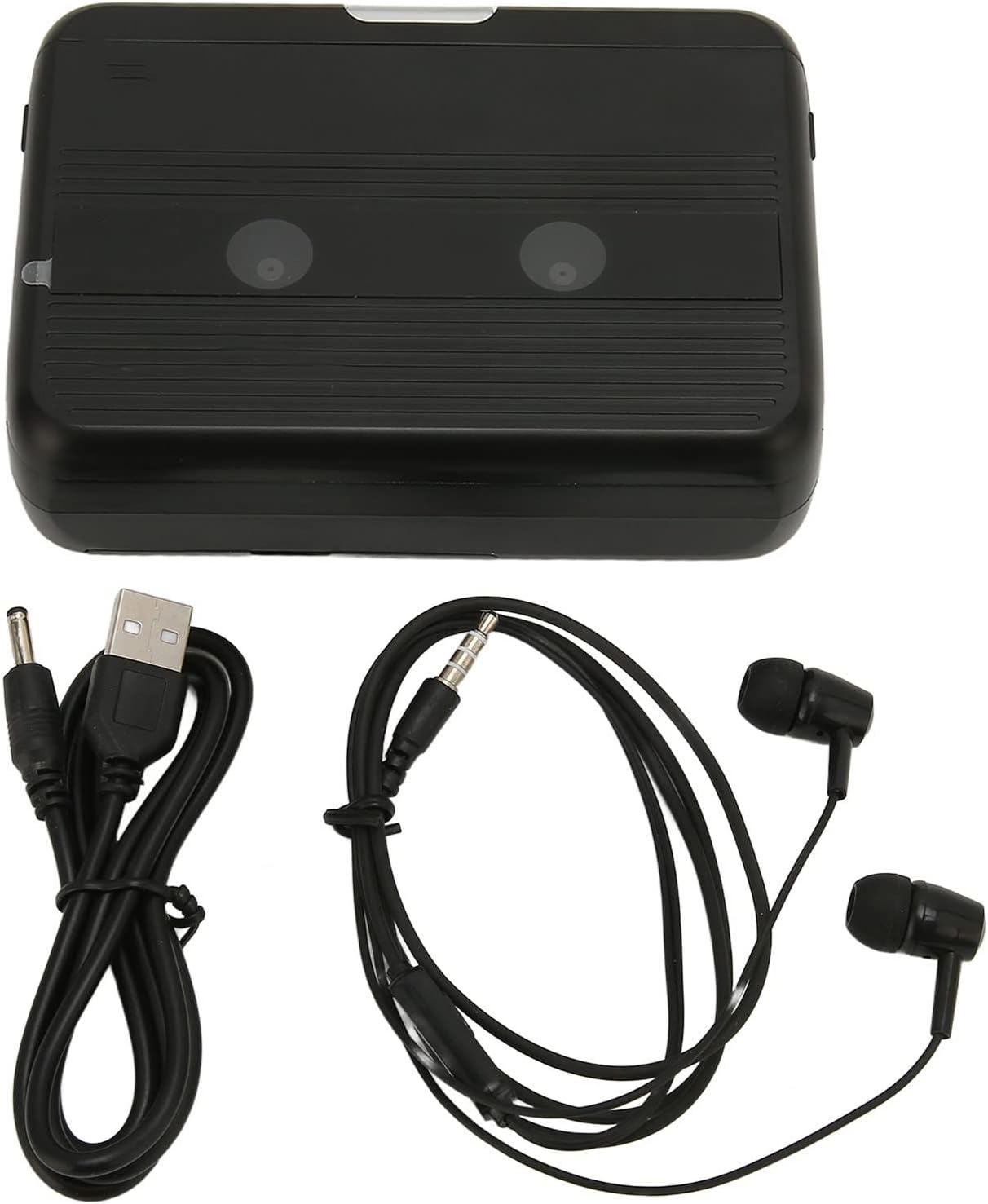
The Cuifati Portable Cassette Player shown alongside its included USB power cord and wired headphones.
Бүтээгдэхүүн дууссанview
Familiarize yourself with the various parts and controls of your cassette player.
Урд View (Нээлттэй)
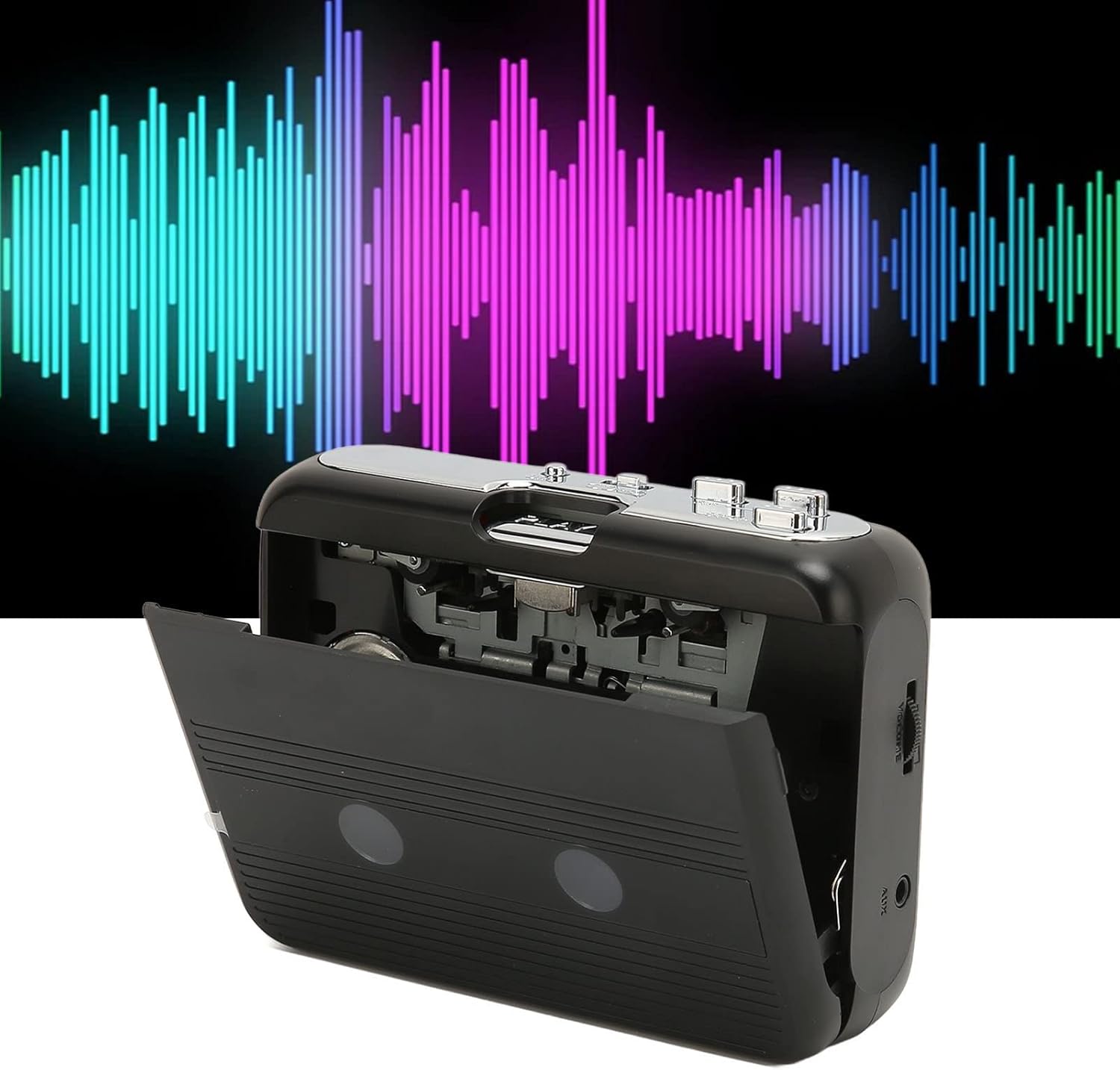
Урд view of the Cuifati Portable Cassette Player with the cassette compartment door open, revealing the tape mechanism.
Урд View (Хаалттай)
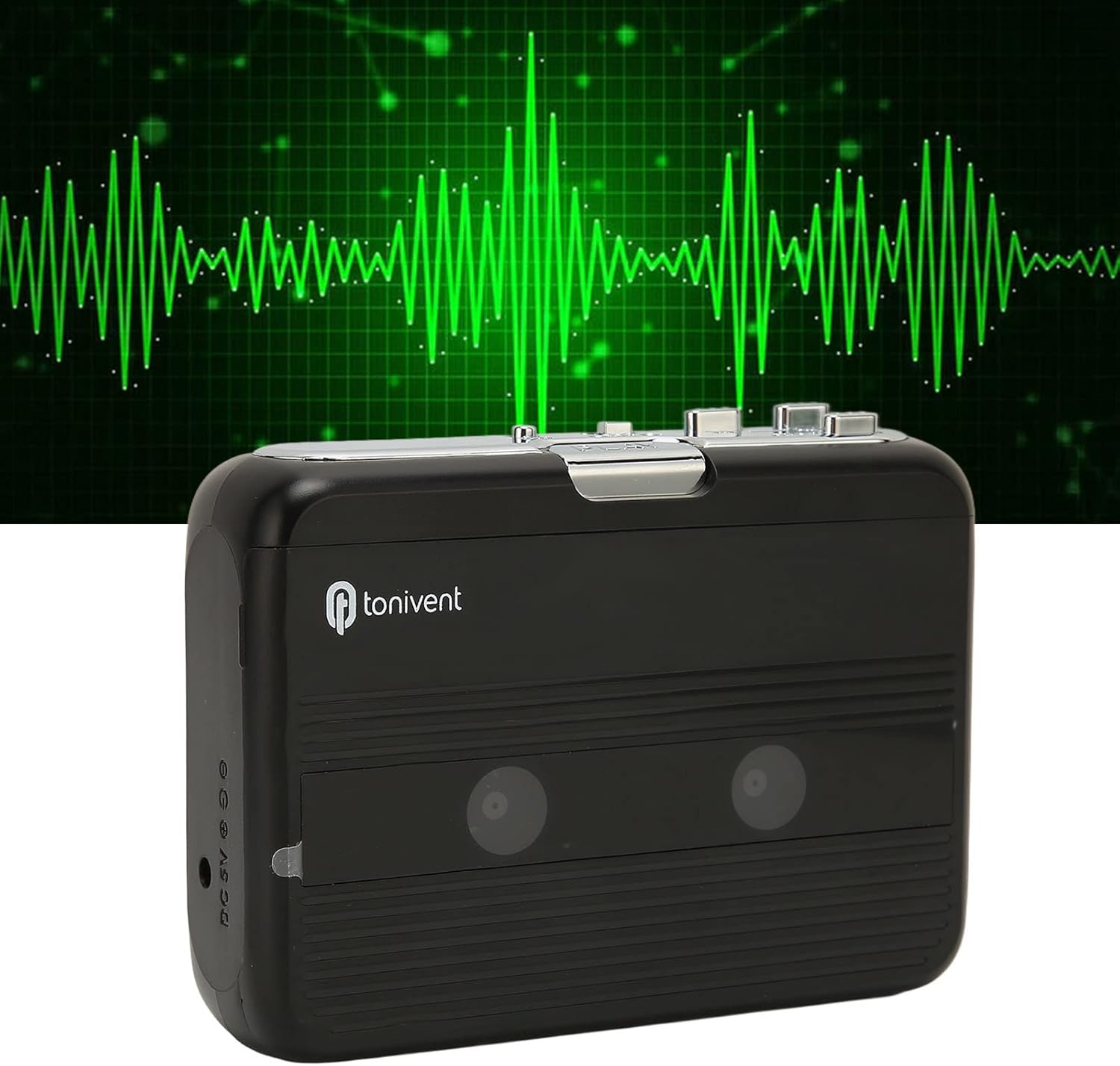
Урд view of the Cuifati Portable Cassette Player with the cassette compartment door closed.
Cassette Mechanism

Ойролцоогоор view of the cassette player's internal mechanism, showing the tape heads and rollers.
Хажуу тал View (Хяналт ба портууд)

Хажуу тал view of the cassette player, highlighting the volume control wheel and the AUX output port.
Түлхүүр удирдлага:
- Тоглуулах товч: Кассет тоглуулж эхэлнэ.
- Зогсоох товч: Halts playback.
- Fast Forward (FF) Button: Соронзон хальсыг хурдан урагшлуулна.
- Rewind (REW) Button: Туузыг хурдан ухраана.
- Auto Reverse Button: Changes tape direction during playback.
- Дууны хяналтын дугуй: Аудио гаралтын түвшинг тохируулна.
- FM/Tape Switch: Selects between FM radio and cassette playback mode.
- Headphone/AUX Output Jack: Connects headphones or external audio devices.
- DC 5V оролт: USB тэжээлийн хангамжийн хувьд.
Тохиргоо
Эрчим хүчний хангамж
The cassette player can be powered by two (2) AA batteries or via a USB power supply.
- Батерей суурилуулах:
- Төхөөрөмжийн арын хэсэгт байрлах зайны тасалгааны тагийг нээнэ үү.
- Тасалгааны дотор заасны дагуу зөв туйлшралыг (+/-) баталгаажуулж, хоёр АА батерейг оруулна уу.
- Зайны тасалгааны тагийг сайтар хаа.
- USB цахилгаан холболт:
- Connect the small end of the included USB power cord to the DC 5V input port on the cassette player.
- Стандарт USB үзүүрийг USB тэжээлийн адаптер (дагалдахгүй) эсвэл компьютерын USB порт руу холбоно уу.
Inserting a Cassette Tape
- Gently open the cassette compartment door.
- Insert a cassette tape with the exposed tape facing upwards and the side you wish to play facing the front.
- Close the cassette compartment door until it clicks securely.
Ашиглалтын заавар
Кассет тоглож байна
- Ensure a cassette tape is properly inserted.
- Set the FM/Tape switch to the "Tape" position.
- дээр дарна уу Тоглох тоглуулах товчийг дарна уу.
- -ийг тохируулна уу Дууны хяналтын дугуй хүссэн сонсох түвшиндээ.
- Дахин тоглуулахыг зогсоохын тулд Зогс товч.
- Хурдан урагшлуулахын тулд товчийг дарна уу FF товч. Буцаахын тулд дарна уу REW товчлуур. Дарна уу Зогс to disengage.
Auto Reverse Function
The player features an auto-reverse function, allowing the tape to play in both directions without needing to manually flip the cassette.
- Тоглуулах явцад товчийг дарна уу Автомат буцаах button to switch the tape direction. The player will automatically reverse and continue playing the other side of the tape.
FM радио ашиглах
- Set the FM/Tape switch to the "FM" position.
- Use the tuning dial (if present, otherwise the FF/REW buttons might serve as tuning) to scan for FM radio stations.
- -ийг тохируулна уу Дууны хяналтын дугуй хүссэн сонсох түвшиндээ.
Using the Built-in Speaker
The device includes a built-in speaker for direct audio output. No special action is required; audio will play through the speaker unless headphones are connected.
Connecting Headphones or External Audio Devices
For private listening or connecting to external speakers, use the 3.5mm headphone/AUX output jack.
- Plug the included headphones or your own 3.5mm audio cable into the Headphone/AUX Output Jack.
- When headphones are connected, audio will automatically switch from the built-in speaker to the headphones.

A person listening to music with headphones, illustrating the headphone usage.
Засвар үйлчилгээ
Proper care ensures the longevity and optimal performance of your cassette player.
- Цэвэрлэгээ: Төхөөрөмжийн гадна талыг цэвэрлэхийн тулд зөөлөн, хуурай даавуугаар цэвэрлээрэй. Шингэн цэвэрлэгч болон зүлгүүрийн материалыг бүү ашигла.
- Соронзон хальсны толгой: Periodically clean the tape heads with a specialized cassette head cleaner to maintain sound quality.
- Хадгалах: When not in use for extended periods, remove the batteries to prevent leakage. Store the device in a cool, dry place away from direct sunlight and extreme temperatures.
- Тоосжилтоос зайлсхийх: Keep the cassette compartment closed when not in use to prevent dust accumulation.
Алдааг олж засварлах
If you encounter issues with your cassette player, refer to the following common problems and solutions:
| Асуудал | Боломжит шалтгаан | Шийдэл |
|---|---|---|
| Хүч чадалгүй | Dead batteries; USB cable not connected; faulty power source. | Replace batteries; ensure USB cable is securely connected to a working power source. |
| Чанга яригч/чихэвчнээс дуу гарахгүй байна | Volume too low; headphones not fully plugged in; FM/Tape switch in wrong position; dirty tape heads. | Increase volume; ensure headphones are fully inserted; set switch to correct mode (Tape/FM); clean tape heads. |
| Poor sound quality (cassette) | Dirty tape heads; worn-out tape; incorrect tape insertion. | Clean tape heads; try a different tape; re-insert tape correctly. |
| FM радио статик/муу хүлээн авалт | Сул дохио; хөндлөнгийн оролцоо. | Relocate the player to an area with better reception; try adjusting the player's orientation. |
| Соронзон хальс тоглуулахгүй/хөдөлгөөнгүй байна | Tape jammed; mechanism issue; tape not inserted correctly. | Check for tape jams; ensure tape is inserted correctly; if issue persists, contact support. |
Үзүүлэлтүүд
| Онцлог | Дэлгэрэнгүй |
|---|---|
| Брэнд | Куифати |
| Загварын дугаар | Cuifatibi73wk0z4p |
| ASIN | B0CDD42V9J |
| Эрчим хүчний хангамж | 2 x AA Batteries or USB DC 5V |
| Функцүүд | Cassette Playback, Auto Reverse, FM Radio, Built-in Speaker, Headphone Output |
| Аудио гаралт | 3.5mm Headphone/AUX Jack |
| Зүйлийн жин | 10.3 унц |
Аюулгүй байдлын чухал мэдээлэл
- Төхөөрөмжийг ус, чийг, хэт өндөр температурт бүү тавь.
- Төхөөрөмжийг унагах эсвэл хүчтэй нөлөөнд оруулахаас зайлсхий.
- Төхөөрөмжийг өөрөө задлах, засах гэж бүү оролдоорой. Бүх үйлчилгээг мэргэшсэн боловсон хүчинд шилжүүлээрэй.
- Орон нутгийн дүрэм журмын дагуу зайгаа хариуцлагатайгаар устгана уу.
- Өндөр дууны түвшинд удаан хугацаагаар сонсох нь сонсголын гэмтэл учруулж болзошгүй. Дууны түвшинг аюулгүй түвшинд тохируулна уу.
Баталгаат болон дэмжлэг
Баталгаат хугацаа эсвэл техникийн дэмжлэг авахыг хүсвэл худалдан авалт хийх үед өгсөн баримт бичгийг үзнэ үү эсвэл жижиглэн худалдаа эрхлэгчтэйгээ холбогдоно уу. Худалдан авалтын баримтаа худалдан авалтын нотолгоо болгон хадгална уу.