
TEYES CC3 2K
TEYES CC3 2K Car Radio Multimedia System
Хэрэглэгчийн гарын авлага
1. Танилцуулга
The TEYES CC3 2K is an advanced car radio multimedia system designed to enhance your driving experience with cutting-edge technology. Featuring a high-resolution 2K in-cell display, Android 10 operating system, and comprehensive navigation capabilities, this head unit integrates seamlessly into compatible vehicles, offering superior audio-visual performance and smart connectivity. This manual provides detailed instructions for installation, operation, maintenance, and troubleshooting.

Figure 1.1: TEYES CC3 2K Head Unit Interface
2. Багцын агуулга
Доор жагсаасан бүх зүйл таны багцад байгаа эсэхийг шалгаарай. Хэрэв ямар нэгэн зүйл дутуу эсвэл эвдэрсэн бол хэрэглэгчийн дэмжлэгтэй холбоо барина уу.

Figure 2.1: TEYES CC3 2K Package Contents
- 1x TEYES CC3 2K Head Unit
- 1x цахилгаан кабель
- 1x USB кабель
- 1x GPS антен
- 1x AUX кабель
- 1x 4G WiFi Antenna
- 1x E-book (Digital Manual)
- 1x Frame (OEM Panel)
- 1x AHD 1080p Rear Camera
- 1x Audio & Video Harness + RCA
- 1x Screws & Screwdriver
- 1х Цэвэрлэгээний даавуу
- 1x Wiring Diagram
3. Үндсэн шинж чанарууд
The TEYES CC3 2K system offers a range of advanced features for an enhanced in-car experience:
- Өндөр гүйцэтгэл: Equipped with RAM 6GB and ROM 128GB for smooth operation.
- Дээд зэргийн дэлгэц: CC3 2K In-cell Display with 157% Gamut Coverage for vivid and accurate colors.
- Advanced Touchscreen: 2K touch screen technology with integrated display and touchscreen.
- Тогтворгүй холболт: Built-in wireless CARPLAY and ANDROID AUTO.
- Хүчирхэг техник хангамж: 8 cores 2.0GHz processor, support for RDS, and 4G internet.
- Enhanced Bluetooth: Upgraded Bluetooth module with QCC3031QFN Qualcomm.
- Шинэлэг програм хангамж: Includes TEYES Vision & TEYES Yahu 3D software.
- Тохиромжтой интерфэйс: Multiple color styles available to suit user preference.
- Дээд зэрэглэлийн аудио: Dual DSP ADAU1701 + ROHM32107, with optical and coaxial digital audio output.
- Аюулгүй байдлын онцлогууд: Бодит цагийн viewing of vehicle's rear view and support for video recording.
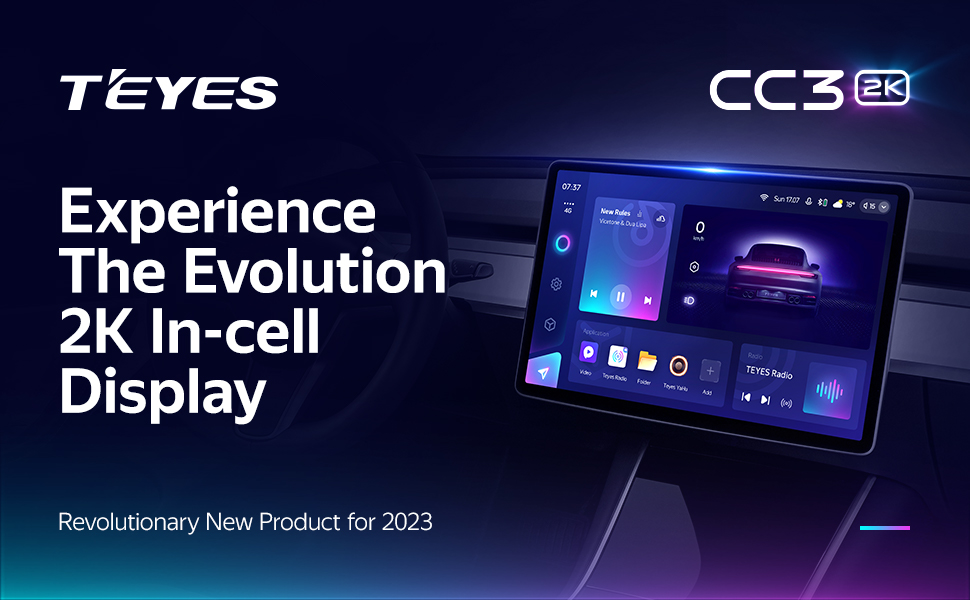
2K In-cell Display

Freestyle Combination Split Screen Mode

Real-time Rear View & Video Recording

Optical and Coaxial Digital Audio Output
4. Тохиргоо ба суурилуулалт
4.1. Тохиромжтой байдал
The TEYES CC3 2K head unit is specifically designed for Ferrari California models manufactured between 2008 and 2017. Ensure your vehicle falls within this range for proper fitment and functionality.

Зураг 4.1: Суулгахын өмнө ба дараа
4.2. Утас ба холболтууд
Refer to the included wiring diagram for detailed connection instructions. Key connections include the power cable, USB cables, GPS antenna, AUX cable, and 4G WiFi antenna. Professional installation is recommended.
- Цахилгааны утас: Connect to the vehicle's power supply according to the wiring diagram.
- USB кабель: Utilize the multiple USB outputs for data transfer and connecting external devices.
- GPS антена: Mount in a location with clear sky view хамгийн оновчтой дохио хүлээн авах.
- 4G WiFi Antenna: Install for stable internet connectivity.
- Арын камер: Connect the AHD 1080p rear camera for parking assistance and recording.
- Жолооны хүрдний удирдлага: The system supports original steering wheel controls. Refer to the wiring diagram for integration.
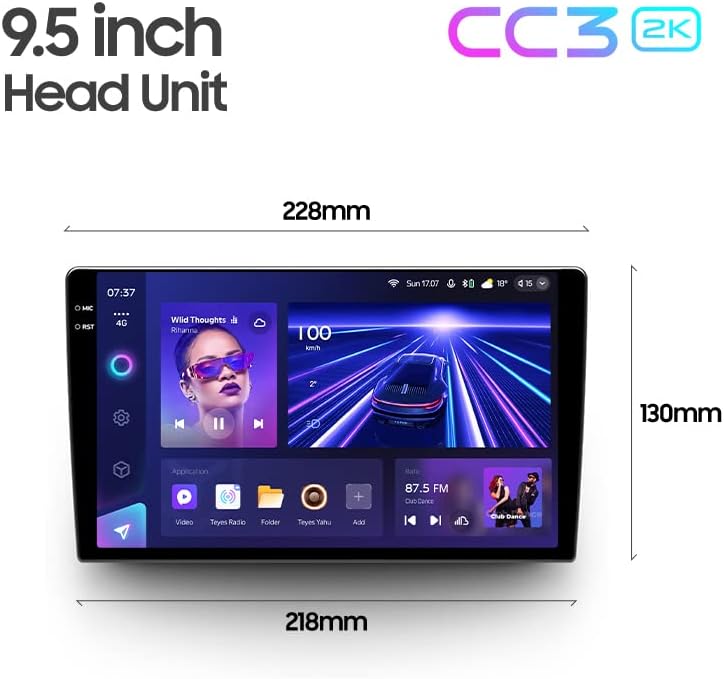
Figure 4.2: USB Output Cables

Figure 4.3: Steering Wheel Control Support
5. Ашиглалтын заавар
5.1. Үндсэн үйл ажиллагаа
The TEYES CC3 2K operates on Android 10, providing a familiar and intuitive user interface. Navigate through menus and applications using the responsive 2K touchscreen. Voice commands are also supported via the touchscreen interface.
5.2. Навигаци
Utilize the built-in GPS for accurate navigation. The system supports North America map types. Access navigation applications directly from the main interface.
5.3. Мультимедиа тоглуулах
The system functions as a comprehensive multimedia player, supporting various audio and video formats. Enjoy premium local radio with RDS support. The audio output mode is stereo, providing a rich sound experience.

Figure 5.1: Premium Local Radio Interface
5.4. Холболт
- Bluetooth: Connect your smartphone for hands-free calling and audio streaming via the upgraded QCC3031QFN Qualcomm Bluetooth module.
- Wi-Fi & Hotspot: Connect to Wi-Fi networks or use your phone's hotspot for internet access.
- Утасгүй CarPlay ба Android Auto: Seamlessly integrate your smartphone for navigation, music, and messaging.
5.5. Аудио тохиргоо
Fine-tune your audio experience with the dual DSP (ADAU1701 + ROHM32107) and a 27-segment equalizer. The system also features optical and coaxial digital audio output for high-fidelity sound.

Figure 5.2: Dual DSP Audio Processing
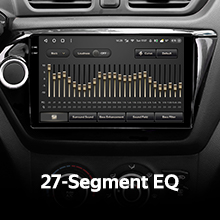
Figure 5.3: 27-Segment Equalizer
5.6. Арын View Camera and Recording
The included AHD 1080p rear camera provides real-time viewing of your vehicle's rear surroundings, aiding in parking and maneuvering. The system also supports video recording from the camera.
6. Засвар үйлчилгээ
To ensure the longevity and optimal performance of your TEYES CC3 2K system, follow these maintenance guidelines:
- Цэвэрлэгээ: Use the provided cleaning cloth or a soft, lint-free cloth to gently wipe the screen and unit. Avoid abrasive cleaners or solvents.
- Програм хангамжийн шинэчлэлтүүд: Periodically check for software updates from TEYES to ensure you have the latest features and bug fixes.
- Байгаль орчны нөхцөл: Төхөөрөмжийг хэт өндөр температурт, нарны шууд тусгалд удаан хугацаагаар өртөхөөс зайлсхий.
7. Алдаа засах
If you encounter issues with your TEYES CC3 2K system, refer to the following common problems and solutions:
| Асуудал | Боломжит шалтгаан | Шийдэл |
|---|---|---|
| Төхөөрөмж асахгүй байна | Цахилгааны холболт сул, гал хамгаалагч шатсан | Check power cable connections; inspect vehicle's fuse box. |
| Дууны гаралт байхгүй | Volume too low, incorrect audio settings, loose speaker wires | Increase volume; check audio output settings; verify speaker connections. |
| GPS signal lost/inaccurate | GPS antenna obstructed or improperly installed | Ensure GPS antenna has clear sky view; re-seat antenna connection. |
| Мэдрэгчтэй дэлгэц хариу өгөхгүй байна | Software glitch, temporary freeze | Restart the unit (refer to manual for specific restart procedure); if persistent, contact support. |
| Bluetooth холболтын асуудал | Device not discoverable, interference | Ensure Bluetooth is enabled on both devices; try re-pairing; minimize interference. |
For issues not listed here, or if solutions do not resolve the problem, please contact TEYES customer support.
8. Техникийн үзүүлэлтүүд
| Онцлог | Тодорхойлолт |
|---|---|
| Загварын дугаар | CC3 2K |
| Үйлдлийн систем | Android 10 |
| Дэлгэцийн хэмжээ | 9.5 инч |
| Дэлгэцийн технологи | 2K In-cell Touch Screen |
| RAM | 6 ГБ |
| ROM | 128 ГБ |
| Процессор | 8 цөм 2.0 GHz |
| Bluetooth модуль | QCC3031QFN Qualcomm |
| DSP | 2*DSP ADAU1701 + ROHM32107 |
| Аудио гаралт | Stereo, Optical and Coaxial Digital Audio Output |
| Холболт | Bluetooth, USB, WIFI, Hotspot, 4G Internet |
| Навигац | GPS, North America Map Type |
| Онцлог шинж чанарууд | Wireless CarPlay, Android Auto, Steering Wheel Control, Rear View Camera Support, Video Recording |
| Суурилуулах төрөл | Самбар самбар |
| Үйлдвэрлэгч | Shenzhen TEYES High tech Co., Ltd. |
| Эхний боломжтой огноо | 2 оны наймдугаар сарын 2023 |
9. Баталгаат хугацааны мэдээлэл
The TEYES CC3 2K Car Radio Multimedia System comes with a 1 жилийн баталгаат хугацаа from the date of purchase. This warranty covers manufacturing defects and malfunctions under normal use. Please retain your proof of purchase for warranty claims. For detailed warranty terms and conditions, refer to the official TEYES webсайт эсвэл хэрэглэгчийн дэмжлэгтэй холбоо барина уу.
10. Хэрэглэгчийн дэмжлэг
For further assistance, technical support, or inquiries regarding your TEYES CC3 2K system, please visit the official TEYES store or contact their customer service team:
TEYES Official Store: https://www.amazon.com/stores/TEYES/page/1420A196-4C01-48FA-BED8-462791F44D56
Please have your product model number (CC3 2K) and purchase details ready when contacting support.
Ask a question about this manual
Ask about setup, troubleshooting, compatibility, parts, safety, or missing instructions. Manuals+ will review the question and use this page’s manual context to help answer it.