
TEYES CC3 2K
TEYES CC3 2K машины радио мультимедиа системийн хэрэглэгчийн гарын авлага
Model: CC3 2K
Танилцуулга
This manual provides comprehensive instructions for the installation, operation, and maintenance of your TEYES CC3 2K Car Radio Multimedia Video Player Navigation Stereo GPS Headunit. Please read this manual thoroughly before using the device to ensure proper functionality and safety.
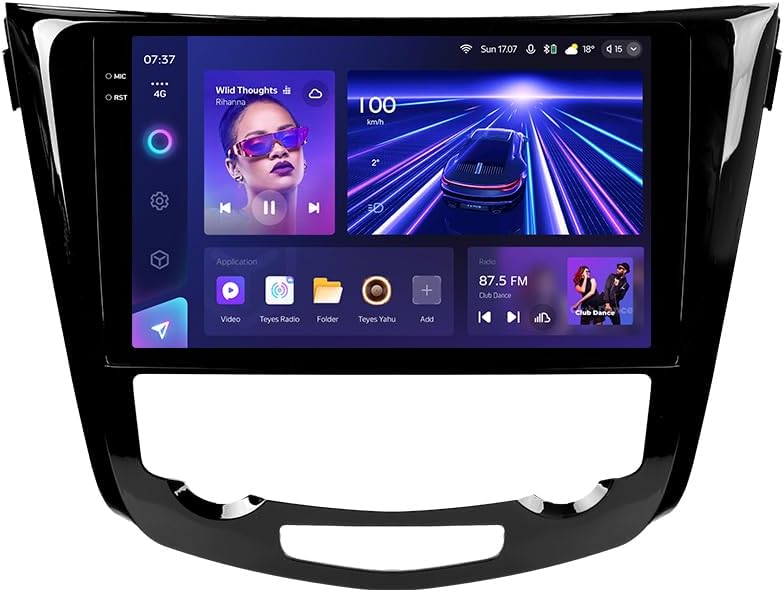
Зураг: Урд view of the TEYES CC3 2K Car Radio Multimedia System, showcasing том дэлгэц, гоёмсог дизайнтай.
Багцын агуулга
Доор жагсаасан бүх зүйл таны багцад байгаа эсэхийг шалгаарай. Хэрэв ямар нэгэн зүйл дутуу эсвэл эвдэрсэн бол хэрэглэгчийн дэмжлэгтэй холбоо барина уу.
- 1x TEYES CC3 2K Head Unit
- 1x OEM Panel (Frame)
- 1x цахилгаан кабель
- 1x USB кабель
- 1x GPS антен
- 1x AUX кабель
- 1x 4G WiFi Antenna
- 1x AHD 1080p Rear Camera
- 1x E-book (Digital Manual)
- 1x Wiring Diagram
- 1х Цэвэрлэгээний даавуу
Тохиргоо ба суурилуулалт
Professional installation is recommended for this device. Ensure the vehicle's battery is disconnected before beginning installation.
Тохиромжтой байдал
This unit is designed for Nissan X-Trail 3 (T32) 2013-2022 and Qashqai 2 (J11) models. Please verify your vehicle's compatibility before installation.
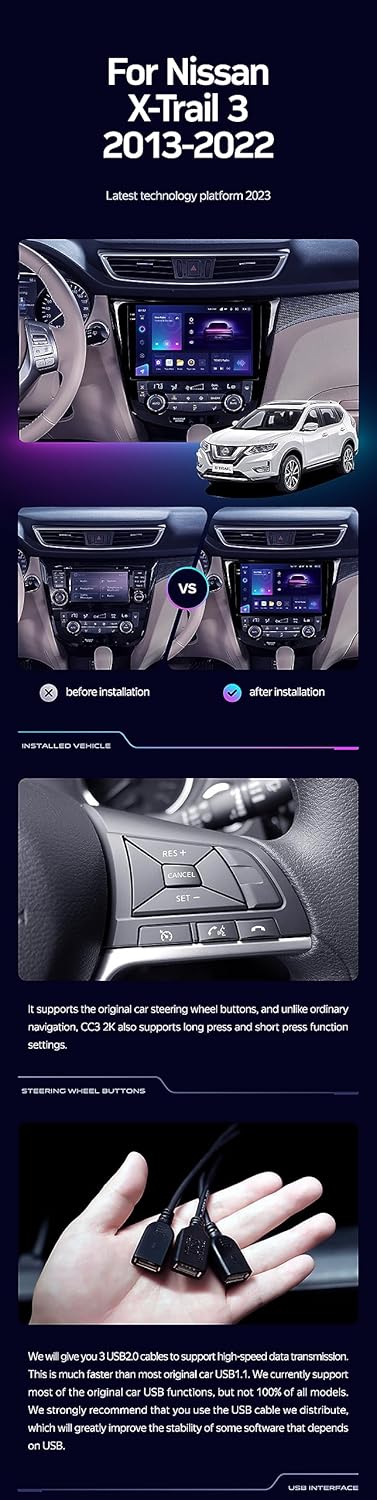
Image: A side-by-side comparison showing a car's dashboard before and after the installation of the TEYES CC3 2K unit, highlighting the integrated look.
Суулгах алхамууд (ерөнхий)
- Батерейг салгах: Ажил эхлэхийн өмнө цахилгааны богино холболтоос сэргийлэхийн тулд машиныхаа зайны сөрөг терминалыг салга.
- Remove Old Head Unit: Carefully remove the existing car radio and trim panels. Refer to your vehicle's service manual for specific instructions.
- Цахилгааны утас холбох: Connect the provided power cable, USB cable, GPS antenna, AUX cable, and 4G WiFi antenna to the TEYES CC3 2K head unit. Ensure all connections are secure.
- Арын камер суурилуулах: If installing the AHD 1080p rear camera, route its cable to the desired mounting location (typically near the license plate) and connect it to the head unit.
- Mount Head Unit: Secure the TEYES CC3 2K head unit into the dashboard using the provided OEM panel (frame) and mounting hardware.
- Батерейг дахин холбох: Once all connections are made and the unit is securely mounted, reconnect the vehicle's battery.
- Туршилтын функц: Turn on the vehicle and test all functions of the new head unit, including audio, navigation, camera, and connectivity.
Image: The OEM panel (frame) included with the TEYES CC3 2K, designed for seamless integration into compatible vehicle dashboards.
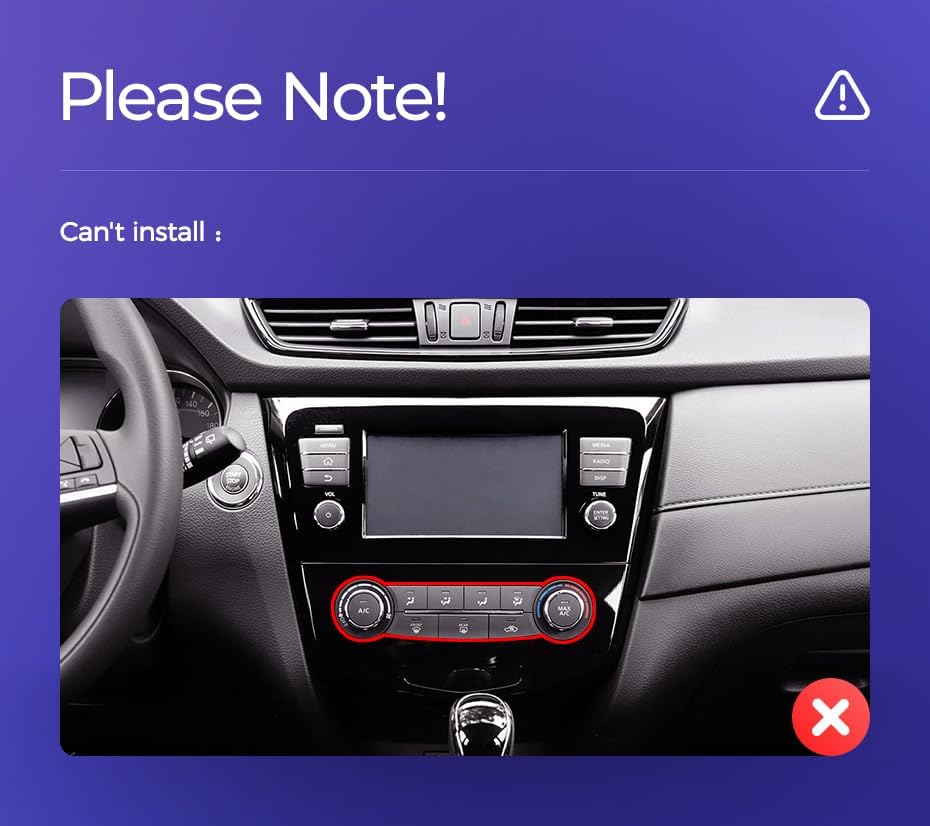
Image: Technical drawing showing the dimensions of the TEYES CC3 2K head unit, including its 10.36-inch screen size.
Суурилуулалтын чухал тэмдэглэл
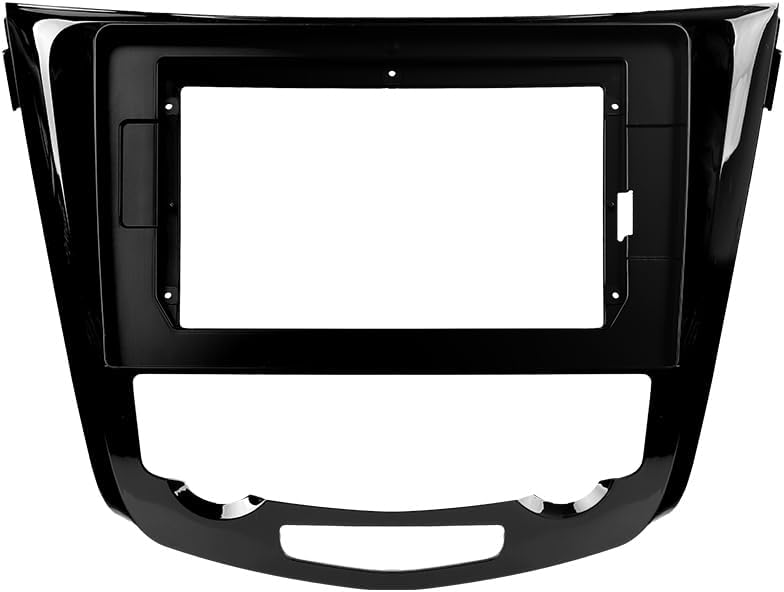
Image: Three USB output cables provided with the TEYES CC3 2K for data transfer and connectivity.
The unit provides multiple USB outputs for data transfer. While designed for broad compatibility, some original car USB functions may not be fully supported across all vehicle models. An included USB adapter cable can be used to ensure compatibility where needed.
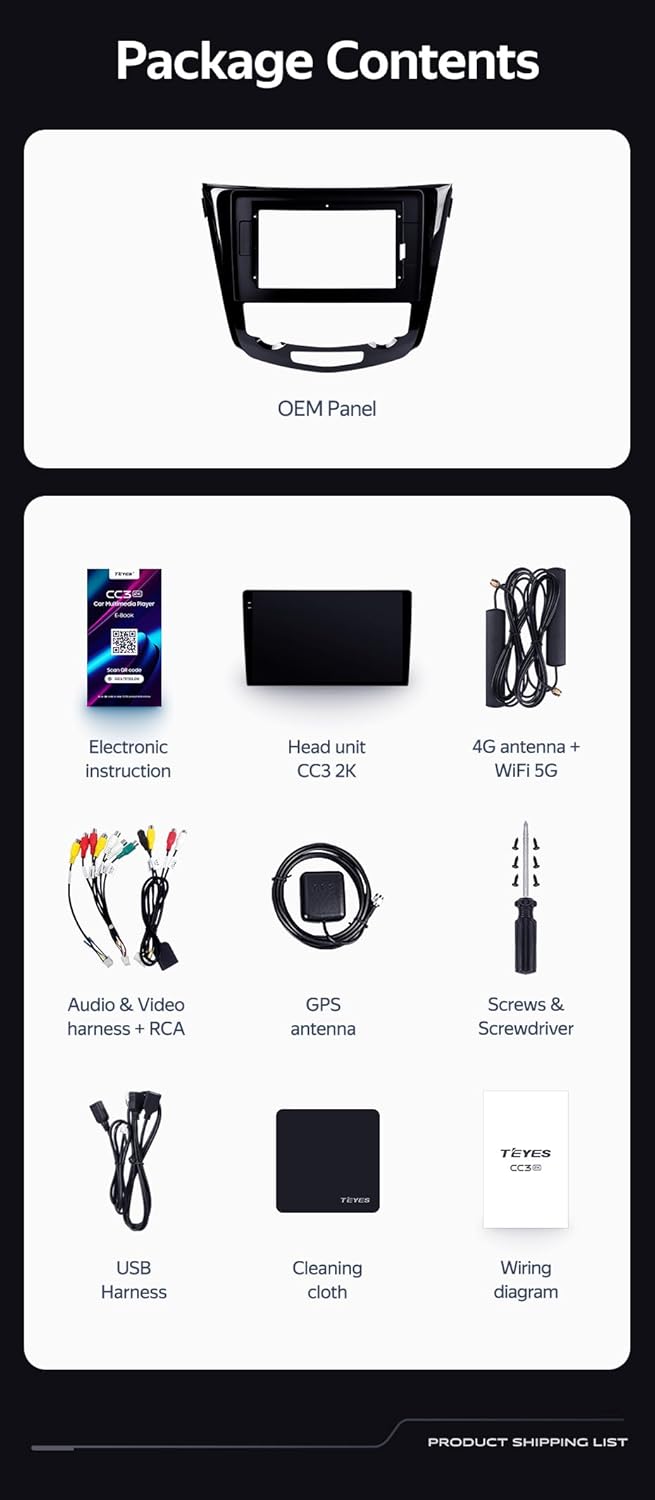
Image: A close-up of a car's steering wheel with controls, indicating support for steering wheel button integration with the TEYES CC3 2K.
The unit supports original car steering wheel buttons. Basic functions like volume and track control are supported. Advanced functions may require additional configuration or may not be fully compatible with all vehicle models.
Ашиглалтын заавар
Дэлгэц ба интерфейс
The TEYES CC3 2K features a 10.36-inch 2K In-cell display, offering vivid colors and accurate touch response. The Android 10 operating system provides a user-friendly interface.
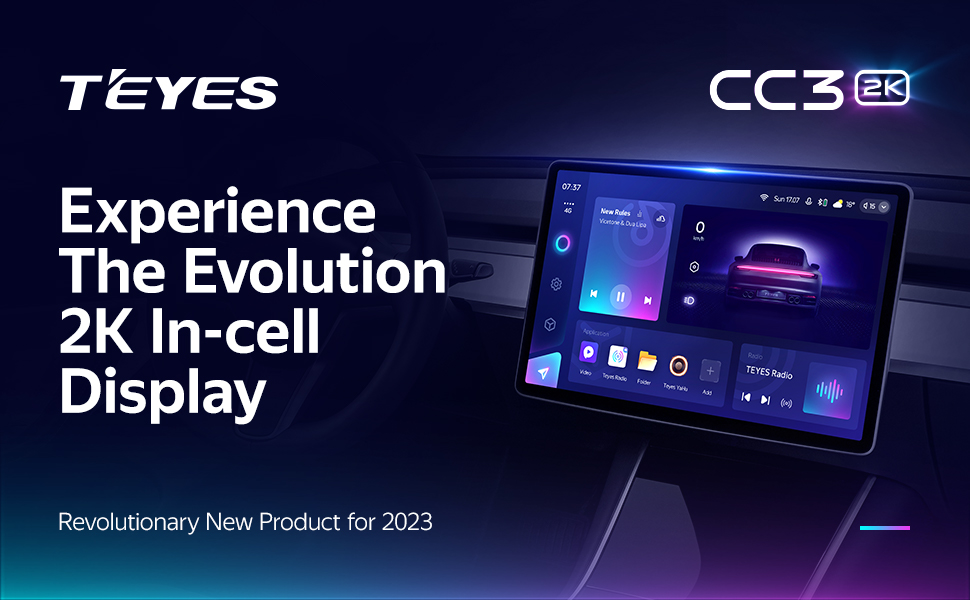
Image: A promotional image highlighting the TEYES CC3 2K's 2K In-cell display, showing a vibrant user interface.
Холболт
- Bluetooth: Connect your smartphone via the upgraded Qualcomm QCC3031QFN Bluetooth module for hands-free calling and audio streaming.
- Wi-Fi/4G Internet: The unit supports 4G internet connectivity (SIM card not included) and Wi-Fi for online navigation, app downloads, and streaming.
- USB: Use the USB ports for media playback, data transfer, and connecting external devices.
Навигаци ба мультимедиа
- GPS: Built-in GPS with North America map type support for accurate navigation.
- CarPlay & Android Auto: Enjoy seamless integration with your smartphone via built-in wireless Apple CarPlay and Android Auto.
- Радио: Access local radio stations with the premium local radio feature.
- Дэлгэц хуваах горим: Utilize the freestyle combination split screen mode to run two applications simultaneously, such as navigation and media playback.

Image: The TEYES CC3 2K display showing split-screen functionality, with navigation on one side and video playback on the other.

Image: The TEYES CC3 2K display showing the premium local radio interface with various station icons.
Аудио онцлог
The unit is equipped with dual DSP (ADAU1701 + ROHM32107) for enhanced audio processing, offering optical and coaxial digital audio output.
- 27-Segment EQ: Fine-tune your audio experience with the comprehensive 27-segment equalizer.
- Sound Filtering: Advanced sound filtering options are available to optimize audio output.

Image: The TEYES CC3 2K display showing the DSP audio settings interface, indicating dual DSP processors.
Image: The TEYES CC3 2K display showing the 27-segment equalizer interface for detailed audio customization.

Image: The TEYES CC3 2K display showing audio output settings, indicating support for optical and coaxial digital audio output.
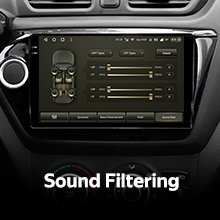
Image: The TEYES CC3 2K display showing sound filtering options, allowing users to refine audio quality.
Camera and Recording
The unit supports real-time viewing of the vehicle's rear view and video recording with the included AHD 1080p rear camera.

Image: The TEYES CC3 2K display showing the real-time feed from the rear view camera, with recording options.
Засвар үйлчилгээ
- Дэлгэц цэвэрлэх: Use the provided cleaning cloth or a soft, lint-free cloth to gently wipe the screen. Avoid abrasive cleaners or solvents.
- Програм хангамжийн шинэчлэлтүүд: Periodically check for software updates from TEYES to ensure optimal performance and access to new features.
- Байгаль орчны нөхцөл: Төхөөрөмжийг хэт өндөр температурт, нарны шууд тусгалд удаан хугацаагаар өртөхөөс зайлсхий.
Алдааг олж засварлах
If you encounter issues with your TEYES CC3 2K, refer to the following common problems and solutions:
| Асуудал | Боломжит шалтгаан | Шийдэл |
|---|---|---|
| Төхөөрөмж асахгүй байна. | Цахилгааны холболт тасарсан, гал хамгаалагч шатсан, машины аккумляторын асуудал. | Check power cable connections. Inspect vehicle fuses. Ensure vehicle battery is charged. |
| Аудио гаралт байхгүй. | Volume too low, incorrect audio source selected, speaker wiring issue. | Дууны хэмжээг нэмэгдүүлэх. Зөв аудио эх сурвалжийг сонгоно уу. Чанга яригчийн холболтыг шалгана уу. |
| GPS дохио алдагдсан эсвэл буруу. | GPS-ийн антен бөглөрсөн эсвэл буруу суурилуулсан. | GPS-ийн антен нь тунгалаг байгаа эсэхийг шалгаарай view of the sky and is securely connected. |
| Мэдрэгчтэй дэлгэц хариу өгөхгүй байна. | Temporary software glitch, screen protector interference. | Restart the unit. Remove any screen protectors to test. |
| Bluetooth холболтын асуудал. | Device not in pairing mode, interference, outdated firmware. | Ensure device is in pairing mode. Move closer to the unit. Check for firmware updates. |

Image: An icon representing Frequently Asked Questions, indicating further support resources.
Үзүүлэлтүүд
| Онцлог | Дэлгэрэнгүй |
|---|---|
| Загварын дугаар | CC3 2K |
| Үйлдлийн систем | Android 10 |
| Процессор | 8 цөм 2.0 GHz |
| RAM | 6 ГБ |
| ROM | 128 ГБ |
| Дэлгэцийн хэмжээ | 10.36 инч |
| Дэлгэцийн төрөл | 2K In-cell Display |
| Холболт | Bluetooth (QCC3031QFN Qualcomm), USB, Wi-Fi, Hotspot, 4G Internet |
| Аудио гаралтын горим | Стерео |
| DSP | 2*DSP ADAU1701 + ROHM32107 |
| Аудио гаралт | Optical and Coaxial Digital Audio Output |
| Навигац | Built-in GPS, North America Map Type |
| Онцлог шинж чанарууд | Touchscreen, Bluetooth, Wireless CarPlay, Android Auto, RDS, Real-time Rear View, Video Recording, TEYES Vision & TEYES Yahu software. |
| Тээврийн хэрэгслийн үйлчилгээний төрөл | Машин |
Баталгаат болон дэмжлэг
The TEYES CC3 2K comes with a 1 жилийн баталгаат хугацаа худалдан авсан өдрөөс. Энэхүү баталгаа нь ердийн ашиглалтын үеийн үйлдвэрлэлийн согог, доголдлыг хамарна.
For technical support, troubleshooting assistance, or warranty claims, please contact TEYES customer service through the official TEYES store on Amazon or their official webсайт.
-д зочилно уу TEYES Store on Amazon нэмэлт мэдээлэл, дэмжлэгийн эх сурвалжийг авна уу.
Ask a question about this manual
Ask about setup, troubleshooting, compatibility, parts, safety, or missing instructions. Manuals+ will review the question and use this page’s manual context to help answer it.