
Танилцуулга
This manual provides detailed instructions for setting up, operating, maintaining, and troubleshooting your Amazon Kindle Paperwhite Signature Edition 32GB. Please read this guide thoroughly to ensure optimal use of your device.
1. Тохиргоо
1.1 Хайрцагнаас задлах ба анхны төлбөр
Upon unboxing, locate the Kindle Paperwhite Signature Edition device and the included USB-C charging cable. It is recommended to fully charge your device before first use.
- Хайрцагт багтсан: Kindle Paperwhite Signature Edition, USB-C цэнэглэгч кабель, Хурдан эхлүүлэх гарын авлага.
- Цэнэглэж байна: Connect the USB-C cable to the Kindle and a compatible USB power adapter (9W adapter recommended, sold separately). A full charge takes less than 2.5 hours.
- Утасгүй цэнэглэх: The Signature Edition supports wireless charging. Place the device on a compatible wireless charging dock (sold separately).

Image: Kindle Paperwhite Signature Edition charging wirelessly on a dock. The device can be charged via USB-C or wirelessly for extended battery life.
1.2 Асаах/унтраах
- Асаахын тулд: Press and hold the power button located on the bottom edge of the device until the screen lights up.
- Унтраахын тулд: Press and hold the power button until a power dialog appears, then select 'Power Off'. A short press will put the device to sleep.
1.3 Wi-Fi холболт
To access the Kindle Store and download content, connect your device to a Wi-Fi network.
- Үндсэн дэлгэцээс гэснийг товшино уу Тохиргоо дүрс (арааны дүрс) эсвэл дэлгэцийн дээд хэсгээс доош шударч товш Бүх тохиргоо.
- Сонго Wi-Fi & Bluetooth, дараа нь Wi-Fi сүлжээнүүд.
- Жагсаалтаас хүссэн сүлжээгээ сонгоод, хэрэв хүсвэл нууц үгээ оруулна уу.
Төхөөрөмж нь WEP, WPA, WPA2, WPA3, болон OWE аюулгүй байдлын стандартуудтай 2.4 GHz болон 5.0 GHz сүлжээг дэмждэг.
1.4 Бүртгэлийн тохиргоо
Register your Kindle to your Amazon account to access your content library and the Kindle Store.
- After connecting to Wi-Fi, follow the on-screen prompts to sign in with your Amazon account credentials.
- If you do not have an Amazon account, you can create one during this process.
2. Kindle-ээ ажиллуулах
2.1 Basic Navigation and Page Turns
The Kindle Paperwhite Signature Edition features a 7-inch glare-free display designed for comfortable reading.
- Хуудасны эргэлтүүд: Tap the right side of the screen to turn to the next page, or the left side to go back. Swiping left or right also turns pages.
- Үндсэн дэлгэц: Tap the top of the screen to reveal the navigation bar, then tap the Гэр icon to return to your library.

Image: A hand holding the Kindle Paperwhite, displaying a book page. The 7-inch Paperwhite display offers fast page turns for an enhanced reading experience.
2.2 Reading Features
Customize your reading experience with various display and font settings.
- Adjusting Front Light: The Signature Edition features an auto-adjusting front light. You can also manually adjust the brightness by tapping the top of the screen while reading and using the brightness slider.
- Халуун гэрэл: Adjust the warmth of the screen light for comfortable reading in different environments.
- Харанхуй горим: Invert screen colors for white text on a black background, ideal for low-light conditions. Access this from the quick settings menu.
- Фонтын тохиргоо: While reading, tap the top of the screen, then select the Aa icon to adjust font size, font face, line spacing, and margins.
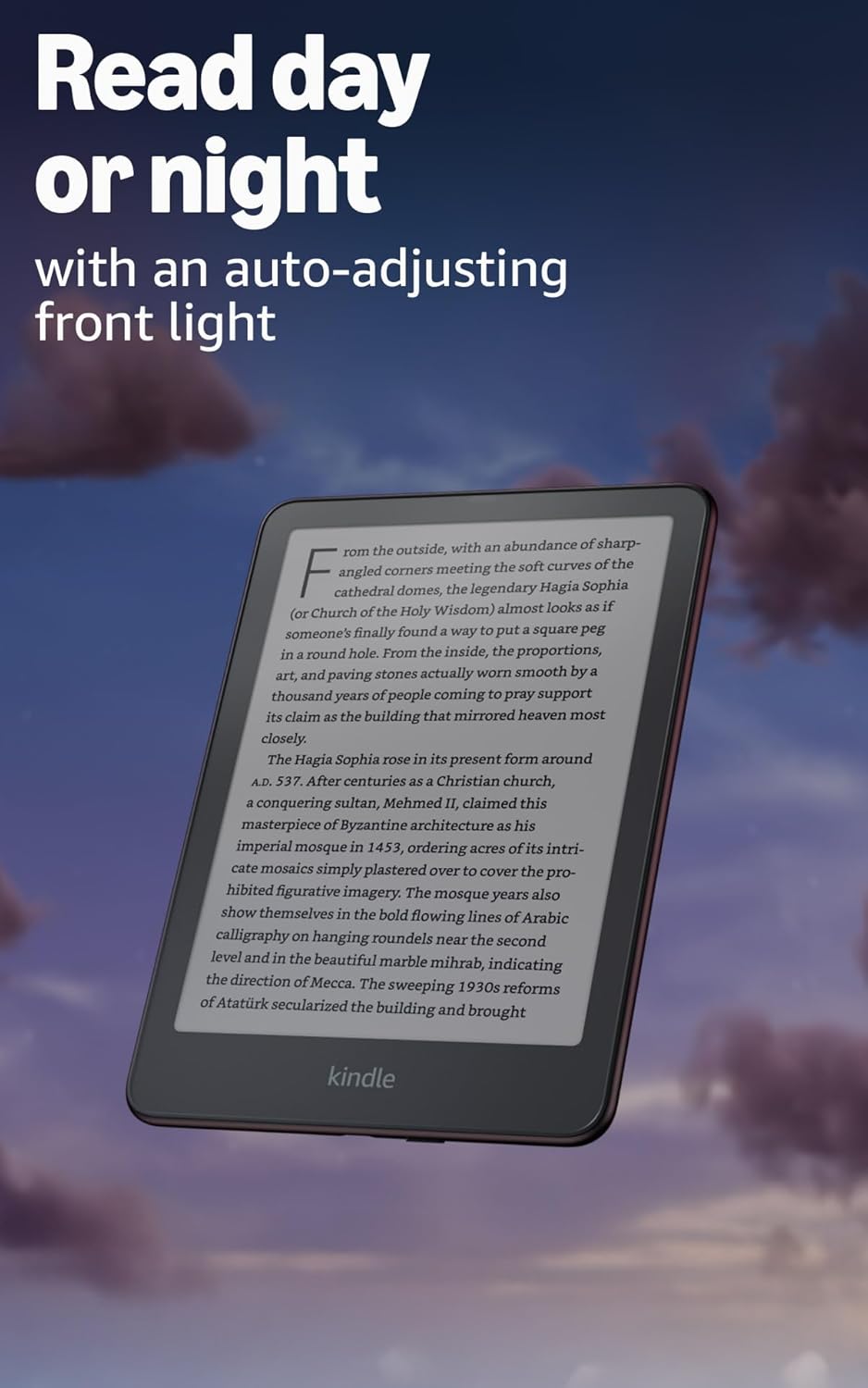
Image: Kindle Paperwhite screen illuminated in a dark room. The auto-adjusting front light allows for comfortable reading day or night.

Image: Close-up of the Kindle Paperwhite screen displaying text. Enjoy a glare-free display without distracting notifications.
2.3 Агуулгын менежмент
Your Kindle provides access to a vast library of content.
- Kindle дэлгүүр: Үндсэн дэлгэцээс гэснийг товшино уу Дэлгүүр icon to browse and purchase books.
- Номын сан: All purchased content is stored in your library and can be downloaded to your device.
- Үүл хадгалах сан: All Amazon content is stored for free in the cloud, allowing you to access it from any compatible device.
- Дэмжигдсэн форматууд: Kindle Format 8 (AZW3), Kindle (AZW), TXT, PDF, хамгаалалтгүй MOBI, БНХАУ; PDF, DOCX, DOC, HTML, EPUB, TXT, RTF, JPEG, GIF, PNG, BMP хөрвүүлэх замаар; Дуут аудио формат (AAX).

Image: A collage of various book covers. The Kindle Store offers access to over 15 million titles worldwide.
2.4 Аудио ном
Listen to Audible audiobooks on your Kindle Paperwhite Signature Edition.
- Bluetooth: Connect Bluetooth headphones or speakers to your Kindle via the Wi-Fi & Bluetooth тохиргоо.
- Playing Audiobooks: Download Audible audiobooks from the Kindle Store and play them through your connected Bluetooth device.
2.5 Ус үл нэвтрэх
Your Kindle Paperwhite Signature Edition is waterproof (IPX8 rated).
- It is tested to withstand immersion in 2 meters of fresh water for 60 minutes.
- This makes it suitable for reading by the pool, in the bath, or at the beach.
- After exposure to water, ensure the USB-C port is dry before charging.
3. Засвар үйлчилгээ
3.1 Төхөөрөмжөө цэвэрлэх
- Use a soft, lint-free cloth to clean the screen and body of your Kindle.
- Зүлгүүрийн цэвэрлэгч, уусгагч, аэрозол шүршихээс зайлсхий.
- If the device has been exposed to water, gently wipe it dry.
3.2 Батерейны арчилгаа
- To maximize battery life, avoid exposing your Kindle to extreme temperatures.
- A single charge can last up to twelve weeks, based on half an hour of reading per day with wireless off and the light setting at 13. Heavy use, especially with wireless features or audiobook streaming, will reduce battery life.
- Charge the device regularly, but it is not necessary to fully discharge it before recharging.
3.3 Програм хангамжийн шинэчлэлтүүд
Your Kindle will periodically receive software updates to improve performance and add new features.
- Ensure your Kindle is connected to Wi-Fi to receive automatic updates.
- You can manually check for updates by going to Тохиргоо > Төхөөрөмжийн сонголтууд > Шинэчлэлтүүдийг шалгана уу.
4. Алдаа засах
4.1 Төхөөрөмж хариу өгөхгүй байна
- If your Kindle is frozen or unresponsive, press and hold the power button for 40 seconds until the device restarts.
4.2 Wi-Fi холболтын асуудал
- Ensure your Wi-Fi router is on and within range.
- Try restarting your Kindle and your Wi-Fi router.
- Та зөв Wi-Fi нууц үг оруулж байгаа эсэхээ шалгаарай.
4.3 Батерейг цэнэглэхгүй байна
- Check that the USB-C cable is securely connected to both the Kindle and the power adapter.
- Өөр USB-C кабель эсвэл тэжээлийн адаптер ашиглаж үзнэ үү.
- Ensure the USB-C port on the Kindle is clean and free of debris.
4.4 Content Not Downloading
- Verify your Wi-Fi connection is active and stable.
- Check your Amazon account for any payment issues or content restrictions.
- Ensure your device has sufficient storage space.
5. Техникийн үзүүлэлтүүд
| Онцлог | Тодорхойлолт |
|---|---|
| Дэлгэц | 7” Paperwhite display technology with built-in front light, 300 ppi, optimized font technology, 16-level gray scale. |
| Хэмжээ | 5” x 7” x 0.3” (127.6 x 176.7 x 7.8 мм) |
| Жин | 7.5 унци (214г) |
| Төхөөрөмж дээрх хадгалах сан | 32 ГБ; олон мянган ном хадгалдаг. |
| Үүл хадгалах сан | Амазоны бүх контентод зориулсан үнэгүй үүл хадгалах газар. |
| Зайны ашиглалт | Up to twelve (12) weeks (based on 30 mins reading/day, wireless off, light setting 13). |
| Цэнэглэх хугацаа | 9Вт-ын USB цахилгаан адаптертай бол 2.5 цагаас бага хугацаанд ажиллана. |
| Wi-Fi холболт | Supports 2.4 GHz and 5.0 GHz networks with WEP, WPA, WPA2, WPA3, and OWE security. |
| Хүртээмжтэй байдлын онцлогууд | Дуу хоолойView screen reader (Bluetooth audio, English only), dark mode, adjustable font size, font face, line spacing, and margins. |
| Агуулгын форматыг дэмждэг | Kindle Format 8 (AZW3), Kindle (AZW), TXT, PDF, хамгаалалтгүй MOBI, БНХАУ; PDF, DOCX, DOC, HTML, EPUB, TXT, RTF, JPEG, GIF, PNG, BMP хөрвүүлэх замаар; Дуут аудио формат (AAX). |
| Ус үл нэвтрэх | IPX8 rated (withstands immersion in 2 meters of fresh water for 60 minutes). |
| Үе үе | 12-р үе (2024 онд гарсан). |
6. Баталгаат хугацаа ба дэмжлэг
6.1 Баталгаат хугацааны мэдээлэл
Your Kindle Paperwhite Signature Edition comes with a 1-year limited warranty and service. Extended warranty options may be available for purchase separately in some regions.
6.2 Нэмэлт дэмжлэг
Дэлгэрэнгүй тусламж болон дэлгэрэнгүй мэдээллийг дараах эх сурвалжаас авна уу.
- Түргэн эхлэх гарын авлага: Included in your product packaging.
- Kindle User Guide: Accessible on your device or via the Amazon webсайт.
- Accessibility for Kindle: Learn more about accessibility features on the Amazon webсайт.
- Manage Your Content and Devices: Visit your Amazon account online to manage your Kindle content and device settings.