Танилцуулга
Thank you for choosing the Cherry KW 3000 Wireless Keyboard. This full-size keyboard is designed for quiet and comfortable typing, featuring 2.4 GHz wireless technology for reliable connectivity with Windows and Mac operating systems. This manual provides essential information for setting up, operating, and maintaining your keyboard.
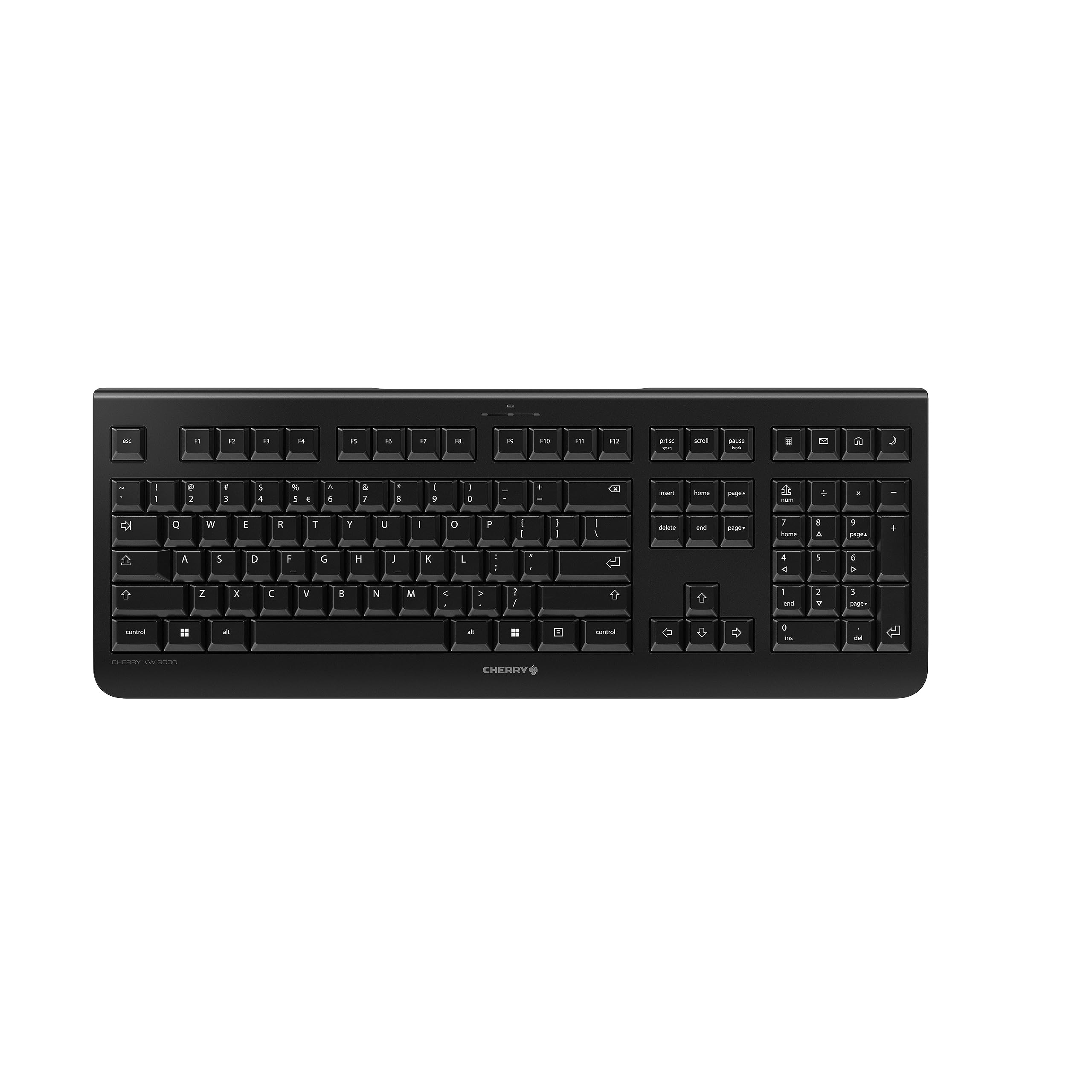
Image: The Cherry KW 3000 Wireless Keyboard, a full-size black keyboard, is shown on a light-colored desk mat. A laptop and an external monitor are visible in the background, indicating a typical office or home workspace setup. A computer mouse is also next to the keyboard.
Багцын агуулга
Дараах зүйлсийн багцад байгаа эсэхийг шалгана уу.
- Cherry KW 3000 Wireless Keyboard
- USB Nano Receiver (dongle)
- 2 х AAA батерей
- Хурдан эхлүүлэх гарын авлага (энэ баримт бичиг)
Тохиргоо
Follow these steps to set up your Cherry KW 3000 Wireless Keyboard:
- Батерейг оруулах: Locate the battery compartment on the underside of the keyboard. Open the cover and insert the two AAA batteries, ensuring correct polarity (+/-). Close the battery cover securely.
- USB хүлээн авагчийг холбоно уу: Plug the USB nano receiver into an available USB-A port on your computer (Windows or Mac). The operating system will automatically detect and install the necessary drivers.
- Бичиж эхлэх: Your keyboard is now ready for use. There is no on/off switch; the keyboard enters a power-saving sleep mode automatically when not in use and wakes up with any key press.

Image: The underside of the keyboard is shown, highlighting the battery compartment. The adjustable feet are also visible in their extended position.

Image: A small black USB nano receiver, labeled 'CHERRY', is shown on a light-colored surface, ready to be plugged into a computer's USB port.
Ашиглалтын заавар
Үндсэн хэрэглээ
The Cherry KW 3000 features a standard full-size QWERTY layout, including a numeric keypad and function keys. Simply begin typing as you would with any standard keyboard.
Халуун товчлуурууд
The keyboard includes four dedicated hotkeys for quick access to common functions:
- Тооцоологч: Тооцоолуурын програмыг нээнэ.
- И-мэйл: Таны анхдагч имэйл клиентийг ажиллуулна.
- Хөтөч: Таны өгөгдмөл нээнэ web хөтөч.
- Унтах горим: Таны компьютерийг унтах горимд оруулна.

Зураг: Ойрын зураг view of the upper right section of the keyboard, showing the four dedicated hotkeys with icons for calculator, email, web browser, and sleep mode.
Тохируулах хөл
For ergonomic comfort, the keyboard is equipped with stable fold-out feet on the underside. You can extend these feet to adjust the typing angle to your preference. The keyboard also features a non-slip bottom for stability.
Зураг: Хажуу талын мэргэжилтэнfile of the Cherry KW 3000 keyboard, illustrating its slim design and the adjustable feet extended to provide an elevated typing angle.
Онцлогууд
- 2.4 GHz утасгүй технологи: Provides a stable and reliable connection with a range of up to 10 meters.
- Бүрэн хэмжээний байршил: Includes a numeric keypad and cursor keys for comprehensive functionality.
- Quiet Membrane Keys: Designed for low-noise typing, ideal for office and home environments.
- Бат бөх дизайн: Built for longevity with a keystroke lifespan of up to 10 million actuations.
- Халуун товчлуурууд: Four convenient hotkeys for quick access to essential applications.
- Тохируулах боломжтой эргономик: Fold-out feet allow for customizable typing angles.
- Plug & Play: Easy installation without the need for complex software.

Image: A close-up of the keyboard keys, emphasizing their low-profile design and durable lettering, indicative of a quiet and long-lasting typing experience.
Засвар үйлчилгээ
Цэвэрлэгээ
To clean your keyboard, disconnect the USB receiver from your computer. Use a soft, lint-free cloth slightly dampened with water or a mild cleaning solution. Avoid excessive moisture and do not spray cleaners directly onto the keyboard. For cleaning between keys, use compressed air or a small brush.
Зай солих
When the keyboard's performance degrades or it stops responding, it's likely time to replace the batteries. Open the battery compartment on the underside, remove the old AAA batteries, and insert new ones, observing the correct polarity. Dispose of old batteries responsibly according to local regulations.
Алдааг олж засварлах
- Гар хариу өгөхгүй байна:
- USB хүлээн авагчийг компьютер дээрх ажиллаж байгаа USB порт руу найдвартай залгасан эсэхийг шалгаарай.
- Батерейг шалгана уу. Хэрэв тэдгээр нь бага эсвэл шавхагдсан бол тэдгээрийг солино.
- Хүрээтэй холбоотой асуудлуудыг арилгахын тулд гарыг USB хүлээн авагч руу ойртуулна уу.
- USB хүлээн авагчийг өөр USB порт руу залгаад үзээрэй.
- Түлхүүрүүд наалдамхай эсвэл хариу өгөхгүй байна:
- Clean the keyboard as described in the Maintenance section to remove any debris that might be affecting key presses.
- Тасралтгүй холболт:
- Ensure there are no large metal objects or other wireless devices causing interference between the keyboard and the receiver.
- Try using the keyboard in a different location to check for environmental interference.
Үзүүлэлтүүд
| Онцлог | Дэлгэрэнгүй |
|---|---|
| Загварын дугаар | JK-3000EU-2 |
| Холболтын технологи | 2.4 GHz Wireless (USB-A receiver) |
| Гарын тайлбар | Мембран |
| Тохиромжтой төхөөрөмжүүд | Mac, Windows |
| Онцлог шинж чанарууд | Durable, Hotkeys and Media Keys, Wireless |
| Өнгө | Хар |
| Материал | Хуванцар |
| Бүтээгдэхүүний хэмжээс | 18.03 x 6.69 x 0.79 инч (45.8 x 17 x 2 см) |
| Зүйлийн жин | 1.11 фунт (0.5 кг) |
| Батерей | 2 AAA батерей (дагсан) |
| Үйлдвэрлэгч | ИНТОР |
Баталгаат болон дэмжлэг
Cherry products are manufactured to high-quality standards. This product comes with a standard manufacturer's warranty against defects in materials and workmanship. For specific warranty terms, duration, and to access customer support, please refer to the official Cherry webсайт эсвэл харилцагчийн үйлчилгээтэй шууд холбогдоно уу. Баталгаат нэхэмжлэл гаргахын тулд худалдан авалтаа нотлох баримтаа хадгалаарай.
Аюулгүй байдлын мэдээлэл
- Гарыг шингэн зүйл эсвэл хэт их чийгэнд бүү байлга.
- Хэт их температураас зайлсхий.
- Гарыг задлах эсвэл өөрчлөхийг бүү оролдоорой. Энэ нь баталгааг хүчингүй болгоно.
- Батерейг хүүхдэд хүрэхгүй газар хадгална уу. Хэрэв залгисан бол яаралтай эмнэлгийн тусламж авах хэрэгтэй.
- Dispose of batteries and electronic waste responsibly.


