
1. Бүтээгдэхүүн дууссанview
The TP-Link Deco X1500 is a Wi-Fi 6 Mesh System designed to provide seamless, whole-home Wi-Fi coverage. This 3-pack system utilizes advanced Wi-Fi 6 technologies to deliver faster speeds, connect more devices, and reduce latency for a superior network experience. It creates a unified network that automatically selects the best connection as you move throughout your home.

Image: A single TP-Link Deco X1500 Mesh WiFi 6 unit, showcasing its compact white cylindrical design.
Гол онцлогууд:
- Faster Connections: Wi-Fi 6 achieves speeds up to 1,500 Mbps: 1,201 Mbps on 5 GHz and 300 Mbps on 2.4 GHz.
- Бусад төхөөрөмжүүдийг холбох: OFDMA and MU-MIMO technologies quadruple capacity for simultaneous transmission to multiple devices.
- Enhanced Seamless Coverage: Achieve perfect whole-home coverage with a clearer and stronger Wi-Fi signal generated by Wi-Fi 6.
- Хэт бага хоцролт: Reduced latency enables more responsive gaming and video chats.
- Нэгдсэн сүлжээ: Multiple units form a whole-home network that automatically selects the best connection as you move around your home.
- Эцэг эхийн хатуу хяналт: Онлайн цагийг хязгаарлаж, зохисгүй блокло websites based on unique profileгэр бүлийн гишүүн бүрт зориулж бүтээсэн.
- Хялбаршуулсан тохиргоо: The Deco app guides you step-by-step through the setup process.
2. Багцын агуулга
Таны багцад бүх зүйл байгаа эсэхийг шалгана уу:
- 3 x Deco X1500 нэгж
- 1 x RJ45 Ethernet кабель
- 3 х цахилгаан хувиргагч
- 1 x хурдан суулгах гарын авлага
3. Тохируулах заавар
Setting up your Deco X1500 Mesh System is straightforward using the TP-Link Deco app. Follow these steps for initial installation:
- Deco програмыг татаж авах: хайх 'TP-Link Deco' in the App Store (iOS) or Google Play Store (Android) and download the application.
- Sign Up or Log In: Open the Deco app and sign up for a TP-Link ID. If you already have one, log in.
- Үндсэн деко нэгжийг холбоно уу:
- Модемоо унтраа.
- Өгөгдсөн Ethernet кабелийг ашиглан нэг Deco нэгжийг модемдоо холбоно уу.
- Power on your modem, then power on the Deco unit.
- Апп доторх зааврыг дагана уу: The Deco app will automatically detect your Deco unit and guide you through the process of creating your Wi-Fi network name and password.
- Нэмэлт деко нэгж нэмэх: Once the main Deco is set up, the app will prompt you to add the remaining Deco units. Place them strategically throughout your home for optimal coverage. The app will provide guidance on ideal placement.
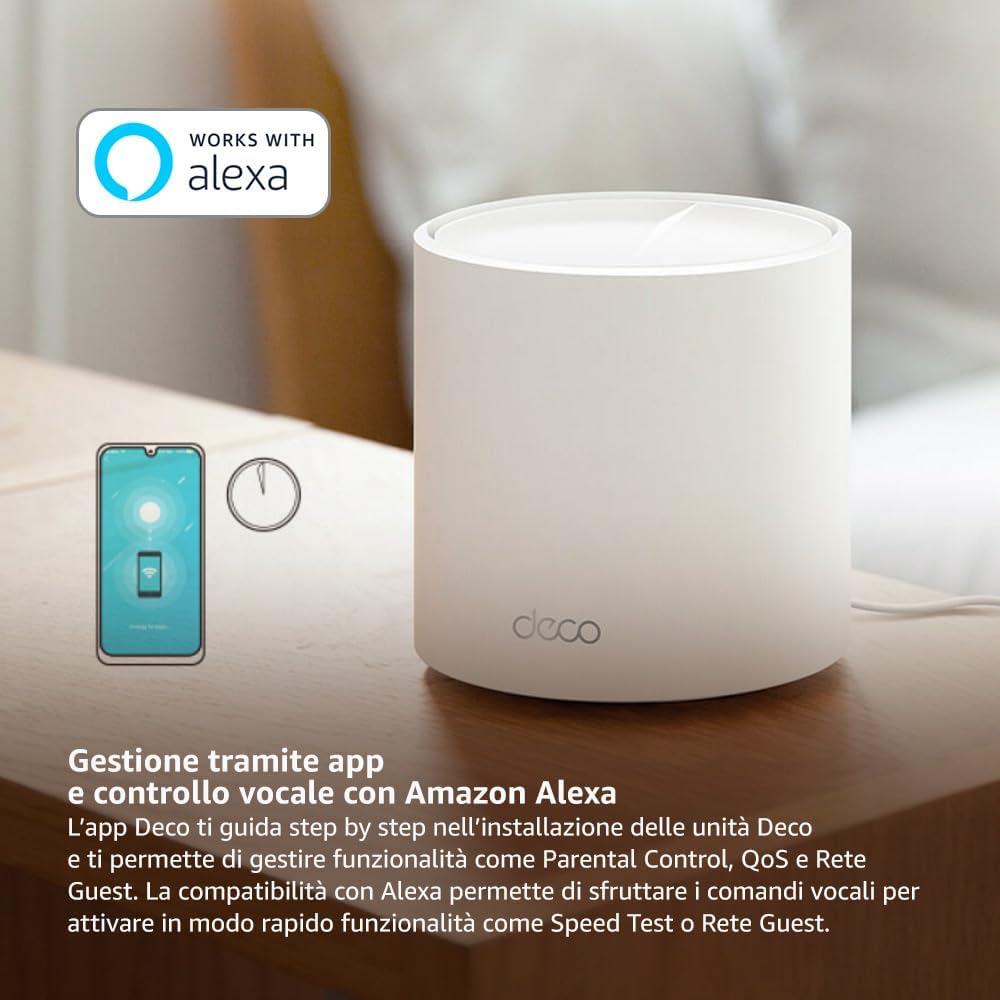
Image: A smartphone screen displaying the TP-Link Deco app, illustrating the step-by-step setup process for the mesh system.
4. Ашиглалтын заавар
The Deco X1500 system is managed primarily through the TP-Link Deco app, offering various features to control and optimize your home network.
Using the Deco App:
- Сүлжээний удирдлага: View connected devices, monitor network status, and manage Wi-Fi settings.
- Эцэг эхийн хяналт: Мэргэжилтэн үүсгэхfiles for family members, set time limits, and block inappropriate content.
- Үйлчилгээний чанар (QoS): Хамгийн сайн гүйцэтгэлтэй байхын тулд төхөөрөмж эсвэл үйл ажиллагааг эрэмбэлэх.
- Зочин сүлжээ: Зочдод зориулж тусдаа Wi-Fi сүлжээ үүсгэн үндсэн сүлжээгээ аюулгүй байлгаарай.
- Вирусны эсрэг: Utilize built-in HomeShield features for network protection.
Amazon Alexa ашиглан дуут удирдлага:
The Deco X1500 is compatible with Amazon Alexa. Link your TP-Link Deco account to your Alexa account to use voice commands for network functions, such as:
- Enabling or disabling the Guest Network.
- Running a speed test.
- Pausing Wi-Fi for specific profiles.

Зураг: арын хэсэг view of a Deco X1500 unit, showing two Gigabit LAN/WAN auto-sensing Ethernet ports and the power input.
5. Засвар үйлчилгээ
Regular maintenance ensures optimal performance and longevity of your Deco X1500 system.
Програм хангамжийн шинэчлэлтүүд:
- The Deco app will notify you of available firmware updates. It is recommended to keep your Deco units updated to the latest firmware for improved performance, security, and new features.
- Follow the in-app instructions to perform firmware updates. Do not power off the units during an update.
Цэвэрлэх ба байрлуулах:
- Clean the Deco units with a soft, dry cloth. Do not use liquid cleaners or aerosols.
- Place Deco units in open areas, away from obstructions like large metal objects, thick walls, or other electronic devices that may cause interference.
- Ensure adequate ventilation around each unit to prevent overheating.
6. Алдаа засах
If you encounter issues with your Deco X1500 system, refer to the following common troubleshooting steps.
Интернет холболт байхгүй:
- Модем шалгах: Таны модем асаалттай, интернет идэвхтэй байгаа эсэхийг шалгаарай.
- Кабелийн холболтууд: Үндсэн Deco нэгжийг модемд холбосон Ethernet кабель найдвартай холбогдсон эсэхийг шалгана уу.
- Төхөөрөмжүүдийг дахин эхлүүлэх: Power cycle your modem and all Deco units. Wait a few minutes for them to restart and re-establish connections.
- Deco App Status: Check the Deco app for network status and any error messages.
Сул Wi-Fi дохио эсвэл үхсэн бүсүүд:
- Нэгжийн байршил: Adjust the placement of your Deco units. Try to place them equidistant from each other and the main Deco, avoiding physical obstructions.
- хөндлөнгийн оролцоо: Move Deco units away from other electronics (microwaves, cordless phones, Bluetooth devices) that might cause wireless interference.
- Нэмэлт нэгж нэмэх: For very large homes or those with multiple floors, consider adding more Deco units to expand coverage.
Төхөөрөмж Wi-Fi-д холбогдож чадахгүй байна:
- Зөв нууц үг: Та зөв Wi-Fi нууц үг оруулж байгаа эсэхээ шалгаарай.
- Төхөөрөмжийн нийцтэй байдал: Verify that your device supports the Wi-Fi standards used by the Deco system (802.11ax/ac/n/a/g/b).
- Төхөөрөмжийг дахин эхлүүлэх: Restart the device attempting to connect.
- Check Blacklist: Ensure the device has not been accidentally blacklisted in the Deco app.
7. Техникийн үзүүлэлтүүд
| Онцлог | Тодорхойлолт |
|---|---|
| Брэнд | TP-Link |
| Загварын нэр | Deco X1500 |
| Онцлог шинж чанар | Wi-Fi 6 |
| Давтамжийн зурвасын ангилал | Хос зурвас |
| Утасгүй холбооны стандарт | 802.11ax |
| Тохиромжтой төхөөрөмжүүд | Компьютер, ухаалаг утас, таблет |
| Зөвлөмж болгож буй хэрэглээ | Гэр |
| Холболтын технологи | RJ45 |
| Өнгө | Цагаан |
| Аюулгүй байдлын протокол | WPA3 |
| Number of Ports (per unit) | 2 x Gigabit LAN/WAN (auto-sensing) |
| Хяналтын арга | Апп |
| Өгөгдөл дамжуулах хурд | Секундэд 1500 мегабит |
| LAN портын зурвасын өргөн | 1000 Mbps |
| Ботьtage | 110.0 В |
| Max Upstream Data Transfer Rate | Секундэд 1201 мегабит |
| Антенны тоо | Дотоод |
| Ухаалаг гэрийн нийцтэй байдал | Тиймээ |
| Wi-Fi үүсгэх | Wi-Fi 6 |
| Хамрах хүрээ (3 багц) | 520 хавтгай дөрвөлжин метр хүртэл |
| Зүйлийн жин | 1.8 кг |
8. Баталгаат хугацааны мэдээлэл
The TP-Link Deco X1500 Mesh System comes with a Бүтээгдэхүүний 3 жилийн баталгаат хугацаа. This warranty covers defects in materials and workmanship under normal use. For specific terms and conditions, please refer to the warranty card included in your package or visit the official TP-Link webсайт.
9. Дэмжлэг
For further assistance, technical support, or to access additional resources, please visit the official TP-Link support webсайт:
You can also find FAQs, updated manuals, and community forums on the support page.