
1. Танилцуулга
Thank you for choosing the EMANER Smart Security Light Motion Sensor. This device combines advanced motion detection with smart control features, offering adjustable brightness, color temperature, and seamless integration with smart home systems like Alexa and Google Home. This manual provides detailed instructions for safe installation, configuration, and operation of your new security light.

Image 1.1: EMANER Smart Security Lights with smart home integration.
2. Аюулгүй байдлын мэдээлэл
WARNING: Risk of electric shock. Installation should be performed by a qualified electrician or a person with electrical knowledge. Disconnect power at the fuse box or circuit breaker before installation or servicing.
- Суулгахын өмнө тэжээлийн хангамжийг унтраасан эсэхийг шалгаарай.
- Орон нутгийн цахилгааны бүх дүрэм журам, дүрмийг дагаж мөрдөөрэй.
- Бүтээгдэхүүнийг өөрчлөх гэж бүү оролдоорой.
- Бүтээгдэхүүнийг шатамхай материалаас хол байлга.
- This product is designed for outdoor use and is water-resistant. However, do not submerge it in water.
3. Багцын агуулга
Суулгацыг эхлүүлэхийн өмнө бүх бүрэлдэхүүн хэсгүүд байгаа эсэхийг шалгана уу.
- EMANER Smart Security Light (2 units for 2-Pack)
- Суурилуулах тоног төхөөрөмж (эрэг, төмөр самар, холбох хавтан)
- Хэрэглэх заавар (энэ баримт бичиг)
4. Техникийн үзүүлэлтүүд
| Онцлог | Дэлгэрэнгүй |
|---|---|
| Брэнд | ЭМАНЕР |
| Загварын нэр | EMR-8030 |
| Гэрлийн гаралт | 2800 люмен (хамгийн их) |
| Өнгөний температур | 2700K-6500K (Тохируулах боломжтой) |
| Багасгах боломжтой | 1% to 100% via App |
| Эрчим хүчний эх үүсвэр | Утастай цахилгаан (120 вольт) |
| Холболт | 2.4 GHz Wi-Fi |
| Хяналтын аргууд | App (Smart Life/Tuya Smart), Voice (Alexa, Google Assistant) |
| Хөдөлгөөн мэдрэгчийн хүрээ | Up to 26 feet (adjustable) |
| Хөнгөн үргэлжлэх хугацаа | 5 секундээс 60 минут хүртэл (тохируулж болно) |
| Материал | Хуванцар |
| Хэмжээ | 12"L x 6.7"W x 6"H |
| Усны эсэргүүцэл | Water Resistant (Weatherproof) |

Image 4.1: Product dimensions and adjustable light heads.
5. Тохиргоо
5.1. Суурилуулалт
- Цахилгааныг унтраах: Before starting, ensure the power to the junction box is turned off at the circuit breaker.
- Суурилуулалтыг бэлтгэх: Attach the mounting plate to your outdoor junction box using the provided screws.
- Утасны холболтууд: Connect the light's wires to your household wiring:
- Black wire (Live) to Black wire (Live)
- Цагаан утас (Төвийг сахисан)-аас Цагаан утас (Төвийг сахисан) руу
- Ногоон/Нүцгэн зэс утас (Газар)-аас Ногоон/Нүцгэн зэс утас (Газар) руу
- Суурин бэхэлгээ: Carefully tuck the wires into the junction box and secure the light fixture to the mounting plate.
- Гэрлийн толгойг тохируулах: The three light heads and the motion sensor are rotatable. Adjust them to cover your desired area.
- Эрчим хүчийг сэргээх: Хэлхээ таслагч дээр цахилгааныг дахин асаана уу.
5.2. App Connection (Smart Life / Tuya Smart)
The EMANER Smart Security Light connects via 2.4GHz Wi-Fi to the Smart Life or Tuya Smart app.
- Апп татаж авах: Download the "Smart Life" or "Tuya Smart" app from your smartphone's app store (iOS or Android).
- Бүртгүүлэх/Нэвтрэх: Аппликешныг нээгээд шинэ бүртгэлээр бүртгүүлэх эсвэл хэрэв танд бүртгэл байгаа бол нэвтэрнэ үү.
- Төхөөрөмж нэмэх:
- Таны утас 2.4GHz Wi-Fi сүлжээнд холбогдсон эсэхийг шалгаарай.
- Аппликейшнд төхөөрөмж нэмэхийн тулд баруун дээд буланд байгаа "+" дүрс дээр товшино уу.
- Select "Lighting" or "Security & Sensor" and then "Light Source (Wi-Fi)" or "Floodlight (Wi-Fi)".
- Follow the in-app instructions to put the light into pairing mode. This usually involves turning the light off and on a few times until it blinks rapidly.
- Wi-Fi сүлжээнийхээ нууц үгийг асуухад оруулна уу.
- Wait for the app to discover and connect to the device. Once connected, you can rename the light.
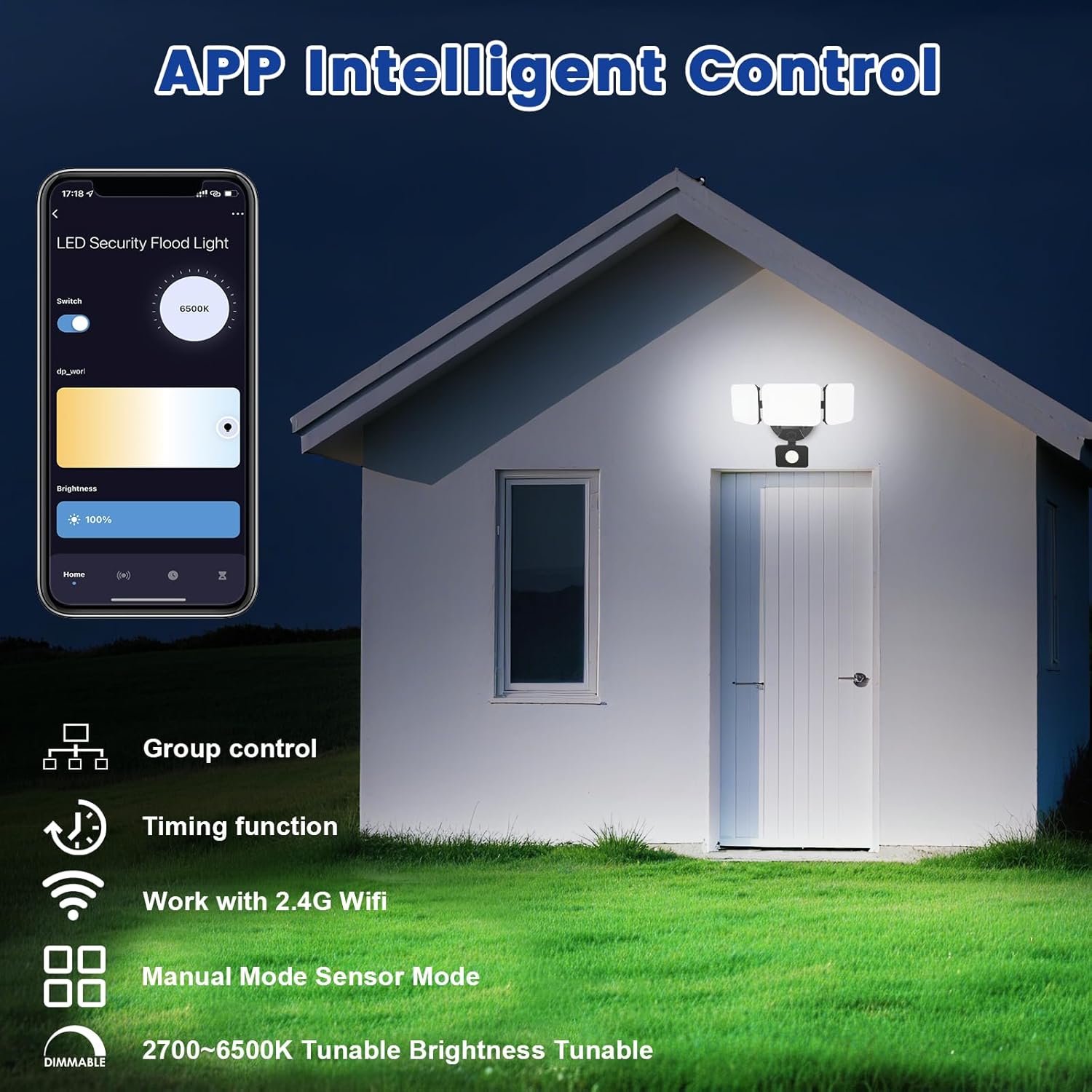
Image 5.1: App interface for intelligent control.
6. Ашиглалтын заавар
6.1. Програмын хяналт
Once connected, use the Smart Life/Tuya Smart app to control your security light:
- Гэрэлтүүлгийн тохируулга: Гэрлийн эрчмийг 1% -аас 100% хүртэл тохируулна уу.
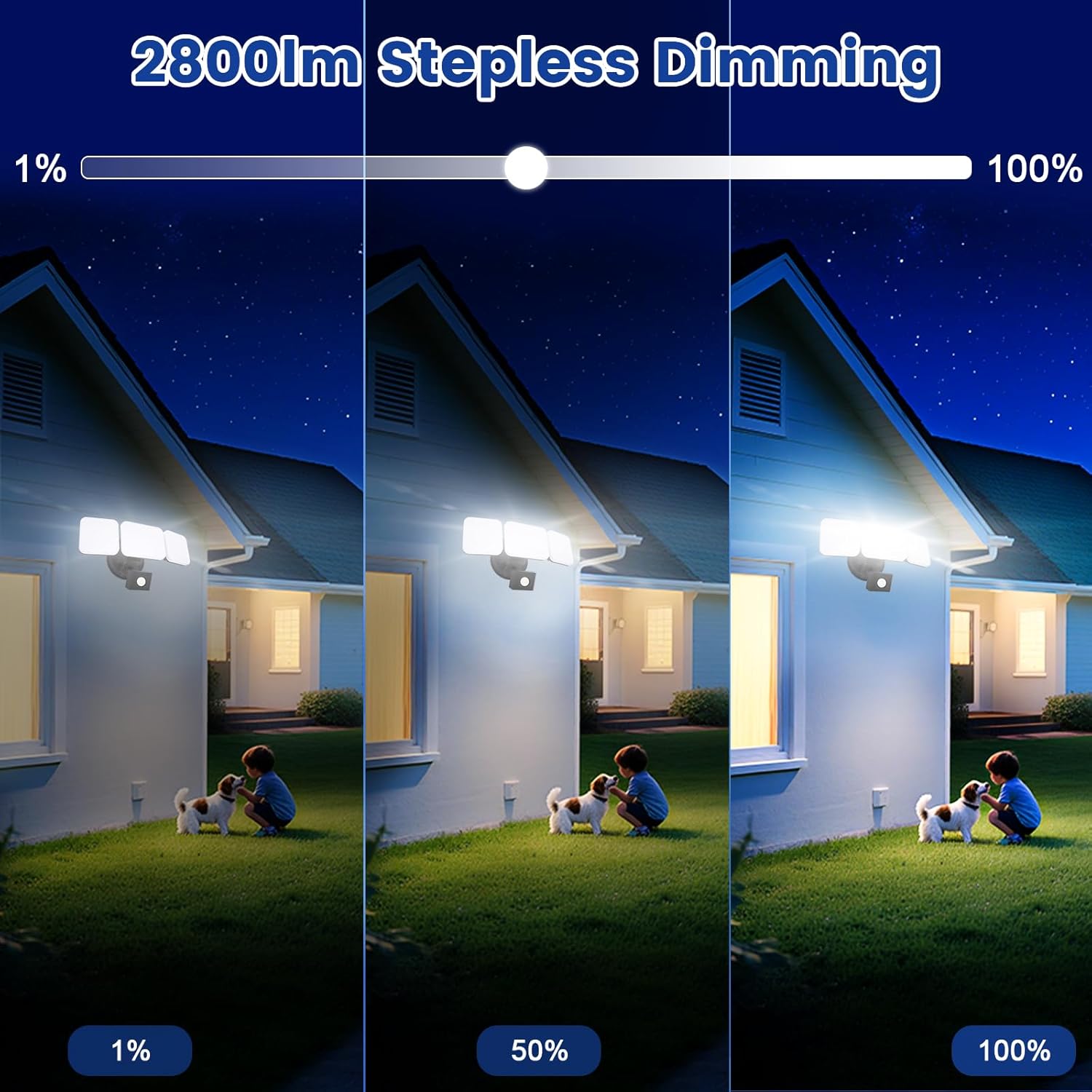
Image 6.1: Stepless dimming from 1% to 100% brightness.
- Өнгөний температурын тохируулга: Change the light color from warm white (2700K) to daylight white (6500K).
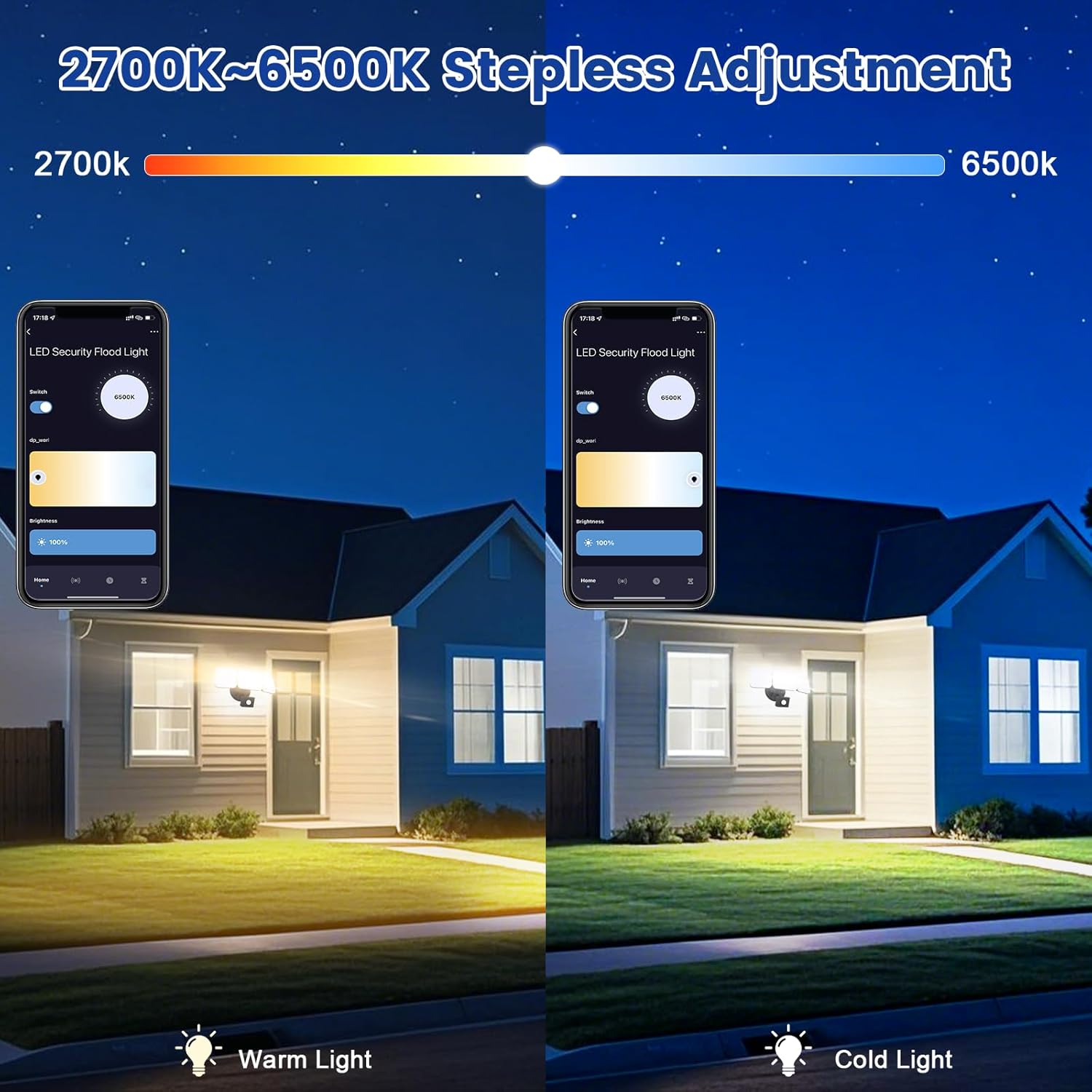
Image 6.2: Tunable white from 2700K (Warm) to 6500K (Daylight).
- Үйлдлийн горимууд:
- Гар горим: Functions as a regular light. You can set it to turn on/off at specific times and adjust brightness/color temperature.
- Мэдрэгчийн горим: Activates the motion sensor. Customize sensor settings like sensitivity and light duration.
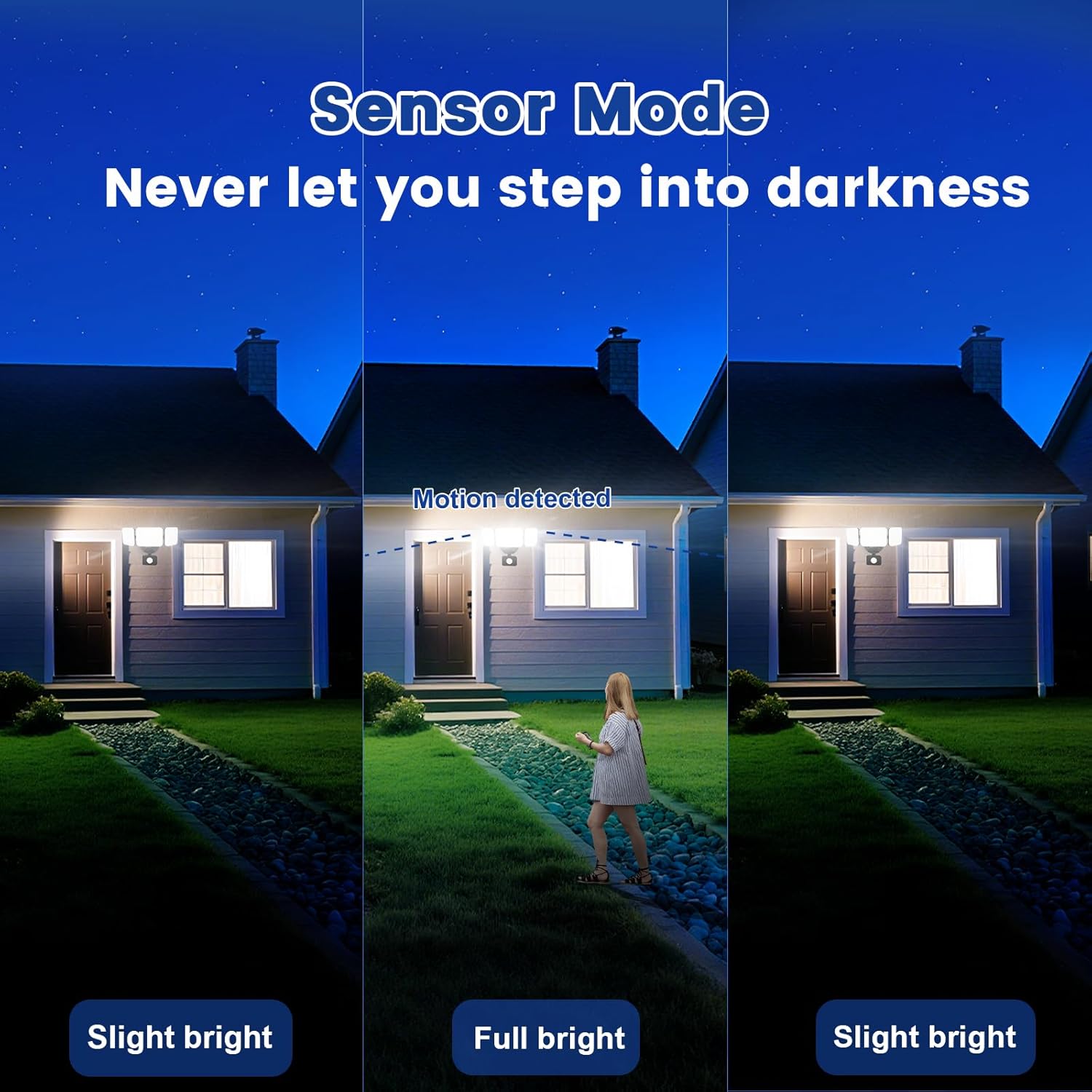
Image 6.3: Sensor Mode operation, detecting motion and adjusting brightness.
- Хөдөлгөөн мэдрэгчийн тохиргоо: Adjust the detection range (up to 26ft) and the duration the light stays on after motion is detected (5 seconds to 60 minutes).

Image 6.4: Adjustable full light duration time.
- Хуваарь: Тодорхой цагт гэрлийг асаах, унтраах хуваарийг тохируулна уу.

Image 6.5: Time scheduling and delay settings.
- Бүлгийн хяналт: Group multiple EMANER smart lights together for simultaneous control.
6.2. Дуут удирдлага (Alexa / Google Assistant)
Integrate your EMANER Smart Security Light with Amazon Alexa or Google Assistant for convenient voice commands.
- Бүртгэлийг холбох: Alexa эсвэл Google Home аппликейшнд "Smart Life" эсвэл "Tuya Smart" ур чадвар/үйлчилгээг идэвхжүүлж, бүртгэлээ холбоно уу.
- Төхөөрөмжүүдийг олж мэдэх: Ask Alexa or Google Assistant to "Discover devices."
- Дуут тушаалууд: Ийм тушаалуудыг ашиглана уу:
- "Alexa, turn on the security light."
- "Hey Google, set the security light to 50% brightness."
- "Alexa, change the security light to warm white."
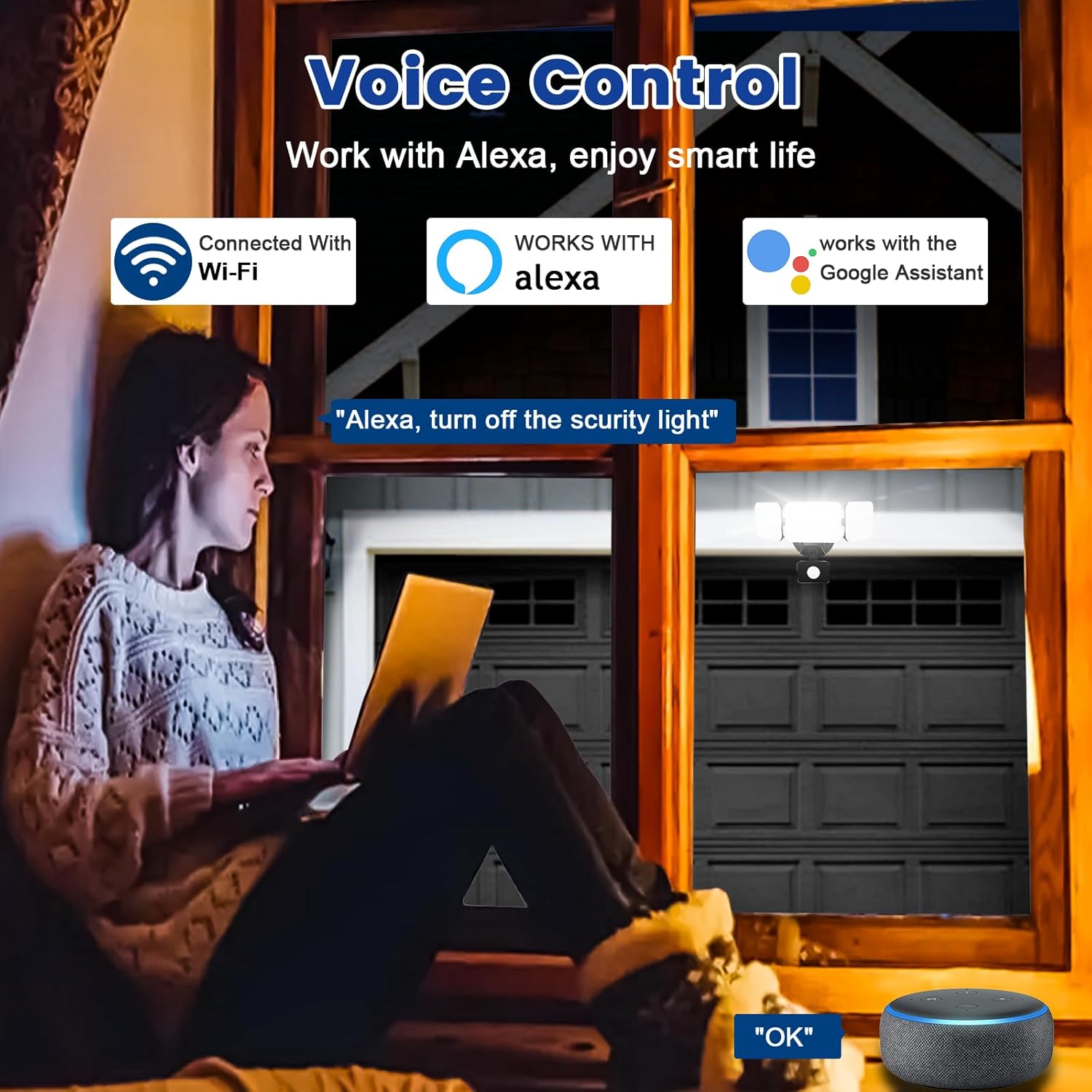
Image 6.6: Voice control integration with Alexa and Google Assistant.
7. Засвар үйлчилгээ
- Цэвэрлэгээ: Гэрлийн чийдэнг үе үе зөөлөн, d аргаар цэвэрлэж байгаарайamp даавуу. Зүлгүүрийн цэвэрлэгч, уусгагчийг бүү ашигла.
- Шалгалт: Regularly check for any loose wiring or damage to the fixture.
- Програм хангамжийн шинэчлэлтүүд: Keep the Smart Life/Tuya Smart app updated to ensure your device receives the latest firmware for optimal performance and security.
8. Алдаа засах
| Асуудал | Боломжит шалтгаан | Шийдэл |
|---|---|---|
| Гэрэл асдаггүй. | Цахилгаангүй, утас суларсан, холболт эвдэрсэн. | Check circuit breaker. Ensure all wiring connections are secure. Contact support if issue persists. |
| Wi-Fi-д холбогдох боломжгүй байна. | Incorrect Wi-Fi band (not 2.4GHz), wrong password, light not in pairing mode, weak signal. | Ensure your router is broadcasting 2.4GHz Wi-Fi. Verify password. Put light into pairing mode (turn off/on several times). Move router closer or use a Wi-Fi extender. |
| Motion sensor not working or too sensitive. | Incorrect settings in app, obstruction, environmental factors. | Adjust sensitivity and detection range in the Smart Life/Tuya Smart app. Ensure sensor is not obstructed. Avoid aiming at heat sources or reflective surfaces. |
| Дуут удирдлага хариу өгөхгүй байна. | App account not linked, device not discovered, incorrect commands. | Ensure Smart Life/Tuya Smart skill is enabled and linked in Alexa/Google Home app. Ask to "Discover devices." Use correct voice commands. |
9. Баталгаат хугацаа ба дэмжлэг
EMANER provides a Lifetime Warranty for this product, ensuring quality and customer satisfaction. For technical support, warranty claims, or any questions regarding your EMANER Smart Security Light, please contact EMANER customer service through the retailer's platform or visit the official EMANER webхолбоо барих мэдээлэл авах сайт.
Онлайн нөөцүүд:
- For app-related issues, refer to the help section within the Smart Life or Tuya Smart application.
- -д зочилно уу EMANER Store on Amazon бүтээгдэхүүний мэдээлэл, дэмжлэг авах.