
Танилцуулга
The Benro SupaDupa Carbon Fiber Monopod MSD46C72 is a lightweight, professional-grade support system designed for cameras and video equipment. Constructed from carbon fiber, it offers strength and rigidity while maintaining portability. This manual provides instructions for the proper setup, operation, and maintenance of your monopod to ensure optimal performance and longevity.
Хайрцагт юу байна
Carefully unpack your Benro SupaDupa Monopod and verify that all components are present:
- Benro SupaDupa Carbon Fiber Monopod
- Зөөврийн хайрцаг
- Аллен түлхүүр

Image: The Benro SupaDupa Carbon Fiber Monopod, its dedicated carry case, and included accessories such as an Allen key and mounting screws, are displayed on a white background.
Тохиргоо
1. Attaching a Camera or Tripod Head
The monopod features a reversible 1/4"-20 and 3/8"-16 mounting screw for universal compatibility. To attach your camera directly or a tripod head:
- Ensure the correct screw size is exposed for your equipment. If not, unscrew and reverse the mounting screw.
- Carefully screw your camera or tripod head onto the mounting screw until secure.

Image: A Benro SupaDupa Monopod is shown with a camera and a large telephoto lens securely mounted, demonstrating its stability and readiness for use.
2. Using the Leveling Base
The integrated 72mm leveling base allows for smooth adjustments and precise leveling, particularly useful for video or panoramic photography.
- To adjust the tilt, loosen the locking knob on the side of the leveling base.
- Adjust the angle as needed, then tighten the knob to secure the position.
- The quick release plate (PU58M) can be detached by loosening the large blue knob and pressing the safety release button.

Зураг: Нарийвчилсан view of the Benro SupaDupa Monopod's leveling base, showing the tilt mechanism and locking knob with a camera mounted above it.
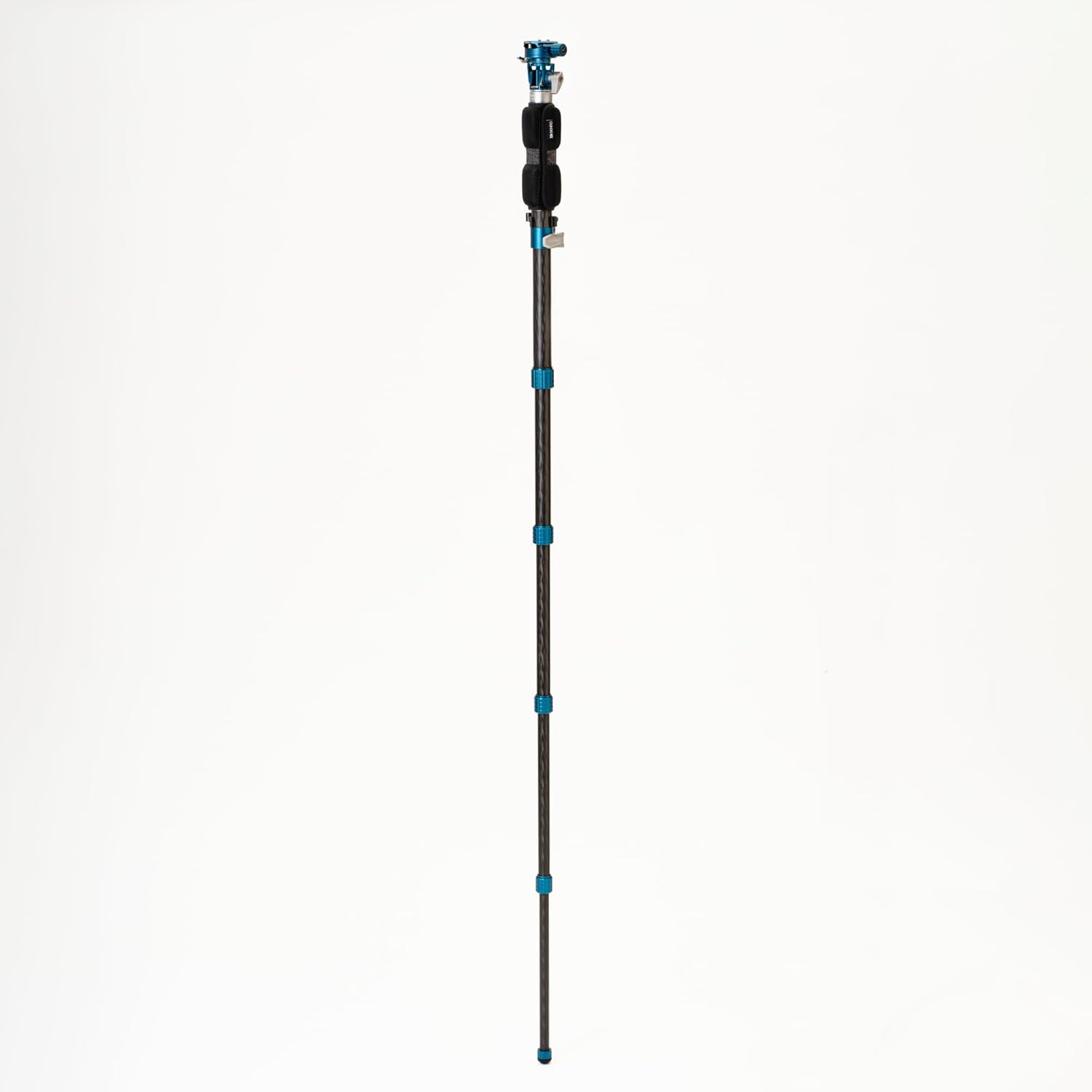
Image: A close-up of the Benro PU58M quick release plate and its corresponding clamp mechanism, highlighting the textured knob and safety system.
3. Adjusting Tension
An Allen key is provided for minor adjustments to the quick release plate tension if needed.

Image: An Allen key is shown inserted into a screw on the quick release plate, indicating a point for tension adjustment.
Ажиллаж байна
1. Extending and Retracting Leg Sections
The monopod features 6-section carbon fiber legs with twist locks for quick height adjustment.
- To extend a section, twist the lock counter-clockwise until it loosens, pull the section to the desired length, then twist clockwise to secure.
- Repeat for all sections until the desired height is reached.
- To retract, reverse the process.

Зураг: Ойрын зураг view of the Benro SupaDupa Monopod's twist lock, showing its textured surface for easy grip and adjustment.
2. Using the Padded Grip
The monopod includes a padded grip for comfortable handling during extended use.
- Position your hand on the padded grip for improved comfort and secure holding.
- The grip also features a strap for added security.

Image: A detailed shot of the Benro SupaDupa Monopod's padded grip, designed for comfortable and secure handling.

Image: The Benro SupaDupa Monopod is shown fully extended, demonstrating its maximum height capability.
Засвар үйлчилгээ
Proper maintenance ensures the longevity and reliable performance of your monopod.
- Цэвэрлэгээ: After use, especially in dusty or sandy environments, wipe down the monopod with a soft, dry cloth. If necessary, use a slightly damp даавуу болон зөөлөн савангаар сайтар хатаана. Хүчтэй химийн бодисоос зайлсхий.
- Хадгалах: Store the monopod in its carry case in a cool, dry place away from direct sunlight and extreme temperatures. Ensure all sections are retracted and locks are lightly tightened before storage.
- Шалгалт: Periodically check all screws and connections for tightness. Do not overtighten.
Алдааг олж засварлах
If you encounter issues with your Benro SupaDupa Monopod, refer to the following common solutions:
- Leg sections not locking securely: Ensure the twist locks are fully tightened clockwise. If the issue persists, check for any debris inside the locking mechanism.
- Camera/head feels loose: Verify that the mounting screw is fully tightened into your equipment. For quick release plates, ensure the plate is correctly seated in the clamp and the locking knob is secure.
- Leveling base movement is stiff or too loose: Adjust the tension of the leveling base locking knob.
For issues not covered here, please contact Benro customer support.
Үзүүлэлтүүд
Key specifications for the Benro SupaDupa Carbon Fiber Monopod MSD46C72:
| Загварын дугаар | MSD46C72 |
| Материал | Нүүрстөрөгчийн шилэн |
| Хэсэгүүд | 6 |
| Хамгийн их өндөр | 72 инч (182.88 см) |
| Collapsed Length | 24.6 инч (62.48 см) |
| Жин | 2.1 фунт (0.95 кг) |
| Ачааллын хүчин чадал | 39.7 фунт (18 кг) хүртэл |
| Leveling Base Diameter | 72 мм |
| Суурилуулах шураг | Reversible 1/4"-20 and 3/8"-16 |
Баталгаат хугацааны мэдээлэл
The Benro SupaDupa Carbon Fiber Monopod MSD46C72 comes with a standard limited warranty of 3 years from the date of purchase for the original owner. If the product is registered online, the warranty is extended by an additional 2 years, totaling 5 years in applicable regions. Please retain your proof of purchase for warranty claims.
Дэмжлэг
For further assistance, technical support, or warranty inquiries, please visit the official Benro website or contact Benro customer service directly. Refer to the contact information provided with your product packaging or on the Benro webсайт.