
LC-Power LC-POWER
LC-M27-QHD-180 - 27" PC Monitor хэрэглэгчийн гарын авлага
Brand: LC-Power | Model: LC-POWER
Бүтээгдэхүүн дууссанview
The LC-M27-QHD-180 is a 27-inch (68.58 cm) PC monitor designed to deliver a high-quality visual experience. It features a QHD resolution of 2560 x 1440 pixels, providing sharp and detailed images. The IPS panel ensures an ultra-fast 1 ms response time, excellent color accuracy, and wide viewing angles. With a refresh rate of 180 Hz, content display is very fluid, making it suitable for fast-paced applications and gaming.
Key features include Adaptive Sync for smooth gameplay, Picture-by-Picture (PbP) and Picture-in-Picture (PiP) for multi-source viewing, and a height-adjustable stand with integrated cable management for ergonomic use. The monitor also supports a pivot feature, allowing it to be rotated 90 degrees for vertical document viewing.
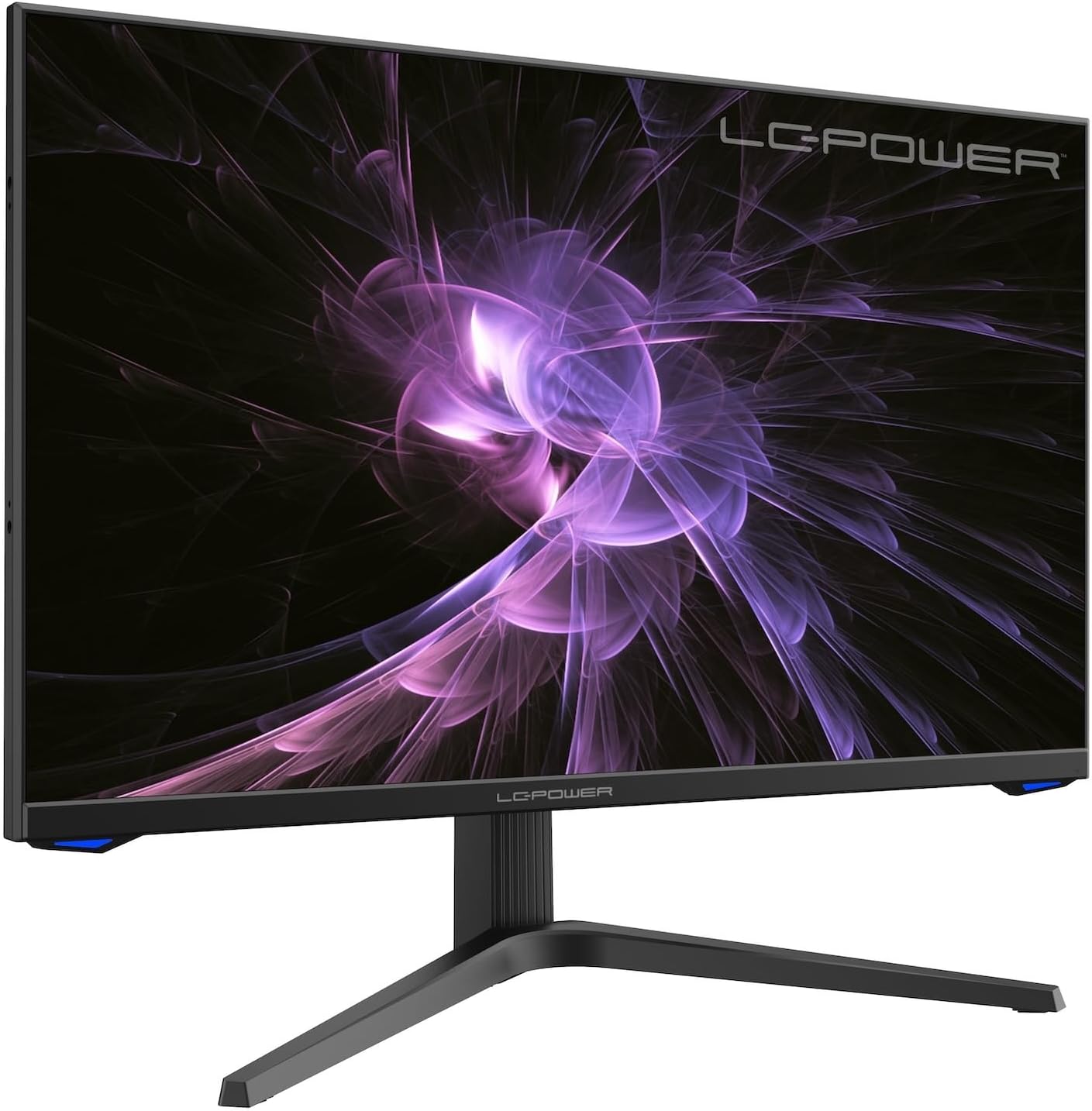
Зураг: Урд view of the LC-M27-QHD-180 monitor, showcasing түүний дэлгэц, гоёмсог дизайн.
Тохируулах гарын авлага
1. Савлах ба Агуулга
Carefully remove all components from the packaging. Please verify that all items listed below are present:
- LC-M27-QHD-180 Monitor
- Хяналтын суурь
- HDMI кабель
- Эрчим хүчний адаптер
- Суурилуулах материал
- Хэрэглэгчийн гарын авлага (энэ баримт бичиг)
2. Угсралт
Суурийг хавсаргах:
- Зурааснаас сэргийлж дэлгэцийг зөөлөн, цэвэр гадаргуу дээр доош харуулан байрлуулна уу.
- Align the stand arm with the slot on the back of the monitor.
- Өгөгдсөн боолтыг ашиглан суурийн хөшүүргийг мониторт бэхлэнэ үү.
- Attach the base plate to the stand arm and tighten the screws.
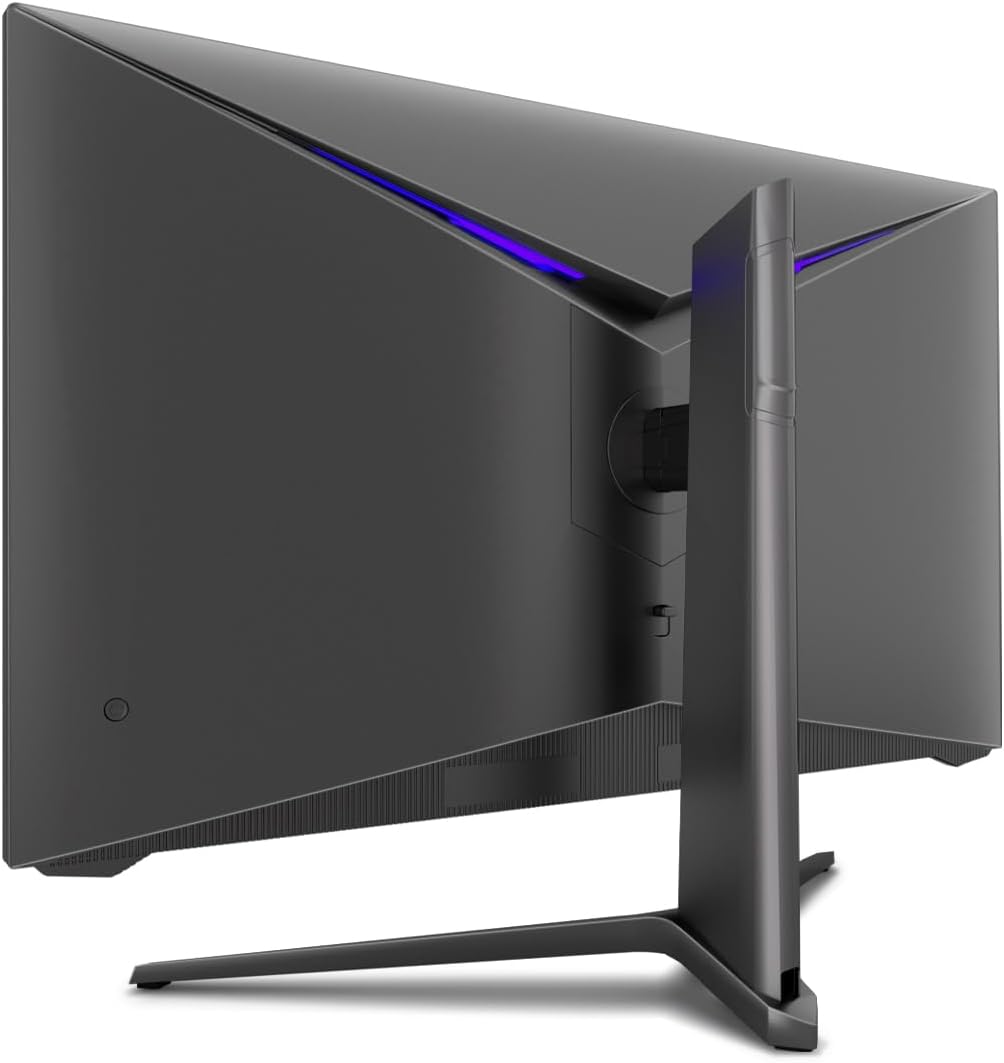
Зураг: Ар талд view of the monitor, illustrating the stand assembly area and cable management design.
VESA суурилуулах: The monitor is VESA compatible. If you intend to use a VESA mount, remove the stand arm after assembly and attach your VESA mount according to its instructions.
3. Мониторыг холбох
- Эрчим хүчний холболт: Connect the power adapter to the monitor's power input and then plug the power adapter into a wall outlet.
- Видео холболт: Connect one end of the provided HDMI cable to the HDMI port on your computer's graphics card and the other end to an HDMI input port on the monitor.
- Бүх холболт найдвартай эсэхийг шалгаарай.
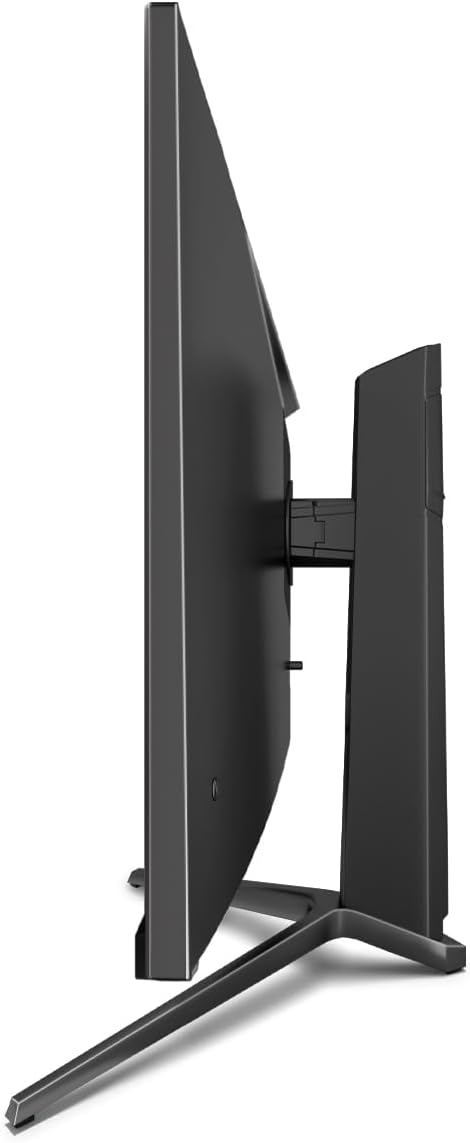
Зураг: хажуу тал view of the monitor, showing its slim design and connectivity ports.
4. Анхдагч асаалттай
Press the power button on the monitor. The power indicator light should illuminate. Your computer should automatically detect the new display. If not, adjust display settings in your operating system.
Ашиглалтын заавар
Дэлгэц дээрх дэлгэц (OSD) цэс
The monitor features an On-Screen Display (OSD) menu for adjusting various settings. Use the control buttons located on the monitor (typically on the back or bottom edge) to navigate the OSD menu.
Гол онцлог, тохиргоо
- Дасан зохицох синк: This technology synchronizes the monitor's refresh rate with your graphics card's frame rate, reducing screen tearing and stuttering for a smoother gaming experience. Enable this feature in your graphics card settings and on the monitor's OSD if applicable.
- Overdrive: Overdrive pre-calculates and accelerates specific pixels, significantly reducing response times for both black-and-white and color nuance changes, resulting in clearer motion.
- Бага цэнхэр гэрэл: The Low Blue Light filter reduces the emission of harmful blue light from the screen, minimizing eye strain and fatigue during prolonged use. This feature can be adjusted via the OSD menu.
- Зураг бүрээр (PbP) / Зураг доторх зураг (PiP):
- PbP: Allows you to display content from two different input sources side-by-side on the same screen.
- PiP: Displays the image from a second source as a smaller, scalable window (up to 25% of original size) that can be positioned anywhere on the main screen.
- FPS / RTS Modes: Dedicated display modes optimized for First Person Shooter (FPS) and Real-Time Strategy (RTS) games. These modes enhance visibility and provide a better gaming experience by adjusting display parameters.
- Пивот функц: The monitor can be rotated 90 degrees to a vertical (portrait) orientation. This is particularly useful for reading documents, coding, or web үзэх.

Image: Diagram illustrating the monitor's ability to pivot 90 degrees for vertical viewing.
Note: After physically rotating the monitor, you must adjust the display orientation settings within your operating system (e.g., Windows Display Settings) to match the new physical orientation.
- Height Adjustable Stand & Cable Management: The integrated stand allows for height adjustment to achieve an ergonomic viewing position. Cables can be neatly routed through the stand's built-in cable management system to maintain a tidy workspace.

Image: Close-up of the monitor's stand, highlighting the integrated cable management feature.
Засвар үйлчилгээ
Мониторын урт наслалт, оновчтой ажиллагааг хангахын тулд дараах засвар үйлчилгээний удирдамжийг дагана уу.
- Дэлгэц цэвэрлэх: Дэлгэцийг цахилгаан хэрэгсэлд тусгайлан зориулсан зөөлөн, хөвөнгүй даавуугаар зөөлөн арчина. Зөрүүд тэмдгийн хувьд хөнгөнөөр dampДаавууг ус эсвэл үрэлтгүй, дэлгэцэнд аюулгүй цэвэрлэгээний уусмалаар арчина. Шингэнийг дэлгэц рүү шууд цацаж болохгүй.
- C цэвэрлэхasing: Зөөлөн хуурай даавуугаар мониторыг цэвэрлэх casing. Химийн хатуу бодис, зүлгүүрийн материал ашиглахаас зайлсхий.
- Агааржуулалт: Хэт халалтаас сэргийлэхийн тулд монитор дээрх агааржуулалтын нүхийг хаагаагүй эсэхийг шалгаарай.
- Унтраах: Always power off the monitor and unplug it from the power outlet before cleaning or if it will not be used for an extended period.
- Нарны шууд тусгалаас зайлсхийх: Мониторыг нарны шууд тусгал эсвэл хэт халуунд бүү тавь.
Алдааг олж засварлах
If you encounter issues with your LC-M27-QHD-180 monitor, please refer to the following common troubleshooting steps:
| Асуудал | Боломжит шалтгаан | Шийдэл |
|---|---|---|
| Дэлгэц дээр зураг алга | Монитор асаалттай биш; видео кабель суларсан эсвэл салгагдсан; буруу оролтын эх үүсвэр сонгогдсон байна. | Ensure power cable is securely connected and monitor is turned on. Check video cable connections (HDMI). Select the correct input source via the OSD menu. |
| Зураг бүдгэрсэн эсвэл гажуудсан байна | Буруу нягтралын тохиргоо; видео кабелийн асуудал. | Set the display resolution to 2560 x 1440 pixels in your computer's display settings. Try a different HDMI cable if available. |
| No sound (if monitor has speakers/audio out) | Аудио кабель холбогдоогүй байна; дууны түвшин хэт бага байна; компьютер дээр буруу аудио гаралт сонгогдсон байна. | Ensure audio cable (if used) is connected. Adjust monitor volume via OSD. Select the monitor as the default audio output device in your computer's sound settings. |
| Дэлгэц анивчих | Refresh rate mismatch; faulty cable; graphics driver issue. | Ensure refresh rate is set to 180 Hz in display settings. Try a different video cable. Update your graphics card drivers. |
For more detailed troubleshooting or persistent issues, please consult the full user manual or contact LC-Power customer support.
Үзүүлэлтүүд
| Онцлог | Дэлгэрэнгүй |
|---|---|
| Загварын дугаар | LC-POWER (LC-M27-QHD-180) |
| Дэлгэцийн хэмжээ | 27 инч (68.58 см) |
| Шийдвэр | QHD Wide 1440p (2560 x 1440 pixels) |
| Харьцаа | 16:9 |
| Сэргээх хурд | 180 Гц |
| Хариу өгөх хугацаа | 1 мс |
| Самбарын төрөл | IPS |
| Дэлгэцийн гадаргуу | Flach (Flat) |
| Бүтээгдэхүүний хэмжээ (L x W x H) | 28.74 x 18.9 x 8.66 инч |
| Зүйлийн жин | 17.73 фунт |
| Үйлдвэрлэгч | LC хүч |
| ASIN | B0CQJNV3YR |
| Эхний боломжтой огноо | 31 оны тавдугаар сарын 2024 |

Image: EU Energy Label for the LC-M27-QHD-180 monitor. For more details, scan the QR code or visit eprel.ec.europa.eu/qr/1758049.
Баталгаат болон дэмжлэг
The LC-M27-QHD-180 monitor is manufactured by LC Power.
- Ерөнхий баталгаа: The product comes with a 3-year general warranty from the date of purchase.
- Guaranteed Availability of Spare Parts: Spare parts are guaranteed to be available for 7 years from the date of placing the product on the market.
- Guaranteed Product Support: Product support is guaranteed for 7 years.
For technical support, warranty claims, or service inquiries, please contact LC-Power customer support through their official channels. Refer to the packaging or the brand's official webтодорхой холбоо барих мэдээлэл авах сайт.