
Танилцуулга
The Amazon Kindle Scribe is a digital notebook and e-reader designed for writing, reading, and document management. It offers a paper-like experience for note-taking and provides access to a vast library of digital content.
- Digital Notebook: Replaces physical notebooks with a single device optimized for writing and reading.
- AI Notebook Tools: Features for converting handwriting to text, summarizing notes, and adjusting length or tone.
- Premium Pen: Provides a natural writing experience without the need for charging or setup.
- Баримт бичгийн менежмент: Allows importing and marking up documents and PDFs.
- Active Canvas: Enables note-taking directly on book pages with adjustable margins.
- Гэрэлтдэггүй дэлгэц: A 10.2-inch, 300 ppi front-lit display for comfortable reading and writing in various lighting conditions.
- Өргөтгөсөн зай: Designed for weeks of writing or months of reading on a single charge.

The Kindle Scribe functions as a versatile digital notebook for various writing tasks.
Тохиргоо
Хайрцагт юу байна
- Wi-Fi-тай Kindle Scribe төхөөрөмж
- Дээд зэрэглэлийн үзэг
- USB-C цэнэглэгч кабель
- 5 replacement pen tips
- Зөвлөгөө солих хэрэгсэл
- Баригдсан цэнэглэдэг зай
Төхөөрөмжийн анхны тохиргоо
The Kindle Scribe features Amazon Wi-Fi simple setup, which automatically connects to your home Wi-Fi network. No computer is required to download content or complete the initial setup process.
- Асаах: Дэлгэц идэвхжих хүртэл асаах товчийг дараад барина уу.
- Хэлний сонголт: Дэлгэц дээрх зааврыг дагаж дуртай хэлээ сонгоно уу.
- Wi-Fi-д холбогдох: The device will guide you through connecting to a Wi-Fi network. If you have previously used Amazon Wi-Fi simple setup, it may connect automatically.
- Төхөөрөмжийг бүртгэх: Register your Kindle Scribe to your Amazon account. This links your device to your Kindle library and allows access to the Kindle Store.
- Заавар: Complete the brief on-screen tutorial to familiarize yourself with basic navigation and pen functions.
Ашиглалтын заавар
Reading on Kindle Scribe
The Kindle Scribe provides a dedicated reading experience with its glare-free display.
- Номнуудад хандах: Your purchased Kindle books will appear on the device's home screen. Tap a book cover to open it.
- Хуудасны навигаци: Tap the right side of the screen to turn to the next page, or the left side for the previous page. Swiping left or right also works.
- Дэлгэцийг тохируулах: Tap the top of the screen to access the reading toolbar. Here you can adjust font size, font face, line spacing, margins, and the built-in light's brightness and warmth.
- Онцлох: Use your finger or the Premium Pen to drag across text to highlight it.
- Толь бичгийн хайлт: Tap and hold a word to see its definition.
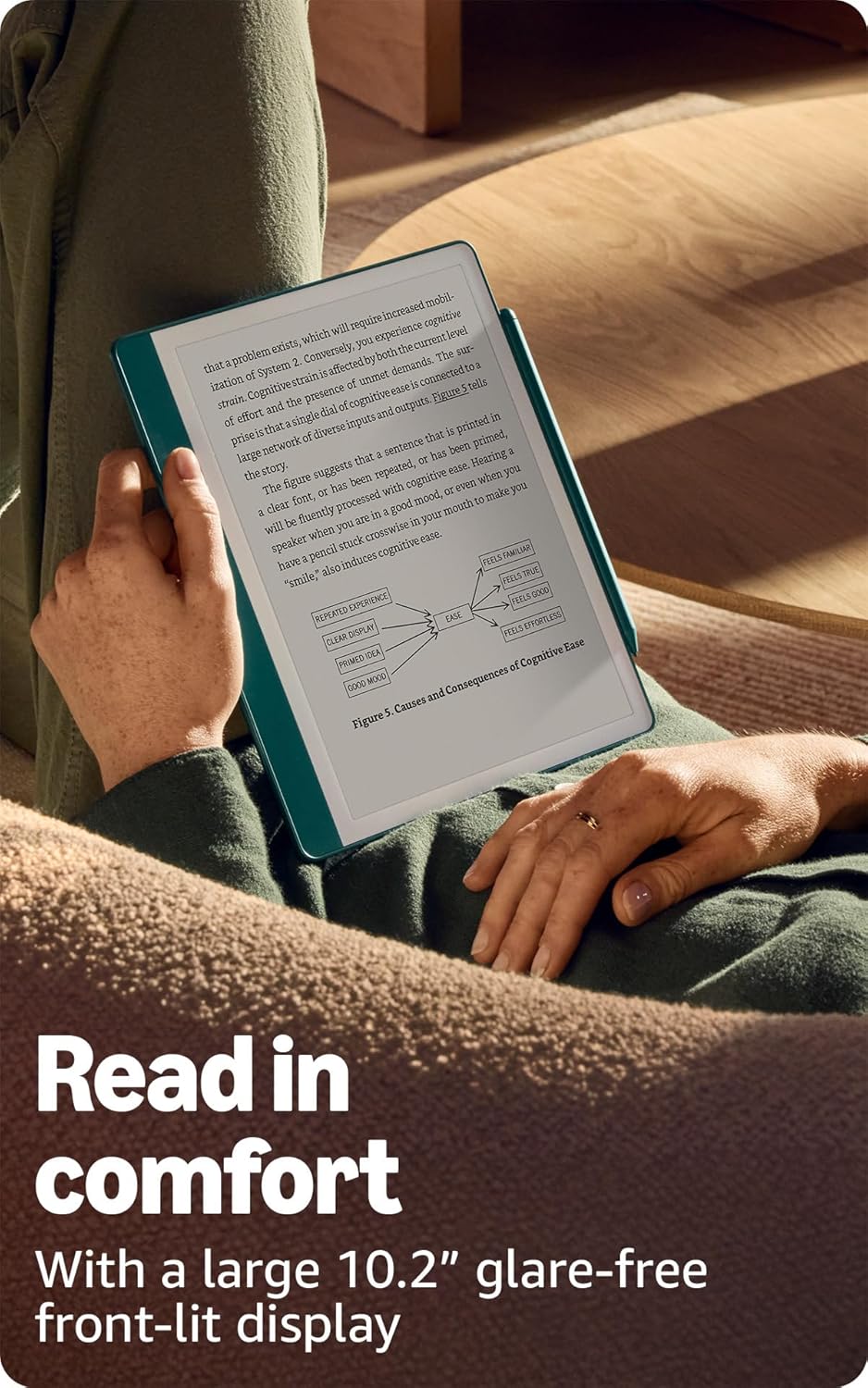
The 10.2-inch glare-free display is designed for comfortable reading.
Writing and Note-Taking
The Premium Pen allows for a natural writing experience directly on the Kindle Scribe's screen.
- Creating Notebooks: From the home screen, select the 'Notebooks' section to create new notebooks. Choose from various templates like lined, grid, blank, or specialized planners.
- Using the Premium Pen: Simply touch the pen to the screen to write. The pen does not require charging.
- Pen Tools: In a notebook or document, a toolbar will appear, allowing you to select different pen types (e.g., fountain pen, marker), adjust stroke thickness, and use an eraser. The Premium Pen also features a dedicated eraser on its top end.
- Marking Up Documents: Import PDFs and other documents to write directly on them. Use the pen to annotate, highlight, and add comments.
- Active Canvas: When reading a book, you can activate Active Canvas to create space for notes directly on the page. Expand or collapse margins as needed.

Utilize AI notebook tools to summarize and refine your handwritten notes.
AI Notebook Tools
The Kindle Scribe includes built-in AI capabilities to enhance your note-taking:
- Handwriting to Text Conversion: Convert your handwritten notes into editable typed text.
- Note Summarization: Generate summaries of your notes.
- Length and Tone Adjustment: Modify the length and tone of your summarized notes.
Баримт бичгийн менежмент
You can easily import and manage documents on your Kindle Scribe:
- Send to Kindle: Use the 'Send to Kindle' feature to wirelessly send documents and PDFs from your computer or mobile device to your Scribe.
- Дэмжигдсэн форматууд: The device supports Kindle Format 8 (AZW3), Kindle (AZW), TXT, PDF, unprotected MOBI, PRC natively. It also supports PDF, DOCX, DOC, HTML, EPUB, TXT, RTF, JPEG, GIF, PNG, BMP through conversion. Audible audio format (AAX) is also supported.
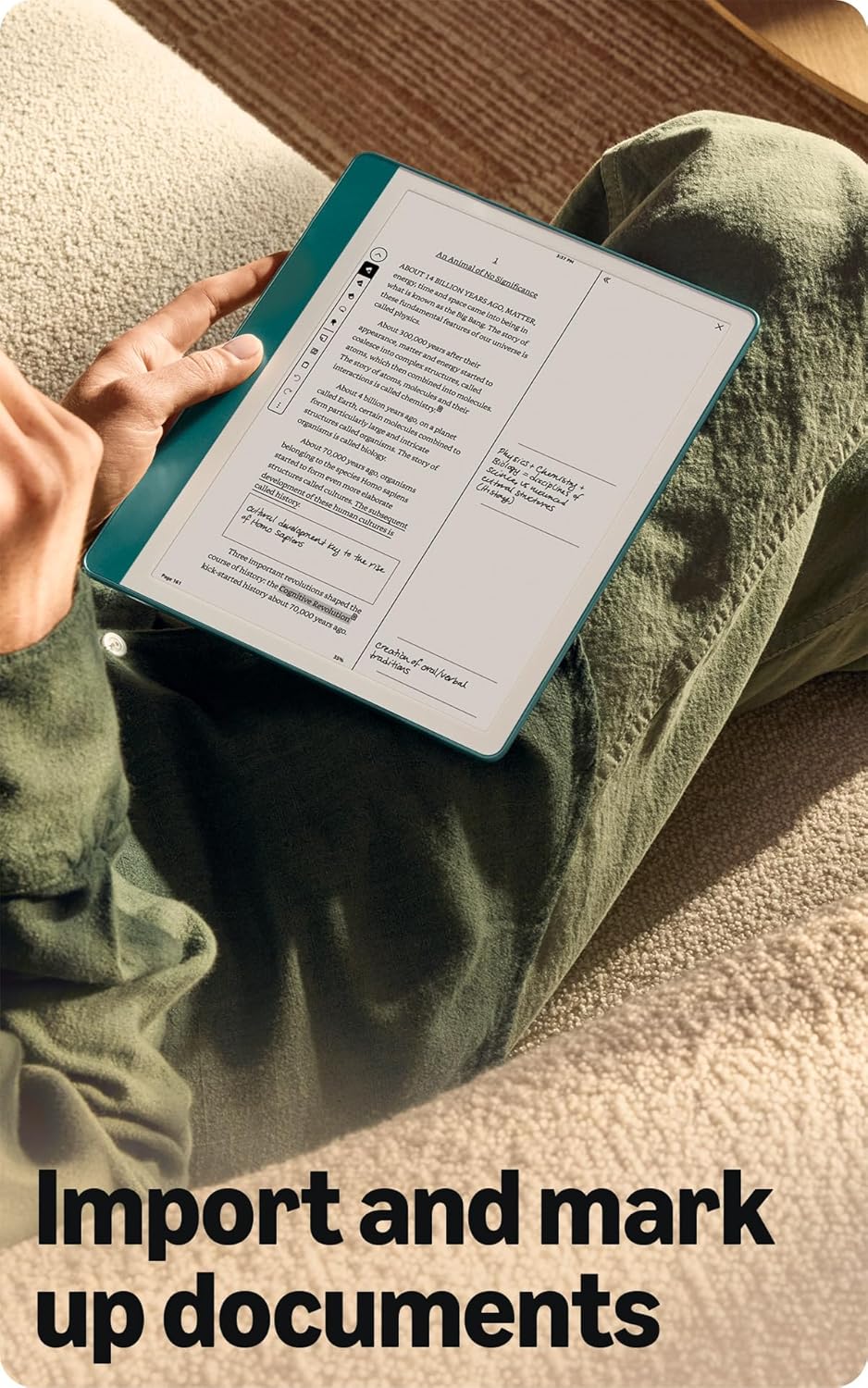
Import and mark up various documents directly on your Kindle Scribe.
Хүртээмжтэй байдлын онцлогууд
The Kindle Scribe includes features to enhance accessibility:
- Дуу хоолойView Дэлгэц уншигч: Bluetooth аудио, дуу хоолойгоор ашиглах боломжтойView provides spoken feedback for navigating the device and reading books with text-to-speech (English only).
- Дэлгэцийн тохируулга: Ability to invert black and white, adjust font size, font face, line spacing, and margins for personalized reading comfort.
Засвар үйлчилгээ
Зайны хугацаа ба цэнэглэх
To ensure optimal performance, follow these guidelines for battery management:
- Reading Battery Life: Up to 12 weeks based on 30 minutes of reading per day with wireless off and light setting at 13.
- Writing Battery Life: Up to 3 weeks based on 30 minutes of writing per day with wireless off and light setting at 13.
- Цэнэглэж байна: Fully charges in approximately 7 hours from a computer via USB-C cable, or approximately 2.5 hours with a 9W USB-C power adapter.
- Factors Affecting Battery: Battery life will vary based on usage, Audible audiobook streaming, and content annotation.
Premium Pen Maintenance
The Premium Pen comes with replaceable tips to maintain a consistent writing experience.
- Зөвлөгөө солих: Use the included tip replacement tool to carefully remove worn tips and insert new ones. Five replacement tips are provided in the box.
- Цэвэрлэгээ: Wipe the pen and device screen with a soft, lint-free cloth. Avoid abrasive materials or harsh chemicals.
Алдааг олж засварлах
If you encounter issues with your Kindle Scribe, consider the following basic troubleshooting steps:
- Төхөөрөмжийг дахин эхлүүлэх: Press and hold the power button for 7 seconds until the power dialog appears, then tap 'Restart'. If unresponsive, hold the power button for 40 seconds to force a restart.
- Wi-Fi холболтыг шалгах: Ensure your device is connected to a stable Wi-Fi network for content downloads and updates.
- Батерейг цэнэглэх: If the device is not responding, connect it to a power source using the USB-C cable and allow it to charge for at least 30 minutes before attempting to restart.
- Үзэг хариу өгөхгүй байна: Ensure the pen tip is securely in place. If writing feels inconsistent, consider replacing the pen tip.
- Програм хангамжийн шинэчлэлтүүд: Ensure your device has the latest software. Updates often resolve bugs and improve performance. Check for updates in the device settings.
For more detailed troubleshooting or persistent issues, refer to the official Kindle User Guide available online or contact Amazon Customer Service.
Үзүүлэлтүүд
| Онцлог | Дэлгэрэнгүй |
|---|---|
| Дэлгэц | Амазоны 10.2” Paperwhite дэлгэцийн технологи нь суурилуулсан гэрэл, 300 ppi, оновчтой үсгийн технологи, 16 түвшний саарал масштабтай. |
| Төхөөрөмжийн хэмжээ | 7.7” x 9.0 x .22” (хөлийг оруулаагүй 196 x 230 x 5.7 мм) |
| Дээд зэрэглэлийн үзэгний хэмжээ | 6.4” x .35” x .33” (162 x 8.8 x 8.4 мм) |
| Төхөөрөмж дээрх хадгалах сан | 16 ГБ, 32 ГБ эсвэл 64 ГБ (Энэ загвар: 64 ГБ) |
| Төхөөрөмжийн жин | 15.3 унц (зөвхөн 433 гр төхөөрөмж) |
| Дээд зэрэглэлийн үзэгний жин | .60 унц (17 гр) |
| Wi-Fi холболт | Wi-Fi 5 with support for WPA2/WPA3 personal or Wi-Fi Protected Setup (WPS). Bluetooth 5.2 |
| Агуулгын форматыг дэмждэг | Kindle Format 8 (AZW3), Kindle (AZW), TXT, PDF, хамгаалалтгүй MOBI, БНХАУ; PDF, DOCX, DOC, HTML, EPUB, TXT, RTF, JPEG, GIF, PNG, BMP хөрвүүлэх замаар; Дуут аудио формат (AAX). |
| Зайны хугацаа (унших) | 12 долоо хоног хүртэл (өдөрт хагас цаг, утасгүй унтраалттай, гэрэл 13) |
| Зайны хугацаа (бичих) | 3 долоо хоног хүртэл (өдөрт хагас цаг, утасгүй унтраалттай, гэрэл 13) |
| Charge Time (USB-C) | Approx. 7 hours from computer; approx. 2.5 hours with 9W USB-C power adapter. |
| Үе үе | Kindle Scribe 1-р үе - 2024 оны хувилбар |
| Боломжтой өнгө | Гянт болд ба металл хаш |
Баталгаат болон дэмжлэг
Баталгаат хугацааны мэдээлэл
The Kindle Scribe includes a 1-year limited warranty and service. Optional 1-year, 2-year, or 3-year Extended Warranty plans are available for U.S. customers and sold separately. Use of Kindle is subject to Amazon's Conditions of Use.
Documentation and Software Updates
For further information, quick start guides, and the full Kindle User Guide, please visit the official Amazon Kindle support website. Software updates are periodically released to enhance device functionality and security. You can find information about these updates and manage your device-specific settings on the Amazon webсайт.