
1. Танилцуулга
Thank you for choosing the EasySMX T37 Wireless Switch Pro Controller. This manual provides detailed instructions for setting up, operating, maintaining, and troubleshooting your controller. Please read this manual carefully before use to ensure optimal performance and longevity of your device. This controller is compatible with Nintendo Switch, Switch Lite, and Switch OLED consoles.
2. Бүтээгдэхүүн дууссанview
The EasySMX T37 is a wireless gamepad designed for an enhanced gaming experience on Nintendo Switch systems. It features an ergonomic design, dual turbo vibration, and 6-axis gyro motion control.

Зураг 2.1: Урд view of the EasySMX T37 Wireless Switch Pro Controller, showcasing its ergonomic shape and button layout.
3. Тохиргоо
3.1 Nintendo Switch-тэй хослуулах
- Nintendo Switch консолоо асаана уу.
- HOME цэснээс сонгоно уу Хянагч нар > Бариул/Захиалга өөрчлөх.
- On the EasySMX T37 controller, press and hold the SYNC товчлуур (located on the top edge of the controller) for 3 seconds until the LED indicators start flashing rapidly.
- Once the controller is successfully paired, the player LED(s) on the bottom of the controller will light up solid.
3.2 Хянагчийг цэнэглэх
Connect the provided USB-C charging cable to the USB-C port on the controller and the other end to a USB power source (e.g., Switch dock, USB wall adapter, computer USB port). The LED indicators will show charging status and turn off when fully charged.
4. Ашиглалтын заавар
4.1 Үндсэн удирдлага
The controller features standard button layouts for Nintendo Switch compatibility:
- A/B/X/Y товчлуурууд: Үйлдлийн товчлуурууд.
- D-Pad: Чиглэлийн оролт.
- Зүүн/Баруун аналог саваа: Хөдөлгөөн болон камерын удирдлага.
- L/R/ZL/ZR Buttons: Мөр болон гох товчлуурууд.
- HOME товчлуур: Returns to the Switch HOME Menu.
- БҮТЭЭЛИЙН ТОГЛОЛТ: Takes screenshots.
- НЭМЭХ (+) / ХАСААХ (-) Товчнууд: Start/Select functions.

Image 4.1: A user holding the EasySMX T37 controller, demonstrating the comfortable grip and accessible button placement during gameplay.
4.2 Турбо функц
The Turbo function allows for rapid, automatic pressing of a button, useful in action or arcade games.
- Турбо идэвхжүүлэх: Хүссэн үйлдлийн товчийг (A/B/X/Y/L/R/ZL/ZR) дараад барина уу, дараа нь Турбо товч (T button). The button will now auto-fire.
- Турбо хурдыг тохируулах: барьж байхдаа Турбо товч, зөөвөрлөнө Right Analog Stick Up or Down to cycle through three speeds: 5 shots/s, 12 shots/s, and 20 shots/s.
- Турбо идэвхгүй болгох: Repeat the activation step (hold the action button, then press the Turbo button) or press and hold the Турбо товч for 5 seconds to clear all Turbo settings.
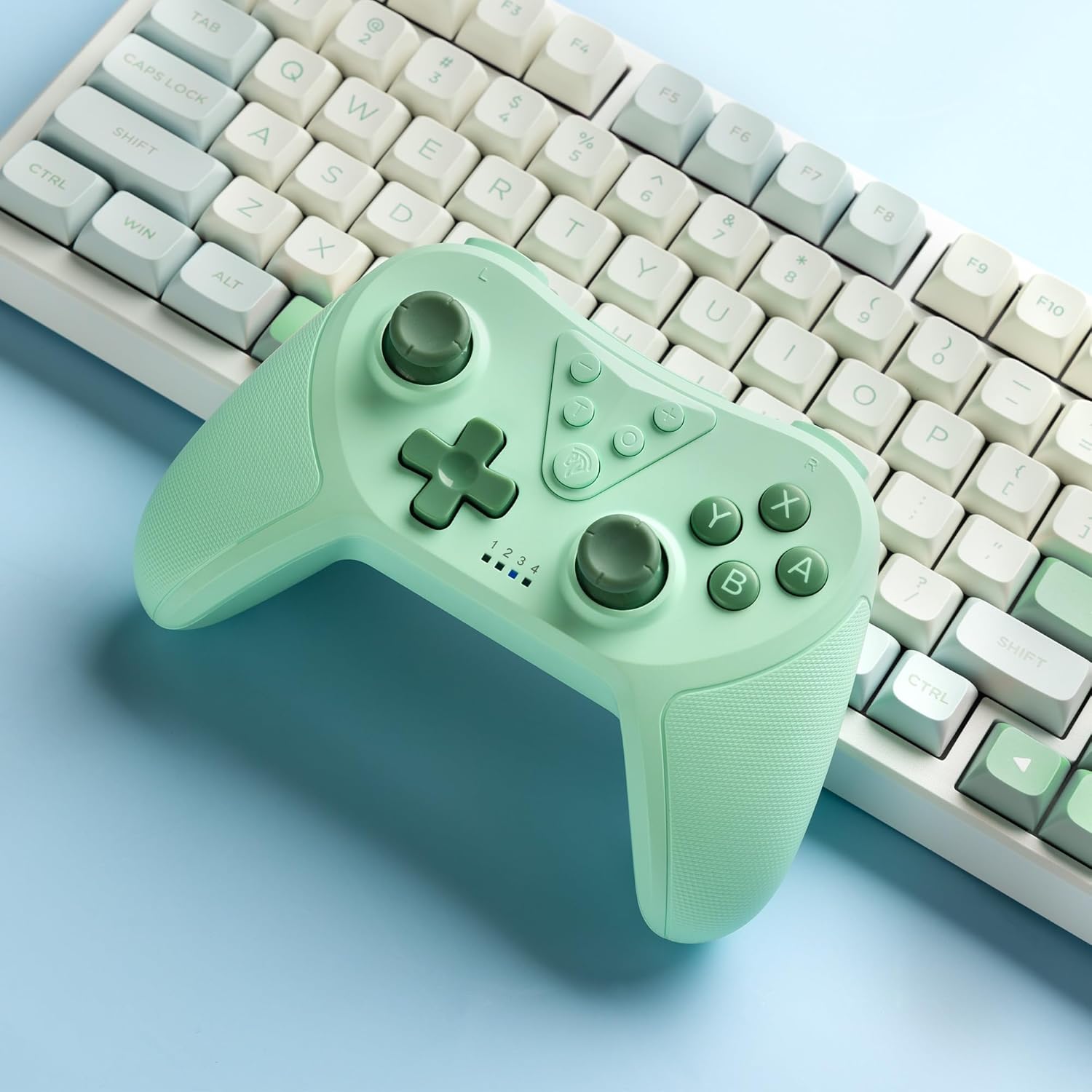
Image 4.2: Illustration of the Turbo function on the EasySMX T37 controller, showing the three adjustable speeds: 5, 12, and 20 shots per second.
4.3 Чичиргээний тохируулга
The controller features dual motors for adjustable vibration feedback, enhancing immersion in games.
- Чичиргээний эрчмийг тохируулах: -г удаан дар Турбо товч, дараа нь шилжүүлээрэй Left Analog Stick Up or Down to cycle through four vibration levels: 0% (off), 30%, 70%, and 100%.

Image 4.3: Visual representation of the Dual Vibration feature on the EasySMX T37 controller, indicating four intensity levels from 0% to 100%.
4.4 6 тэнхлэгтэй гироскопын хөдөлгөөний удирдлага
The built-in 6-axis gyroscope provides precise motion sensing, allowing for intuitive control in games that support motion input.

Image 4.4: Illustration depicting the 6-Axis Gyro Motion Control feature of the EasySMX T37 controller, showing how it interacts with a game on the Nintendo Switch screen.
5. Засвар үйлчилгээ
- Цэвэрлэгээ: Удирдагчийг цэвэрлэхийн тулд зөөлөн, хуурай даавуу ашиглана уу. Химийн хатуу бодис, зүлгүүрийн материал ашиглахаас зайлсхий.
- Хадгалах: Удирдагчийг нарны шууд тусгал, хэт температураас хол, сэрүүн, хуурай газар хадгална.
- Батерейны арчилгаа: Зайны ашиглалтын хугацааг уртасгахын тулд хянагчийг ойр ойрхон бүрэн цэнэглэхээс зайлсхий. Удаан хугацаагаар ашиглаагүй байсан ч тогтмол цэнэглээрэй.
- Дусалаас зайлсхийх: Удирдагчийг уналт, нөлөөллөөс хамгаалж, дотоод эд ангиудыг гэмтээж болно.
6. Алдаа засах
6.1 Хянагч холбогдоогүй байна
- Хянагч цэнэглэгдсэн эсэхийг шалгаарай.
- Verify the Switch console is updated to the latest system version.
- 3.1-р хэсэгт байгаа алхмуудыг дагаж хянагчийг дахин хослуулахыг оролдоорой.
- If issues persist, try resetting the controller by inserting a thin object into the small reset hole (if present, usually on the back) for a few seconds.
6.2 Buttons Unresponsive or Lagging
- Хянагч бүрэн цэнэглэгдсэн эсэхийг шалгаарай.
- Move closer to the Switch console to ensure a strong wireless connection.
- Товчлуурын эргэн тойронд ямар нэгэн физик саад тотгор эсвэл хог хаягдал байгаа эсэхийг шалгана уу.
- Хянагчийг дахин холбоно уу.
6.3 Controller Not Charging
- USB-C кабель нь хянагч болон тэжээлийн эх үүсвэрт найдвартай холбогдсон эсэхийг шалгаарай.
- Өөр USB-C кабель эсвэл тэжээлийн адаптер ашиглаж үзнэ үү.
- Эрчим хүчний эх үүсвэр ажиллаж байгаа эсэхийг шалгаарай.
7. Техникийн үзүүлэлтүүд
- Загвар: T37
- Холболт: Утасгүй (Bluetooth)
- Тохиромжтой байдал: Nintendo Switch, Switch Lite, Switch OLED
- Онцлогууд: Dual Turbo Function, Adjustable Vibration, 6-Axis Gyro Motion Control, Ergonomic Design
- Product Identifier (ASIN): B0CTTWN84L
8. Баталгаат хугацаа ба дэмжлэг
Баталгаат хугацаа, техникийн дэмжлэг эсвэл нэмэлт тусламж авахыг хүсвэл албан ёсны EasySMX-ээс лавлана уу. webсайт эсвэл хэрэглэгчийн дэмжлэгтэй шууд холбогдоно уу. Баталгаат зарга авахын тулд худалдан авалтын баримтаа хадгална уу.