
Танилцуулга
This manual provides essential information for the safe and efficient use of your HP 15 Professional Slim High-Performance Laptop. Please read these instructions carefully before using your device. Keep this manual for future reference.
1. Анхны тохиргоо
1.1 Хайрцгийг задлах болон цахилгааныг холбох
Carefully remove the laptop and all accessories from the packaging. Connect the provided AC adapter to the laptop's power port and then to a power outlet. It is recommended to fully charge the battery before first use.

Image: The HP 15 laptop shown from the front, with the power adapter connected to the side. This illustrates the initial connection for charging.
1.2 Эхний ачаалалт болон үйлдлийн системийн тохиргоо
Press the power button to turn on the laptop. Follow the on-screen instructions to complete the Windows 11 Home operating system setup. This includes selecting your region, connecting to a Wi-Fi network, and creating a user account.

Image: The HP 15 laptop open, displaying the Windows 11 desktop interface, indicating successful operating system initialization.
2. Зөөврийн компьютерээ ажиллуулах
2.1 Асаах/унтраах ба Унтах горим
- Асаах: Гарын тавцан дээр байрлах цахилгаан товчийг дарна уу.
- Унтраах: Эхлүүлэх товчийг дараад, дараа нь Асаах товчийг дараад "Унтрах" гэснийг сонгоно уу.
- Унтах горим: Тагийг хаах эсвэл Эхлүүлэх товчийг дараад Асаах товчийг дараад "Унтах"-ыг сонгоно уу.
2.2 Гар ба мэдрэгчтэй самбар
The laptop features a full-size island-style QWERTY keyboard and a multi-touch touchpad. Use the touchpad for navigation and gestures. Refer to Windows 11 settings for touchpad customization.
2.3 Холболт
Your HP 15 laptop offers various connectivity options:
- Wi-Fi: Supports Realtek Killer Wi-Fi 6 (802.11ax) for high-speed wireless internet access.
- Bluetooth: Integrated Bluetooth 5.3 for connecting wireless peripherals like headphones and mice.
- USB портууд:
- Two (2) USB 3.2 Gen 1.0 Type-A ports (5 Gbps signaling rate).
- One (1) USB 3.2 Gen 1.0 Type-C port (5 Gbps signaling rate, data transfer only; charging or external monitors not supported).
- HDMI: One (1) HDMI v1.4b output port for connecting to external displays.
- Аудио Жак: One (1) headphone/microphone combo port.
Зураг: нэг тал view of the HP 15 laptop, highlighting the various input/output ports for external device connectivity.
2.4 Аудио ба Камер
- Аудио: Equipped with dual speakers for audio output and HD Audio support.
- Камер: Features an HP True Vision 720p HD camera with integrated dual array digital microphones, suitable for video calls and online meetings.

Image: The HP 15 laptop displaying a video conference call, demonstrating the use of the integrated camera and microphone.
3. Засвар үйлчилгээ, арчилгаа
3.1 Зөөврийн компьютерээ цэвэрлэх
- Дэлгэц: Зөөлөн, хөвөнгүй даавууг хөнгөн хэрэглээрэй dampус эсвэл дэлгэц цэвэрлэгчээр дүүргэнэ. Дэлгэц рүү шууд шингэн цацаж болохгүй.
- Гар болон явах эд анги: Зөөлөн, хуурай даавуу хэрэглээрэй. Зөрүүд шороонд бага зэрэг damp Нүх рүү чийг орохгүй байхын тулд даавууг ашиглаж болно.
- Агааржуулалт: Хөргөлтөд нөлөөлж болзошгүй тоос хуримтлагдахаас сэргийлж агааржуулалтын нүхийг үе үе шалгаж, зөөлөн цэвэрлэж байгаарай.
3.2 Батерейны арчилгаа
To maximize battery lifespan, avoid extreme temperatures and prolonged full discharge or full charge states. For long-term storage, charge the battery to approximately 50%.
3.3 Програм хангамжийн шинэчлэлтүүд
Regularly check for and install Windows updates and HP driver updates to ensure optimal performance, security, and compatibility. Access Windows Update via Settings > Windows Update.
3.4 Байгаль орчны асуудал
This laptop is built with recycled materials, including ocean-bound plastic. Please dispose of the device and its components responsibly at the end of its life cycle, following local regulations for electronic waste.
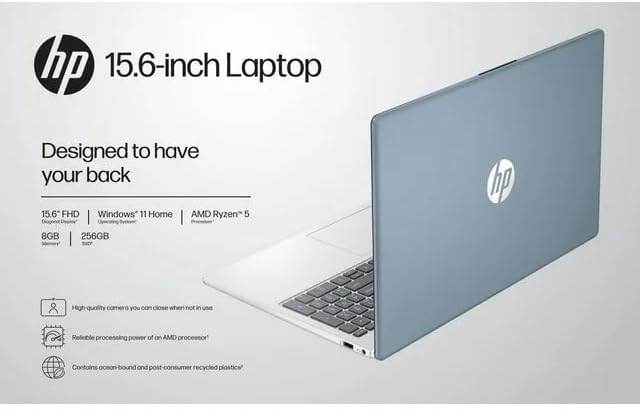
Image: The HP 15 laptop shown from the rear, illustrating its design and potential ventilation areas for maintenance.
4. Нийтлэг асуудлуудыг олж засварлах
This section addresses common problems you might encounter. For more complex issues, refer to the HP support webсайт.
4.1 Цахилгаангүй эсвэл зөөврийн компьютер асахгүй байна
- Хувьсах гүйдлийн адаптер нь зөөврийн компьютер болон ажиллаж байгаа цахилгааны залгуурт найдвартай холбогдсон эсэхийг шалгаарай.
- Өөр төхөөрөмжийг залгах замаар цахилгааны залгуур ажиллаж байгаа эсэхийг шалгана уу.
- Өөр цахилгаан залгуураар оролдоно уу.
- Хэрэв батерей бүрэн дууссан бол асаахаасаа өмнө дор хаяж 30 минутын турш цэнэглэхийг зөвшөөрнө үү.
4.2 Дэлгэцийн асуудал
- Хоосон дэлгэц: Connect an external monitor via HDMI to check if the issue is with the laptop's display or the graphics output.
- Бүдэг дэлгэц: Adjust screen brightness using the function keys (usually F2/F3 or similar icons) or through Windows display settings.
- Буруу нарийвчлал: Adjust the display resolution in Windows Settings > System > Display.
4.3 Wi-Fi эсвэл Bluetooth холболтын асуудлууд
- Ensure Wi-Fi and Bluetooth are enabled in Windows Settings > Network & internet or Devices > Bluetooth & devices.
- Wi-Fi-тай холбоотой асуудлуудын хувьд чиглүүлэгч/модемоо дахин асаана уу.
- Update wireless drivers through HP Support Assistant or Device Manager.
- Forget and reconnect to the Wi-Fi network or re-pair the Bluetooth device.
4.4 Аудио ажиллахгүй байна
- Check volume levels in Windows and ensure speakers are not muted.
- Verify that the correct audio output device is selected in Windows Sound settings.
- Аудио драйверуудыг шинэчлэх.
- Test with headphones to determine if the issue is with the internal speakers or the audio output.
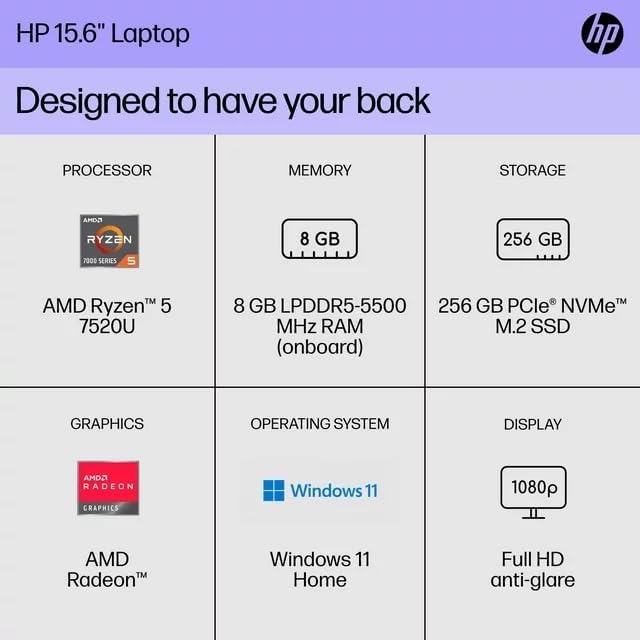
5. Бүтээгдэхүүний техникийн үзүүлэлтүүд
The following are the technical specifications for the HP 15 Professional Slim High-Performance Laptop (Model 15):
| Онцлог | Дэлгэрэнгүй |
|---|---|
| Загварын нэр | HP 15 |
| Процессор | AMD Ryzen 5 7520U (up to 4.3 GHz max boost, 4 cores, 8 threads) |
| График | AMD Radeon график (нэгдсэн) |
| Санах ой (RAM) | 8 ГБ DDR4 SDRAM |
| Хадгалах | 256GB PCIe NVMe M.2 SSD |
| Дэлгэц | 15.6-inch diagonal, Full HD (1920 x 1080), micro-edge, anti-glare, 250 nits, 45% NTSC |
| Үйлдлийн систем | Windows 11 Нүүр хуудас |
| Утасгүй холболт | Realtek Killer Wi-Fi 6 (2x2), Bluetooth 5.3 |
| Портууд |
|
| Камер | Нэгдсэн хос массив дижитал микрофонтой HP True Vision 720p HD камер |
| Аудио | Dual speakers, HD Audio |
| Гар | Full-size island-style QWERTY keyboard |
| Эрчим хүчний төхөөрөмж | Хувьсах гүйдлийн адаптер |
| UPC | 196337455771 |
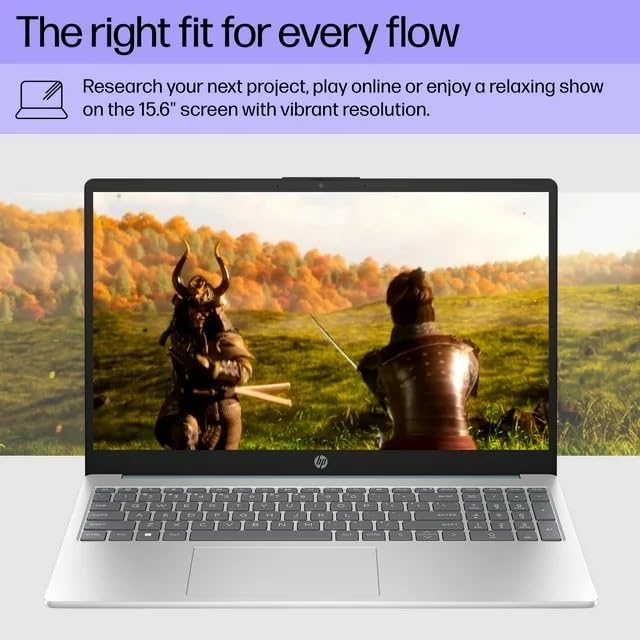
Image: A visual representation of the HP 15 laptop, complementing the detailed specifications listed.
6. Баталгаат хугацааны мэдээлэл
This HP 15 laptop is a renewed product and comes with a 90 хоногийн хязгаарлагдмал баталгаат хугацаа. This warranty covers defects in materials and workmanship under normal use. For specific terms and conditions, please refer to the warranty documentation included with your product or contact HP support.
7. Хэрэглэгчийн дэмжлэг
For further assistance, technical support, or to download updated drivers and software, please visit the official HP support website. You can typically find support resources by searching for "HP Support" and your specific model number (HP 15) on their webсайт.
Онлайн нөөцүүд: https://support.hp.com