
1. Танилцуулга
Thank you for choosing the VCHICS Digital Audio Amplifier Receiver Module. This device is designed to provide versatile audio playback options, including Bluetooth, USB, TF card, and FM radio, with adjustable bass and treble controls. This manual will guide you through the setup, operation, and maintenance of your ampамьд модуль.
2. Үндсэн шинж чанарууд
- MP3 music playback from TF card, USB disk, and Bluetooth.
- Adjustable Treble, Bass, and Master Volume controls.
- Integrated Bluetooth receiver for wireless audio streaming.
- Built-in FM radio function.
- AUX port for connection to PC, phone, or CD players.
- Supports AC 110-220V or DC 12-24V input voltage.
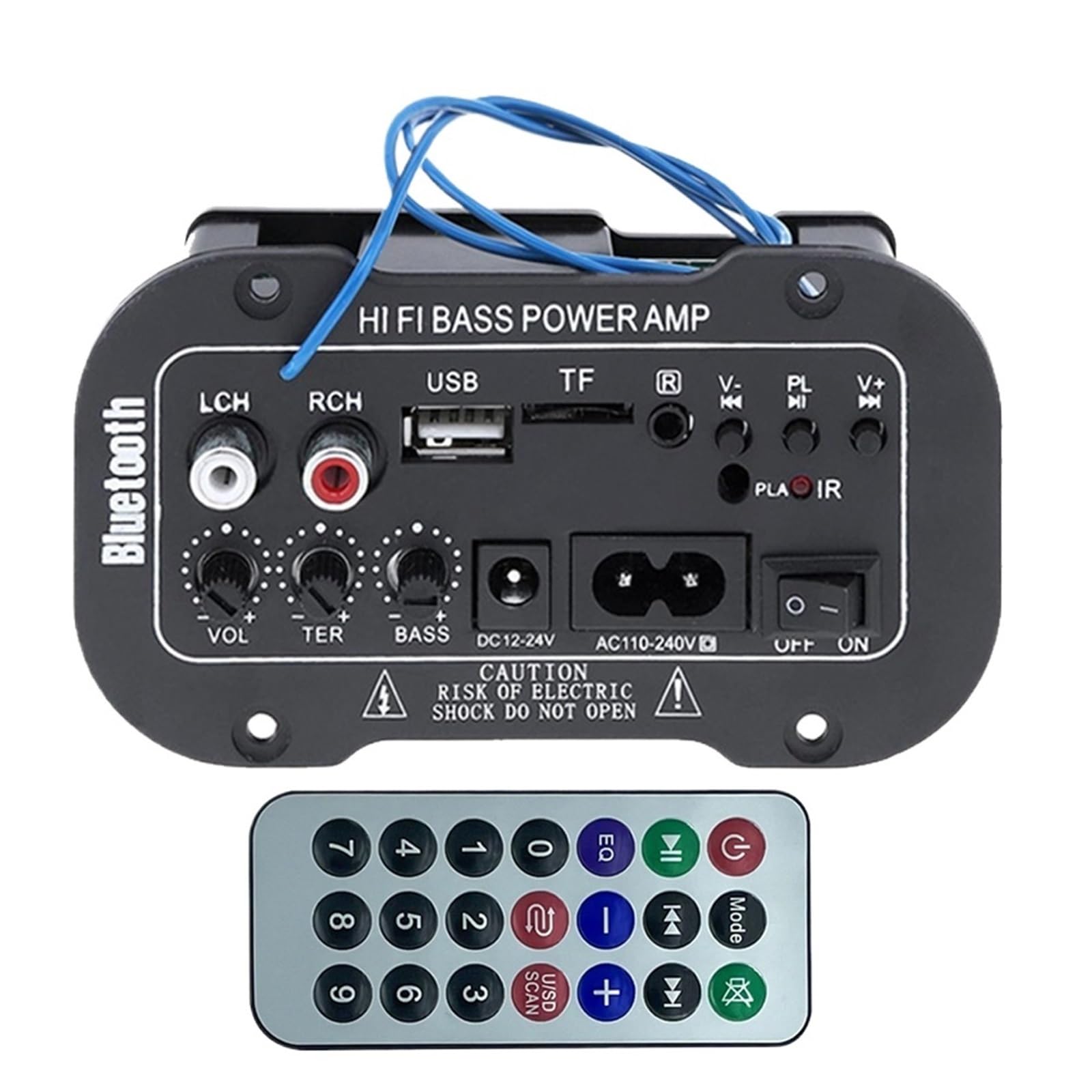
Зураг 1: Илүүview of the VCHICS Digital Audio Amplifier Receiver Module.
3. Техникийн үзүүлэлтүүд
| Тодорхойлолт | Үнэ цэнэ |
|---|---|
| Bluetooth хувилбар | 2.1+EDR |
| Үйл ажиллагааны ботьtage | 9-20 V тогтмол гүйдэл |
| Ажлын хүч | 25-30 Вт |
| Codec | SBC |
| Эсэргүүцэл | 4 Ом |
| Speaker Unit Size | 133 мм |
| Мэдрэмж | 200hv |
| Давтамжийн хариу үйлдэл | 20-20000 Гц |
| Зүйлийн жин | 400 грамм |
| Сувгийн тоо | 1 |
| Загварын дугаар | 1005005454581585 |

Figure 2: Product dimensions (11.7cm x 6.5cm x 4.5cm / 10cm x 4cm).
4. Хяналт ба холболтууд
Familiarize yourself with the various controls and connection ports on your ampөргөх модуль:

Зураг 3: Нарийвчилсан view of controls and connection points.
- LCH / RCH (Audio Input): Left and Right channel audio input for external devices.
- USB үүр: MP3 тоглуулахын тулд USB флаш диск холбох зориулалттай.
- TF үүр: For inserting TF (MicroSD) cards for MP3 playback.
- Previous / Next (V- / V+): Navigate tracks or adjust volume in certain modes.
- Play / Pause (PL/IR): Play/pause audio, or initiate FM scan. IR indicates Infrared Sensor for remote control.
- Үзүүлэлт: Статусын гэрэл.
- Хэт улаан туяаны мэдрэгч: For receiving signals from a remote control (if included or compatible).
- OFF / ON: Power switch for the module.
- AC110-240V: Хувьсах гүйдлийн оролт.
- DC12-24V: DC тэжээлийн оролт.
- Басс тохируулах: Rotary knob to adjust bass levels.
- Гурав дахин тохируулах: Rotary knob to adjust treble levels.
- Дууны хэмжээг тохируулах: Rotary knob to adjust master volume.
- Bluetooth товчлуур: Bluetooth горимыг идэвхжүүлнэ.
5. Тохиргоо
5.1 Эрчим хүчний холболт
- -ийг баталгаажуулах amplifier module is switched OFF.
- Connect the appropriate power supply to either the AC110-240V оролт эсвэл DC12-24V input. Use only the specified voltagэвдрэлээс сэргийлэхийн тулд e хүрээ.
5.2 Чанга яригчийн холболт
Connect your speakers to the output terminals of the amplifier module. Ensure correct polarity (+/-) for optimal sound quality.
5.3 Antenna Connection (for FM Radio)
If using the FM radio function, connect the provided FM antenna to the designated antenna port for better reception.
6. Ашиглалтын заавар
6.1 Асаах/унтраах
-г асаана уу OFF / ON switch to power on or power off the module.
6.2 Bluetooth холболт
- дээр дарна уу MODE button (or the Bluetooth button if labeled) to switch the amplifier to Bluetooth mode.
- On your mobile phone or Bluetooth device, open the Bluetooth settings and search for available devices.
- -г сонгоно уу amplifier's Bluetooth device name (usually "Bluetooth" or similar) from the list to connect.
- Once successfully paired, you can play audio from your device through the ampнастан.
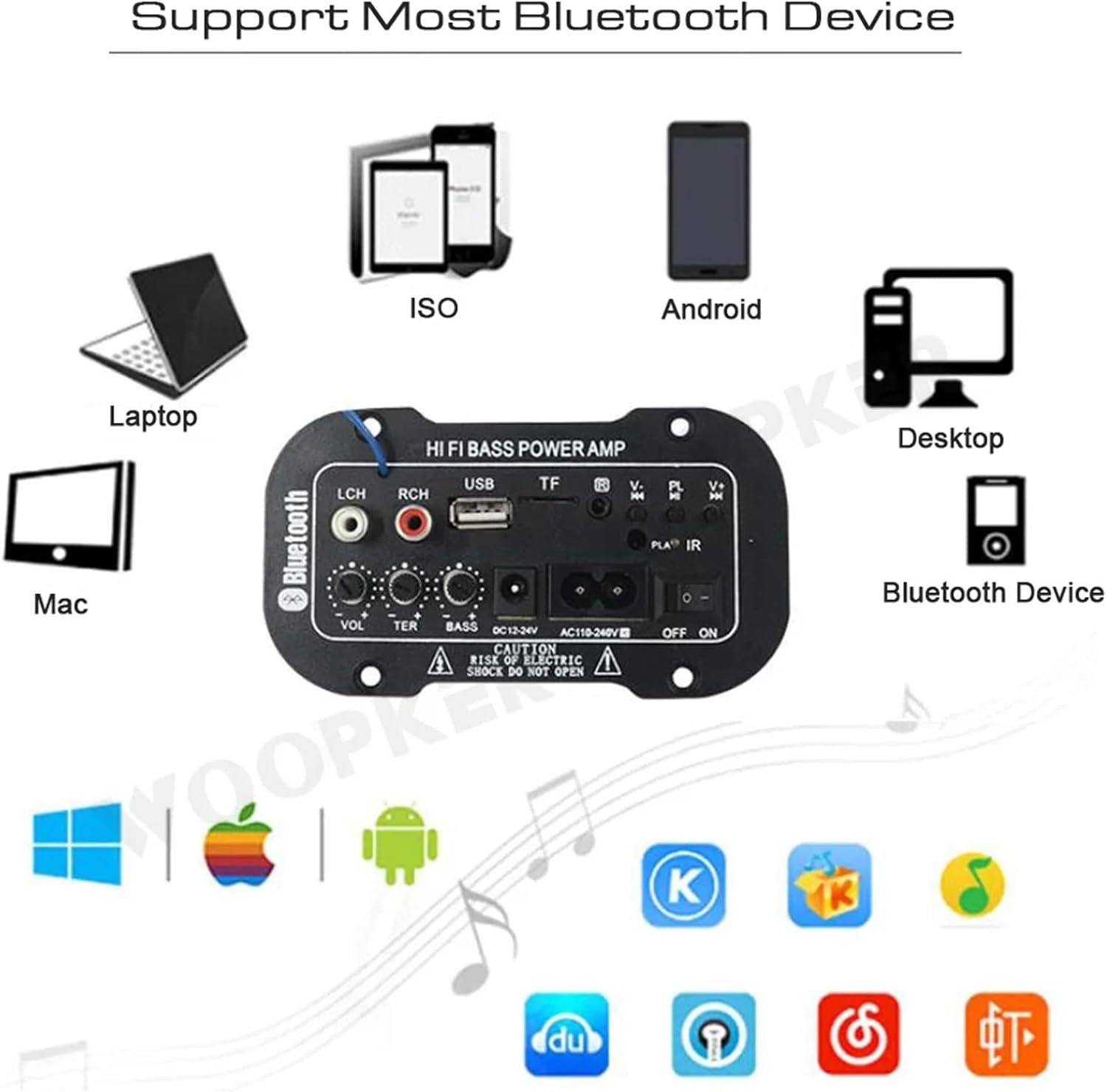
Зураг 4: The amplifier module supports various Bluetooth devices including laptops, phones, and desktops.
6.3 FM радиогийн ажиллагаа
- Ensure the radio antenna is properly connected.
- дээр дарна уу MODE сэлгэх товчлуур amplifier to FM radio mode.
- дээр дарна уу Тоглуулах / Түр зогсоох button to initiate an automatic scan for all available FM channels. The module will save them automatically.
- -г ашиглана уу Өмнөх / Дараачийн buttons to switch between saved radio stations.
6.4 USB / TF карт тоглуулах
- USB флаш дискийг дотор нь оруулна уу USB оролт эсвэл TF (MicroSD) картыг TF оролт.
- The module should automatically detect the storage device and begin playing MP3 fileс. Үгүй бол товчийг дарна уу MODE button to cycle through input sources until USB or TF mode is active.
- -г ашиглана уу Өмнөх / Дараачийн buttons to change tracks and the Тоглуулах / Түр зогсоох тоглуулахыг удирдах товчлуур.
6.5 AUX оролт
Connect an external audio source (e.g., PC, phone, CD player) to the LCH / RCH (Audio Input) ports using an appropriate audio cable. Press the MODE button to select the AUX input source.
6.6 Аудио тохируулах
-г ашиглана уу Эзлэхүүнийг тохируулах, Гурав дахин тохируулах, ба Басс тохируулах rotary knobs to fine-tune your audio output to your preference.
7. Алдаа засах
- Эрчим хүчгүй: Ensure the power cable is securely connected and the power switch is in the ON position. Verify the power source is active and providing the correct voltage (AC 110-240V or DC 12-24V).
- Дуугүй: Check speaker connections for correct polarity. Ensure the volume is turned up. Verify the correct input mode (Bluetooth, FM, USB, TF, AUX) is selected. Test with a different audio source.
- Bluetooth холбогдоогүй байна: эсэхийг шалгаарай amplifier is in Bluetooth mode. Ensure your device's Bluetooth is enabled and within range. Try restarting both the ampөргөгч болон таны Bluetooth төхөөрөмж.
- FM хүлээн авалт муу байна: Ensure the FM antenna is properly connected and extended. Try repositioning the antenna or the amplifier for better signal.
- USB/TF карт тоглогдохгүй байна: Ensure the USB drive or TF card contains compatible MP3 audio files. Check that the storage device is inserted correctly and not corrupted.
8. Засвар үйлчилгээ
- -г хадгал amplifier module clean by wiping it with a soft, dry cloth.
- Avoid exposing the device to moisture, extreme temperatures, or direct sunlight.
- Do not attempt to disassemble or repair the module yourself, as this may void any warranty and cause damage.
9. Баталгаат хугацаа ба дэмжлэг
Баталгаат мэдээлэл болон техникийн дэмжлэг авахын тулд худалдан авалт хийхдээ өгсөн баримт бичигт хандах эсвэл худалдагчтайгаа холбоо барина уу. Аливаа баталгаат нэхэмжлэлийн хувьд худалдан авалтаа нотлох баримтаа хадгалаарай.